Screen Recorder - XRecorder
- 115.75K
- 4.7
- Installs
- 100.00M
- Price
- Free

Screenshots
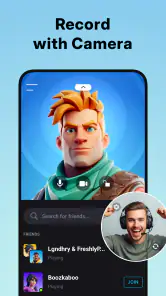
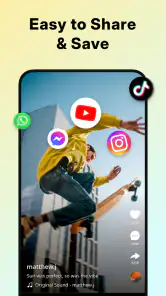
Analysis by Reviewed
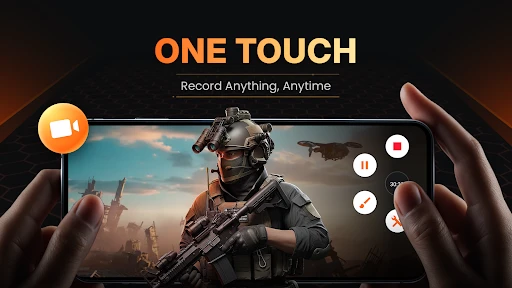
I use Screen Recorder - XRecorder when I want to capture something on my Android screen without turning the task into a setup project. It suits quick how-to clips, gameplay recordings, and other moments I want to revisit. The app is free to download, which makes it easy to try, though optional in-app purchases range from $0.99 to $49.99 per item. I’d treat that as a reason to check what a purchase unlocks before paying, not as a promise that every useful tool requires an upgrade.
Where the free access earns its keep
For a person who mainly needs to start a recording, capture on-screen activity, and save the result for later, the free entry point is appealing. I wouldn’t assume that “free” means every option is included indefinitely: paid items are available, so it’s sensible to explore the app first and decide whether the version you can use already covers your needs. That distinction matters more than the headline price if you record only occasionally.
InShot Inc. makes this video-player and editing app, and its scale suggests it has found a broad audience: it has more than 100 million installs and a 4.7 average from around 7.5 million ratings. It is rated for Everyone, with a minimum Android version of 8.0; the current version is 2.4.6.7. Those details make it a practical candidate for many Android users, but they don’t guarantee identical performance on every phone.
What Makes Screen Recording a Breeze?
First things first, let’s talk about the user interface. Screen Recorder - XRecorder is incredibly user-friendly. The moment you open the app, you’re greeted with a clean and intuitive layout that even a newbie can navigate without breaking a sweat. You don’t have to fiddle around with complicated settings to get started, which is a huge plus if you ask me.
Features That Make It Shine
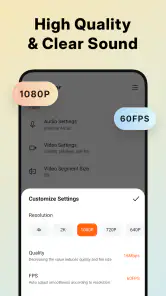
One of the standout features is its ability to record in high definition. Whether you’re capturing an intense gaming session or a detailed tutorial, the quality is top-notch. And guess what? There are no pesky watermarks to ruin your masterpiece, and you can record for unlimited time. Yes, you heard it right, unlimited recording time!
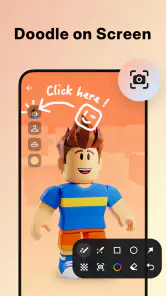
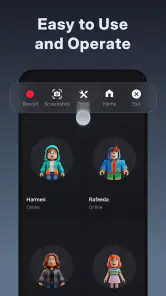
Another cool aspect is the floating window feature. This little guy lets you start, pause, and stop your recordings with just a tap, without having to switch between apps. It’s like having a remote control right on your screen!
A recording workflow that saves time
The floating controls are especially handy when a recording needs to follow a sequence of taps. I’d use them to demonstrate a phone setting, move through a lesson, or pause between sections so the final clip has fewer dead moments. A useful habit is to plan the first and last screen before hitting record: opening the right page first and stopping promptly can save trimming work later.
More From Our News Desk

Weather by Xiaomi Review: Clear at a Glance, Less Clear Up Close

X Under Pressure: Can It Recover When Posting Goes Wrong?

Clash of Clans Is Won Between the Battles

Android Auto Makes the Case for Quieter Car Software

MobiOffice: Transforming Mobile Productivity with Seamless Integration

EA SPORTS FC™ Mobile Soccer: Redefining Mobile Sports Gaming
For a typical evening gaming session, I’d start the recorder before launching the game, keep the controls accessible, and pause if I need to handle something off-camera. That’s more convenient than juggling another device to film the display, and the result is easier to share or review. For a short tutorial, I’d make a quick test recording first to check that the important buttons are visible and the audio is usable before capturing the full walkthrough.
Customization and Editing on the Go
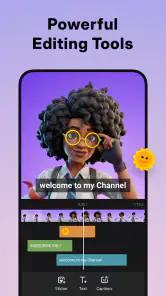
Customization is king with XRecorder. You can tweak your recording settings to your heart’s content. Want to record audio along with your screen? No problem! Need to adjust the video resolution or frame rate? Go for it! The app doesn’t just stop at recording; it offers a suite of editing tools too. Trim your videos, add music, or even merge clips together without needing a separate editing app.
Small choices that improve the result
For clips meant to be watched on a phone, I’d favor a recording that keeps the action readable over one that simply captures every moment. Before a longer session, it’s worth checking the chosen resolution and frame rate against the kind of content being recorded; higher settings can make files more demanding to store and share. I’d also listen to a brief test clip, since screen activity and narration are only useful together when both come through clearly.
The built-in editing is convenient for basic cleanup, but I wouldn’t treat it as a replacement for a dedicated editor when a project needs detailed cuts, layered effects, or more involved sound work. Trimming and joining clips can get a simple guide ready quickly; a creator assembling a polished, multi-part video may prefer a separate editing workflow. That trade-off is common with screen recorders: convenience on the phone versus fine control in a full editing tool.
Performance and Reliability
Now, let’s chat about performance. The app runs smoothly without any noticeable lag, which is crucial when you’re recording live gameplay or video calls. It’s compatible with most Android devices, so you won’t have to worry about compatibility issues. Plus, the app is regularly updated to ensure it stays in tip-top shape with the latest features and fixes.
One thing I absolutely appreciate is the app’s commitment to user privacy. It doesn’t collect unnecessary data, which is a relief in this day and age of privacy concerns.
When another option makes more sense
For a one-off capture, Android’s built-in screen recorder may be enough if your phone includes one and its controls suit the job. I’d choose XRecorder when I want its floating controls or the convenience of recording and making basic edits in the same app. On the other hand, if I need a desktop workflow, detailed post-production, or a recording setup built around a computer, a phone app is the wrong tool; a desktop recorder and editor will give me more room to work.
It’s also not my first choice for a clip that must be flawless on the first take. Screen recording can be affected by what the phone is doing, and a game or busy app may behave differently from a simple settings walkthrough. I’d close distractions, check available space, and make a short rehearsal for anything important. Those small checks are more useful than assuming a smooth experience on one recording guarantees the next will be identical.
Who will get the most value
I’d recommend trying it if you’re an Android user who regularly explains phone features, saves gameplay, or wants a straightforward way to capture on-screen activity. It’s a particularly sensible fit when you want to record, trim, and combine a few clips without moving files into another app. Casual users can also benefit, provided they’re comfortable checking the purchase options and don’t expect advanced editing from a screen recorder.
I’d skip it if you use iOS, need a computer-based capture setup, or already rely on an editor with more precise controls. Before installing, it’s worth checking that your device runs Android 8.0 or later. The app is free to start with, but whether any paid item is worthwhile depends on the tools you personally need; I wouldn’t buy anything until I’d tried the free experience and identified a specific reason to upgrade.
What to check before relying on a recording
A common question is whether this is suitable for a quick work or study demonstration. I think it is, especially when the goal is to show a sequence rather than produce a finished presentation. I’d close private chats and notifications first, then rehearse the route through the app so personal details don’t appear unexpectedly and the explanation stays focused. A screen recorder captures what is displayed, so a little preparation matters as much as the recording controls.
Audio deserves its own quick check. If I’m narrating a tutorial, I’d record a few seconds and play them back before doing the full take. That helps catch an unhelpful balance between voice and screen audio early. For a clip that depends on a game’s sound, I’d test that too rather than assume the same setup will suit narration and gameplay. The best choice can vary with the clip’s purpose.
Practical limits for longer sessions
Although long recordings are appealing, I wouldn’t interpret that as a reason to capture everything in one file. A long session can be less convenient to review, edit, and share than a few purposeful segments. I’d pause between rounds or record separate sections when the material has natural breaks. This also makes it easier to discard an unhelpful take without sorting through a lengthy video.
Storage is another practical consideration. A recording that looks sharp can take up more room than a short, casual clip, particularly when it runs on for a while. I’d check the phone’s available space before a lesson or gaming session and review the saved file afterward. If the goal is only to remember a brief sequence, a short capture is usually more useful than leaving the recorder running indefinitely.
Choosing between the app and simpler tools
The built-in recorder on a phone is a sensible first comparison because it may already handle a quick capture without installing anything. XRecorder’s appeal is the combination of accessible floating controls and on-device editing, which can reduce small steps when I’m making a short clip. If I only need to record once in a while and the built-in option works well, there may be little reason to switch.
For creators who need precise audio mixing, layered effects, or a carefully assembled final video, the included editing tools are better treated as a convenient first pass. I’d trim or join clips there when speed matters, then move to a fuller editor if the finished result needs more control. That distinction keeps expectations realistic: this is most useful as a capture tool with handy cleanup, not as a complete production studio.
Who should pass, and why
I’d steer away from it if I needed to capture activity on an iPhone, since this version is aimed at Android and requires Android 8.0 or later. It is also a poor fit for someone who must record from a computer or wants a detailed desktop editing pipeline. In those cases, choosing a tool built for the device and workflow is more important than trying to make a mobile recorder cover every task.
It may also be more app than a person needs if their phone’s own recorder already gives them the controls and file handling they want. I’d try the free access first, then consider an in-app purchase only if I can name a specific option I need and have checked its cost. The presence of paid items alone doesn’t tell me whether they offer worthwhile value for my routine.
A practical choice for everyday captures
One useful routine is recording a short demonstration in separate chapters rather than narrating a whole process in one take. For example, I’d capture the settings change, stop, then record the result on the screen. That makes it easier to remove a mistake and keeps the clip focused. Since XRecorder also lets me join clips, this workflow can be more forgiving than trying to deliver a perfect continuous take.
For sharing a gameplay moment, I’d decide in advance whether the clip is for personal review or for someone else to watch. A private replay can include pauses and experimentation; a shareable clip benefits from a clear start and a quick check of what appears around the game. That small distinction helps me avoid recording a long file when all I wanted was one useful moment.
Setting expectations about cost and audience
The free download is the clearest value for anyone who wants to try screen capture without committing money up front. The optional purchases are priced from $0.99 to $49.99 per item, so I’d check the individual item and its cost rather than treating the range as a subscription or assuming it applies to every tool. With around 116,000 written reviews alongside its large rating base, the app is widely used, but popularity alone doesn’t tell me whether a paid option matches my needs.
Its Everyone content rating may make it suitable for a broad audience, but I’d still prepare the screen thoughtfully before recording, particularly on a shared device or during a work demonstration. The main value is practical: capture what is happening on Android, control the recording without leaving the app, and make basic changes on the phone. If those are the tasks I do, free access may be enough; if I need a specific paid capability, I’d weigh that purchase against how often I’ll use it.
My final recommendation
In conclusion, Screen Recorder - XRecorder is a solid choice for anyone needing a reliable and feature-rich screen recording app. Whether you’re a content creator, a gamer, or just someone who likes to keep things documented, this app has got your back. So, if you’re on the hunt for a powerful screen recorder, give this one a shot!
Screen Recorder - XRecorder Frequently Asked Questions
Can XRecorder record a game or app while I use it?
XRecorder is designed to capture what is happening on your screen, so it can be useful when you want to save on-screen activity such as gameplay or steps in an app. You can record video rather than rely on screenshots when the action unfolds over time. As with any screen recorder, check what is visible before starting, especially if notifications or private information might appear.
Can I use XRecorder to make tutorials or demonstrations?
Yes. Recording your screen can be a practical way to demonstrate how an app works, explain a process, or create other instructional content. XRecorder’s stated purpose includes recording screen activity with audio, so you can preserve what happens on the display and include sound. Before sharing a recording, review it to make sure it shows the information you intended and does not reveal anything private.
Does XRecorder save recordings directly to my device?
XRecorder is intended to capture screen activity as video, which makes it useful when you want to keep a recording for later viewing or sharing. After recording, check the app and your device’s available media locations to find and manage the saved file. It is also sensible to make sure you have enough free storage before capturing a long session, since video files can take up space.
Do I need an account to use Screen Recorder - XRecorder?
XRecorder’s core purpose is screen recording, with audio capture and screenshots also included in its description. If you are considering a download, review the app’s setup flow and permissions on your device to understand what it asks you to do. You can also check the relevant app-store page for current installation details before proceeding, then decide whether the app’s recording tools fit your needs.
Can XRecorder capture screenshots as well as video?
Yes. Screen Recorder - XRecorder is described as a screen recorder that can also take screenshots in high quality. That gives you the option to save a still image when a full recording would be unnecessary, or capture video when you want to preserve on-screen activity over time. Both options are useful for keeping or sharing what appears on your device.
Pros
- High-quality video recording
- No watermark on videos
- User-friendly interface
- Supports multiple formats
- No time limit on recordings
Cons
- Contains in-app ads
- Limited editing features
- Consumes high battery
- Requires Android 5.0+
- No live streaming options
- Category
- Video Players & Editors
- Version
- 2.4.6.7













