Upwork for Freelancers
- 3.46K
- 3.8
- Installs
- 10.00M
- Price
- Free

Screenshots

Analysis by Reviewed
Ever found yourself wondering where to find freelance gigs that match your skills and passion? I’ve been there too, and let me tell you, the Upwork for Freelancers app is like a treasure map leading to the land of opportunities. If freelancing is your jam, this app might just become your new best friend.
Setting Sail with Upwork
First things first, downloading the app is a breeze. With a quick search in the App Store or Google Play, you’ll have the Upwork for Freelancers app ready to roll. Once you’re in, the setup is pretty straightforward. The app guides you through creating a profile that showcases your skills, experience, and that all-important portfolio. Think of it as your digital business card, and trust me, you’ll want to make it stand out.
Exploring the Interface
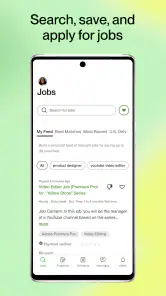
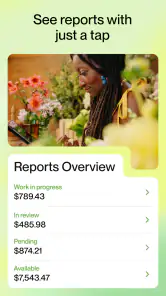
Now, let’s talk about navigating the app. The design is sleek and user-friendly, which I appreciate because who needs more complexity in their life, right? The dashboard gives you a snapshot of your activity, showing your current proposals, contracts, and earnings. It’s like having a personal assistant who’s super organized.
One of my favorite features is the job feed. It’s personalized based on your skills and preferences, so you’re not wasting time scrolling through gigs that don’t fit your expertise. You can even set alerts for new job postings. It’s like having a fishing line in the water, waiting for the perfect catch!
Getting Down to Business
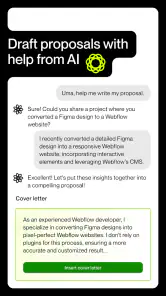
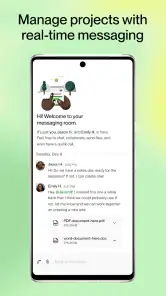
Submitting proposals is where the magic happens. The app lets you craft tailored proposals that highlight why you’re the perfect fit for the job. You can attach samples of your work, and there’s a nifty feature that allows you to chat with potential clients directly in the app. It’s all about building those connections, and Upwork makes it seamless.
The app also has a time tracker feature for hourly contracts, which is perfect if you’re like me and want to keep things transparent and professional with clients. Plus, it automatically logs your hours, so you can focus on what you do best—delivering quality work.
Final Thoughts
In a world where freelancing is becoming more popular by the day, having the right tools can make all the difference. The Upwork for Freelancers app is not just a platform; it’s a community of creatives and professionals looking to collaborate and succeed. Whether you’re a seasoned freelancer or just dipping your toes in the water, this app has got you covered.
So, if you’re ready to take your freelancing career to new heights, give the Upwork app a spin. It’s like having a world of opportunities right at your fingertips, and who wouldn’t want that?
Pros
- User-friendly interface for easy navigation.
- Wide range of job categories available.
- Offers secure payment methods.
- Features a robust feedback system.
- Provides a time-tracking tool for freelancers.
Cons
- High service fees for freelancers.
- Limited customer support availability.
- Can be competitive to secure jobs.
- Some jobs may have unclear requirements.
- Profile approval process can be lengthy.

- Category
- Business
- Version
- 1.102.1











