Runway: AI Image & Video
- 185.00
- 4.1
- Installs
- 1.00M
- Price
- Free

Screenshots

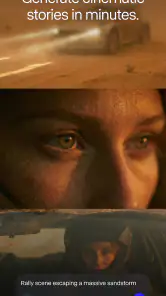
Analysis by Reviewed
I judge creative apps not only by the images they can make, but by how comfortably I can decide what to create, what to share, and what to keep private. Runway puts AI image and video generation in a mobile app, which makes experimentation feel close at hand. My first impression is that it is most appealing as a creative workshop for trying ideas, rather than as a replacement for careful editing or a guarantee of finished, publishable work.
Creative control matters as much as the result
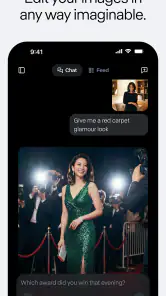
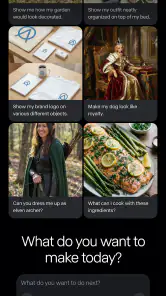
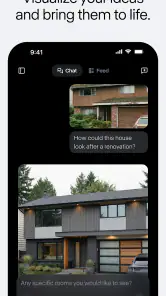
Runway: AI Image & Video is an art and design app from Runway AI Inc. Its appeal is the chance to work with image and video generation in one place, including tools associated with Seedance 2.5, Gen-4.5, and Runway Agent. That breadth makes it interesting to people who want to explore more than one kind of AI-assisted creation without treating each experiment as a separate project.
There is a trust question built into that convenience. Generative tools work from material a person chooses to provide, and creative prompts can contain personal, commercial, or sensitive ideas. I would approach the app with the same care I use for any online creative service: share only what I am comfortable using in that context, and read the visible choices and terms in the app before submitting anything important. I would not assume that a tool’s creative capabilities tell me how its data is handled.
The app is free to install, with in-app purchases ranging from $7.49 to $899.99 per item. That wide span makes it especially important to look at the purchase screen before committing: understand what a particular option includes, whether it suits the amount of use you expect, and whether you actually need it. I would start with free access and a small, low-stakes experiment rather than paying on the strength of an impressive sample.
What I would check before sharing a prompt
AI creation can invite people to paste in a reference image, describe a client brief, or use details drawn from real life. Those are different levels of sensitivity. A made-up scene for a personal project is a safer first test than an unreleased campaign concept or a photograph of someone who has not agreed to be included. This is not a claim about a particular policy; it is a sensible boundary when using any service that processes creative inputs.
I also separate the question “Can it make this?” from “Should I upload this?” If an image includes a face, private location, brand asset, or work-in-progress, I pause and decide whether a less identifying reference or a rewritten prompt could do the job. That small habit protects creative freedom without requiring me to stop experimenting altogether.
Visible choices are worth taking slowly
Before a first generation, I would review the screens the app presents for account, privacy, and sharing choices, and avoid tapping through them automatically. A user’s ability to make an informed decision depends on what is actually shown in the app and the controls available at that moment; I would not treat assumptions or a vague sense of reassurance as a substitute. If a choice is unclear, I would hold off on adding sensitive material until I understood it.
This is particularly relevant on a phone, where it is easy to move quickly from an idea to an upload. A brief pause to check the selected input, the text prompt, and any sharing destination can prevent an accidental disclosure. I find that more useful than trying to remember every privacy setting after a long creative session.
Where the creative workflow could fit
For a realistic everyday use, imagine I am preparing a small poster for a community event. I could use a rough prompt to explore visual directions, compare a lively illustrated mood with a quieter one, then take the strongest idea into a dedicated design tool to add accurate dates and readable text. That split is practical: generation can help with the visual starting point, while a conventional editor gives me deliberate control over layout and final details.
A second useful approach is to keep prompts modular. I would describe the subject, mood, and visual style separately instead of packing every requirement into one sentence. If the result misses the mark, I can adjust one element at a time and learn which instruction is affecting the outcome. This makes iteration easier to judge and reduces the temptation to keep adding personal details just to force a result.
For video concepts, I would use generated material as a sketch for pacing or atmosphere rather than assuming it is ready for a polished project. I would check continuity, movement, and small visual inconsistencies before showing a result to someone else. This matters when a clip represents a real person, product, or organization: a plausible-looking output is not automatically an accurate one.
The app’s combination of tools may also suit a creator who moves between still concepts and moving-image ideas. The trade-off is that a broad creative workspace can encourage exploration without necessarily replacing specialist controls. If I need exact typography, detailed compositing, frame-by-frame editing, or a tightly repeatable production process, I would expect to finish elsewhere rather than force the mobile app to do every job.
How I would compare it with familiar alternatives
Compared with a traditional image editor, Runway’s draw is the generative starting point: it can help turn a verbal idea into something to react to, whereas a conventional editor usually gives more direct control over each element. Compared with a simple filter or template app, it offers a more open-ended kind of experimentation, but that freedom can make results less predictable and require more prompt refinement.
For someone who mainly wants to crop photos, add captions, or produce consistent branded graphics, a standard design app may be quicker and easier to control. For someone who wants to explore visual possibilities before committing to a direction, generative tools are more compelling. I would choose according to the task, not the novelty: use AI for ideation, and use a predictable editor when precision and repeatability matter most.
Who is likely to enjoy it—and who may not
I can see it working well for curious illustrators, social creators, students, and people who want to test visual concepts from a phone. It may be especially useful when a blank page is the main obstacle: a generated draft gives me something concrete to accept, reject, or reshape. Beginners can explore without already knowing a full editing workflow, though they still need judgment about what to share and how much refinement a result needs.
I would be more cautious if I needed dependable output for a deadline, had sensitive source material, or wanted a strictly manual process. It is also not the best fit if I dislike iterative prompting or expect a first attempt to match a detailed brief exactly. Generative work is better treated as exploration than as a promise of precise control.
The app is rated for Everyone, but that age label does not remove the need for thoughtful supervision when younger users create accounts, make purchases, or share personal material. I would make sure a young creator understands which content they are entering and checks with a parent or guardian before spending money or using private images.
Practical details and a measured trial
Runway has an average rating of 4.1 from around 8,600 ratings, with over a million installs. Those figures suggest that it has attracted a substantial audience, but they cannot tell me whether it will suit my own workflow. I would use them as background, not as a substitute for trying a representative task myself.
The current version is 99.0.0, and the listed minimum operating system is version 9. Since app behavior and available choices can change, I would check the screens in the version I install rather than rely on descriptions of an earlier experience. The release date shown for this version of the app is April 24, 2026.
My sensible first session would be modest: make a fictional, non-sensitive prompt, see how much iteration it takes to get a usable direction, and inspect the account and sharing choices before adding anything personal. I would also note whether the free experience covers my actual needs before considering an in-app purchase. That gives me a better basis for deciding than an elaborate test that uses valuable source material too soon.
A cautious recommendation for the right kind of creator
Runway: AI Image & Video is worth exploring if you want a mobile space for experimenting with AI-generated images and video, and you are comfortable treating the output as a draft that may need further work. Its strongest practical role is helping me get from an abstract idea to a visual starting point, especially when I am still deciding what direction to take.
I would not recommend it as an automatic choice for confidential work, exact production requirements, or anyone who expects a generated result to be ready without review. The in-app purchase range is broad enough that I would inspect each offer carefully, and I would make deliberate choices about prompts, references, and sharing. If those limits fit your expectations, the app is a useful creative experiment; if privacy certainty or precise hands-on control comes first, a conventional editor or a workflow with clearer safeguards may be the better choice.
Runway: AI Image & Video Frequently Asked Questions
What is Runway: AI Image & Video used for?
Runway is a creative app for generating and editing visual content with AI. Depending on the tools and features available in your version, you can use it to create images or video from prompts, transform existing media, and experiment with AI-assisted effects. It is designed for creative projects and quick visual ideas, but results can vary, so expect to refine prompts or make further edits for a polished outcome.
Do I need an account or an internet connection to use Runway?
Many AI creation features rely on cloud processing, so you should expect to need a stable internet connection when generating or editing content. Some features may also require signing in, and access can depend on your account, region, or the current app version. Check the app’s setup information and permissions before getting started; offline use may be limited compared with connected use.
Is Runway free, or does it require a subscription?
Runway may offer access to some features without an upfront purchase, while more extensive use or specific tools can require a paid plan or in-app purchase. Pricing, included usage, and plan limits can change, so review the current details shown in the app or store listing before subscribing. Also check renewal terms and cancellation instructions to avoid unexpected charges.
Can I use Runway creations for commercial projects?
Commercial-use rights can depend on Runway’s current terms, the type of content you create, your plan, and any third-party material included in your prompts or uploads. AI-generated output may also raise questions about copyright, likeness, or other rights. Before using a result in advertising, client work, or products for sale, read the latest terms and make sure you have permission to use every source image, clip, or asset.
What should I know about privacy before uploading photos or videos?
If you upload personal images, footage, or other files, review Runway’s privacy policy and the app’s permissions first. Consider whether your material contains faces, private details, or confidential work, and avoid uploading anything you are not authorized to share. Check the service’s current information on data processing, storage, and deletion, since these details can affect how suitable the app is for sensitive projects.
Articles Related to Runway: AI Image & Video
Clash of Clans Is Won Between the Battles
Its raids are quick; its community is a long-term project of coordination, teaching, rivalry, and shared responsibility—with all the friction that entails.
Android Auto Makes the Case for Quieter Car Software
The car interface is no longer judged by how much it can do, but by how quietly it helps. Android Auto shows what drivers now expect—and what still gets in the way.
MobiOffice: Transforming Mobile Productivity with Seamless Integration
MobiOffice: Word, Sheets, PDF is redefining mobile productivity with a surprising blend of functionality and innovation.
EA SPORTS FC™ Mobile Soccer: Redefining Mobile Sports Gaming
Dive into EA SPORTS FC™ Mobile Soccer, where immersive gameplay and strategic depth transform mobile sports gaming.
Pros
- Turns text prompts and images into creative video clips.
- Offers AI image-generation tools alongside video features.
- Useful for quickly exploring visual ideas and styles.
- Web-based workspace makes projects accessible across devices.
- Frequent model updates can add new creative capabilities.
Cons
- Results may not closely match the prompt or reference image.
- Generated clips can contain visual glitches or inconsistent details.
- Free usage may be limited by credits or generation quotas.
- Some advanced tools may require a paid subscription.
- Processing times can vary
- especially during busy periods.

- Category
- Art & Design
- Version
- 99.0.0