Retouch Remove Objects Editor
- 4.08K
- 4.6
- Installs
- 10.00M
- Price
- Free

Screenshots
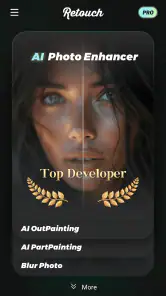
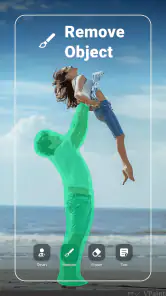
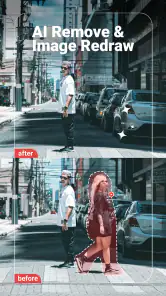
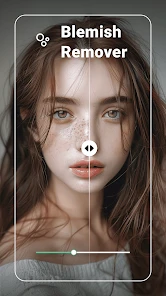
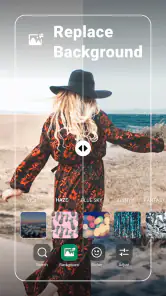
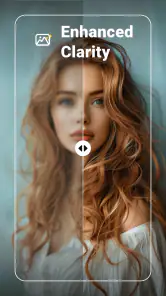
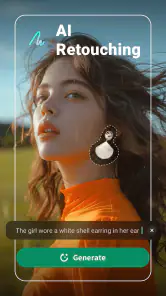
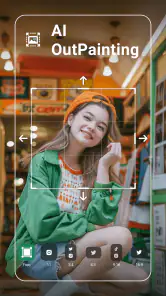
Analysis by Reviewed
I reach for a retouching app when a good photo has one distracting detail, not when I want to rebuild the entire image. That’s the kind of job Retouch Remove Objects Editor is aimed at: cleaning up a background, tidying a portrait, or making a small edit before sharing a picture. It’s a photography app from VIDEOSHOW Video Editor & Maker & AI Chat Generator, and its focus on quick object removal makes it easier to approach than a full desktop-style editor. My main advice is to treat it as a useful finishing tool, rather than expecting every difficult edit to look invisible.
When a connection becomes part of the workflow
Editing on a phone can involve more than the brush and the image. You may be choosing a photo while away from home, switching between apps, or waiting for a result before you can share it. I wouldn’t plan a time-sensitive edit around an assumption that every part of the experience works without a connection. If a tool or screen takes longer to load than expected, I’d pause before repeating a tap or selecting the same image again; that simple check can prevent unnecessary frustration.
The app is free to download, but in-app purchases range from $0.99 to $89.99 per item, so I’d look carefully at any purchase prompt before treating a feature as part of the free workflow. Its Everyone age rating makes it broadly accessible, while the purchase range is still worth keeping in mind if a child uses the device. The app has a 4.6 average from around 389,000 ratings and over 10 million installs, which suggests it has reached a large audience, though popularity alone can’t tell you whether its editing style fits your needs.
A practical edit on a phone
Picture taking a quick café photo for a friend: the food looks good, but a napkin edge or a small object on the table pulls the eye away. I’d first crop the frame if that removes the distraction cleanly; cropping is usually the quickest fix and avoids asking an editor to invent missing background detail. If the unwanted item is inside the composition, then I’d try the removal brush with a modest selection rather than painting broadly over nearby textures. For a patterned table or a straight edge, a smaller edit is more likely to blend naturally than one large sweep.
This is also where the app differs from the usual alternatives. A built-in phone editor is often enough for cropping, exposure, or a simple color adjustment, but it may not offer the same dedicated cleanup emphasis. A comprehensive photo editor can give a skilled user finer control, yet it may feel like overkill when all you want is to remove one passerby or blemish. I see this app as a middle ground: more focused than a basic gallery editor, but not a replacement for a careful, layered desktop workflow when precision matters.
Small choices that improve the result
For portraits, I’d zoom in and work on a small blemish separately from surrounding skin. For outdoor photos, I’d be especially cautious around hair, foliage, railings, and repeating patterns, where a fill can look convincing at first glance but reveal smudging when viewed larger. Before editing, it helps to decide what the photo needs to preserve: a natural-looking face, a clean horizon, or the original texture of a wall. That makes it easier to judge whether the result is genuinely better rather than merely different.
If an edit stalls or the interface seems unresponsive, I’d avoid repeatedly applying the same removal mark. I’d wait a moment, check whether the image still responds, and then make one smaller attempt; if the result looks worse, undoing or reopening the original is safer than layering more corrections over it. For an important image, keep an untouched copy before experimenting. That habit is useful with any retouching tool, and it matters most when you’re editing a photo you can’t easily recreate.
More From Our News Desk

Weather by Xiaomi Review: Clear at a Glance, Less Clear Up Close

X Under Pressure: Can It Recover When Posting Goes Wrong?

Clash of Clans Is Won Between the Battles

Android Auto Makes the Case for Quieter Car Software

MobiOffice: Transforming Mobile Productivity with Seamless Integration

EA SPORTS FC™ Mobile Soccer: Redefining Mobile Sports Gaming
Instant Magic with a Tap
Let’s dive right into the magic of the Retouch Remove Objects Editor. The app is incredibly user-friendly. Once you open it, you're greeted with a clean, intuitive interface. Importing photos is a breeze—just a couple of taps and you’re ready to transform your images. The standout feature here is the object removal tool. It's as simple as swiping your finger over the object you want gone, and voilà—it disappears as if it was never there. What's even more impressive is that the app fills in the background seamlessly, so no one will ever know something was removed.
Tools Galore
Beyond just removing objects, this app packs a punch with a variety of editing tools. Whether you're looking to refine your selfies or adjust the lighting in your landscape shots, this app has got you covered. There's a great selection of filters to give your photos that extra pop, and you can also tweak brightness, contrast, and saturation levels to your heart's content. It's like having a mini Photoshop right in your pocket.
Another nifty feature is the clone tool, which lets you duplicate elements within your photo. This can be particularly handy if you're looking to create some unique, artistic effects. The app also provides a healing tool that works wonders on blemishes and skin imperfections—perfect for those quick touch-ups before posting.
Performance and Usability
In terms of performance, I was pleasantly surprised. The app runs smoothly without any noticeable lag, even when working on high-resolution images. It's compatible with both Android and iOS, making it accessible to a wide range of users. The developers have clearly put a lot of thought into the design, ensuring that even beginners can navigate the app with ease.
The current version is 2.2.6.3, and it runs on Android 6.0 or later. If you’re deciding whether it’s worth installing, that makes it a practical option for a range of Android devices, while iOS users can also find it on their platform. I’d still judge it by the particular edit you need: the brush-based approach is convenient for quick cleanup, but a complex background or a large object can call for more controlled editing than a one-touch result can reliably provide.
Connectivity is best treated as a practical consideration rather than the point of the app. I’d choose the photo and think through the edit before starting, especially if I’m on a limited connection or trying to finish quickly. A simple removal may be a good phone task; a high-stakes image with fine detail deserves a larger screen and time to inspect the edges. For someone who mainly wants an easy way to tidy casual photos, that trade-off is reasonable. For someone who needs repeatable, pixel-level control, I’d choose a more advanced editor instead.
However, it's worth noting that while the app is free to download, some features require in-app purchases. If you're serious about your photo editing, you might find it worth investing in the premium version for access to all the advanced tools.
Choosing the right photo for a quick cleanup
The strongest candidates are images where the unwanted detail is small, isolated, and surrounded by fairly consistent texture. A stray mark on a plain wall or a tiny object against a broad patch of pavement gives the editor more visual context to work with than a distraction crossing a face or cutting through a detailed pattern. When I’m deciding whether to try a removal, I ask whether the surrounding area could plausibly continue behind the object. If the answer is yes, a phone retouch is worth testing; if the object blocks important architecture or a distinctive part of someone’s appearance, I’d keep it or use a more controlled editor.
There’s also a useful order of operations. I’d make the cleanup before adding strong filters or contrast changes, because those can make a soft patch or repeated texture more obvious. After removal, I’d inspect the image at its normal viewing size and then zoom in around the edited edge. A result that looks tidy as a small social image may show a telltale blur when enlarged, so the intended destination matters. For a casual message, a subtle improvement may be enough; for a print or portfolio image, I’d be much stricter.
Where focused retouching saves time
A common everyday use is preparing a profile photo or a picture for a family chat when there’s one small distraction in the frame. I might remove a mark on a tabletop, tidy a minor skin blemish, or clone a small patch of background, then leave the rest of the image alone. That narrow workflow is the app’s appeal: I don’t have to learn a large set of editing controls just to make one local adjustment. It’s particularly suitable for someone who edits occasionally and wants a direct tool rather than a complete photo-production workspace.
For a seller photographing an item at home, the app could help clean up a small background distraction before sharing the image. I’d still avoid removing details that affect how the item is represented; retouching should make the photo clearer, not mislead a buyer about its condition. The same judgement applies to travel pictures: removing a minor stray object can improve the composition, but erasing a large sign or a person who defines the scene can make the result feel artificial. The tool is most useful when the edit remains modest and honest.
Its included clone and healing tools also suggest different approaches rather than one universal fix. I’d try removal for an object that needs replacing with nearby background, healing for a small blemish that should blend into its surroundings, and cloning when a specific nearby texture can be copied deliberately. The best choice depends on the image: copying a clean section may work on a simple wall, while it can create an obvious repeated pattern in grass or hair. Testing a small area first helps me avoid committing to an edit that looks unnatural at full size.
Limits worth noticing before you begin
One-touch language can set expectations too high. Removing an object is not the same as recovering the pixels hidden behind it; the editor has to produce a plausible fill, and some scenes simply don’t offer enough visual clues. A thin wire against a plain sky is a very different challenge from a person overlapping a busy railing. When the background contains repeating lines, text, or detailed edges, I’d expect to spend more time refining the selection and checking the result—or decide the cleanup is not worth the compromise.
The app is also not the best fit for edits that need a consistent, repeatable result across many images. A focused mobile workflow is convenient for occasional fixes, but someone preparing a large batch of product photos or doing detailed professional retouching may prefer an editor with more explicit layer and mask control. I’d choose this app for speed and accessibility, not for a guarantee of invisible results on every scene. That distinction helps keep a simple tool from becoming a frustrating substitute for a more deliberate workflow.
Because the app is free to install but offers purchases, I’d take a moment to understand what a prompt is asking before confirming anything. A child using the phone may be able to reach purchase screens, so device-level purchase safeguards are sensible if that matters in your household. The listed price range is broad, and I wouldn’t assume that every useful tool requires payment—or that every paid option is necessary—without checking the specific prompt and deciding whether it solves a real need for you.
Keeping edits manageable on the move
When I’m editing away from home, I’d start with an image already available on the phone and avoid building the plan around a fast connection. If a screen or action pauses, waiting before tapping again is more useful than quickly repeating the same command. It also helps to make one change at a time: a small removal, a quick inspection, then a decision about whether to keep it. This makes it easier to spot which step caused a problem and avoids turning a minor correction into a chain of uncertain edits.
For a photo that matters, I’d preserve the original before trying anything ambitious, then compare the edited version with it rather than trusting the first preview. If the result is uneven, I’d undo that attempt and start again with a narrower selection instead of painting over the rough patch. That approach is especially helpful on a phone screen, where a small preview can hide a messy edge. It also gives me a clear stopping point: if a couple of careful attempts don’t improve the picture, I’d switch methods or leave the detail alone.
Final Thoughts
All in all, the Retouch Remove Objects Editor is a fantastic tool for anyone looking to improve their photo game. Its simplicity combined with powerful editing capabilities make it a must-have for both amateur and professional photographers alike. So, if you're tired of unwanted elements ruining your shots, give this app a try. You might just find it to be the missing piece in your photo editing toolkit.
My recommendation is narrower than “for everyone”: it suits casual photographers who want to make a quick, local cleanup, and people who prefer a focused retouching app to a broad editor full of controls. I’d skip it if your usual work involves intricate composites, exact edge masking, or edits that must hold up under close inspection. The app was released on Aug 9, 2021, and has 4.1K reviews; those figures provide context, but the best test is still trying a small, low-risk edit and checking it at full size before sharing.
So, would I keep it for everyday photos? Yes, as a convenient option for the occasional distraction or portrait touch-up, with a little patience around tricky backgrounds and purchase prompts. I wouldn’t rely on a removal tool to rescue every shot, and I’d keep the original when the image matters. Used with those expectations, it can save a photo that would otherwise stay in the camera roll, without turning a simple cleanup into a full editing session.
Retouch Remove Objects Editor Frequently Asked Questions
Can I use Retouch Remove Objects Editor to erase people or blemishes from a photo?
Yes. Retouch Remove Objects Editor is intended for removing unwanted objects from images, and its editing tools can be used to clean up areas such as people or blemishes. You select the part of the photo you want to change, then let the app process the edit. Results can vary with the image and the selected area, so checking the finished photo before sharing it is worthwhile.
Does Retouch Remove Objects Editor include a background eraser and photo cutout tools?
Yes. The app’s features include background erasing and photo cutouts, alongside object removal and AI photo editing. These tools can help separate a subject from its original background or prepare an image for a different look. If you mainly want to remove objects, the same app also offers one-touch removal, so it covers several common photo-retouching tasks in one place.
Is Retouch Remove Objects Editor free to download, and what does it offer?
Retouch Remove Objects Editor is a free photography app focused on editing photos, including removing unwanted objects and erasing or cutting out backgrounds. Its store description highlights AI photo editing and one-touch removal. The app also offers in-app purchases, so some options may involve additional costs. It is rated for Everyone, making it suitable for a broad audience.
Who develops Retouch Remove Objects Editor, and is it widely used?
The app is developed by VIDEOSHOW Video Editor & Maker & AI Chat Generator. It has been installed over 10 million times and has an average rating of 4.6 from around 389,000 ratings, with about 4,100 written reviews. Those figures suggest it has reached a large audience, though individual experiences can differ depending on the photo and the edit being attempted.
What is Retouch Remove Objects Editor and how does it work?
Retouch Remove Objects Editor is a powerful photo editing app designed to help users easily remove unwanted objects from their images. With advanced AI technology, the app seamlessly detects and erases objects, people, or blemishes, allowing for a cleaner and more professional-looking photo. Users can simply select the area they wish to edit, and the app does the rest, ensuring a smooth and natural finish.
Pros
- Intuitive and user-friendly interface.
- Quick object removal with high precision.
- Supports high-resolution images.
- Offers a variety of editing tools.
- Regular updates with new features.
Cons
- Some features require in-app purchases.
- Can be resource-intensive on older devices.
- Occasional glitches with complex images.
- Limited free version capabilities.
- May require time to master advanced tools.
- Category
- Photography
- Version
- 2.2.6.3












