AI Image Generator & AI Video
- 1.54K
- 3.9
- Installs
- 10.00M
- Price
- Free

Screenshots
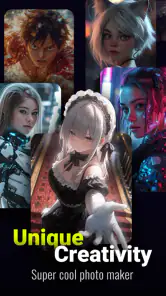
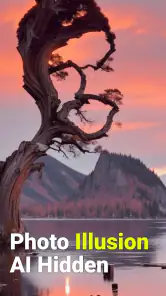
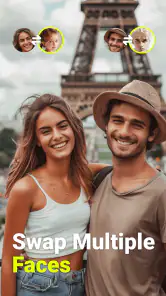
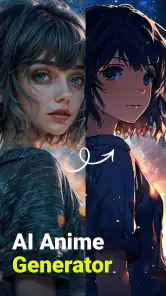
Analysis by Reviewed
I judge an AI creativity app by a few practical questions: can I get a useful result without learning a complicated editor, does it suit the kind of image or clip I actually want to make, and can I refine the result enough to use it? AI Image Generator & AI Video is aimed at quick experiments rather than a deep, professional production workflow. That makes it appealing when I want to turn a loose idea into something visual on my phone, but it also sets expectations: generated results are starting points, not guaranteed finished artwork.
What to try before settling on a workflow
For a first test, I’d choose one clear subject and describe its setting and mood in a short prompt. Then I’d adjust one detail at a time rather than rewriting everything if the first image misses the mark. This makes it easier to see whether the generator is responding to the change and helps avoid spending effort on a prompt that is too vague. If the result is close but not quite right, treating it as a draft is more realistic than expecting every generation to match a precise mental picture.
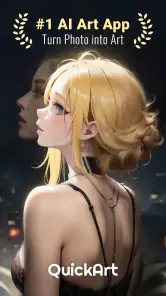
The app’s store summary points to several creative directions, including action-figure styling, anime yearbook looks and three-dimensional cartoon art, alongside video creation. Those styles make it particularly suited to playful portraits, character concepts, and shareable visual experiments. I would not choose it as my only tool for carefully controlled brand artwork or a polished film: those jobs usually benefit from an editor that gives more direct control over layout, timing, and fine adjustments.
A Peek into Creativity
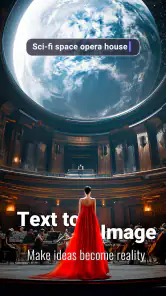
Straight off the bat, AI Image Generator is like a digital sketchbook. You know those moments when you wish you could just snap your fingers and have your thoughts come alive? This app kinda does that by leveraging AI to generate stunning visuals from mere text prompts. You simply type what’s in your mind, and boom, the app crafts an image that's as close to your imagination as it gets. Pretty nifty, right?
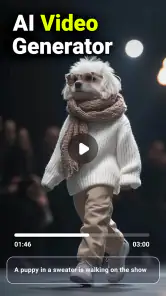
Beyond static images, the AI Video feature takes things up a notch. Imagine creating a short film or a visual story, all with the tap of a button. It’s like having a film studio without the overheads! The app stitches together clips and animations, making it super easy to bring your visual narratives to life.
Ease of Use and Accessibility
Now, let’s talk about the nuts and bolts. User interface? Smooth as butter. The developers have nailed it with a clean, intuitive design that even your grandma could navigate. Whether you’re a tech newbie or a seasoned pro, you’ll feel right at home. The app’s layout is straightforward, making the creative process feel like a breeze.
What’s more, the accessibility is top-notch. Compatible with both Android and iOS, you can whip out your phone anytime creativity strikes. It’s like carrying a portable art studio, ready to churn out masterpieces whenever inspiration hits.
More From Our News Desk

Weather by Xiaomi Review: Clear at a Glance, Less Clear Up Close

X Under Pressure: Can It Recover When Posting Goes Wrong?

Clash of Clans Is Won Between the Battles

Android Auto Makes the Case for Quieter Car Software

MobiOffice: Transforming Mobile Productivity with Seamless Integration

EA SPORTS FC™ Mobile Soccer: Redefining Mobile Sports Gaming
The Creative Community
One of the coolest aspects of this app is the community it fosters. You can share your creations with an ever-growing user base, exchanging feedback and ideas. It’s a bit like having your own art gallery, where everyone’s invited. Plus, seeing others’ creations can spark new ideas, keeping the creative juices flowing.
And the social features? On point. With easy sharing options, you can quickly post your images and videos across social media platforms, showcasing your creativity to the world. It’s all about connecting and growing together as a creative community.
Making the App Fit Your Routine
A useful everyday test is planning a small post rather than attempting a full video project. For example, if I want a playful image for a message to friends, I can try a character concept, compare a couple of prompt variations, and share only the version that feels right. For a short visual story, I’d decide on the central idea first and keep the sequence simple; an AI-generated clip can help communicate a mood, but it is not a substitute for a carefully edited sequence when continuity matters.
That distinction also helps answer whether this is a good choice for beginners. I think it is approachable for someone curious about generative art who is happy to experiment, while someone who needs repeatable, precise results may prefer a conventional photo editor or a dedicated video editor. Those alternatives put more of the work in your hands, but that control can matter more than speed for client work, detailed retouching, or a video with exact pacing.
Cost, Compatibility, and Expectations
The app is free to install, and its current version is 2.3.6.6. It is listed for Android devices running version 6.0 or later, and its age rating is Teen. In-app purchases range from $2.99 to $89.99 per item, so I would check what a paid option unlocks before committing. A sensible approach is to try the free experience first and decide whether the results and workflow justify spending anything; the range makes it especially worth avoiding an impulse purchase.
There is also a practical trade-off in choosing one app for both image and video experiments. Keeping those creative tasks together can be convenient, but if a project grows, moving to a specialist editor may be worthwhile for more hands-on finishing. I’d save the original idea or prompt alongside any image I particularly like, so I can revisit the direction later rather than relying on memory when trying a related concept.
Ever found yourself staring at a blank wall, pondering how to transform your creative ideas into reality without even picking up a paintbrush? Well, let me introduce you to the magic of AI Image Generator & AI Video! In this digital age, this app is like having a creative genie in your pocket. What makes it stand out? Let’s dive in and find out.
Ease of Use and Accessibility
Now, let’s talk about the nuts and bolts. User interface? Smooth as butter. The developers have nailed it with a clean, intuitive design that even your grandma could navigate. Whether you’re a tech newbie or a seasoned pro, you’ll feel right at home. The app’s layout is straightforward, making the creative process feel like a breeze.
What’s more, the accessibility is top-notch. Compatible with both Android and iOS, you can whip out your phone anytime creativity strikes. It’s like carrying a portable art studio, ready to churn out masterpieces whenever inspiration hits.
The developer, VIDEOSHOW Video Editor & Maker & AI Chat Generator, has positioned this as a photography app with an average rating of 3.9 from around 95,000 ratings. I’d read that figure as a broad signal that many people have tried it, not as a promise that every generation will satisfy you. Its 10 million-plus installs suggest a substantial audience, while the roughly 1,500 written reviews offer a smaller pool of detailed feedback. The app was released on May 29, 2020, and remains free to install, with purchases available inside.
When comparing it with the usual alternatives, I’d separate the choice into three needs. A traditional photo editor is the better fit when I already have an image and want dependable cropping, color correction, or retouching. A specialist video editor is preferable when precise cuts and pacing are central. This app makes more sense when the starting point is an idea and I want AI to help produce an image or video concept without first assembling every visual element myself.
One trade-off worth keeping in mind is that an attractive result is not necessarily a useful one. Before sharing an AI-made portrait or character, I’d check whether its details match the purpose and whether it looks the way I intended on the platform where it will appear. For a casual post, a little oddness can be part of the fun; for a presentation or business asset, that same unpredictability may mean extra rounds of generation or a switch to a more controlled tool.
Choosing It for the Right Kind of Project
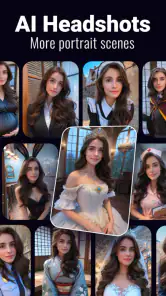
I’d also think about the audience before I start generating. For a private joke, a birthday message, or a mood-board image, a surprising detail can make the result feel more personal. For a profile image that needs to look unmistakably like me, I’d be more cautious: stylized transformations may be entertaining, but they are not the same as careful portrait retouching. Keeping those expectations separate makes it easier to enjoy the creative side without treating every output as a faithful representation.
A practical workflow is to use the app for the idea stage and make the finishing decision afterward. I might create a few visual directions for a social post, choose the strongest composition, then use a familiar editor if I need to crop it or make a final adjustment. This avoids asking a generative tool to do the job of a precision editor. It also gives me a useful stopping point: if the concept is working but the details keep drifting, I can preserve the concept and finish elsewhere rather than repeatedly chasing an exact result.
People often wonder whether an AI image app is useful if they are not good at writing prompts. I’d start with ordinary language rather than trying to compose a technical brief: name the subject, add a setting, and specify a mood or visual style. If the output is off, change one part at a time. That small discipline makes experiments easier to compare and helps identify whether the issue is the subject, the style, or simply an overloaded description.
Where Other Tools Have the Edge
The main alternative is not always another AI generator. If I have a photograph that is already close to what I want, a standard photo editor is usually the more reliable choice because it lets me work directly on that image instead of asking a generator to reinterpret the idea. For a video assembled from specific moments, a timeline-based editor is more suitable: I can decide exactly what appears first, how long a shot stays, and where the cuts land. This app is more compelling when invention and speed matter more than exact control.
There is a middle ground, too. I can use AI-generated art as a rough visual reference, then make a more deliberate version with tools I already know. That is particularly useful for a creator who has a vague theme but no starting image. It is less useful when the job depends on matching a series of assets perfectly, since a consistent look across several images can require more control than prompt-led experiments offer. The key question is whether I need a fresh visual idea or a dependable edit to existing material.
Before paying for anything, I’d treat the free install as a chance to evaluate the actual workflow, not just the most appealing preview. Try a prompt that resembles something you would genuinely make, see whether you can get a result you would keep, and then decide whether an in-app purchase would solve a real limitation for you. Since purchase options vary considerably in cost, I would not spend just to see whether a vague promise might improve the experience. I’d want to know what I need first.
Small Habits That Make Experiments More Useful
One small habit I find valuable is keeping a short note of prompts that produced a promising direction. I would record the subject and the few style words that mattered, rather than saving a long prompt full of details that may not have helped. When I return to the idea, I can change one element and compare the result more fairly. This is especially handy for turning a one-off playful portrait into a related set of concepts without assuming that the app will reproduce every detail exactly.
I would also decide in advance what “good enough” means for the task. A chat image may only need to be funny and readable on a phone; a graphic for a public-facing project may need much closer review. Checking the image at the size where people will see it can reveal awkward details that are easy to overlook while focusing on the overall style. For video ideas, I’d judge whether the clip communicates the intended mood, not whether it behaves like a fully edited production.
If you are deciding between this and a specialist tool, ask yourself whether you would rather spend time prompting or editing. Here, the appeal is letting AI supply a visual starting point. In a conventional editor, the user usually makes more of the decisions manually, but those extra steps can be worthwhile when accuracy matters. Neither approach is automatically better; the right choice depends on whether your project rewards surprise or demands repeatability.
Who I’d Recommend It To
I’d recommend giving it a try if you enjoy exploring visual styles, want a quick way to turn a prompt into an image, or are curious about combining image and video ideas in one mobile app. It can also be useful for brainstorming: a rough generated character or scene may help you decide what to make next, even if you later recreate or refine it elsewhere. If you mainly need faithful photo edits, exact visual consistency, or a carefully finished video, I’d skip it as your primary editor and choose a tool built around those specific controls.
Final Thoughts
In a nutshell, the AI Image Generator & AI Video app is a powerhouse of creativity. Whether you’re looking to dabble in digital art or craft compelling videos, this app is your go-to tool. It’s not just about creating art; it’s about experiencing the joy of creation and sharing that journey with others.
So, if you’re ready to unleash your inner artist and explore the limitless possibilities of AI-driven creativity, give this app a whirl. I promise, it’s an adventure you won’t want to miss!
AI Image Generator & AI Video Frequently Asked Questions
Can I use AI Image Generator & AI Video to make a particular kind of artwork?
AI Image Generator & AI Video is presented as an AI art maker, with themes including anime and 3D toon. Its store summary also highlights Nano Banana Pro Action Figure, Sora AI Video, and Yearbook Anime. These examples can help you decide whether the app’s creative direction matches what you want to make, though the available styles and options may depend on the tools currently offered in the app.
Is AI Image Generator & AI Video compatible with my phone’s operating system?
AI Image Generator & AI Video is an app in the Photography category, and its current version requires Android 6.0 or later. Check your device’s operating system before downloading so you can confirm compatibility. The app is free to download, and its store description focuses on AI image generation, including styles such as anime and 3D toon.
What platforms is the AI Image Generator & AI Video app available on?
The AI Image Generator & AI Video app is available on both Android and iOS platforms. Users can download it from the Google Play Store for Android devices and the Apple App Store for iOS devices. It offers seamless integration and compatibility with a wide range of smartphones and tablets, ensuring an optimized user experience across different devices.
How does the AI Image Generator & AI Video app work?
The app utilizes advanced artificial intelligence algorithms to create and edit images and videos. Users can input text prompts or upload existing media, and the app generates new content or modifies the input based on AI-driven analysis. It offers various tools and filters to enhance creativity, making it accessible for both professional and amateur creators.
Is the AI Image Generator & AI Video app free to use?
The app offers a free version with basic features, allowing users to explore its capabilities without any initial cost. However, it also provides a premium subscription model that unlocks advanced features, additional tools, and removes ads for an enhanced user experience. Users can choose the plan that best suits their needs and budget.
Pros
- Generates high-quality images quickly
- Offers various artistic styles
- User-friendly interface
- Supports high-resolution outputs
- Regular updates with new features
Cons
- In-app purchases can be costly
- Requires stable internet connection
- Limited free version capabilities
- Occasional rendering errors
- High battery consumption
- Category
- Photography
- Version
- 2.3.6.6












