ReadEra Premium – ebook reader
- 2.93K
- 4.8
- Installs
- 100.00K
- Price
- $14.99

Screenshots
Analysis by Reviewed
If this is your first time using an ebook reader, the easiest way to judge ReadEra is to start with a file you already own. I’d pick a short EPUB or a PDF you know well, open it, and spend a few minutes adjusting the page until it feels comfortable. That small first step gives you a clearer sense of whether the app fits your habits than browsing a long list of settings. For me, the main appeal is practical: it brings personal reading files together without turning the experience into a storefront.
Before you begin: what to expect
ReadEra Premium is best understood as a reader for books and documents you bring to it, not as a place to discover a catalog or buy your next novel. That makes the first successful session refreshingly direct: choose a file, get the page comfortable, and begin. It also means that the quality of your source files and the way you keep them organized have a real effect on the experience.
If you are moving from a retailer’s app, the main adjustment is that the library may feel more like a collection of files than a shelf automatically filled with purchases. That can be a benefit if your reading is spread across different sources, but it asks you to take more responsibility for where files live and how you recognize them. I would start with a handful of books rather than trying to arrange an entire archive before reading anything.
Getting your library ready
ReadEra is a Books & Reference app from READERA LLC, and its central job is reading and organizing ebooks and documents already available on your device. On first launch, I’d look for the books the app has found, then open one familiar title before importing or sorting everything else. If a file does not appear where you expect, check the folders you use for downloads or documents and open the file from there; keeping a simple folder structure can make a growing library much easier to manage.
The app is aimed at readers who move between common book formats rather than people who want one retailer’s catalog to drive their whole routine. That distinction matters. A store-linked reader can be more convenient if you buy most books from that store and want purchases, recommendations, and reading to stay in one ecosystem. ReadEra makes more sense when you already have files from different sources and want one place to read them. It is not a replacement for finding or purchasing books; it is the reader I’d reach for once the files are in hand.
For a first setup, I would resist the urge to move every document into one giant folder. A small separation between, say, novels, reference material, and work PDFs makes the library easier to browse later, particularly if you use the app for both leisure and study. Give files recognizable names before importing them when you can. That is a simple, low-effort habit that pays off when you are searching for a particular title in a mixed collection.
Your first comfortable reading session
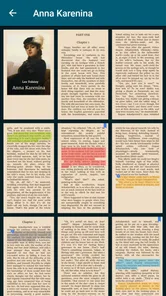
Once a book opens, I’d treat the first few minutes as a quick setup rather than trying to perfect every option. Test a readable font size, choose a background that works in the room you are in, and try night mode if you read in dim light. A useful detail is to adjust the page for the specific material: a reflowable EPUB and a fixed-page PDF do not behave alike, so the same text size or reading approach may not suit both. If a scanned or tightly formatted PDF feels cramped, rotating the device or zooming may be more useful than repeatedly changing text settings.
More From Our News Desk

Weather by Xiaomi Review: Clear at a Glance, Less Clear Up Close

X Under Pressure: Can It Recover When Posting Goes Wrong?

Clash of Clans Is Won Between the Battles

Android Auto Makes the Case for Quieter Car Software

MobiOffice: Transforming Mobile Productivity with Seamless Integration

EA SPORTS FC™ Mobile Soccer: Redefining Mobile Sports Gaming
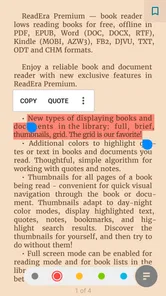
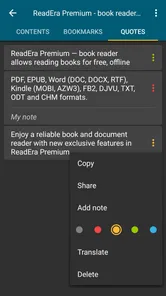
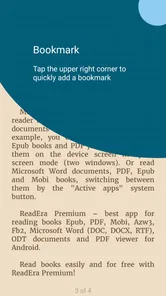
That difference also helps set expectations about annotations. Bookmarks and notes are handy when you want to return to a passage, but I would not assume every document offers the same flexible text selection. In a novel, marking a line can be quick; in a complex PDF, the page layout can make selection less comfortable. My practical tip is to add a bookmark at the page first, then make a note while the thought is still fresh. It gives you a reliable return point even if the document’s formatting makes highlighting awkward.
A useful test is to read for long enough to notice whether the page feels natural, not just attractive in a quick glance. A larger font may be pleasant for a novel but make a reference PDF require more page movement. Conversely, a compact view that fits a document on screen might be tiring during a longer reading session. I would tune each book for its purpose rather than expecting one universal display setup to suit every file.
Let’s Unpack the Awesomeness
First off, the beauty of ReadEra Premium lies in its simplicity. This app is like that perfect cup of coffee – straightforward yet incredibly satisfying. It supports a multitude of formats including PDF, EPUB, and MOBI, so I never have to worry about converting files. Just open the app, choose your book, and dive straight into the pages.
One of my favorite features is the offline reading capability. We’ve all been there – stuck on a flight or a long commute with no internet access. With ReadEra, you can download all your favorite reads and enjoy them anytime, anywhere. It’s like having a personal library in your pocket!
Customization Galore
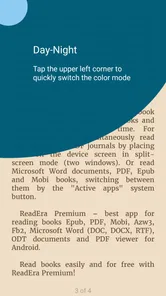
Another thing that sets this app apart is its customization options. You can adjust the font style, size, and even the background color to suit your reading preferences. I mean, who doesn’t love a personalized reading experience? Plus, the night mode is a lifesaver for late-night reading sessions, helping reduce eye strain while you devour just one more chapter.
Bookmarking and notes are another cool aspect. I’m a bit of a book nerd, and I love jotting down thoughts or highlighting quotes. With ReadEra, you can easily mark pages and add annotations, which, let’s be honest, is pretty handy when you’re trying to remember that insightful quote from last night’s read.
Performance and User Interface
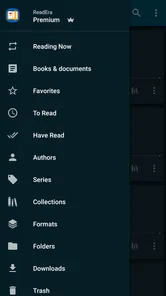
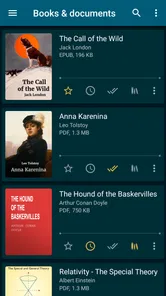
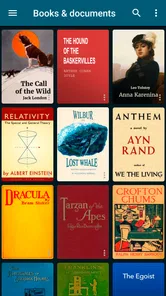
Performance-wise, ReadEra Premium runs like a dream. It’s smooth, responsive, and doesn’t crash – something we all appreciate in an app. The user interface is clean and intuitive, making navigation a breeze even for those who aren’t tech-savvy. You can organize your books by author, series, or even personal collections, which is a neat feature for keeping everything tidy.
For a realistic routine, imagine saving a reading PDF before leaving home, then using the same app on a commute where reception is patchy. The useful habit is to open the file once while you have a connection, confirm it is stored locally, and set a bookmark at your stopping point. That way, a dropped signal is less likely to interrupt the session, and you do not have to remember which page you reached. I would also keep work documents and leisure books in clearly named folders if I use the same library for both; mixing them can make a tidy collection harder to scan.
Another practical use is keeping a course reading and a novel side by side without switching between separate reading environments. I would make a bookmark in the course document at the point I need to revisit, then use a separate bookmark in the novel so the two reading goals do not blur together. This is especially helpful when a PDF has a fixed layout: returning to a marked page is often more dependable than trying to remember a chapter heading or a line of text.
Where it fits—and where it doesn’t
The choice between ReadEra and a retailer’s reader is less about which one is universally better and more about where your books come from. If you want a curated shop, automatic access to purchases, and an ecosystem centered on one seller, that seller’s app may be the smoother option. If you receive EPUBs or MOBI files directly, keep reference PDFs, or want to group reading material from multiple places, ReadEra’s file-first approach is more appealing. Readers who mostly listen to audiobooks, need a social reading network, or want a service that supplies books for them should look elsewhere; this app’s strength is opening and managing reading files, not replacing those other activities.
There is a trade-off to that flexibility: your library depends on your own file organization. A book can be supported and still feel inconvenient if its layout is poorly prepared, especially when a PDF has small print or fixed pages. Before blaming the reader, try a different view or orientation, and consider whether the source file itself is the real obstacle. I find this a useful distinction because a flexible reader cannot make every document behave like a clean, reflowable ebook.
I would also think about the kind of convenience I want before choosing it. ReadEra is a strong fit for someone who already has books and documents and prefers a flexible reading tool over a service that combines reading with shopping. It is less compelling for a person whose main goal is to browse recommendations, borrow through a particular library service, listen to spoken books, or have purchases automatically appear in one branded collection. In those cases, an app built around that service may save steps that ReadEra’s file-first approach leaves to you.
For a first-time user, the most common confusion is assuming that every file will behave like an EPUB. A PDF can preserve its original page design, which is useful for handouts, manuals, and documents where layout matters, but it may be less comfortable on a small screen. If changing the font has little or no effect, try rotating the screen or zooming instead; the document’s fixed page design may be the reason. By contrast, an EPUB usually behaves more like flowing text, so adjusting its appearance is a more natural way to improve readability.
Another question I would ask is whether the app replaces cloud storage or a book source. It is useful to think of it as the place where you read your files, while your existing folders or other services remain where you obtain and keep them. For an offline trip, open the desired document ahead of time and make sure it is available on the device. That simple check is more reassuring than assuming every file you have ever seen online is automatically ready for offline reading.
ReadEra Premium has an average rating of 4.8 from around 57,000 ratings, and it has passed 100,000 installs. Those figures suggest it has found an audience, but I would still judge it by the files and habits I actually have. The app is rated for Everyone, costs $14.99, and its current version is 25.10.05+2200; it was released on December 21, 2019, with Android 4.1 as its minimum OS requirement. I’d check that my device meets the requirement and that I am comfortable paying for this reader before building my whole routine around it.
The price makes the decision more personal than simply trying a free utility. I would compare it with the reading apps I already use and ask whether I regularly handle files from more than one source. If a retailer’s reader already covers nearly all my books, a separate file-focused app may not change much. If I often switch between EPUBs, MOBI files, and PDFs, having one place for those materials can make the purchase easier to justify.
After installing, the next step I recommend is modest: open one book, tune its display, add a bookmark, then try the same workflow with a PDF. That quickly answers the practical questions a new reader tends to have: whether personal files are easy to open, whether the page is comfortable, and whether notes suit the material. The 2.5K reviews offer another source of reader feedback, but my decision would come down to whether I value a flexible local library more than a built-in bookstore or a reading subscription.
And let’s talk about battery usage. Unlike some apps that guzzle power, ReadEra is surprisingly efficient. You can enjoy hours of reading without worrying about your battery hitting the red zone. That’s a big win in my book!
Final Thoughts
All in all, ReadEra Premium – ebook reader is a fantastic app for anyone serious about their reading. It combines functionality with simplicity, offering a distraction-free environment to get lost in your favorite books. Whether you’re a casual reader or a voracious bookworm, this app has something to offer.
So, if you’re on the lookout for an ebook reader that ticks all the boxes, give ReadEra Premium a go. Trust me, your future self will thank you for it!
ReadEra Premium – ebook reader Frequently Asked Questions
Can ReadEra Premium open books stored on my device?
Yes. ReadEra Premium is designed to read books and manage book files in a library, so it is a practical option if you already keep reading files on your phone or tablet. Its store summary specifically mentions PDF, EPUB, and MOBI files. Once you have the app, you can use it as a dedicated place to access and read supported books rather than treating each file as an isolated document.
Who develops ReadEra Premium, and what kind of app is it?
ReadEra Premium is an app from READERA LLC in the Books & Reference category. Its focus is straightforward: reading books and managing book files in a library. That makes it relevant to readers who want a mobile eBook reader rather than a general-purpose document or office app. The Premium name identifies the app, so consider whether its reading and library focus matches what you want before downloading.
Does ReadEra Premium work on older Android devices?
ReadEra Premium is an Android app with a minimum operating system requirement of Android 4.1, so it can suit some older devices as well as newer ones. Before downloading, check the Android version installed on your phone or tablet. The app is in the Books & Reference category and is intended for reading and managing book files.
What is ReadEra Premium, and how does it differ from the free version?
ReadEra Premium is an advanced eBook reader app designed for avid readers who want an enhanced reading experience. Unlike its free counterpart, the Premium version offers additional features such as cloud sync, customizable reading modes, and ad-free usage. It supports various formats including PDF, EPUB, and MOBI, and allows users to organize their library more efficiently with premium-only tools like bookmarks and notes.
Is ReadEra Premium compatible with all eBook formats?
ReadEra Premium supports a wide range of eBook formats, making it highly versatile for users with diverse reading needs. It is compatible with popular formats such as PDF, EPUB, MOBI, FB2, DJVU, DOC, and TXT. This extensive format support ensures that users can read virtually any eBook without needing to convert files or download additional apps.
Pros
- Supports multiple ebook formats
- Offline reading available
- Customizable reading settings
- No ads for uninterrupted reading
- Syncs between devices
Cons
- Limited free version features
- No audiobook support
- No cloud storage integration
- Occasional syncing issues
- Premium price may be high for some












