Photo Editor - Retouch Photos
- 21.00
- 3.8
- Installs
- 5.00M
- Price
- Free

Screenshots
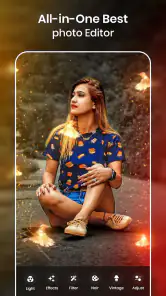
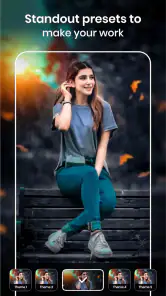
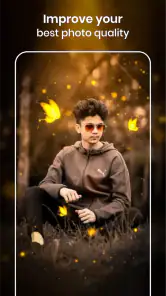
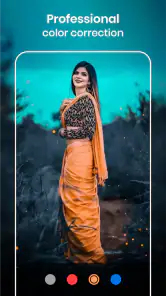
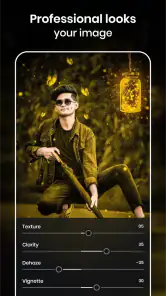
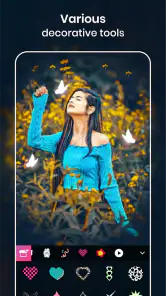
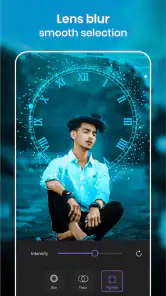
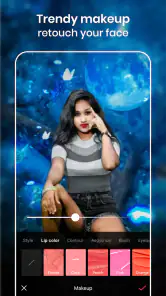
Analysis by Reviewed
When I’m deciding whether to keep a photo editor on my phone, I look for a quick path from an ordinary picture to a finished image, without needing to learn a desktop-style workflow. Photo Editor - Retouch Photos is aimed at that kind of casual, visual editing. It sits in the art and design category, is free to install, and is made by Photo & Video Editors - Instant Solution. The main question for me is whether its effects suit the image I want to make, rather than whether it can replace a full computer editing suite.
Unleashing Creativity with Ease
First off, the user interface is super intuitive. You don’t need a degree in graphic design to navigate through Photo Editor - Retouch Photos. Everything is laid out in a way that makes sense. The moment I opened the app, I was greeted with a clean and organized dashboard. It didn't take long for me to dive into the world of photo editing.
Choosing it for the kind of edit you actually need
The app’s focus is decorative as well as corrective: its identity revolves around lighting effects, crowns, and frames, so I’d consider it when a photo needs a playful or polished finish rather than painstaking technical retouching. That distinction matters. If I’m preparing a quick profile image or dressing up a portrait for a message, a ready-made visual treatment can be more useful than a long list of professional controls.
For a practical workflow, I’d start with a copy of the original image, then try one effect at a time and compare the result with the unedited photo. Bright lighting and ornamental overlays can compete with faces or busy backgrounds, so a restrained treatment often looks more convincing than stacking several conspicuous decorations. This is also a useful way to decide whether a frame helps the subject or simply draws attention away from it.
Features That Stand Out
From basic adjustments like brightness and contrast to more advanced tools like skin retouching and background blur, this app has it all. What really caught my eye was the AI-powered tools. I mean, come on, how cool is it to have AI automatically fix blemishes and enhance colors? It’s like magic with a tap of a finger.
Another feature I loved was the array of filters. There are so many choices that it’s easy to find one that fits the mood of any photo. I spent a solid hour just playing with filters, trying to find the perfect vibe for my sunset shot. Let me tell you, it was time well spent.
Making effects work for everyday photos
A realistic use is a quick picture taken before heading out: I can give it a more intentional look for a social post without opening a complex editor or moving to a computer. For portraits, I’d keep the subject prominent and avoid letting a decorative crown or lighting treatment obscure facial details. For a sunset, on the other hand, a filter can reinforce the existing color mood; if the sky is already vivid, I’d use a lighter touch so the edit doesn’t become harsh.
More From Our News Desk

Weather by Xiaomi Review: Clear at a Glance, Less Clear Up Close

X Under Pressure: Can It Recover When Posting Goes Wrong?

Clash of Clans Is Won Between the Battles

Android Auto Makes the Case for Quieter Car Software

MobiOffice: Transforming Mobile Productivity with Seamless Integration

EA SPORTS FC™ Mobile Soccer: Redefining Mobile Sports Gaming
One helpful habit is to judge an edit at the size where it will be seen. A frame that looks attractive while zoomed in may feel crowded as a small social image. I’d also keep an untouched version before experimenting, especially when trying a stronger effect. That gives me room to change direction without sacrificing the original photograph.
Where other editors may fit better
Compared with general-purpose photo editors, this app’s appeal is its quick, decorative approach. A standard editor may be a better choice when I need careful control over color, cropping, or a consistent set of edits across many images. A desktop program is more suitable for detailed work that depends on precision and a larger screen. Conversely, someone who only wants to add a distinctive visual accent to one phone photo may find those broader tools unnecessarily involved.
I wouldn’t choose this as my sole tool for a demanding photography workflow, nor would I assume that every effect will suit every image. Stylized overlays are personal, and a treatment that looks fun on a casual portrait may be distracting on a clean product shot. The useful decision is whether the app’s decorative direction matches the pictures I actually take.
Performance and Usability
If you’ve ever been frustrated by laggy apps that crash right when you’re about to save your edits, you’re in luck. This app runs smoothly even on my slightly older device. The developers clearly put a lot of thought into optimizing performance. I was able to edit high-resolution photos without a hitch, and saving them was a breeze.
What's more, the app supports multiple file formats. So whether you’re working with JPEGs, PNGs, or even RAW files, you’re covered. This flexibility is a big win in my book.
What to weigh before installing
The app is rated for Everyone, and its current version is 2.1.0.1; it was released on April 23, 2019. It has a 3.8 average from around 61,000 ratings and has been installed over 5 million times. Those figures suggest a widely tried option, but they don’t tell me whether its particular visual style will suit my taste, so I’d still judge it by the effects I want to use.
It is free to download, with in-app purchases ranging from $0.99 to $99.99 per item. I’d treat that as a reason to check any purchase prompt carefully rather than assume every option is included at no cost. If I’m only looking for a straightforward edit, I’d try the free experience first and spend only if a specific paid item is genuinely useful to me.
Switching away later is simple in principle: the important thing is to keep original photos and save finished edits where I can find them. Before making this my regular editor, I’d test it on a few different pictures—one portrait, one landscape, and one image with a busy background. That quick trial reveals more than choosing an effect on a single ideal photo, and helps show whether its look is versatile enough for my routine.
A small workflow that keeps edits looking intentional
For a batch of pictures from one occasion, I’d first pick the strongest image rather than applying a favorite treatment to every shot. Similar photos can have different light and backgrounds, so an effect that suits one may look oddly heavy on another. I’d edit a single candidate, check the result at thumbnail size, and only then decide whether the same visual approach works for the rest. This avoids spending time polishing images I may not use.
If a portrait is going to sit beside other photos on a profile, consistency matters more than making each one dramatic. I’d keep the lighting and color treatment restrained across the set and reserve crowns or frames for a single image where they feel deliberate. That approach makes the decoration read as a choice, not an attempt to cover flaws. It also gives me a fairer sense of whether the app’s look fits my usual style.
Who will get the most from it
I’d recommend giving it a try if you mainly edit on your phone, enjoy trying visual effects, and want a quick way to make a portrait or casual post feel more dressed up. It may also suit someone who rarely edits and would rather explore a few direct options than build a repeatable workflow from many separate controls. The key appeal is not maximum precision; it is having a playful route to a finished image without turning a small task into a project.
I’d be less likely to make it my main editor if I photograph products, need the same exact look across a large collection, or want every adjustment to remain subtle and natural. Those tasks reward close control and consistency more than decorative choices. Someone who edits mainly landscapes may also prefer a tool centered on careful tonal and color work, especially when the goal is to preserve fine detail rather than add visual accents.
What to expect from the alternatives
The usual alternatives fall into two broad groups: simple editors built around quick presets, and more control-focused tools for deliberate correction. This app belongs closer to the first group in spirit, even though its effects include more than a basic filter. A preset-first editor can be convenient for a fast mood change, while a control-heavy editor is usually the safer fit when I need to correct exposure or color in a predictable way. I’d choose based on the result, not on which app has the longest menu.
There is also a practical middle ground: use a general editor for cropping and careful corrections, then turn to this one only when a photo would benefit from a more decorative finish. That split can work well if I like the lighting or frame options but don’t want them to define every image. The trade-off is moving between tools, so it is worthwhile only if the distinctive effects are something I’ll use more than occasionally.
Everyday decisions before sharing
Imagine I take a quick portrait before meeting friends and want to share it in a group chat. I’d choose a clear image, try one lighting treatment, and compare it with the original before adding anything else. If the effect makes the face look less natural, I’d remove it rather than keep adjusting decorations around it. For a playful message, a frame might be the point; for a professional profile picture, I’d probably stop at a subtle improvement or use a more restrained editor.
That distinction also answers whether the app is useful for more than social posts: it can be, as long as the intended image welcomes a stylized touch. A birthday greeting, a casual portrait, or a one-off picture for a personal post leaves more room for ornament than a portfolio image or a product listing. I would not treat every available effect as an improvement. The better question is whether it clarifies the mood I want or distracts from the subject.
Saving, spending, and changing tools
Before making an edited version the one I share, I’d check that it is saved where I expect and keep the original photo untouched. That habit matters with any editor, but especially when experimenting with strong overlays: I may like the look in the moment and prefer a cleaner version later. If I’m evaluating the app, I’d use a small set of ordinary photos first, rather than committing a whole camera roll to one editing style.
The free download makes that trial straightforward, but the range of in-app purchases means I’d pause at a payment screen and make sure I understand what I’m choosing. I wouldn’t pay simply because an effect is visible or because I’ve already spent time editing. If a paid item solves a recurring need, it may be worthwhile; if I only wanted one novelty treatment, a free option or another editor may be the better value. Keeping that boundary in mind makes it easier to judge the app on the edits I can actually use.
Final Thoughts
In conclusion, Photo Editor - Retouch Photos is a game-changer for anyone looking to enhance their photography skills without spending a fortune on software. It’s packed with features that cater to both beginners and seasoned editors. The convenience of having such a powerful tool on my phone is unbeatable.
If you're passionate about photography or simply want to make your social media photos pop, I highly recommend giving this app a try. It’s like having a Swiss Army knife for photo editing, and trust me, once you try it, you won't want to go back.
My recommendation is strongest for casual editors who enjoy experimenting with decorative finishes and want to work directly on a phone. If you need exact, repeatable adjustments or prefer a subtle, natural look every time, I’d compare it with a more control-focused editor before settling on one. For a quick portrait or a playful social image, though, this is a reasonable place to explore effects and decide which ones genuinely improve the photo.
Photo Editor - Retouch Photos Frequently Asked Questions
Can I enhance a portrait or a casual snapshot with this app?
Yes. Photo Editor - Retouch Photos is intended for editing images and adding visual effects, and its highlighted Light X Effect, Light Crown, and Lighting Frames can give a portrait or everyday photo a more decorative, stylish look. It is a free Art & Design app, with in-app purchases available if you want to explore paid options.
Is Photo Editor - Retouch Photos suitable for occasional editing, or is it aimed at frequent users?
The app may suit either kind of user: its focus on photo editing and decorative effects can be useful when you want to dress up a single image, while its editing tools also provide options to revisit for other photos. It is free to download, and its store short description is simply “Photo Editor.” Consider whether its effect-based style matches the edits you want to make.
What is Photo Editor - Retouch Photos, and what kind of photos is it meant for?
Photo Editor - Retouch Photos is an Art & Design app for editing images and adding visual effects. Its store summary highlights Light X Effect, Light Crown, and Lighting Frames, making it suited to people who want to give photos a more stylish or decorative look. The app is free to download, with in-app purchases available.
What features does Photo Editor - Retouch Photos offer?
Photo Editor - Retouch Photos provides a wide array of features including filters, effects, cropping, rotating, and retouching tools. Users can enhance their images with advanced features like blemish removal, red-eye correction, and teeth whitening. It also supports high-resolution editing and sharing options across various social media platforms.
Is Photo Editor - Retouch Photos free to use?
Photo Editor - Retouch Photos is free to download, with in-app purchases priced from $0.99 to $99.99 per item. That gives you the option to try the app before deciding whether to buy anything. Check the purchase details shown in the app before confirming a transaction, so you know what an individual paid item costs.
Pros
- User-friendly interface with intuitive design.
- Wide range of filters and effects available.
- Supports high-resolution image editing.
- Fast processing even for complex edits.
- Regular updates with new features.
Cons
- Contains ads that might disrupt editing.
- Some features require in-app purchases.
- Limited free version capabilities.
- Occasional bugs in the latest release.
- Requires internet for full functionality.
- Category
- Art & Design
- Version
- 2.1.0.1