AI Video Generator - Clips AI
- 2.00K
- 4.4
- Installs
- 1.00M
- Price
- Free

Screenshots
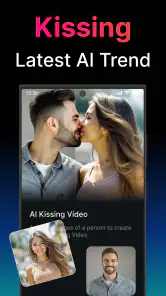
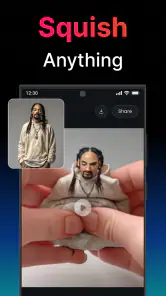
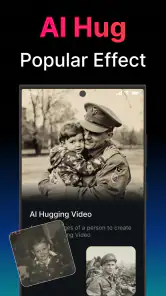
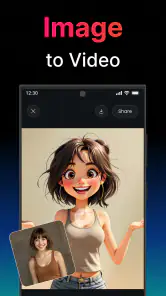
Analysis by Reviewed
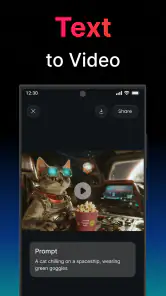
When I want to turn a quick idea into a short video, I don’t always want to open a full desktop editor or spend time arranging clips by hand. That’s the gap AI Video Generator - Clips AI aims to fill: it’s an Art & Design app from UNIVERLIST TEKNOLOJI SAN. VE TIC. AS. that uses text or an image as a starting point for video creation. I’d treat it as a fast creative tool for experimenting, not as a replacement for careful editing.
From a simple prompt to a shareable clip
The first useful decision is what to bring to the app. If I already have a clear visual, starting from an image gives the idea a concrete anchor. If I’m still shaping the concept, text is the more flexible starting point. Either way, I’d keep the request focused: one subject, one setting, and one visible action are easier to judge than a long prompt packed with competing details. That small bit of preparation can save time when deciding whether the result is close enough to use.
Build around one clear idea
After choosing an input, I’d think about where the video will end up. A clip intended for a social post needs a different feel from a visual for a class presentation or a personal message. A practical workflow is to write down the one thing a viewer should notice, generate a first version, then compare it against that intention. If it misses the point, I’d revise the wording or image rather than trying to rescue an unsuitable result with lots of later editing.
This is also where the app’s promise needs a realistic reading. AI generation can help turn a starting idea into moving imagery, but it doesn’t remove the need to review what comes back. For a small business owner preparing a quick teaser, I’d check that the main product remains recognizable and that the motion supports the message. For a personal travel recap, I’d use it as a creative insert rather than assume it can replace selecting and arranging all the original footage.
Handing the result to another app or audience
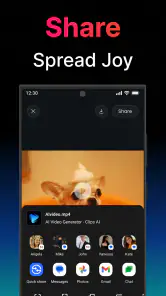
Once I have a version I like, the next step is deciding whether it is ready to share or needs another tool. A generated clip can be a useful visual draft, while a conventional editor is better when I need precise timing, captions, a carefully chosen soundtrack, or several shots arranged in a specific order. I’d check the output on the device and in the app where I plan to post it; a video that looks good in a preview may still need changes to fit the intended layout or message.
That handoff matters for work as well as fun. If I’m making a short announcement for a club, for example, I could use a generated visual to establish the mood, then add the exact event details in a separate editor. Keeping essential text outside the generated image makes it easier to correct spelling, dates, or formatting and avoids asking the AI to handle information that must be exact.
What to expect, and where the flow can break
The app is free to download, is rated for Everyone, and has in-app purchases ranging from $0.99 to $699.99 per item. I would check the purchase screen carefully before committing to anything, especially if I only need an occasional clip. It runs on devices with Android 9 or later, and version 3.0.1 is the current version. Its average rating is 4.4 from around 168,000 ratings, with over 1 million installs, which suggests broad use but doesn’t guarantee that every generated result will suit my needs.
More From Our News Desk

Clash of Clans Is Won Between the Battles

Android Auto Makes the Case for Quieter Car Software

MobiOffice: Transforming Mobile Productivity with Seamless Integration

EA SPORTS FC™ Mobile Soccer: Redefining Mobile Sports Gaming

How Microsoft OneDrive Became a Mobile Productivity Giant

How Google Translate Breaks Language Barriers Effortlessly
The main trade-off is control. Compared with a standard mobile editor, a generator can get me to an unusual visual faster, but it may give me less predictable control over exact movement and composition. Compared with making a video from my own recorded footage, it can be a more imaginative starting point, but it may not preserve the personal details that make real footage meaningful. I’d skip it when a client brief demands frame-by-frame accuracy, when every visual must match a brand guide, or when the project depends on footage I have already captured.
A good fit for quick creative experiments
I’d recommend giving it a try if you enjoy testing visual ideas, need a starting point for a short clip, or want to make something without learning a complex editing timeline first. It is less suitable if you expect a polished, fully controlled production from one tap. Before starting, I’d prepare a concise prompt or choose an image with a clear subject, decide what the finished clip needs to communicate, and leave time to inspect the result before sharing it.
On the store, the app sits in the Art & Design category, and it has around 2,000 written reviews. Those figures provide context, but my practical advice is to judge it by a small test based on your own use case. If the first result gives you a useful visual direction, the app can save effort at the idea stage. If you need exact edits and dependable consistency, a traditional editor is the safer place to finish the job.
Making a useful test before committing
For a first try, I would choose an idea with a clear pass-or-fail test rather than a personal project I cannot easily judge. For instance, I might start with a simple image of a handmade item and ask whether the resulting motion keeps the item recognizable. That tells me more than generating an elaborate scene whose success is hard to evaluate. It also helps separate two questions: whether the concept works as a moving visual and whether I like the app’s interpretation of it.
I’d keep a short note of the wording and image used for each attempt. When a result feels off, changing one element at a time makes it easier to understand what helped: simplifying the action, removing extra scene details, or choosing a cleaner source image. This is a practical way to avoid repeatedly starting from scratch without learning anything from earlier versions.
Everyday projects where generated motion can help
A realistic use would be a community organizer preparing a quick reminder for a weekend event. I could use a visual that conveys the atmosphere, then place the date, location, and practical details in a conventional editor or design app. The generated portion supplies a lively backdrop, while the parts people must read stay under my control. For a small shop, a similar approach could make a product post feel less static, provided I inspect the result closely and do not rely on it to preserve fine product details perfectly.
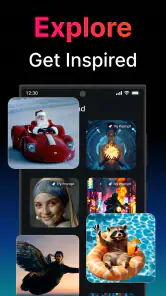
It can also be useful before a larger project begins. If I’m deciding between two visual directions for a presentation or a social campaign, a generated clip can help me show the mood to someone else without first building a complete edit. I would treat that as a conversation starter, not a finished deliverable: the next person in the workflow still needs to approve the idea, check any factual text, and decide how it should be edited for its final destination.
Choosing between text and an image
Text is the more natural route when I have an idea but no suitable picture, or when I want to explore a scene that would be difficult to photograph. Its weakness is that broad descriptions can leave too much room for interpretation. I’d describe the central subject and its action plainly, then avoid piling on style requests that compete with the main point. If the result is visually interesting but communicates the wrong thing, I’d simplify before adding more instructions.
An image gives the process a more specific starting point, which can be preferable when the subject matters. But a source image is not automatically a guarantee that every detail will remain unchanged once motion is introduced. If fidelity is important, I’d inspect the most recognizable features first and consider whether a conventional edit using the original still would be safer. The choice is not simply about convenience; it is about whether exploration or preservation matters more for this particular clip.
Where the workflow needs a human check
Before I share anything, I’d watch the entire clip rather than judge it from a single appealing frame. I’d look for whether the movement supports the idea, whether the subject stays clear, and whether the visual still makes sense without an explanation. Then I’d check the destination: a social post, a class slide, and a message to friends can each call for a different crop, amount of context, or amount of text around the video.
For any project involving a real person, a recognizable business, or a product people need to identify, I’d be especially cautious about treating generated imagery as a faithful record. The app is a creative tool, not a substitute for documenting what actually happened or showing a product exactly as it is. If accuracy, consent, or a precise visual match is central to the task, I’d use material I can verify and edit directly instead.
Cost, expectations, and the right alternative
Although downloading it costs nothing, the in-app purchase range makes it sensible to decide in advance how much experimentation is worth to me. I’d try a small, low-stakes idea first and pay attention to what the app presents before confirming any purchase. Someone who only needs one polished clip may find a familiar editor more predictable, especially if that editor already handles their footage, text, and audio in one place. Someone who wants to explore an idea from a prompt or still image may find the generator more useful at the concept stage.
Its Everyone age rating makes it accessible to a broad audience, but that does not mean every generated result is automatically appropriate for every setting. I’d still review the content before showing it in a classroom, sharing it with a group, or using it to represent a business. The app’s role is to help create a visual; deciding whether that visual fits the audience remains my responsibility.
Hey there! So, I recently got my hands on this app called AI Video Generator - Clips AI and wow, I just had to share my experience with you. It's like having a mini film studio right on your phone! Let me dive into the details and give you my take on it.
Getting Started with Clips AI
The first thing you notice about Clips AI is how user-friendly it is. I mean, even if you're not particularly tech-savvy, you'll find your way around this app pretty quickly. The interface is clean, intuitive, and doesn’t overwhelm you with too many options at once. It’s like the app holds your hand and guides you through the video creation process, making it quite enjoyable.
The Features That Steal the Show
Let me tell you about the features that really caught my eye. First off, the AI-powered editing tools are simply amazing. You can create professional-looking videos without breaking a sweat. The AI suggests edits, transitions, and even music that fits perfectly with your video’s mood, which is a massive time-saver.
Another cool feature is the variety of templates available. Whether you’re making a video for social media, a presentation, or just for fun, there's a template for every occasion. And yes, they are highly customizable, so you can add your personal touch to each video.
Performance and Usability
I was also impressed with how smoothly the app runs. No annoying lags or crashes, which is a huge win in my book. Plus, exporting videos is a breeze. You can share your creations directly to your social media platforms or save them to your device in high quality. It's like they thought of everything to make our lives easier.
And oh, the app doesn’t bombard you with ads every two seconds, which is something we all can appreciate. It lets you focus on the creative process without unnecessary interruptions.
My Personal Take
So, what's my verdict? Well, Clips AI is definitely worth checking out if you're into video creation or even if you’re just starting. It’s got all the tools you need to unleash your creativity and produce top-notch videos without needing any prior editing experience. Plus, the AI integration feels seamless and genuinely helpful, rather than gimmicky.
In a nutshell, if you’re looking to spice up your video content, give Clips AI a shot. It’s fun, efficient, and definitely a game-changer in the world of mobile video editing. Happy filming!
AI Video Generator - Clips AI Frequently Asked Questions
What can I create with AI Video Generator - Clips AI?
The app’s short description is “AI Video Generator,” and its main purpose is turning text and images into videos. That makes it worth considering if you want to shape a written idea or a still image into video content. Before downloading, think about whether those are the inputs you want to work with and whether an AI video-making app fits your creative plans.
Who develops AI Video Generator - Clips AI, and what kind of app is it?
AI Video Generator - Clips AI is an Art & Design app developed by UNIVERLIST TEKNOLOJI SAN. VE TIC. AS. Its focus is AI-assisted video creation, particularly transforming text and images into videos. The app is intended for people interested in making visual content, whether for personal projects or creative work, and its straightforward purpose makes it easy to understand what it is designed to help with.
What devices and operating systems can run AI Video Generator - Clips AI?
AI Video Generator - Clips AI is an Art & Design app developed by UNIVERLIST TEKNOLOJI SAN. VE TIC. AS. Its current version is 3.0.1, and it requires Android 9 or later. The app is free to download, with in-app purchases available. Check that your device meets the operating-system requirement before installing so you can get started without compatibility surprises.
What is AI Video Generator - Clips AI?
AI Video Generator - Clips AI is an innovative app designed to help users create stunning video content using artificial intelligence technologies. With intuitive features and user-friendly interfaces, it allows you to effortlessly convert ideas into professional-quality videos. It's ideal for content creators looking to streamline their video production process without sacrificing quality.
How does the AI Video Generator work?
The AI Video Generator utilizes advanced AI algorithms to analyze your input data, such as text, images, or audio, and automatically generates video content. The app offers multiple templates and customization options, allowing you to tailor the video to your needs while maintaining high visual standards. This automated process saves time and effort in video editing.
Pros
- Easy to use interface for quick video creation.
- Wide range of templates for various video styles.
- AI-driven editing saves time and effort.
- High-quality video outputs up to 4K resolution.
- Regular updates with new features and improvements.
Cons
- Limited free version with watermark on videos.
- Occasional AI errors in scene recognition.
- Requires a stable internet connection.
- Subscription cost might be high for some users.
- Limited customization for advanced users.

- Category
- Art & Design
- Version
- 3.0.1











