PhotoBoost - AI Photo Enhancer
- 2.86K
- 4.6
- Installs
- 5.00M
- Price
- Free

Screenshots
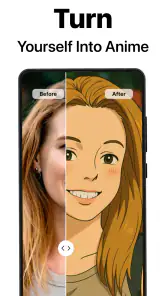
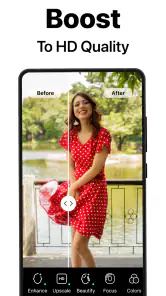
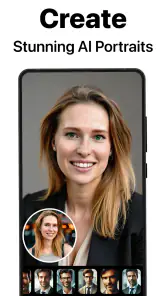
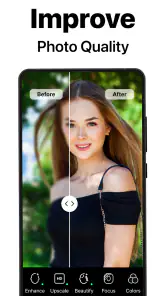
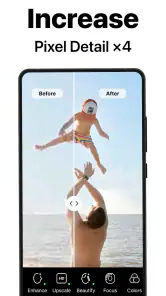
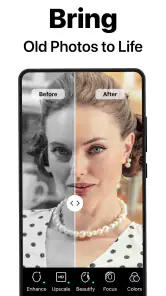
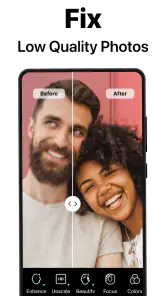

Analysis by Reviewed
I think PhotoBoost - AI Photo Enhancer is most useful as a quick rescue tool, not a replacement for learning photo editing. It’s designed for the common frustration of a promising picture looking soft, dim, or less lively than the moment felt. When a fast improvement matters more than precise control, its AI-led approach can be convenient; when every detail needs careful adjustment, a traditional editor is still the better fit.
A quick fix for photos that nearly worked
The appeal is easy to understand: choose a photo, let the app process it, then decide whether the result is worth keeping. That workflow suits a family snapshot, an old image you want to revisit, or a picture you need to share soon. I would treat the enhancement as a starting point rather than assume every image will benefit equally. A little softness may improve, but an already clear photo can be better left alone if processing changes the look you wanted.
For example, imagine getting home from a day out and finding that one meaningful group photo looks less crisp than the rest. Instead of opening a desktop editor and adjusting several controls, you can try an automatic pass on that image, compare it with the original, and keep whichever version feels more faithful. That before-and-after check is a useful habit: sharper is not always better if faces or textures begin to look unnatural.
Practical checks before you keep a result
When I’m deciding whether an enhancement has helped, I look at more than the central subject. Fine hair, patterned clothing, foliage, and text in the background can reveal when processing has pushed a photo too far. I also check whether shadows still look like shadows rather than flat patches. This matters especially for images with mixed lighting, where an automatic adjustment may make the subject clearer but change the atmosphere of the scene.
A useful workflow is to choose one representative picture before trying several similar shots. If that first result looks convincing at normal viewing size and when zoomed in, I’d continue with the weaker images from the same occasion. If it looks waxy or unusually crisp, I’d stop rather than apply the same treatment to the entire set. This small test prevents wasted time and helps preserve a consistent, believable album.
Where its convenience has limits
Automatic enhancement trades fine control for speed. If you want to target one small area, correct a particular color, or preserve a deliberately grainy style, an editor with manual tools gives you more say. AI processing can also make a poor source image look cleaner without recovering detail that was never captured. I wouldn’t rely on it to make every badly blurred shot print-ready, or to restore an image in a way that guarantees historical accuracy.
It’s also worth checking the result at the size you plan to use. A change that looks pleasing in a small preview may feel too strong when you zoom in, while a subtle improvement may be enough for sharing on a phone. Keeping the original alongside an edited copy gives you room to change your mind and avoids treating an automated choice as permanent.
More From Our News Desk

Weather by Xiaomi Review: Clear at a Glance, Less Clear Up Close

X Under Pressure: Can It Recover When Posting Goes Wrong?

Clash of Clans Is Won Between the Battles

Android Auto Makes the Case for Quieter Car Software

MobiOffice: Transforming Mobile Productivity with Seamless Integration

EA SPORTS FC™ Mobile Soccer: Redefining Mobile Sports Gaming
Who will get the most from it
This photography app makes most sense for casual users who want a simple first pass on everyday pictures, rather than a full editing workspace. If you regularly take photos for work, need precise retouching, or enjoy adjusting exposure and color yourself, a conventional editor is likely to serve you better. If your priority is getting a quick, approachable enhancement without navigating a complicated set of controls, this is the kind of tool worth considering.
There is a useful middle ground, too: use an automatic enhancer for a batch of ordinary photos, then spend your editing time only on the handful that matter most. If you have several pictures from one outing, compare them before processing everything; consistent lighting may mean only the few weaker shots need help. That workflow saves effort and reduces the chance of giving a whole album an unnecessarily uniform, processed look.
A realistic place in a photo routine
Think of a parent sorting pictures after a school event. Most frames may be fine, but one favorite moment is slightly soft and another has a dim face under indoor lighting. An automatic enhancer can be a sensible first stop for those two images, especially if the goal is to share them in a family chat rather than make large prints. I’d still compare the result with the untouched file before sending it, because a quick edit should improve the memory, not rewrite its mood.
For an old family scan, I’d set a different expectation. Processing may make the image easier to view or share, but a cleaner appearance is not the same as a faithful restoration. If preserving the exact look of a historical photograph matters, I’d keep the original scan untouched and work on a duplicate. For a valuable archive, a careful restoration workflow with manual controls is a safer choice than relying on one automatic pass.
How it differs from familiar alternatives
Compared with a general-purpose editor, PhotoBoost is best understood as a shortcut for people who do not want to make a series of adjustments by hand. A manual editor gives more control over individual choices, which is useful for product photos, portraits that need selective work, or images prepared for a particular publication. The trade-off is time and a steeper learning curve. I’d choose this app when convenience is the point, and a more capable editor when the edit itself needs to be deliberate.
It also serves a different purpose from a filter-focused social app. Filters are often chosen to create a recognizable mood across a picture; an enhancer is more useful when the starting image feels technically weak and you want to see whether it can be improved. These approaches can work together, but I would not apply a strong filter and an automatic enhancement without checking the combined effect. Each can alter color and texture, and the final image may drift away from what the scene looked like.
Meet Your New Photo Sidekick
You know those times when you capture a moment and it just doesn’t look as vibrant as you remember? PhotoBoost - AI Photo Enhancer is here to save the day. This nifty app uses advanced AI algorithms to enhance your photos instantly. It’s like having a professional photo editor in your pocket, ready to polish up your shots anytime, anywhere.
Easy Peasy Photo Editing
Now, I’m no professional photographer, but using this app made me feel like one. The interface is super user-friendly. You simply upload your photo, and with a click, the app works its magic. The AI analyzes your image, adjusts the lighting, sharpness, and even the colors, making sure your photos look as stunning as they can be.
One of the features I absolutely love is the batch processing. Got a bunch of vacation photos that need a boost? No problem! You can upload them all and let the app do its thing. It’s a massive time-saver and perfect for those of us who love to snap away.
Why Choose PhotoBoost?
What sets PhotoBoost apart from other editing apps is its ability to enhance photos without making them look overly edited. We’ve all seen those photos that look like they’ve been through a dozen filters, right? With PhotoBoost, your images retain their natural beauty, just with a little extra oomph.
Plus, the app is continuously updated with new features and improvements. The developers are pretty hands-on, always working to make the app even better. It’s like they’re on a mission to ensure everyone can have Instagram-worthy photos without the hassle.
The Final Verdict
So, do I think you should give this photo enhancer a try? Absolutely! Whether you’re looking to enhance your social media game or just want your personal photo collection to look its best, this app has got you covered. It’s simple, effective, and most importantly, it delivers on its promise to enhance your photos.
In a world where our photos are often the first impression we make, why not make sure they look their best? Download PhotoBoost and start transforming your images today. Trust me, you’ll be amazed at the difference a little AI magic can make!
Cost, compatibility, and what to expect
It is free to install, with in-app purchases ranging from around two dollars to about a hundred dollars per item. I’d start with the free experience and judge the results on the types of photos I actually edit before spending anything. That is especially sensible if you only need occasional touch-ups; frequent users may value a paid option differently, depending on what they use and how often.
The app is rated for Everyone, and its current version is 1.1.58, with Android 9 as the minimum operating system requirement. Tap AI is the developer. It has a 4.6 average from around 478,000 ratings, and has been installed over five million times. Those figures suggest broad use, but they don’t guarantee that its processing will suit every image or personal taste.
Deciding whether it fits your needs
If you are wondering whether it can handle every kind of photo, I would separate “improve a usable picture” from “repair a failed shot.” A mildly soft image with a clear subject is a reasonable candidate for an automatic attempt. A frame that is severely blurred, clipped by harsh light, or missing important detail is a much harder case; no quick enhancement should be treated as a dependable substitute for a better original.
If you are wondering whether to process a whole camera roll, I would not start there. Pick a small group of similar images, review the results, and keep the originals. That makes it easier to decide whether the look suits your photos and whether batch processing genuinely saves time. It also avoids spending effort on images that already look good or that you would rather leave natural.
My recommendation is to try it on a copy of a photo with a clear purpose: recover a slightly weak snapshot, prepare a picture for sharing, or see whether a batch workflow saves you time. Skip it if you want complete manual control or expect software to reconstruct detail that a camera never captured. For quick, low-effort improvement, it can earn a place in a casual photo toolkit; for careful editing, I’d reach for a more hands-on alternative.
PhotoBoost - AI Photo Enhancer Frequently Asked Questions
Can PhotoBoost help restore an old or damaged-looking picture?
Yes, restoring photos is one of the uses highlighted for PhotoBoost. Its AI tools are intended to improve and bring more clarity to images, which can make it worth trying on older or less polished pictures. The outcome depends on the image you start with, so review the result before deciding whether it suits your needs.
Can I use PhotoBoost without paying?
PhotoBoost is free to download, so you can try the app without paying upfront. Some options are offered as in-app purchases, with prices ranging from $1.99 to $99.99 per item. Check the purchase details shown in the app before selecting a paid option, especially if you only need the basic photo-enhancement experience.
Who makes PhotoBoost, and what age group is it rated for?
PhotoBoost is developed by Tap AI and is rated Everyone. That rating makes it appropriate for a broad audience, while the app itself is focused on photography and AI-assisted image enhancement. If you are choosing apps for a family device, you can also review the purchase options and decide whether to use the device’s purchase controls.
What kinds of photos can I enhance with PhotoBoost?
PhotoBoost is a photography app for improving images with AI-powered tools. Its store description highlights unblurring, enhancing, and restoring photos, so it may be useful when you want to bring more clarity or polish to an image. The app is free to download, with in-app purchases available for additional options.
What is PhotoBoost - AI Photo Enhancer?
PhotoBoost - AI Photo Enhancer is a cutting-edge application designed to enhance the quality of your photos using advanced artificial intelligence algorithms. It automatically adjusts lighting, sharpness, and color balance to bring out the best in your images, making them look professionally edited with just a few taps.
Pros
- Enhances photo quality with AI precision.
- User-friendly interface for easy navigation.
- Fast processing time for quick results.
- Supports a wide range of image formats.
- Regular updates with new features.
Cons
- Requires a stable internet connection.
- Limited free version capabilities.
- Occasional lag with high-resolution images.
- In-app purchases for premium features.
- Not available on all devices.
- Category
- Photography
- Version
- 1.1.58












