Mobile Scanner App - Scan PDF
- 1.89K
- 4.6
- Installs
- 10.00M
- Price
- Free
Screenshots
Analysis by Reviewed
I usually reach for a phone scanner when a paper needs to become a file quickly, not when I’m trying to build a perfectly organized archive. That’s the situation where Mobile Scanner App - Scan PDF makes sense: it turns a camera-equipped phone into a practical way to capture documents and photos as PDFs. It’s a free productivity app from Glority Global Group Ltd., and its straightforward purpose is useful for students, freelancers, and anyone who regularly has to send paperwork while away from a desk.
When the paper arrives at the wrong time
The strongest reason to keep a scanner app handy is that paperwork rarely waits until you’re back near a computer. A school permission slip, a signed agreement, or a receipt might need to reach somebody while you’re commuting, visiting a client, or clearing the kitchen table after dinner. I find a phone-based workflow useful precisely because it starts with the paper already in front of me; I don’t have to plan a trip to a printer or wait until I’m at my desk.
That convenience has a boundary. If the original is a thick book, a curled receipt, or a page with glossy sections that catch reflections, the camera may take more patience than expected. I would flatten the paper, move it away from harsh overhead glare, and avoid holding the phone at a steep angle. Those simple choices often matter more than trying to rescue an awkward capture afterward.
From loose paper to a usable file
A realistic use is receiving a signed form just before leaving home and needing to email it before the day gets busy. I’d put the page on a flat, well-lit surface, frame it carefully, and check the capture before moving on. Good light and a steady hand matter more than any editing tool: a shadow across a signature or a soft, angled shot can make a scan look less professional, even if the app lets me adjust the image afterward.
For a multi-page document, I’d scan every sheet in order and review the sequence before sharing. That small pause is worthwhile when pages look similar; it’s easier to catch a missing or reversed page on the phone than after someone receives the PDF. Receipts, application forms, and class notes suit this quick workflow. A large stack of paperwork is another matter: a dedicated desktop scanner is usually more comfortable when speed and consistent page handling matter more than portability.
A careful capture saves work later
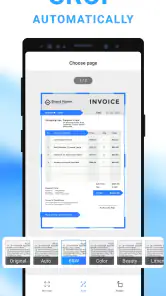
One useful habit is to make the paper fill the frame without cutting off its edges. I’d leave a little breathing room around the page, then check that corners, dates, and small print remain visible after cropping. This is especially helpful with forms that have boxes close to the margin: an aggressively tight crop can make a document look tidy while quietly removing something the recipient needs.
For receipts, I’d treat readability as more important than making the image look polished. A faint printed total or a narrow line of item details can disappear under poor lighting or an overly strong adjustment. If I need the scan for reimbursement, I’d zoom in on the amount and date in the finished file before discarding the paper. That takes a moment, but it avoids discovering later that the one detail I needed is too blurry to read.
You May Like

Clash of Clans Is Won Between the Battles

Android Auto Makes the Case for Quieter Car Software

MobiOffice: Transforming Mobile Productivity with Seamless Integration

EA SPORTS FC™ Mobile Soccer: Redefining Mobile Sports Gaming

How Microsoft OneDrive Became a Mobile Productivity Giant

How Google Translate Breaks Language Barriers Effortlessly
Transforming Your Phone into a Scanner
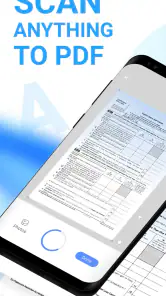
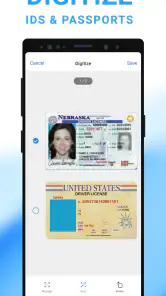
The Mobile Scanner App - Scan PDF turns your phone into a portable scanner, fitting snugly in your pocket. It’s like having a mini-office with you all the time. With just a few taps, you can scan any document, be it a receipt, a book page, or even a whiteboard scribble. The app uses your phone’s camera and works its magic to convert images into clear, high-quality PDFs. Honestly, it's fascinating to see how technology can make life so much simpler!
Seamless User Experience
One of the first things I noticed was how user-friendly the app is. Navigating through the features is a breeze, even for someone who isn’t particularly tech-savvy. The interface is intuitive, with all the main functions just a tap away. Plus, there are no pesky ads popping up every few seconds, which is a huge relief.
Feature-Packed and Efficient
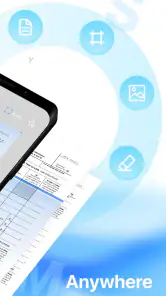
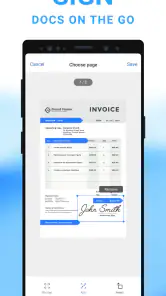
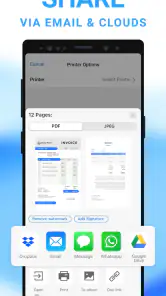
The app doesn’t just stop at scanning. It offers a plethora of features that are incredibly useful. You can edit your scanned documents, adjust the brightness, crop them, and even annotate. What’s more, you can easily share your scans via email or directly upload them to cloud services like Google Drive or Dropbox. It’s like having a full-fledged document center at your fingertips.
Making edits without hiding the evidence
Brightness changes, cropping, and annotations can help make a working copy easier to read, but I’d keep the original paper close until I have checked the PDF. For a form, I’d avoid placing a note over a signature, date, or printed instruction; annotations should clarify, not alter what the document says. When the file is meant to serve as a record, an unmarked scan is often the safer choice, with any explanation sent separately in the message.
There is also a practical distinction between a scan that is comfortable to read on a phone and one that works well after someone prints it. I’d inspect small text at normal viewing size rather than judging only from a zoomed preview. If I’m scanning several pages, I’d use the same surface and lighting throughout where possible. That makes the set look more consistent and can save the recipient from handling a PDF in which one page is bright and crisp while the next is dim.
Choosing the right handoff
Sharing is where a scan becomes useful to someone else, so I’d check the recipient and destination before sending a file containing personal details. Email works for a one-off form; cloud storage can be handier when I need to retrieve the same document later or pass it between devices. Those are practical routes, but I wouldn’t treat a phone scanner as a secure records system or assume that editing tools replace careful handling. For highly confidential paperwork, I’d first consider the storage and sharing method, not just how easy it is to create the PDF.
Before handing a file off, I’d give it a name that will make sense outside the app, such as the document type and the relevant date, rather than leaving it as an unexplained camera-style label. That small bit of housekeeping matters when the file lands in an email thread or a cloud folder among unrelated attachments. It also helps if I need to find the document later without opening several PDFs one by one.
If the recipient only needs a single page, I’d check that I haven’t included extra pages from the same capture session. A scan can be perfectly legible and still be the wrong handoff if it includes unrelated paperwork. For a shared folder, I’d also verify that I’m using the intended destination before uploading. These checks are not special scanner tricks; they are the sensible last steps that keep a convenient capture from becoming an avoidable privacy or filing mistake.
Compared with the camera app alone, a scanner app is worthwhile when I need a document-shaped result with cropping and brightness adjustments rather than an ordinary photo. Compared with a desktop scanner, the phone approach wins on convenience but depends on the camera, lighting, and how neatly I position each page. That trade-off makes it especially useful for occasional paperwork, while people processing batches every day may prefer dedicated scanning hardware or a more specialized document-management workflow.
Security and Privacy
In today’s digital age, security is paramount. Rest assured, this app ensures that your data remains private. The developers have incorporated features that prevent unauthorized access, making sure your documents are safe and sound. It’s a comforting thought knowing that your sensitive information won’t fall into the wrong hands.
I’d still use ordinary caution with identity documents, financial papers, and anything that could cause trouble if shared accidentally. Before sending, I’d open the finished file to make sure it contains only the pages intended and that annotations or crops haven’t obscured important text. A scan that looks fine as a thumbnail can be harder to read when opened, so checking the actual PDF is a useful final step.
Where the workflow can snag
The main compromise is that the phone is both the camera and the scanning station. A low-light room, a hand that moves during capture, or a page that will not lie flat can all create extra work. You can adjust brightness and crop, but editing cannot restore text that was never captured sharply or a corner that was left outside the frame. When the document is important, I’d retake a questionable page rather than assume that a filter will fix it.
Another point to consider is the difference between occasional use and a repeatable office process. For one or two pages, handling them individually is a fair trade for being able to scan anywhere. If I had to process a thick bundle with consistent naming and filing every day, I’d want a dedicated scanner or a broader document-management setup. A phone app can make capture portable; it does not automatically make a large archive easy to maintain.
Who will get the most from it
The app is best suited to someone who needs a quick, portable way to turn occasional paper into shareable files: a student submitting signed forms, a traveler keeping a receipt, or a self-employed person sending a document from a client meeting. It’s less appealing if you need a hands-off bulk-scanning setup, rely on advanced document filing, or want a dedicated scanner’s predictable results. In those cases, the convenience of using a phone may not outweigh the extra checking and page-by-page work.
I’d also recommend it to people who already use their phone as the place where messages, documents, and appointments come together. A scan can be captured at the moment the paper appears, checked, and sent without switching to a separate machine. On the other hand, someone who only needs to photograph a poster or keep a casual visual reminder may be better served by the regular camera. The scanner workflow earns its place when the end result needs to behave like a document, not simply look like one.
Cost, compatibility, and expectations
It’s free to start, though in-app purchases range from $0.99 to $39.99 per item, so I’d look at the options shown in the app before paying for anything. It’s rated for Everyone, has an average rating of 4.6 from around 98,000 ratings, and has passed 10 million installs. The current version is 2.13.1, and it requires Android 9 or later. Those figures suggest a widely used tool, but they don’t change the main decision: whether a camera-based workflow fits the documents I actually handle.
The large audience makes it a familiar option to consider, but popularity alone does not tell me whether the paid features suit my routine. I’d start with the free use and decide based on a real task rather than buying an upgrade in anticipation of a need I may not have. If I scan only occasionally, the basic workflow may be enough; if a paid option matters to a regular process, I’d check its exact contents and price in the app before committing. That is a more useful test than assuming every scanner needs the same set of extras.
For device compatibility, the Android requirement is worth checking before installing, especially if the phone is older. The Everyone age rating also makes the app suitable for a broad audience, though families should still use their own judgment about what documents children handle and where those scans are sent. The practical questions are simple: can the phone capture the page clearly, and does the destination fit the sensitivity of the file?
In conclusion, if you’re looking for an app that combines functionality with ease of use, the Mobile Scanner App - Scan PDF is definitely worth checking out. It’s a reliable tool that simplifies the process of scanning documents, and I can’t recommend it enough. Give it a try, and you might just wonder how you ever managed without it!
Mobile Scanner App - Scan PDF Frequently Asked Questions
Can I scan both documents and photos with Mobile Scanner App - Scan PDF?
Yes. Mobile Scanner App - Scan PDF is designed to turn documents and photos into PDF files using a phone camera. That makes it useful for digitizing paper pages as well as keeping image-based material in a document format. Before downloading, consider whether your usual scanning needs involve one page at a time or a mix of different documents and photos.
Can I edit a scan before sharing or saving it?
The app includes tools for editing scanned documents, so the workflow is not limited to capturing an image and leaving it untouched. You can scan a document, make adjustments within the app, and then save or share the resulting file. If you rely on particular editing options, it is worth checking the available tools in the app to see whether they fit your preferred way of preparing scans.
Can Mobile Scanner App - Scan PDF recognize text in a scanned image?
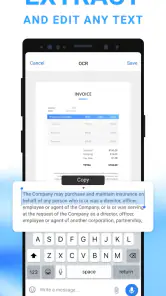
Yes. The app includes OCR technology, which can extract text from images and make scanned content more useful than a simple picture of a page. This can help when you need to work with text from a document after scanning it. OCR is one of the app’s available tools, alongside capturing documents and photos and converting them to PDF.
Can I share scanned PDFs with other people?
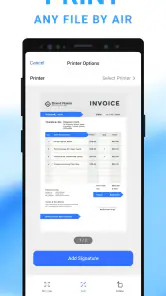
Yes. Scanned files can be shared through email or cloud services, which is handy when you need to send a document to someone or make it available through a service you already use. The app also lets you convert captured images into PDFs, giving you a document file to share. Check the available sharing choices in the app to find the workflow that suits you.
Can I use Mobile Scanner App - Scan PDF without paying?
The app is free to download and offers basic functionality for scanning and saving documents. Optional in-app purchases are available for users who want additional features; prices range from $0.99 to $39.99 per item. This gives you the opportunity to try the basic scanning workflow first and decide whether any paid options suit the way you use the app.
Pros
- Fast scanning and processing of documents.
- High accuracy in text recognition.
- User-friendly interface and easy navigation.
- Supports multiple document formats.
- Offers cloud storage integration.
Cons
- Limited features in free version.
- Occasional ads can be intrusive.
- Requires internet for cloud sync.
- Limited editing tools in app.
- Some features locked behind paywall.

- Category
- Productivity
- Version
- 2.13.1













