 About Google Home
Google Home and the Hard Work of Making a Connected Home Feel Simple
A smart-home app used to be a remote control with a setup wizard attached. That bargain no longer feels good enough. People now expect one place to show what is happening at home, respond quickly to ordinary requests, and keep working when a voice command is inconvenient. Google Home makes that shift visible: its importance is less about controlling a particular bulb or speaker than about whether a household can understand and manage a growing collection of connected things without thinking like a technician.
That is the category’s central test, and it is harder than adding another device tile. A home is shared, changeable, and full of interruptions. A useful app has to make the front door, thermostat, lights, cameras, speakers, and routines feel like parts of one place, while acknowledging that they come from different products and do not all behave alike. The best smart-home software is becoming less like a gadget catalog and more like a calm operating layer for everyday life.
The baseline has moved from setup to stewardship
Initial setup still matters, but it is no longer the whole experience. Pairing a speaker or connecting a light is a brief event; the test comes later, when a visitor needs the porch light, a camera alert arrives during dinner, or someone wants to change the temperature without hunting through menus. The current baseline is therefore practical continuity: devices should be easy to find, controls should be predictable, and the app should help users make sense of a home that is not standing still.
Home control also has to work across different habits. One person may use voice, another may prefer a phone, and a guest may need only a simple switch. That makes a coherent mobile dashboard more than a convenience. It is the fallback when speech is awkward, the shared reference point when several people manage the same space, and the place to inspect a device rather than merely issue a command.


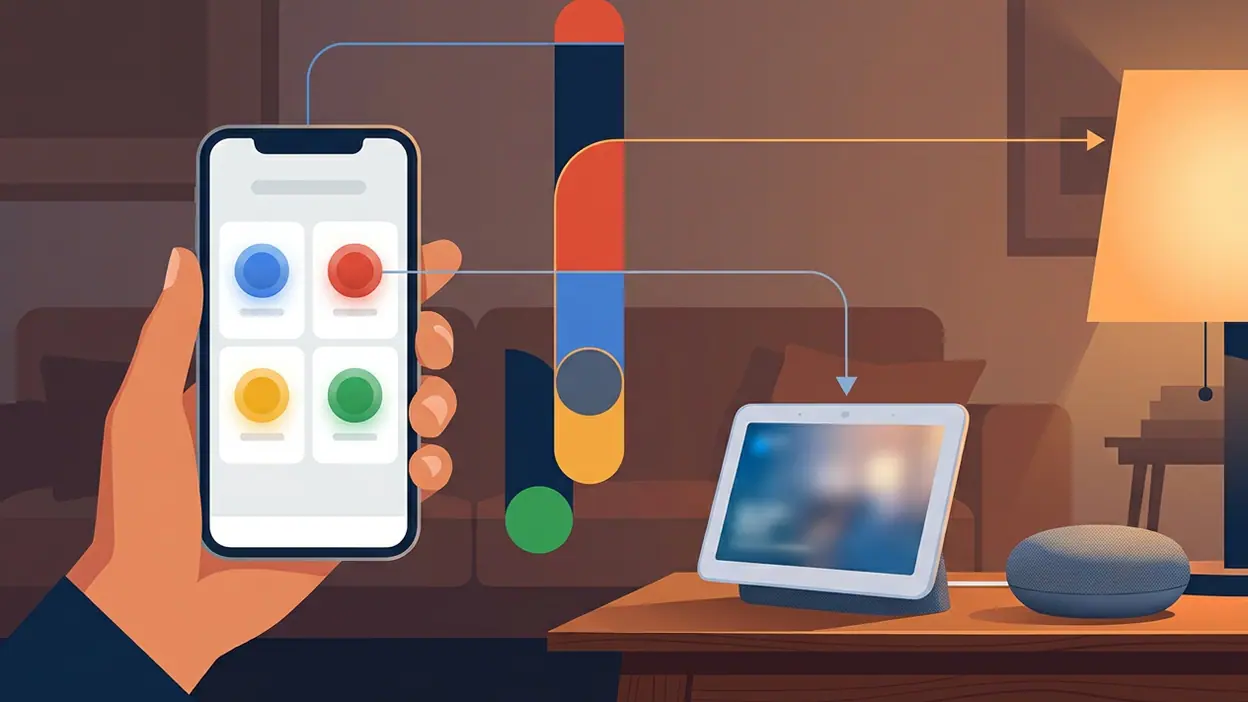
Google Home’s main screen is built around that everyday role. It gathers rooms and devices into a familiar home view, with controls and activity shaped by the equipment connected to the household. The exact mix depends on what is installed, so there is no single ideal dashboard for everyone. When the arrangement matches the way a home is used, a quick tap can feel more dependable than remembering a command or opening a manufacturer-specific app.
That is the product’s strongest signal: the home should be organized around tasks and places, not brand names. A lamp matters because it is in the living room; a camera matters because it watches the entrance. This framing sounds obvious, but it pushes against the fragmented logic of smart-home ownership, where each manufacturer would prefer to keep users inside its own control panel.
What Google gets right, and what it asks users to accept
The app follows conventions that remain valuable. It gives devices a recognizable home, supports room-based organization, and connects phone control with Google Assistant and compatible smart speakers. Routines provide a way to bundle actions, such as adjusting lights and temperature at a chosen time or with a single trigger. Those features are not flashy, but they reduce the number of small decisions a household has to repeat.
Latest News



Its design also reflects the category’s continuing preference for visible controls over deep configuration. Users can usually reach a device without learning a technical vocabulary, and the familiar visual language lowers the barrier for people who did not install the equipment themselves. For a household app, that accessibility matters more than a long list of expert settings that only one person understands.
But the convention it challenges is the idea that a single screen can simply collect every device and call the problem solved. A dashboard can become cluttered as the home grows, while the most useful action may be buried among controls that are rarely touched. Google’s evolving Home experience points toward more contextual organization and a stronger activity view, but the app still asks users to maintain a mental model of rooms, devices, automations, and permissions. The home may be physical; its administration remains surprisingly abstract.
That tension is a useful way to read the wider market. Microsoft SwiftKey AI Keyboard, though far removed from home automation, shows how app expectations are shifting toward assistance that fits into an existing habit rather than demanding a new workflow. Facebook Lite makes a different argument: speed and economy can matter more than visual richness when an app is used under constraints. Neither is a direct competitor, but both underline the same emerging standard: software should earn its place in daily life by reducing friction, not by making its feature list look impressive.
Other adjacent products sharpen the contrast. Hair Dye is built around a clear, bounded task, while Gallery is expected to make personal media easy to browse and retrieve. Brainly: AI Homework Helper makes assistance itself the core interaction. These products have different stakes, but they help expose what users increasingly expect from any mobile app: a clear purpose, useful context, and a result that arrives without a tour of the interface. Smart-home software has a harder job because its purpose is distributed across a whole building.
The emerging standard is context, not more controls
The next meaningful improvement is unlikely to be another row of device buttons. It is better context: clearer signals about which devices need attention, which household member changed a setting, and whether an automation actually ran. A good app should help answer, “What happened?” as readily as “What can I control?” That is especially important for cameras, doorbells, and sensors, where the value lies in interpreting events rather than opening a live feed on demand.
Google Home has the foundations for that broader role because it already sits between devices, rooms, routines, and household members. Its value grows when those pieces reinforce one another: a notification leads to the relevant device, a routine can be understood and adjusted, and a user can tell what state the home is in. The app is most persuasive when it turns a collection of separate products into a legible account of the household, not when it merely offers a remote for each one.
Yet the category still lags on reliability and clarity. Devices from different manufacturers can have uneven capabilities, and a control that works for one model may not exist for another. Setup and troubleshooting can still send users into a maze of network settings, account links, and compatibility rules. Automations are powerful but can be difficult to inspect when a result is unexpected. If a light does not turn on, people want to know whether the command failed, the device lost its connection, or the routine never ran. Too often, the app leaves them to investigate.
Privacy and household access are another unfinished part of the experience. A home is not a private workspace belonging to one app owner; it is a shared place where permissions matter. People need understandable ways to invite others, set boundaries, and know who can view camera activity or change important settings. The more an app becomes the home’s control layer, the more its account and sharing design becomes part of the product’s basic usefulness rather than an optional security detail.
For users, these design choices have a direct consequence. A well-run smart home should reduce small chores without introducing a new layer of upkeep. If the app is confusing, the household falls back to wall switches, separate manufacturer apps, and whoever remembers how the routine was configured. That does not make connected devices useless; it means the software has failed to make their convenience collective. The person who set everything up should not remain the only person capable of using it.
Google Home is therefore best judged not by how many devices it can display, but by how well it helps a household share control and recover when something goes wrong. It already demonstrates the direction of travel: room-aware organization, routines, and a central view matter more than a pile of disconnected remotes. Its shortcomings show the distance still to cover, especially around troubleshooting, consistency, and shared access.
The category is moving from smart-home control toward smart-home stewardship. That means fewer isolated commands and more dependable context, clearer explanations, and interfaces that work for everyone who lives in the home. Google Home is a convincing map of that transition, though not a finished destination. The winning standard will not be the app with the most integrations; it will be the one that makes connected living feel ordinary, understandable, and easy to trust.