Microsoft SharePoint
- 1.01K
- 4.1
- Installs
- 10.00M
- Price
- Free

Screenshots

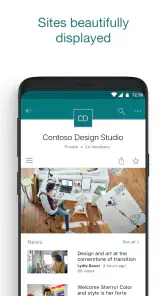
Analysis by Reviewed
When I use SharePoint on a phone, the quality of the connection shapes the experience more than the screen size does. The app is most useful when I can reach my organization’s sites and content reliably; waiting on a weak connection can turn a quick lookup into a chore. I see it as a mobile doorway into a shared work environment, rather than a replacement for every desktop task.
Where a reliable connection matters
SharePoint is a productivity app from Microsoft Corporation, and its appeal is closely tied to access to the right organizational content. The store description of the app points to sites, news, files and people being surfaced for the user and their organization. In practice, that means the value depends on whether the material I need is available through my workplace’s SharePoint setup and whether the network is cooperating.
For a practical example, imagine I’m walking between meetings and need to check a team update or find a document before answering a colleague. A phone is a convenient way to look up that information without opening a laptop, but the experience is only quick if the site and file load promptly. I’d avoid leaving an important lookup until the moment I’m moving through a poor-signal area.
Designed for quick mobile checks
The app makes the most sense for people who already use SharePoint at work and want a handy way to keep up with organizational information while away from a desk. It can suit someone checking a team’s updates or locating a work file on the go. For building or reorganizing complex sites, however, I’d rather use a larger screen and the tools available in a desktop browser. A phone is convenient for access, but it is not automatically the best place for every administrative task.
This is also where it differs from a general cloud-storage app. A storage app usually centers on a personal collection of files, while SharePoint belongs to an organization’s shared environment, where sites, people and workplace content sit together. That broader context is useful if your company already relies on it, but it can feel like extra machinery if all you want is a simple place to store a few personal documents. In that case, a straightforward file-storage option may be a better fit.
Handling interruptions and choosing a workflow
If a page or file is slow to appear, I treat that first as a connection or access issue rather than assuming the content has disappeared. I check whether the network is stable, then try the relevant site or item again. For time-sensitive work, it helps to identify important material before heading somewhere with unreliable reception, instead of relying on a last-minute search. SharePoint is not my choice for a workflow that depends on guaranteed access in places where I can’t count on a connection.
One useful habit is to be specific about what I need before opening the app: a particular team update, a known site or a file I expect to find. That narrows the task and makes a mobile visit more practical than browsing broadly. I also separate quick reference from substantial editing; if I need to compare several documents or make careful changes, I wait until I can work comfortably on a computer. That trade-off keeps the phone useful without expecting it to do everything.
You May Like

Clash of Clans Is Won Between the Battles

Android Auto Makes the Case for Quieter Car Software

MobiOffice: Transforming Mobile Productivity with Seamless Integration

EA SPORTS FC™ Mobile Soccer: Redefining Mobile Sports Gaming

How Microsoft OneDrive Became a Mobile Productivity Giant

How Google Translate Breaks Language Barriers Effortlessly
Who will get the most from it?
SharePoint is a stronger choice for employees, project groups and organizations that already keep work information in its environment. It is less compelling for someone without an organizational account or a team using SharePoint, because the app’s purpose is tied to that shared workplace context. If your colleagues use a different collaboration platform, installing this one alone will not create a shared workspace or make their files appear here.
People who are careful about mobile data may also want to save broad browsing for a stable network and use the app for focused checks when away from Wi-Fi. I would not assume every file or page will behave the same way in every network condition; the sensible approach is to test the material your work actually depends on. This is particularly important before travel or a busy day when you may need a document quickly.
A useful routine for a busy day
For me, the strongest mobile routine is a short, deliberate check rather than an attempt to manage an entire project from a phone. Before leaving the office or home, I would identify the site and documents likely to matter, then make sure I can reach them while the connection is dependable. Later, when a colleague asks for a status update, I can open the relevant team space instead of searching through unrelated folders or messages. This is a practical advantage of SharePoint’s organizational structure: the task starts from shared work context, not just a pile of files.
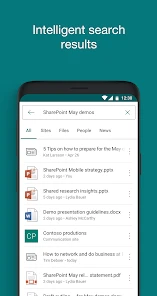
There is a trade-off, though. A clear site structure helps only if the organization has maintained it and people know where information belongs. If teams have inconsistent naming or duplicate material, mobile searching can feel less forgiving than browsing on a larger screen. I’d ask a coworker which site is considered authoritative before relying on a document found through a broad search, especially when several versions might exist.
Choosing between SharePoint and familiar alternatives
Compared with a personal cloud drive, SharePoint is better suited to material that belongs to a group and needs to sit alongside team pages and organizational updates. A personal drive is often simpler when the goal is to keep private files in one place or share a small number of items. SharePoint’s extra structure pays off when colleagues already use it; without that shared routine, the app can seem harder to navigate than a basic file manager.
It also occupies a different role from a chat app. A conversation can be the quickest way to ask a coworker for a file, but important information is easier to revisit when it lives in a team site or document library rather than disappearing into a long thread. I would use chat to coordinate and SharePoint to locate shared workplace material, while recognizing that this division works best when the organization has established where final documents should live.
Getting Started with SharePoint
The onboarding process with Microsoft SharePoint is surprisingly smooth. Whether you're a newbie or a seasoned techie, the intuitive interface welcomes you with open arms. The app is available on both Android and iOS, making accessibility a breeze. Once installed, I was greeted by a clean dashboard that features all the essential tools prominently. The initial setup might take a little time, especially if you're integrating it with other Microsoft apps, but it's nothing too complicated.
Features that Stand Out
SharePoint is like a digital Swiss Army knife. One of the first features I dove into was the document library. It felt like a haven for all my files, allowing me to organize them into folders, set permissions, and even collaborate in real-time with my team. The fact that it integrates seamlessly with Microsoft Office apps like Word and Excel is a massive plus.
Another feature worth mentioning is the site creation tool. Whether you need a team site, communication site, or even a hub site, SharePoint lets you build them with ease. I found the customization options quite liberating, offering the flexibility to add web parts, adjust layouts, and more.
Getting more from the organization’s structure
One detail I pay attention to is the difference between finding a file and understanding where it belongs. When a document appears in a shared library, checking its surrounding site can give useful context: it may be tied to a project, a team announcement or a recurring process. That context can prevent the common mistake of treating a convenient search result as the whole story. On a phone, I keep my checks narrow, then follow up on a computer if the document needs careful review or changes.
For a team that is new to the app, I would agree on a few simple habits before expecting everyone to collaborate smoothly: choose a clear home for final documents, use recognizable names, and tell colleagues which site is current. These are organizational habits, not magic fixes from the mobile app, but they make mobile access much more useful. SharePoint can bring shared material together; it cannot make a neglected structure self-explanatory.
Collaboration Made Easy
Collaboration is at the heart of SharePoint, and it shows. The app offers robust tools for sharing information and working together. With features like lists, workflows, and task management, it's easy to keep track of ongoing projects. I particularly enjoyed the integration with Microsoft Teams, which makes communication and file sharing more seamless than ever.
For larger organizations, SharePoint's enterprise features are a game-changer. From advanced search capabilities to data management and compliance tools, it's designed to handle complex organizational needs. The security features are top-notch, ensuring that sensitive information remains protected.
When the connection falters
If an expected item does not open, I would first check whether the network is working and whether I can reach another known page, then return to the specific site or file. If the rest of the connection seems fine, the next sensible step is to confirm that I am looking in the right organizational location and have access to that material. A failed attempt does not by itself tell me whether the problem is temporary, an access issue or a misplaced link, so I avoid making assumptions about the file’s status.
For work that cannot wait, I keep a fallback plan: note the key information while I have a reliable connection, or arrange to use a computer when the task involves substantial reading or editing. I would not make SharePoint the only path to information that must be available in every circumstance. That is not a criticism of its role as a workplace hub; it is a realistic way to plan around mobile connectivity.
Final Thoughts
After spending a good chunk of time with Microsoft SharePoint, I can see why it's a staple in many organizations. It's not just a tool; it's a comprehensive platform that brings people, processes, and content together. While it might have a learning curve for some, the benefits far outweigh the initial hurdles.
So, if you're looking for a way to boost productivity and enhance collaboration within your team, Microsoft SharePoint is definitely worth considering. It's an investment in efficiency and effectiveness, and who doesn't want a bit of that in their work life?
My verdict on using it day to day
It’s free to install and is rated for Everyone; its average rating is 4.1 from around 33,000 ratings, with more than 10 million installs. The current version is 3.40.01, and the app first appeared on October 23, 2016. Those figures suggest a well-established mobile companion, but they don’t change the main question I’d ask before installing it: does my organization actually use SharePoint for the information I need?
For someone who can answer yes, it’s worth trying as a focused way to keep up with work content away from a computer. The version available supports devices running iOS 8.1 or later. I’d recommend it most to people who already know their team’s sites and have a clear reason to check them on mobile. If you’re looking for an independent personal productivity app, or need dependable access regardless of network conditions, I’d choose a tool built around that need instead. My overall view is that SharePoint’s mobile value comes from connecting you to an existing workplace—not from replacing the rest of your work setup.
Microsoft SharePoint Frequently Asked Questions
Is Microsoft SharePoint free to download?
Microsoft SharePoint is free to download, and its content rating is Everyone. It is a productivity app developed by Microsoft Corporation for accessing organizational sites, news, files, and people from a mobile device. The app itself is free, while the content and access available to you depend on your organization’s SharePoint setup.
What does Microsoft SharePoint do on a phone or tablet?
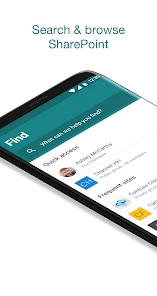
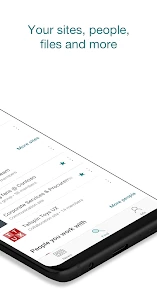
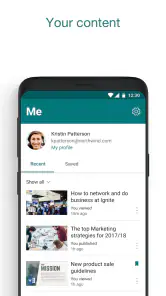
The app brings SharePoint content to a mobile device, helping you find sites, news, files, and people personalized for you and your organization. It can be handy for checking organizational information when you are away from a computer. What you can see and use depends on the SharePoint content and access your organization has arranged.
Does Microsoft SharePoint require an organization account?
Microsoft SharePoint is designed to help people find sites, news, files, and colleagues personalized for them and their organization. Before downloading, consider whether your workplace or school uses SharePoint and whether you have the account or access details needed for its sites. The app is most useful when your organization has set up SharePoint content for you to view and work with.
What can I find in the Microsoft SharePoint app?
The Microsoft SharePoint app helps you find sites, news, files, and people personalized for you and your organization. It is a productivity app for keeping organizational information accessible on a mobile device, so it can be useful when you need to check a site or locate a file while away from a computer. What appears in the app depends on the SharePoint content available to your organization.
What is Microsoft SharePoint used for?
Microsoft SharePoint is an enterprise platform primarily used for document management and collaboration within organizations. It allows teams to create websites and manage data, documents, and information seamlessly. SharePoint serves as a centralized location for storing, organizing, sharing, and accessing information from any device with a web browser, making it indispensable for businesses.
Pros
- Enhances team collaboration seamlessly.
- Integrates well with Microsoft 365.
- Customizable to fit business needs.
- Robust security features.
- Facilitates efficient document management.
Cons
- Complex interface for new users.
- Requires constant internet access.
- Customization needs technical skills.
- Limited offline functionality.
- Subscription can be costly.

- Category
- Productivity
- Version
- 3.40.01













