Microsoft Power BI
- 1.22K
- 4.6
- Installs
- 5.00M
- Price
- Free

Screenshots
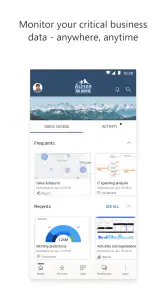
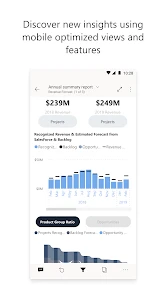
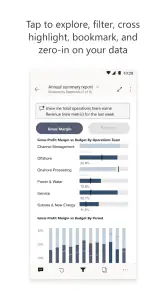
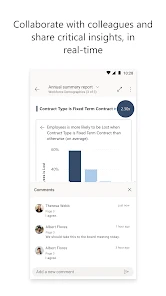

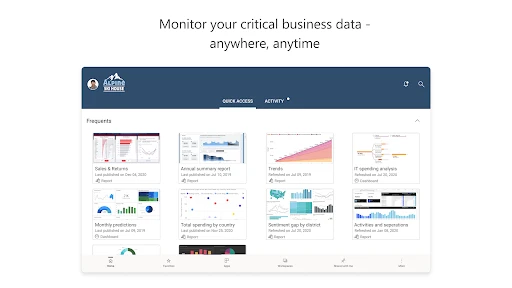
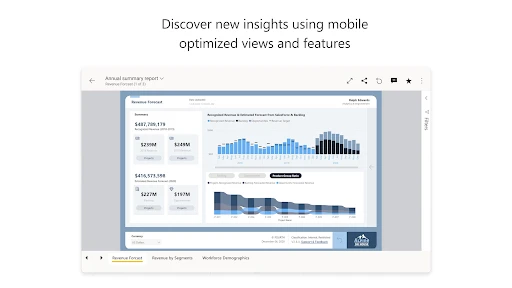
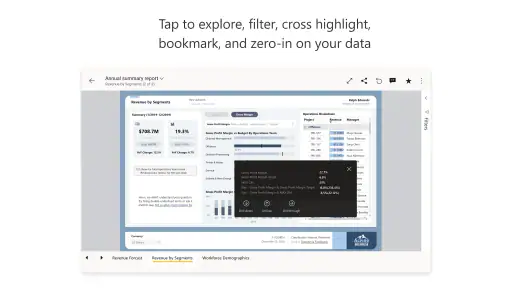
Analysis by Reviewed
Microsoft Power BI makes the most sense to me as a mobile window onto business reporting, not as a substitute for doing serious report-building on a phone. I’d recommend it to someone who already relies on Power BI and wants to check a dashboard between meetings, while travelling, or away from a desk. If you’re expecting a general spreadsheet app or a complete analytics studio in your pocket, this is probably the wrong fit.
A Deep Dive into Microsoft Power BI
If you've ever found yourself knee-deep in data and wished for a magic wand to make sense of it all, you might want to check out Microsoft Power BI. This app is like your personal data detective, helping you uncover insights you never knew existed in your data sets. It's available on both Android and iOS, making it super convenient for data enthusiasts who are always on the go.
Power BI is a business app from Microsoft Corporation, and its purpose is more focused than the word “analytics” might suggest: it brings reports and dashboards to a phone or tablet so you can consult them away from your computer. It is free to install, rated for Everyone, and has a 4.6 average from around 72,000 ratings. More than 5 million installs suggest it has a substantial mobile audience, though popularity alone doesn’t tell you whether it suits your team’s setup.
The key distinction is between viewing and authoring. I find the mobile app most useful when reports already exist and someone has arranged them around real questions—such as whether sales are tracking to plan or which locations need attention. Building a polished report, shaping a data model, and deciding how figures should be defined are better handled in Power BI’s broader working environment. The phone is where I check the result and follow a lead, not where I would want to design the whole analysis from scratch.
That difference matters when deciding whether to install it. If your organization already shares Power BI reports, the app can make those reports easier to consult on the move. If you have only a spreadsheet and no reports set up, downloading the mobile app by itself will not magically turn that file into a useful dashboard. First clarify where the report will come from, who maintains it, and whether you’ll be allowed to access it.
So, what's all the fuss about Microsoft Power BI? In a nutshell, it transforms complex data into visually appealing and interactive reports and dashboards. Imagine turning a mountain of numbers into something that makes sense at a glance; that's the kind of magic we're dealing with here. Whether you're a small business owner or part of a large enterprise, this app is designed to cater to your analytical needs.
Getting Started
Setting up Microsoft Power BI is a breeze. Trust me, even if you're not a tech guru, you'll find the process straightforward. After downloading the app, you can connect to hundreds of data sources, including spreadsheets, databases, and cloud services. The interface is intuitive, with drag-and-drop features that make creating reports feel like second nature.
More From Our News Desk

Weather by Xiaomi Review: Clear at a Glance, Less Clear Up Close

X Under Pressure: Can It Recover When Posting Goes Wrong?

Clash of Clans Is Won Between the Battles

Android Auto Makes the Case for Quieter Car Software

MobiOffice: Transforming Mobile Productivity with Seamless Integration

EA SPORTS FC™ Mobile Soccer: Redefining Mobile Sports Gaming
For a smoother first session, I’d start by opening a report you already use on a computer rather than trying to explore the app without a clear task. Pick one page you understand, check that its labels and units make sense on a small screen, and then test the filters that matter to you. A chart that looks clear on a large monitor can become cramped on a phone, so it’s worth asking the report owner for a mobile-friendly layout if the important details are hard to read.
It also helps to know what you are signing into before you begin. Power BI is most valuable when your work or organization has already set up reports and granted you access. If you’re a freelancer or a small business owner, decide whether you need to create and maintain reports yourself or mainly consume reports prepared by someone else. That distinction can save you from installing a mobile viewer when what you actually need is a desktop workflow and a clear plan for sharing.
A practical habit is to agree on definitions before relying on a dashboard in a meeting. “Revenue,” “active customer,” or “late order” can mean different things across teams. The app can put a visual summary within reach, but it cannot resolve disagreements about what a measure means. I’d confirm the report’s time period, filters, and source with its owner before using a number to make a consequential decision.
Features That Stand Out
One of the standout features of Microsoft Power BI is its ability to create real-time dashboards. This means you get to see your data as it flows in, helping you make timely decisions without breaking a sweat. Another feature worth mentioning is the app's AI capabilities, which provide insights and trends that might not be immediately obvious. It's like having a data scientist in your pocket!
On a phone, interactivity is most useful when it helps answer a specific follow-up question. I might open a company-wide view, narrow it to a region, and then inspect a location that looks unusual. That is more practical than trying to study every chart at once. A useful tip is to change one filter at a time and note what changed; when several selections are active, it can be easy to mistake a filtered result for the overall picture.
For a realistic everyday example, imagine a manager heading to a branch visit who wants to know whether a recent dip is isolated or part of a wider pattern. A saved report can help them check the relevant trend on the way, compare the branch with other areas, and arrive with a better question for the team. It won’t explain the cause on its own, but it can make the conversation more focused than relying on a vague impression or waiting until returning to a desk.
Real-time visibility is only as helpful as the underlying refresh and the way the report is built. I would treat a dashboard as a prompt to investigate, not proof that every number is current or self-explanatory. Before acting, check the displayed date range and any labels that clarify when figures were last updated. If a decision depends on a live operational event, confirm the detail through the source or the person responsible for it.
Also, let's not overlook the collaborative nature of this app. You can share reports and dashboards with your team, fostering a culture of data-driven decision-making. Plus, the app's security features ensure that your data remains safe, which is always a plus in today's digital world.
Sharing is useful when the recipient has the right access and knows what they are looking at. In practice, I’d send a teammate to a specific report or page and explain the question it answers, rather than simply forwarding a chart with no context. A shared visual can be misunderstood if the reader does not know which filters are active or whether the report is intended for their role. For sensitive business information, follow your organization’s access rules instead of assuming that installing the app automatically grants permission.
The app is also not a replacement for every familiar way of working with numbers. A spreadsheet is often quicker for a one-off calculation, handwritten notes may be better for recording observations during a visit, and a desktop analytics workflow is more suitable when you need to build or substantially revise a report. Power BI’s advantage is bringing an established reporting view into a mobile setting; its trade-off is that you are working within the reports and access arrangements already in place.
My Experience with Microsoft Power BI
Personally, using Microsoft Power BI has been a game-changer for me. As someone who often deals with large volumes of data, having a tool that simplifies the analysis process has been invaluable. The app's user-friendly interface means I spend less time figuring out how to use the tool and more time analyzing data. Plus, the ability to access my reports on my phone means I can stay productive even when I'm not at my desk.
My strongest recommendation is for people who already have a clear reporting routine: business owners reviewing performance, team leads checking shared measures, or staff who need a quick reference while away from a computer. It is less compelling for someone who rarely consults dashboards, has no reports available to them, or expects to create a full analytical project entirely on a handset. In those cases, a spreadsheet tool or the desktop side of a reporting product is likely to be a more direct starting point.
Compared with a spreadsheet app, Power BI is better suited to exploring a prepared set of connected visuals than editing cells or making ad hoc calculations. Compared with a static PDF or emailed chart, it can offer a more interactive way to inspect a report, provided the report itself supports the questions you need to ask. Those alternatives can still be better when you need offline notes, a simple fixed snapshot, or direct control over individual values. I would choose based on the task rather than assume one format replaces the others.
There is some setup friction behind the apparently simple experience. The app can only be as useful as the report design, permissions, and shared definitions behind it. If a chart is crowded, a metric is poorly named, or access has not been arranged, a mobile screen makes those problems more noticeable rather than solving them. When something looks surprising, I’d check filters and context before treating it as a business trend.
Microsoft lists the current version as 2.2.251126.21279060, with Android 8.0 as the minimum operating-system requirement. I would check that requirement before installing on an older Android device. The app is free to download, but that should not be confused with a guarantee that every report or organizational capability will be available to every user; access depends on the environment and permissions they work with.
One useful way to judge whether it belongs on your phone is to try it against a recurring question, not by browsing randomly. Choose a report you genuinely need, identify the page you consult most, and see whether you can get to the answer quickly without misreading a chart. If it saves a trip back to a laptop or helps you prepare for a conversation, it is doing its job. If you keep reaching for a spreadsheet or asking someone to explain the visuals, the report setup may need attention—or a different tool may suit that task better.
Its 4.6 average and roughly 1,200 written reviews give a new user some evidence that it has found an audience, but I would put more weight on fit than on the headline rating. Power BI is a specialized business companion: it rewards people whose teams already use its reporting environment and who value quick access to shared analysis. It is not an all-purpose productivity app, and its usefulness can feel limited until reports and access are properly arranged.
In conclusion, Microsoft Power BI is a robust tool for anyone looking to make sense of their data. Its ease of use, coupled with powerful features, makes it a must-have for any data enthusiast. So, if you're ready to take your data analysis to the next level, give Microsoft Power BI a try. You won't be disappointed!
My verdict is more specific: I’d install it if I already depended on Power BI reports and wanted a convenient way to consult them away from my desk. I would skip it if I needed a standalone spreadsheet editor or expected a phone app to replace the work of creating and governing reports. For the right audience, it turns business reporting into something easier to check during the day; for everyone else, its value depends on having a real reporting workflow waiting behind the app.
Microsoft Power BI Frequently Asked Questions
Can I use Microsoft Power BI on a phone or tablet, and what is the mobile app for?
Microsoft Power BI is a business app for viewing and interacting with reports and dashboards on mobile devices. Its short description is “Microsoft BI,” and its store summary emphasizes keeping your data with you wherever you are. The mobile experience is most useful when you need to check prepared business information while away from a desktop.
Who develops Microsoft Power BI, and what kind of app is it?
Microsoft Power BI is a business app developed by Microsoft Corporation. It brings business intelligence content to a mobile device, where users can view and interact with reports and dashboards. The app is intended for people who want to access organizational data on the go, rather than being a general-purpose social, entertainment, or file-storage tool.
Is Microsoft Power BI available for both Android and iOS?
Microsoft Power BI has dedicated mobile apps for Android and iOS. These let users view and interact with reports and dashboards away from a computer, using a mobile interface suited to a phone or tablet. Before installing, check that your device meets the relevant system requirements and that you can sign in to reach the Power BI content you need.
Is Microsoft Power BI appropriate for children, and what is its age rating?
Microsoft Power BI is a business-focused app, and its content rating is Everyone. That rating describes the app’s general content suitability, but the main purpose is viewing business reports and dashboards rather than entertaining children. Whether it is useful for a younger user depends on whether they have an appropriate reason and account access to use business intelligence content.
Do I need a Microsoft account or an existing Power BI setup to use the mobile app?
Microsoft Power BI is a mobile companion for viewing and interacting with business reports and dashboards. To get a useful experience, you will generally need access to Power BI content through an account or an organization that has already set up reports for you. The app is most valuable when you can sign in and reach the information your team has prepared.
Pros
- User-friendly interface
- Robust data connectivity
- Customizable dashboards
- Real-time data access
- Comprehensive analytics tools
Cons
- Steep learning curve
- Limited free features
- Occasional performance issues
- Complex data modeling
- Requires internet access
- Category
- Business
- Version
- 2.2.251126.21279060













