Locate Mobile by Number
- 651.00
- 4.4
- Installs
- 1.00M
- Price
- Free

Screenshots


Analysis by Reviewed
I would approach Locate Mobile by Number as a location tool for situations where people have agreed to share their whereabouts, not as a way to uncover someone’s position from a phone number alone. That distinction matters: a map can help a family coordinate, but using location information responsibly depends on trust and clear consent. The app is free, so there is no purchase decision to make before trying it; the more important question is whether its approach to location sharing fits your needs.
Free to try, with value tied to your routine
There is no listed price to pay to get started, which makes it easy to consider for occasional family coordination. I’d judge its value less by the absence of an upfront cost and more by whether it makes a recurring task simpler. If you regularly want to check that a family member has reached a destination, a location-focused app may be more useful than repeatedly calling or sending messages. If you only need directions or a one-off meetup point, your phone’s built-in map or messaging tools may already be enough.
The app is in the parenting category, is made by App Game Development Solutions, and is marked for everyone. It has an average rating of 4.5 from around 19,000 ratings, with over 1 million installs. Those figures suggest that many people have tried it, but they can’t tell you whether its particular location-sharing workflow suits your household. I’d use the free access to assess the experience carefully rather than assuming popularity guarantees a good fit.
How location sharing fits everyday family life
I find location sharing most useful when it supports a small, agreed routine rather than becoming a running watch on someone’s movements. In this section, I’d look at how a family can make a map check feel practical and respectful, including choosing a clear reason to share and deciding what to do when the map leaves questions unanswered. That everyday agreement is what makes the tool fit family life.
A practical check-in, not a substitute for conversation
Picture a parent waiting at home while a teenager travels back from an activity. A location view can answer the simple question of whether the person is still on the way or appears to have arrived, without a string of “Where are you?” messages. That can be reassuring when everyone understands the arrangement. I would still agree in advance on when location checking is appropriate; a tool intended to reduce worry can create tension if it becomes constant monitoring.
Before relying on any location app, I’d also check what each person sees and how sharing is started and stopped. A useful household routine is to explain the purpose, agree who can view a location, and revisit that agreement as children grow. For a short trip, a direct message may be the better choice. For repeated journeys, an agreed location-sharing setup can reduce the need for check-ins. This is a practical distinction, not a reason to treat tracking as a replacement for trust.
What to compare before choosing it
Compared with ordinary messaging, a map-centered tool is suited to seeing where someone is rather than simply receiving a written update. Compared with general-purpose map apps, a dedicated location app may feel more focused if the main task is keeping track of family members. But I would not assume that a phone number by itself reveals a live position or that every person can be located automatically. Location sharing depends on the other person’s participation and on the devices and settings involved, so both sides should understand the process before counting on it.
More From Our News Desk

Weather by Xiaomi Review: Clear at a Glance, Less Clear Up Close

X Under Pressure: Can It Recover When Posting Goes Wrong?

Clash of Clans Is Won Between the Battles

Android Auto Makes the Case for Quieter Car Software

MobiOffice: Transforming Mobile Productivity with Seamless Integration

EA SPORTS FC™ Mobile Soccer: Redefining Mobile Sports Gaming
A small but useful habit is to test the arrangement together while everyone is available, rather than first opening the app during a stressful delay. That gives you time to learn how the map behaves and what to do if a location is not visible. It also helps set realistic expectations: a displayed position is information to guide a check-in, not proof that someone is safe or a guarantee that a map will answer every question.
Where I’d draw the line
I would skip a location-sharing app if the other person has not agreed to share, or if the goal is to monitor someone secretly. I’d also choose another option when all I need is an arrival confirmation: a quick text or call is clearer and avoids keeping a map open. If your household needs a broader set of family-safety tools, compare those options directly instead of assuming a location-focused app covers every need.
There are practical limits to consider, too. A location view is only useful when the people involved can and do share their location, and it may not answer questions that require conversation or immediate help. I wouldn’t make it the sole plan for emergencies. Agree on a backup, such as calling or messaging, and make sure everyone knows whom to contact if the map does not provide a helpful update.
Who is most likely to get value
I can see this fitting parents and families who want a straightforward way to coordinate recurring journeys, provided everyone involved understands and accepts the arrangement. It may also suit friends who mutually want a convenient way to check that someone has reached a destination. It is less suitable for people who want anonymous phone-number lookups, guaranteed emergency response, or detailed family-management features they have not confirmed the app provides.
If you are choosing it for a child, talk through the purpose in plain language instead of presenting location sharing as an invisible safety net. For adult relatives, ask before enabling any shared view and let them know how you plan to use it. These small steps make the tool more likely to support coordination rather than undermine confidence.
Getting Started with Ease
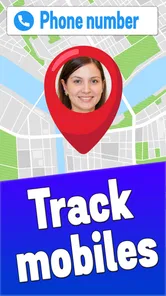
Installing Locate Mobile by Number is a breeze. Once you download it from the app store, you're greeted with a super friendly interface that even your grandparents could navigate. The setup process is straightforward: you just need to grant the necessary permissions, enter the mobile number you wish to locate, and you're good to go. I was particularly impressed with the app's simplicity—no need to jump through hoops to get it up and running.
Real-Time Tracking at Your Fingertips
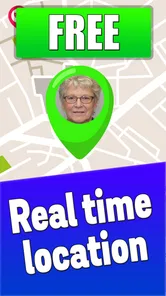
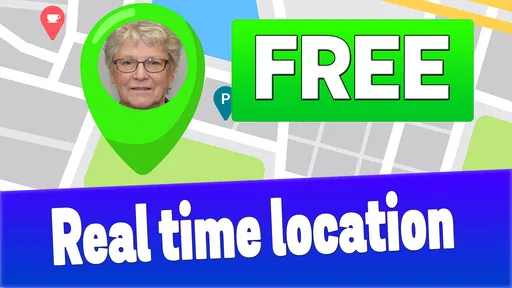
The standout feature of this app is its real-time tracking capability. You can see the exact location of the person you're tracking on a map, updated every few seconds. This is especially useful for keeping tabs on your kids or making sure your friends arrived home safely after a night out. The accuracy of the location data is spot-on, thanks to the app's integration with GPS technology. It's like having a personal GPS tracker for your loved ones.
Furthermore, there's an option to set location alerts, which notifies you when the person reaches a specific location. This is perfect for those moments when you want to make sure someone gets to their destination safely without having to constantly check the app.
Privacy Concerns? Not Here!
One of the biggest worries people have with tracking apps is privacy. Thankfully, this app takes this seriously. The app requires consent from the person you're tracking, ensuring that no one is being followed without their knowledge. Plus, all location data is encrypted, which means your information is safe from prying eyes.
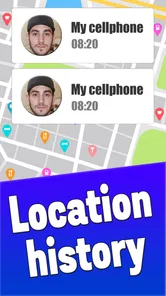
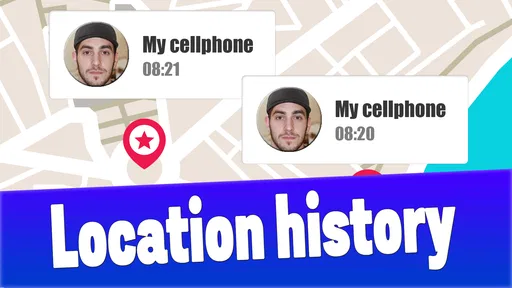
Another neat feature is the app's ability to keep a history of locations visited. This could be a nifty tool for reminiscing about the places you've been or even for keeping a log of your travels. Just remember to clear it out every now and then if you're not into hoarding data!
Making the map useful in ordinary routines
For a family with several regular trips, I’d treat the map as a quick status check rather than something to watch continuously. For example, if a child is walking home from a class, a parent can check once near the expected arrival time, then switch to a call or message if the displayed location raises a question. This keeps the app focused on coordination instead of turning a normal journey into a stream of surveillance.
A practical tip is to agree on the exact purpose of sharing before anyone begins: perhaps confirming arrival after an evening activity, rather than checking every movement throughout the day. That boundary gives the person sharing a clear expectation and gives the viewer a reason to open the app only when it helps. If the routine changes, talk about it instead of silently expanding how often you check.
What a location result can and cannot settle
A map can help answer “Where does the shared location appear to be?” It cannot reliably answer “Is everything okay?” A person may be delayed, indoors, or unable to respond, and a location marker by itself does not explain why. I would avoid treating a map position as a safety confirmation; if the situation feels unusual, contact the person directly and use your normal emergency plan when needed.
This distinction is especially important for caregivers. Location sharing can support independence by reducing repeated check-in calls, but it should not replace agreed arrival messages for people who may need help or who do not routinely carry a usable phone. For a one-time pickup, a call with a clear meeting point may be simpler than setting up a location workflow for a task that ends in minutes.
Questions worth settling before relying on it
If you are wondering whether entering a number is enough, I would not plan around that assumption. The responsible way to use a location app is with the other person’s knowledge and participation, and the app’s name should not be read as permission to locate anyone without them. Talk through what each person needs to do and test the shared setup while you can troubleshoot calmly.
You may also want to know whether it can replace your usual family safety plan. I would say no: keep calls, messages, and trusted contacts available, because a map is only one source of information. And if your priority is a broad package of parental controls or family communication tools, compare those products on the specific functions you need rather than choosing this one on the assumption that every parenting feature is included.
Choosing between a dedicated app and familiar tools
Built-in map sharing is often a sensible alternative when everyone already uses the same map service and only needs to share a trip or location occasionally. Messaging is better for a simple “I’m here” update, while a dedicated location app may be worth trying when repeated family coordination is the main task. The deciding factor for me is not the number of features, but whether everyone can understand the arrangement and use it without adding friction to an otherwise easy routine.
There is also a trade-off in creating a separate location-sharing habit: people may need to learn another interface and remember which tool the family agreed to use. Keep the setup small, choose one clear purpose, and avoid maintaining overlapping systems unless they solve different problems. If your family already has a reliable way to coordinate arrivals, switching apps may add little value.
Ending Thoughts
In a world where staying connected is crucial, this app shines as a reliable and easy-to-use app for tracking loved ones. Whether you're a parent wanting to check in on your kids or just someone who wants to ensure their friends are safe, this app delivers on its promises. With its straightforward interface, real-time tracking, and strong emphasis on privacy, it's a must-have tool for anyone who values peace of mind. So why not give it a try? You might just find it's the app you never knew you needed!
My verdict on trying it
For a free parenting app, its appeal is easy to understand: it focuses on seeing a shared location and can make routine check-ins less awkward. I’d try it when family members actively want that convenience, then keep the arrangement transparent and use calls or messages whenever a map view is unclear. The app is on version 1.3 and requires Android 9 or later, so check that your device meets the minimum before installing. If your main expectation is secretly finding someone from their number, or replacing a conversation or emergency plan, I’d skip it. For consensual everyday coordination, it is worth considering.
Locate Mobile by Number Frequently Asked Questions
Does Locate Mobile by Number need an internet connection to show a location?
An active internet connection is important for a location app that displays information on a map. Locate Mobile by Number is described as locating and displaying numbers on a map in real time, and the earlier description notes that GPS and network services are involved. Before relying on it, make sure the device can connect and that the necessary location access is enabled.
Can I use Locate Mobile by Number to find a lost phone?
The app may be useful when trying to locate a device, but finding a phone depends on its location settings, GPS or network access, connectivity, and the device owner's consent. A phone number alone should not be treated as a way to bypass those requirements. If you are preparing to use the app for a lost device, consider whether these conditions are in place.
Who is Locate Mobile by Number intended for?
Locate Mobile by Number is in the Parenting category and is aimed at people looking for a way to view mobile numbers on a map in real time. That may interest families coordinating location sharing, but it should be used only with the knowledge and consent of the person whose device is involved. The app is rated for Everyone, though responsible use and respect for privacy still matter.
Is Locate Mobile by Number free to download, and what should I know before installing it?
Locate Mobile by Number is a free app in the Parenting category, so you can download it without an upfront purchase. It is rated for Everyone and has an average rating of 4.5 from around 19,000 ratings. Before installing, check that the app suits your needs and that your device meets its operating system requirements. As with any location app, use it responsibly and respect other people’s privacy.
What is Locate Mobile by Number and how does it work?
Locate Mobile by Number is a mobile application designed to help users find the approximate location of a mobile device using its phone number. The app utilizes the phone's GPS technology and network-based services to triangulate the phone's location. This can be particularly useful for locating lost or stolen devices, or for keeping track of family members and friends with their consent. Users simply need to input the phone number they wish to locate, and the app will display the device's location on a map.
Pros
- Accurate location tracking
- User-friendly interface
- Real-time updates
- Works globally
- Battery-efficient
Cons
- Requires internet connection
- Potential privacy concerns
- Limited free features
- Occasional location errors
- Subscription required for premium features












