Paint and Learn Animals
- 31.00
- 4.1
- Installs
- 10.00M
- Price
- Free

Screenshots
Analysis by Reviewed
I’d approach Paint and Learn Animals as a small, guided activity rather than a full learning program. It is a free parenting app from Sunny Kid Games, built around coloring animal pictures and learning about them as you go. That combination makes the first session easy to understand: choose an animal, add color, and let the child explore the picture without having to invent a drawing from scratch.
For a first-time user, that low-pressure start is the main appeal. A child who hesitates over a blank page can begin with an outline, while a parent can use the animal on screen as a prompt for a short conversation. I would not expect it to replace books, hands-on art, or a structured lesson. I would expect it to offer a convenient way to turn a few spare minutes into a creative activity with an animal theme.
What to expect from the animal coloring activity
The app’s central idea is straightforward: coloring is paired with information about animals, so the picture can lead naturally into a bit of learning. That is a useful distinction from a basic digital coloring pad, where the activity may end once the child has filled in the image. Here, a parent can ask what the animal is, talk about its colors or habitat, and use the accompanying material to keep the exchange going.
In the broader world of children’s apps, this sits between a simple coloring book and a more lesson-focused educational product. It is less open-ended than drawing on a blank canvas, which can help a young child get started, but that guidance also means it is not the best choice for a child who wants complete freedom to sketch anything. If the goal is specifically to encourage free drawing, paper and crayons or an open drawing app may be a better fit.
The practical strength is that the activity has a clear beginning and an obvious next move. A child can pick a picture and start coloring, while an adult can choose whether to keep the session quiet and independent or turn it into a shared conversation. That flexibility makes it easier to use at home without needing to prepare a separate craft project.
Getting started without making it a project
I’d keep the first use simple: open the app together, let the child choose an animal, and allow them to explore the coloring before trying to teach anything. A quick, successful first attempt matters more than finishing a picture or remembering a fact. If the child is comfortable with the controls, you can then draw attention to the animal information and ask one small question, rather than turning the screen time into a test.
That approach also helps if the child is new to tablet coloring. The outlined pictures offer a starting point, so there is less pressure to decide what to draw and where to put it. For younger children, an adult nearby can help with the first selection and explain what to tap; after that, it may be easier for the child to continue independently. How smoothly that works will depend on the child’s age, patience, and familiarity with touchscreens.
More From Our News Desk

Weather by Xiaomi Review: Clear at a Glance, Less Clear Up Close

X Under Pressure: Can It Recover When Posting Goes Wrong?

Clash of Clans Is Won Between the Battles

Android Auto Makes the Case for Quieter Car Software

MobiOffice: Transforming Mobile Productivity with Seamless Integration

EA SPORTS FC™ Mobile Soccer: Redefining Mobile Sports Gaming
A useful everyday scenario is a short wait at home while dinner is being prepared. I’d hand over the device with a clear plan: choose one animal, color for a little while, then tell me one thing you noticed. That gives the activity a natural stopping point and keeps it from becoming an aimless stretch of screen time. The same approach can work during a rainy afternoon, though I’d treat the app as one activity among several rather than the whole afternoon’s entertainment.
Making the first session feel successful
One tip I find useful with coloring apps is to let the child make the first choices, even if the result is an unexpectedly colored animal. The point is not to produce a realistic picture; it is to build confidence and keep the child curious. Once they have finished or paused, you can connect the image to the animal lesson and invite them to describe what they remember in their own words.
Parents can also make the learning feel more personal by linking the on-screen animal to something familiar: a zoo visit, a picture book, a toy, or an animal seen outdoors. This does not require a long explanation. A simple question such as where the animal might live can turn a coloring moment into a conversation, while still leaving room for the child to enjoy the creative part.
I would avoid correcting every color choice or fact during the first try. Too much guidance can make a relaxed activity feel like schoolwork, especially for a child who mainly wants to paint. A better rhythm is to let them lead, offer one prompt when interest dips, and stop while they are still enjoying it. That makes it easier to return to the app another day.
Unleashing Creativity with a Splash of Color
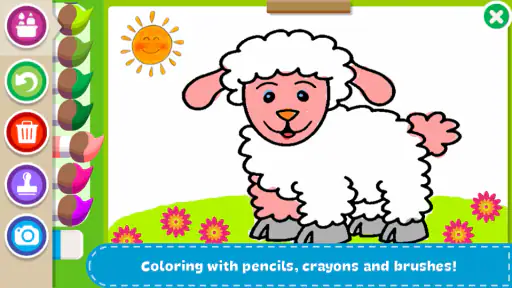
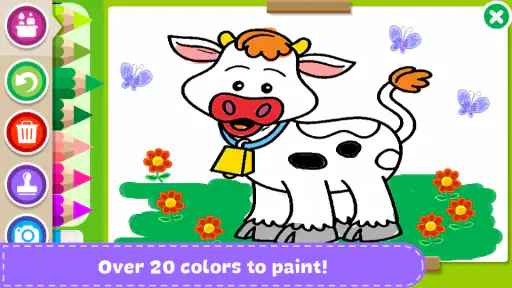
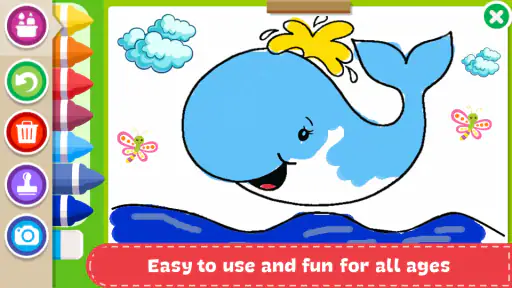
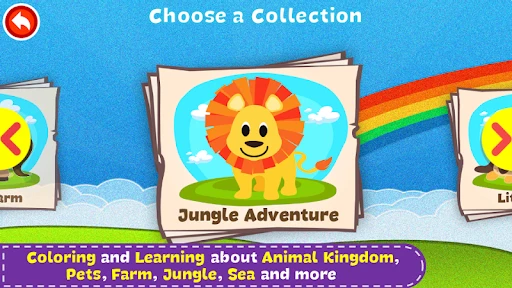
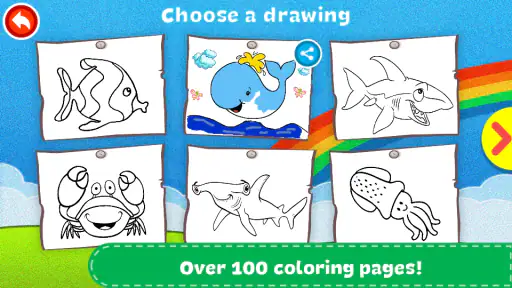
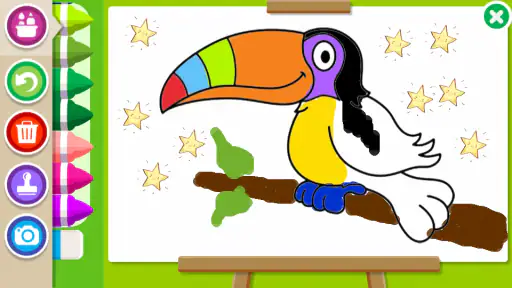
When I first opened Paint and Learn Animals, I was immediately struck by the vibrant interface. It’s like stepping into a digital coloring book filled with a menagerie of animals waiting to be brought to life with color. The app doesn’t just hand you a blank canvas; each animal comes with a pre-drawn outline, perfect for those who might be a bit intimidated by a completely blank page. And let me tell you, the selection is wild! From the majestic lion to the playful dolphin, there’s something here for every budding zoologist.
Interactive Learning at Its Best
What truly sets this app apart from the usual coloring apps is its educational spin. Each animal isn’t just a pretty picture to color; it comes with a mini-lesson. As your child paints, they’ll learn fun facts about the animal they’re coloring. Did you know giraffes only need 5 to 30 minutes of sleep in a 24-hour period? Neither did I until I started playing around with this app!
The app uses a clever mix of audio and visual cues to reinforce learning. It’s a subtle way of teaching that feels more like play, and believe me, that’s the kind of learning that sticks.
User-Friendly and Kid-Safe
One of the things I always worry about with kids’ apps is how user-friendly they really are. Thankfully, Paint and Learn Animals nails it in this department. The interface is intuitive enough for kids to navigate without constant adult supervision. Plus, it’s free from ads, so you won’t have to worry about your child accidentally tapping on something they shouldn’t.
There’s also a handy parental control feature that allows you to set time limits. This is a lifesaver when you’re trying to manage screen time and ensure your kids don’t end up glued to their devices.
Where it fits—and where it doesn’t
The app’s 4.1 average from around 6.9 thousand ratings, along with over 10 million installs, suggests that many families have tried it. Those figures are useful context, but they do not tell me whether it will suit a particular child. I would judge it by the child’s response to the first few minutes: do they enjoy choosing an animal and coloring, and do the facts invite a little curiosity? If so, it has a practical place in a family’s mix of low-effort activities.
It is particularly well suited to children who like animals, enjoy coloring, or need a gentle prompt to begin a creative task. It can also help a parent who wants a screen activity with a clear subject rather than an endless stream of unrelated clips. The Everyone age rating makes it broadly approachable, but that label is not a substitute for an adult deciding whether the content and device use suit their own child.
I’d skip it for a child who wants a sophisticated drawing toolkit, a deep animal encyclopedia, or a curriculum with measurable lessons and progress tracking. It is also not a substitute for an adult’s attention if a child is too young to navigate the screen safely or needs help understanding the material. In those cases, a paper coloring book, a library book about animals, or a parent-led activity may be more satisfying.
Small trade-offs that matter at home
Digital coloring is tidy and easy to start, but it does not offer the same tactile experience as crayons, paper, or paint. A child cannot feel the resistance of a pencil or display a page on the refrigerator in quite the same way. I see that as a reason to alternate activities, not a reason to dismiss the app: a child might color digitally first and then draw the animal on paper, carrying the idea into a different medium.
Another useful choice is to make the app a shared activity at first rather than assuming it should occupy a child independently. Sitting nearby gives you a chance to help with navigation and notice which animals hold the child’s interest. It also lets you pause before the screen becomes the default answer to boredom. Once you know how your child uses it, you can decide whether a short independent session works for your household.
The app is free to download, with optional in-app purchases listed at $2.99 to $3.99 per item. I’d let a child explore only after an adult has checked the purchase prompts and device settings. That small bit of preparation helps avoid a surprise during an otherwise simple coloring session. The core decision is not whether to buy anything; it is whether the activity itself keeps your child engaged enough to be useful.
Common questions, answered in context
A parent may reasonably wonder whether the app is only for very young children. I see its appeal as depending more on the child’s interest than on a strict age cutoff: a child who enjoys animal pictures and simple creative play may like it, while an older child seeking detailed art tools or deeper research may move on quickly. The broad age rating does not mean every child will find the same level of challenge.
It is also fair to ask whether an adult needs to sit beside the child every time. The interface is designed to be approachable, and some children may manage the coloring on their own, but I would still supervise the first session and check how the child handles navigation and purchase prompts. For a younger child, staying close is the sensible choice; for a more independent child, occasional check-ins may be enough.
If you are choosing between this and a standard coloring app, the deciding factor is the animal-learning angle. A plain coloring app may provide more general drawing freedom, while this one gives the picture a subject and pairs coloring with animal information. If you are choosing between it and a book, the app adds an interactive coloring element, but a book is easier to share away from a screen and may offer more room for sustained reading. Neither option has to replace the other.
Families may also ask how to keep sessions from dragging on. I’d decide on a natural endpoint before handing over the device: one animal, one coloring session, or one short conversation afterward. The parental time-limit feature can support that boundary, but a simple spoken plan is often easier for a child to understand. A predictable ending makes it more likely that the app remains a helpful option rather than a source of negotiation.
My Final Thoughts
All in all, Paint and Learn Animals is a delightful blend of fun and education. It’s a great way to keep kids entertained while they learn about the animal kingdom. Whether used as a rainy-day activity or a part of homeschooling efforts, this app is a wonderful addition to any parent’s toolkit.
If you’re looking for an app that combines creativity, education, and a whole lot of fun, then give Paint and Learn Animals a try. It’s a win-win for both kids and parents alike!
A sensible next step after installing
The app has been available since June 2, 2017, and its current version is 1.89. It requires Android 7.0 or later, so I’d check the device’s operating system before planning to install it on an older tablet. Those details are especially useful if you keep a family device for children rather than using a newer personal phone.
Once it is installed, I’d aim for one small success rather than trying to explore every part at once: let the child choose an animal, color a portion of it, and share one thing they noticed. If that goes well, the app has earned another place in the rotation. If the child loses interest, there is no need to push it; switching to paper, a story, or a real-world animal conversation is a perfectly good next step.
My overall recommendation is modest but positive. Sunny Kid Games has made a focused option for families who want coloring and animal themes together, and the combination can make an ordinary pause in the day feel a little more engaging. I would use it as a short, supervised starting point for creativity and curiosity—not as a replacement for hands-on art, reading together, or the many other ways children learn about animals.
Paint and Learn Animals Frequently Asked Questions
What devices can run Paint and Learn Animals?
Paint and Learn Animals is an app for young children and families, and its minimum operating-system requirement is Android 7.0. Before downloading, check that your device runs a compatible version of Android and has enough space for the app. This is especially useful if you plan to let a child use it on an older phone or tablet.
Who developed Paint and Learn Animals, and is it a well-established app?
Paint and Learn Animals is developed by Sunny Kid Games. It has been available since June 2, 2017, and has attracted more than 10 million installs. Those details can help parents understand that it is an established app rather than a newly released coloring activity, while its family-focused animal theme makes its purpose easy to recognize.
What is Paint and Learn Animals, and what does it offer?
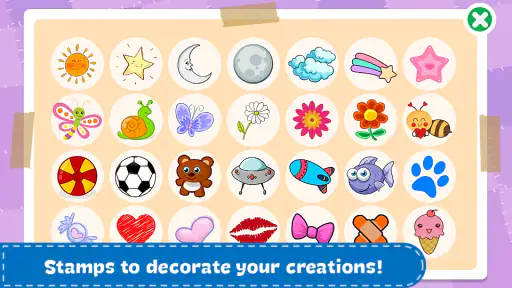
Paint and Learn Animals is an educational app designed for children to enhance their creativity and learn about various animals through interactive painting activities. The app provides a wide range of animal illustrations that kids can color using different tools and colors. Its family-friendly focus is summed up as a funny coloring and decorating animals book for the family.
Is Paint and Learn Animals suitable for all ages?
Paint and Learn Animals is primarily designed for children aged 3 to 8 years old. The app's user interface is intuitive and easy to navigate, making it accessible for young users. However, older children, and even parents, might find the app enjoyable due to its creative activities. Its content rating is Everyone, so families can consider it for a broad audience.
Are there any in-app purchases or ads in Paint and Learn Animals?
Paint and Learn Animals is free to download, but it also includes in-app purchases. Individual purchases are priced from $2.99 to $3.99, so parents may want to review purchase settings before handing a device to a child. The app may contain ads, but they are usually child-friendly and limited to ensure a safe environment for kids.
Pros
- Interactive learning experience.
- Vivid animal illustrations.
- User-friendly interface.
- Engaging sound effects.
- Educational quizzes included.
Cons
- Limited free content.
- Occasional ads interrupt.
- Requires internet connection.
- Some features are paid.
- In-app purchases can add up.
- Category
- Parenting
- Version
- 1.89













