Books - Read and Download
- 1.94K
- 4.6
- Installs
- 5.00M
- Price
- Free

Screenshots
Analysis by Reviewed
The first week with Books - Read and Download is easiest to enjoy when I treat it as a place to browse, not a promise that every title I could want will be there. Its appeal is simple: I can look for something to read, keep books together, and have a story ready when a spare moment appears. That quick start suits readers who want an uncomplicated digital bookshelf rather than a service built around a complicated setup.
In an ordinary day, I might browse at home, choose a book for the bus, and download it before leaving. Once it is saved, I can read without relying on a connection during the ride. That small routine is where the app’s practical value becomes clear: it helps turn otherwise empty pockets of time into reading time, provided I plan ahead and save what I want while online.
Who will get the most from a pocket library
I’d recommend it to someone who reads in short bursts, enjoys exploring books in English, and wants a straightforward way to keep reading material close. The built-in dictionary can also make it useful for readers who meet unfamiliar words as they go. It is less compelling for anyone who mainly wants a carefully curated editorial experience, a specific subscription catalogue, or an established collection of purchased ebooks. Those readers may be better served by a library service or ebook store that matches how they already source books.
Compared with the usual alternatives, this app’s draw is the combination of browsing and downloading in one reading-focused place. A general bookstore is often better when I know exactly which title I want to buy; a public library app can be preferable when borrowing from a local collection is the priority. Here, the appeal is having a convenient reading option at hand. I would still check that the titles I care about are available before making it my only ebook app.
Discovering the Universe of Books
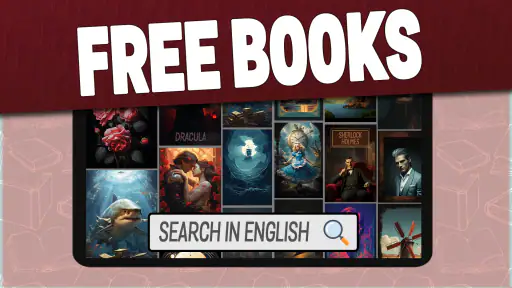
Imagine having a universe of books, all genres, all authors, and all formats, right in your pocket. That’s precisely what Books - Read and Download offers. It’s like walking into the biggest library in the world, minus the intimidating librarian! From the classics of Dickens and Austen to the latest bestsellers, this app has it all.
One of the first things I noticed was the app’s sleek and user-friendly interface. Browsing through different categories is a breeze, and the search function works like a charm. You can find books by title, author, or even genre. Feeling adventurous? The app’s recommendation feature suggests books based on your reading history. It’s like having a personal librarian who knows your tastes better than you do!
The Joy of Reading Anytime, Anywhere
What I absolutely love about this app is the ability to download books for offline reading. Picture this: you’re on a plane with no Wi-Fi, and yet, you’re cozily reading your favorite mystery novel. All you need is to download your picks beforehand, and voila! Instant entertainment without the need for a constant internet connection.
More From Our News Desk

Clash of Clans Is Won Between the Battles

Android Auto Makes the Case for Quieter Car Software

MobiOffice: Transforming Mobile Productivity with Seamless Integration

EA SPORTS FC™ Mobile Soccer: Redefining Mobile Sports Gaming

How Microsoft OneDrive Became a Mobile Productivity Giant

How Google Translate Breaks Language Barriers Effortlessly
Reading on the go has never been easier. The app supports various formats, meaning you can adjust the font size, background color, and even switch to night mode for those late-night reading sessions. Plus, the built-in dictionary feature is a lifesaver. Ever stumbled across a word you didn’t understand? Just tap on it, and the app provides a definition. It’s like having a teacher alongside you without the homework and tests.
Building Your Personal Library
What’s even cooler is the ability to create your own library. You can bookmark your favorite books, create reading lists, and even rate and review books. Sharing your thoughts on a book with the community creates a wonderful sense of belonging and opens up discussions with fellow book enthusiasts from around the globe.
Another feature that stands out is the option to sync your library across multiple devices. Start a book on your tablet at home, and continue reading on your phone during your lunch break. Seamless transition, no mess, no fuss!
Keeping the habit without creating extra work
For lasting value, I’d keep the routine lightweight: save a book before a commute or trip, then use reading lists to separate “next up” choices from titles I’m only curious about. That prevents browsing from becoming the main activity. If I’m learning English, I’d pause to look up only words that block the meaning; checking every unfamiliar term can turn a relaxing chapter into a study session.
The app is free, and its Everyone age rating makes it broadly approachable for families, though I would still choose reading material myself for a younger reader. It comes from App Game Development Solutions. Its 4.6 average across around 121,000 ratings and more than five million installs suggest that many people have found it useful, but popularity alone doesn’t tell me whether its book selection suits my taste.
What may wear thin over time
Browsing can feel less rewarding once I have exhausted the categories that catch my eye, and recommendations are most useful when they lead me to a title I genuinely want to finish. The app’s version 1.3 is the current release, so I would not assume that every reading convenience found in a mature ebook platform is present. Before settling in, I’d test the basics that matter to me: find a title, open it, adjust the display, download it, and check that I can return to it comfortably.
Offline access is handy, but it does require a little housekeeping. I’d download only the books I expect to read soon, rather than filling a device with possibilities, and remove finished titles if storage becomes tight. If switching between devices is part of my routine, I’d confirm that the library and reading position are behaving as I expect before relying on that handoff for a long book.
Making a useful reading routine
A practical way to judge whether this app belongs in my daily rotation is to give it a small, repeatable job. I might keep one short book ready for waiting rooms and a different title for quieter evenings. That avoids the familiar trap of downloading a large stack, forgetting what I chose, and spending each spare moment browsing instead of reading. A couple of deliberate choices are easier to return to than a sprawling backlog.
It can also work as a low-pressure way to explore English-language reading. I would choose a book whose subject already interests me, then use the dictionary selectively when a word changes the meaning of a sentence. This is more sustainable than treating every page as a vocabulary exercise. Readers who need structured lessons, progress tracking, or graded language material should look for a learning tool instead; a reading app can provide exposure, but it is not a complete language course.
For families, the Everyone rating is reassuring as a broad access label, not a substitute for choosing age-appropriate titles. I’d browse alongside a younger reader and help them build a short list rather than handing over an open-ended discovery session. That approach also makes the app more useful: the child has a clear next book and can get to reading without repeatedly searching through choices.
Where the alternatives still make sense
The right comparison depends on how I get books. If I usually borrow, a library app is a better first stop because its catalogue and borrowing process are built around that relationship. If I want a particular new release, a bookstore is usually more direct. This app makes the most sense when I want to browse and read without turning each choice into a purchase or a library search, and when the available English titles are enough to keep me interested.
It is also worth separating convenience from permanence. A personal collection assembled through a dedicated ebook store may be a better fit for someone who wants to keep track of books they have bought over time. Here, I would treat saved reading as a handy working shelf and avoid assuming it should replace every source or collection I already use. Keeping a second route to a must-read title prevents disappointment if it is not available when I want it.
Before committing to a long read, I’d do a short test: search for something I genuinely want, open it, make the text comfortable, and download it while connected. Then I’d close the app and return to the book later. This simple check answers the questions that matter in practice: can I find a suitable title, is it comfortable to read on my screen, and does offline access fit my routine? If any of those answers is no, another reader may be a better match.
Building Your Personal Library
What’s even cooler is the ability to create your own library. You can bookmark your favorite books, create reading lists, and even rate and review books. Sharing your thoughts on a book with the community creates a wonderful sense of belonging and opens up discussions with fellow book enthusiasts from around the globe.
Another feature that stands out is the option to sync your library across multiple devices. Start a book on your tablet at home, and continue reading on your phone during your lunch break. Seamless transition, no mess, no fuss!
Final Thoughts
All in all, Books - Read and Download is a gem for anyone who loves to read. It’s not just an app; it’s a companion for your literary journey. The easy-to-navigate design, coupled with a vast selection of books, makes it a must-have on every reader’s device. So, if you’re looking to dive into endless stories and adventures, this app might just be your new best friend. Happy reading!
My longer-term verdict is more measured: this is worth keeping if the available books fit your interests and the habit of downloading ahead works for your routine. Its strongest recurring benefit is convenience, not a reason to abandon every other reading source. If you prefer print, need a particular title, or want borrowing rules and catalogues tied to a local library, another option may fit better. For casual English reading on a phone, though, a ready-to-open book can earn its place well after the first-week novelty fades.
Books - Read and Download Frequently Asked Questions
Is Books - Read and Download free to download, and what does that include?
Books - Read and Download is free to download, making it an easy option to try if you want an English-language reading app. The app focuses on reading and downloading books, but the availability of particular titles or options may vary within the app. It is sensible to check what is accessible after installing it before making it your main reading library.
Who developed Books - Read and Download, and what is its main purpose?
Books - Read and Download is a Books & Reference app developed by App Game Development Solutions. Its main purpose is reflected in its short description, “Books,” and its focus on reading and downloading books in English. It may appeal to readers looking for a dedicated app for English-language books on a phone or tablet, rather than a general-purpose entertainment app.
Is Books - Read and Download suitable for children?
The app has an Everyone content rating, which makes it suitable for a broad audience. That rating can be a helpful starting point for parents considering an install on a family device. As with any reading app, it is still worthwhile to look through the available titles and decide whether the content fits the interests and preferences of the person who will use it.
Is Books - Read and Download available for my device?
Books - Read and Download is an app in the Books & Reference category, developed by App Game Development Solutions. It is intended for devices running Android 9 or later, so checking your device’s operating system before downloading is a sensible first step. The app is free to download and is rated Everyone, making it suitable for a broad audience.
What kind of books can I expect to find in Books - Read and Download?
The app’s focus is on reading and downloading books in English. That makes it worth considering if you want an English-language reading option on your phone or tablet, whether you are browsing for something to read or hoping to keep books available on your device. Its short description is simply “Books,” so the main purpose is clear: access books through a dedicated reading app.
Pros
- Extensive library of titles.
- User-friendly interface.
- Offline reading available.
- Customizable reading options.
- Regularly updated content.
Cons
- Contains in-app purchases.
- Requires account to access.
- Limited free content.
- Ads may interrupt reading.
- Internet needed for downloads.

- Category
- Books & Reference
- Version
- 1.3