Pregnancy + | Tracker App
- 20.92K
- 4.8
- Installs
- 50.00M
- Price
- Free

Screenshots

Analysis by Reviewed
Before choosing a pregnancy app, I’d ask myself what I actually want to do with it: keep track of the weeks, read when questions arise, or record a few practical details. Pregnancy + brings those uses together, so it may suit someone who would rather have one place to check than juggle a calendar, articles and separate timers. That breadth is useful, though it also means the app is a better fit for people who enjoy having options than for those who want a bare-bones date counter.
What I would look for before choosing
The most useful tracker is the one that matches how you like to take in information. Some parents want a simple week-by-week view; others appreciate a broader library they can dip into when a symptom or milestone prompts a question. I’d also consider whether you want practical tools alongside reading, and whether pregnancy content feels reassuring or becomes one more stream of updates to keep up with.
Where this app earns its place
Pregnancy+ is a free parenting app from Philips Electronics UK Limited. It has a 4.8 average from around 3.4 million ratings, and more than 50 million installs. Those figures suggest it has reached a very broad audience, but what matters to me is the combination of visual development updates, articles and practical trackers. Its age rating is Everyone, and the current version is 7.3.
A useful way to make the app work for you is to treat its updates as prompts, not a checklist. I’d check the weekly view when I have a quiet moment, then save questions that need a clinician’s answer for an appointment. That keeps general reading in its proper place and avoids mistaking a broad explanation for personal medical guidance.
When I tried to picture who would get the most out of it, I kept coming back to people who like to understand what is happening week by week but do not want to build their own system from separate sources. A first-time parent might use the visual updates to make an otherwise abstract timeline feel easier to follow, while someone with an older child might value having a few reminders and planning tools in one app. Neither use requires treating the app as an authority; it works best as an organiser and reading companion.
How I’d use it without adding pressure
Pregnancy apps can become another thing to keep up with, especially when there is already a lot to think about. I’d set a small routine rather than checking whenever a notification or worry prompts me: perhaps open the app once during a calm part of the week, look at the current update, and close it when I have what I need. If a topic raises concern, I’d write down the question and bring it to a midwife or doctor rather than repeatedly searching for reassurance.
There is also a practical way to involve a partner or support person without expecting them to follow every detail. You could look at the weekly update together, choose one article that answers a shared question, or use the shopping list to agree on what is genuinely needed. That turns the app into a prompt for conversation, not a private stream of information that one person has to manage alone.
More From Our News Desk

Weather by Xiaomi Review: Clear at a Glance, Less Clear Up Close

X Under Pressure: Can It Recover When Posting Goes Wrong?

Clash of Clans Is Won Between the Battles

Android Auto Makes the Case for Quieter Car Software

MobiOffice: Transforming Mobile Productivity with Seamless Integration

EA SPORTS FC™ Mobile Soccer: Redefining Mobile Sports Gaming
What Makes Pregnancy + Stand Out?
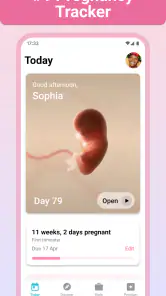
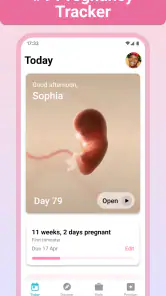
So, what's the big deal about the Pregnancy + app? Well, for starters, it offers a visually appealing and highly informative experience. Right off the bat, you're greeted with stunning, lifelike images of the baby's development week by week. Trust me, seeing those pictures makes the whole journey feel so much more real and exciting!
Features That Keep You Hooked
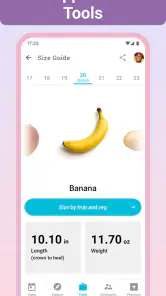
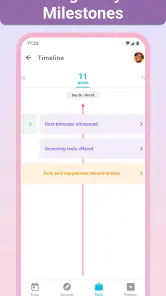
One of the coolest aspects of this app is its comprehensive range of features. It's like having a mini pregnancy encyclopedia in your pocket. You get daily updates about your little one's progress, and there's a kick counter and contraction timer for when things start heating up. Plus, the personalized pregnancy timeline is a game changer, letting you track each milestone along the way.
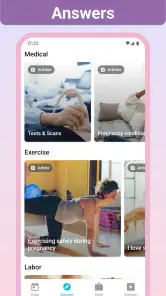
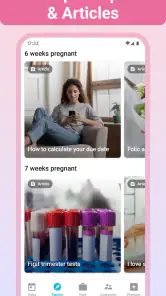
Oh, and did I mention the extensive library of articles? Whether it's tips on managing morning sickness or insights into labor, the app covers it all. I found myself constantly browsing through these articles, soaking up all the information like a sponge.
A User-Friendly Experience
Now, let's talk about usability. The interface is super intuitive, making it easy to navigate even for those who aren't exactly tech-savvy. Everything is laid out clearly, so you won't find yourself lost in a sea of information. Plus, the app supports multiple languages, which is a huge plus for non-English speakers.
But wait, there's more! The app also features a handy shopping list, helping you prepare for the arrival of your little bundle of joy. From baby essentials to must-have maternity items, it's got you covered.
Making the features useful day to day
In practice, I’d use the kick counter when I’m able to sit down and focus, rather than trying to record movements while rushing between errands. A contraction timer is similarly most useful when you already know what you want to note; it can help organise observations, but it cannot decide whether a symptom needs medical attention. These tools are best treated as simple records to discuss with a care professional, not as a substitute for their advice.
For either tool, consistency matters more than trying to capture every possible detail. If you use the kick counter, follow the guidance you have received from your care team and use the app only as a convenient way to record what they have asked you to notice. If timing contractions, keep the notes factual and share them when appropriate; the timer should not become a reason to delay getting help when you are worried.
The shopping list is also more helpful as a planning aid than as a command to buy everything it suggests. I’d add only items that fit my own home, budget and plans, then use the list to remember them during a conversation with a partner or family member. That makes it easier to separate genuinely useful preparation from the pressure to purchase a complete set of baby gear.
A realistic routine for busy days
On an ordinary day, I might open the app while waiting for an appointment or taking a quiet break, check the current week, and save a question prompted by an article. Later, I could add a genuinely useful item to the shopping list after discussing it with someone at home. That is a more workable pattern than trying to read everything or log every moment. The point is to let the app reduce small bits of mental clutter, not create a new daily assignment.
If you share a phone or prefer to keep pregnancy notes in a notebook, decide where the main record will live before relying on multiple places. A short paper note for questions and the app for its timeline may be enough; copying every detail between tools is likely to become tedious. This is a small trade-off, but it matters if your goal is to make tracking simpler rather than more elaborate.
Who may prefer another approach
If you already have a trusted pregnancy guide and only want a date tracker, this app may feel busier than necessary. A basic calendar can be a better fit for someone who dislikes frequent content or would rather avoid browsing pregnancy topics between appointments. At the other end, anyone looking for personalised clinical advice should rely on their healthcare team; an app’s general articles cannot account for an individual medical history.
Compared with the usual alternatives—single-purpose trackers, general reading sites and paper notes—Pregnancy+ is appealing because several kinds of support sit together. The trade-off is that a larger collection can invite more browsing than you intended. I’d keep it focused: check the timeline when it helps, use a tool when there is a real reason, and leave the rest until you want it.
A specialist article source may be preferable if your priority is depth on one particular health topic, while a simple calendar may be easier if all you need is a week count and appointment reminders. Paper notes also have a clear advantage for people who want to write down questions without opening a screen. Pregnancy+ makes most sense when the visual timeline, reading and trackers are useful as a bundle; there is little benefit in keeping it just because it contains many features.
Cost, access and a sensible routine
The app is free to download, with in-app purchases ranging from $0.99 to $39.99 per item. I’d start with the free experience and decide whether any paid item is worthwhile only after seeing how often I use the app; there is no need to treat every optional purchase as essential. It was released on January 28, 2013, and supports devices running version 8.0 or later of the operating system.
For a realistic routine, imagine checking the week’s update over breakfast, reading one article after a question comes up, and bringing any personal concerns to an appointment rather than searching endlessly. That keeps the app useful without turning it into a daily obligation. If pregnancy content makes you anxious, I’d also limit check-ins to times when you feel ready instead of following every update.
If you are considering a paid item, I’d first spend enough time with the free app to identify a specific gap it would fill. That simple test helps separate a feature you will return to from one that only sounds useful while browsing. The app is free to start, but optional purchases mean the overall experience can involve spending; I’d make that choice deliberately and within a budget rather than assuming every extra is part of the basic tracker.
What to expect from switching
Moving from another tracker does not have to mean abandoning everything you have recorded. Before changing apps, I’d decide which information I actually need to keep—perhaps a few questions for an appointment or observations I was asked to track—and copy only those details into a place I can find. Recreating a long history simply for completeness can take time without improving the day-to-day experience. If a clinician has asked you to keep particular records, ask how they would prefer you to bring or share them.
Likewise, you do not have to make Pregnancy+ your only source. It can sit alongside a calendar for appointments or advice from your care team, as long as you keep clear which tool serves which purpose. That division is useful when you want the app’s visual and reading features but prefer a different system for scheduling or personal notes.
My Personal Take
If you're looking for a reliable and comprehensive pregnancy tracker, Pregnancy + is definitely worth checking out. It brings together information, support, and a bit of fun, making the whole pregnancy journey a tad less overwhelming. Sure, it's not a substitute for professional medical advice, but it's a fantastic supplement to have on hand.
Overall, I’d say this app is like having a supportive friend by your side throughout your pregnancy. It's informative, easy to use, and keeps you engaged with its wealth of features. So, go ahead and give it a try—you won't be disappointed!
Who I’d recommend it to
I’d recommend trying it if you want a visually engaging week-by-week companion, enjoy reading short pregnancy topics when questions arise, and expect to use more than one of its practical tools. It is also a reasonable choice if you want a single app to share as a conversation starter with a partner. The broad audience reflected in its 4.8 average and around 3.4 million ratings is reassuring as a sign of reach, though popularity alone cannot tell you whether its style suits you.
Pregnancy + | Tracker App Frequently Asked Questions
Can a partner or family member use Pregnancy + alongside the expectant parent?
Pregnancy + is intended for people who want pregnancy-related information and support, and its Everyone content rating makes it broadly accessible. A partner or family member can also explore the app’s pregnancy information and preparation tools, making it useful for someone supporting an expectant parent. The app’s content and features are centered on following a pregnancy and getting ready for a baby’s arrival.
What should I check before installing Pregnancy + on my phone?
Before downloading, check that your device meets the app’s minimum operating-system requirement and that you have enough space for an app with interactive content and tracking tools. It is also worth considering whether you want only the free experience or might choose optional purchases. Pregnancy + is available for Android and iOS, so confirm that you are viewing the version for your device.
Who is Pregnancy + Tracker App designed for?
Pregnancy + is a parenting app for people who are expecting and want pregnancy-related information and support in one place. Its tools and content can help users follow their pregnancy and prepare for a baby’s arrival. The app is free to download, and its content rating is Everyone, so it is presented as suitable for a broad audience.
Who develops Pregnancy +, and is it widely used?
Pregnancy + is developed by Philips Electronics UK Limited. It has been downloaded more than 50 million times, and its store summary says the app has helped 80 million moms track their pregnancies with information and support. Those figures give prospective users a sense of its reach, while the app’s practical fit will depend on the features they want.
What features does the Pregnancy + Tracker App offer?
The Pregnancy + Tracker App provides a comprehensive suite of features designed to support expecting parents. These include a daily pregnancy calendar, expert advice, interactive 3D models of your baby’s development, kick counter, contraction timer, and a personal diary. Users can also find baby name suggestions and a shopping list to help prepare for the baby’s arrival.
Pros
- Comprehensive tracking features.
- User-friendly interface.
- Rich educational content.
- Customization options available.
- Supports multiple languages.
Cons
- Contains in-app purchases.
- Requires account registration.
- Some features need internet.
- Limited free version access.
- Frequent notifications.
- Category
- Parenting
- Version
- 7.3












