HD Camera for Android
- 17.82K
- 4.6
- Installs
- 100.00M
- Price
- Free

Screenshots


Analysis by Reviewed
I reach for HD Camera when I want to take a picture quickly without digging through a complicated camera interface. It is a free photography app from Mobile_V5, and its appeal is practical: it puts everyday shooting tools in one place for people who would rather frame a moment than spend time adjusting settings. I find it most useful as an alternative camera interface, not as a promise that every phone will suddenly take professional-grade pictures.
Where it fits in everyday photography
A useful way to judge any camera app is to ask what it makes easier than the camera already on your phone. HD Camera focuses on quick access to shooting options, panorama, filters and controls that can help when the default app feels limiting. The trade-off is that the experience still depends heavily on your device’s camera hardware and software. A different interface can make a shot easier to take, but it cannot guarantee better image quality in every setting.
For a family gathering, for example, I would check the framing and lighting before everyone settles into position, then use the timer rather than trying to squeeze into the edge of a selfie. For a moving child or pet, burst shooting is a more sensible choice than hoping a single tap catches the right expression. These small workflow decisions matter more than piling on effects after the moment has passed.
Choosing the right tool for the shot
Compared with the camera app already installed on an Android phone, a separate camera app is worth trying when its controls are easier for you to reach or its shooting modes suit your habits. If your built-in camera already handles your usual photos well, switching may add little. And if you want deep, consistent control over exposure and color for deliberate photography, a more specialized camera app may be a better fit than a simple quick-shooting option.
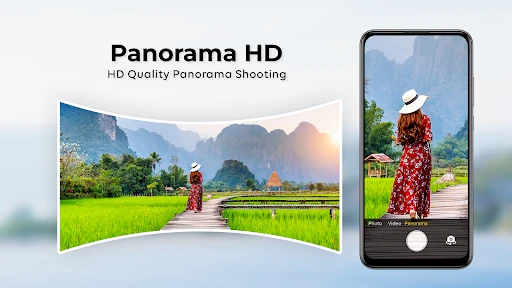
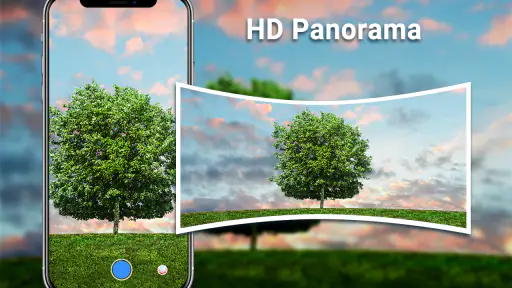
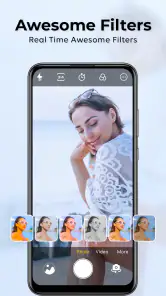
Panorama is best treated as a deliberate workflow, not a quick fix for every wide scene: keep your movement steady and avoid rushing across the view, especially when people or objects are moving. Filters are more useful as a preview than as a substitute for good light; I would compare a few looks, then choose one that does not hide the details I wanted to capture. That restraint helps keep a photo usable beyond the moment.
First Impressions and Setup
Right off the bat, installing the HD Camera for Android was a breeze. You know how some apps bombard you with permissions and complicated settings right from the get-go? Not this one! Once you get through the quick and straightforward installation process, you’re greeted with a clean and intuitive interface. It’s like they knew I wasn’t keen on spending hours figuring out what button does what.
User Interface and Design
The layout is simple, yet it doesn’t skimp on functionality. I was pleased to see that all the essential controls are right where you need them. Whether you’re a seasoned photographer or just someone who loves taking selfies, you’ll find it easy to navigate. The app offers a variety of modes like night, sunset, and sports, which are perfect for those who aren’t quite sure how to tweak settings manually.
More From Our News Desk

Weather by Xiaomi Review: Clear at a Glance, Less Clear Up Close

X Under Pressure: Can It Recover When Posting Goes Wrong?

Clash of Clans Is Won Between the Battles

Android Auto Makes the Case for Quieter Car Software

MobiOffice: Transforming Mobile Productivity with Seamless Integration

EA SPORTS FC™ Mobile Soccer: Redefining Mobile Sports Gaming
One feature that caught my eye is the easy access to filters. You can preview them live, which means no more guessing how your photo will turn out. Just swipe through the options and find what fits best. It’s a lifesaver for anyone who loves spicing up their shots on the fly.
Performance and Features
Now, let’s talk about what truly matters—how well this app performs. I took it out for a test run during a weekend hike. With the sun setting and the landscape offering a myriad of colors, I was curious to see if the app could do justice to the scenery. Spoiler alert: it didn’t disappoint.
The camera quickly adjusts to different lighting conditions, which is a huge plus. I tried taking both close-up shots and wide-angle views, and the results were impressive. The HD Camera for Android boasts a high-resolution output, and I could see every detail crystal clear. For someone who loves sharing photos on social media, this is a game-changer.
Additional Bells and Whistles
If you’re into customizing your photography experience, you’ll love the manual settings. I spent some time fiddling with ISO, exposure, and white balance. It’s nice to have the freedom to tweak these settings without needing a degree in photography. The app even offers a burst mode for those action shots you don’t want to miss.
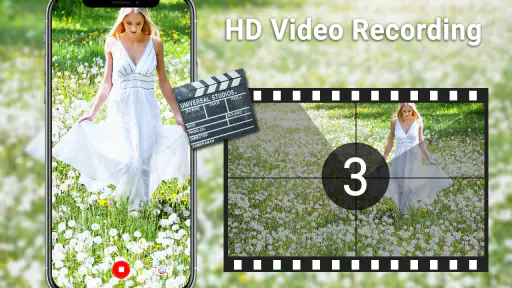
Oh, and did I mention the timer? It’s perfect for group shots or solo adventures where you want to be in the frame without doing the awkward selfie arm stretch.
What to expect from the current version
The app has been available since August 26, 2014, and its current version is 6.9.7.0. Those facts show a long-running product with ongoing versioning, but they do not tell me exactly which controls changed over time. I would treat the current release as the version to assess on my own phone rather than assume that every feature behaves identically across Android devices.
That distinction matters most with manual controls. ISO, exposure and white balance can be useful when the automatic result is not what you want, but their effect may vary with the phone’s camera. I’d take a quick test shot before an important event, especially if I plan to rely on a setting I have not used before. It is an easy way to avoid discovering a device-specific quirk when the moment is already happening.
Who will get the most from it
HD Camera is a reasonable choice for casual photographers who want a straightforward interface, like experimenting with filters, or want options such as a timer and burst shooting close at hand. It is also approachable for someone learning what ISO or exposure does: change one setting at a time, take a picture, and compare the result with the automatic version. That gives you a practical feel for the control without making every photo a technical exercise.
I would be more cautious about recommending it to someone who needs dependable results in every difficult situation. Low light, fast movement and phone-to-phone differences can all affect what a camera app can deliver. If your priority is a consistent professional workflow or extensive editing after capture, the built-in camera or a more specialized photography tool may suit you better. The useful question is not whether this app replaces every alternative, but whether its controls make your own regular shots easier.
How it sits among camera alternatives
Many people will already have a capable camera app on their Android phone, so I would compare the two with the same subject and lighting rather than assume one is better. Try the same scene using each app’s automatic mode, then repeat with a filter or manual adjustment. This quick test shows whether the extra interface and options are genuinely helping, or whether the default camera is already the simpler choice for you.
HD Camera has a 4.6 average from around 716,000 ratings, and it has been installed over 100 million times. That makes it a widely used option, though popularity alone cannot predict how well it will work with a particular phone. It is free and rated for Everyone, which makes it easy to try; I would still check that the app feels comfortable and performs as expected on the device I actually use.
Small habits that improve the results
Before taking an important picture, I’d clean the lens, check the edges of the frame and make sure the focus is on the subject rather than a bright background. If a filter is active, I’d preview the image without it too; a dramatic look can be fun, but it may make skin tones or subtle colors less natural. For a panorama, I’d move smoothly and keep the phone level, then inspect the finished image for distortion near the edges.
When using burst mode, I would take a short sequence and choose the frame with the clearest expression or least motion blur rather than treating more shots as automatically better. For a timer photo, I’d place the phone securely and take a test frame to check composition before gathering everyone. These are simple habits, but they make the app’s quick controls more useful and reduce the need to rescue a rushed photo later.
What I would check before relying on it
If you are considering a switch, the practical questions are whether the controls are easy to reach, whether the image looks right on your device, and whether the modes you actually use are available when you need them. I’d try a normal daylight photo, an indoor shot and a moving subject, then compare the results with the phone’s usual camera app. That gives a more meaningful answer than judging the app from one attractive landscape.
Its 18,000 reviews give prospective users plenty of other experiences to browse, but I would look for comments about phones similar to mine rather than treating every report as universal. If the interface or results do not suit your habits, there is little reason to force the switch. A camera tool earns a place on my phone by making a real, repeatable task easier.
Everyday trade-offs and a quick test
A useful way to decide whether to keep it is to give it a small, repeatable job rather than judge it on a single outing. On an ordinary walk, I would photograph the same subject once with automatic settings and once with a mode or adjustment I want to learn. Later, I’d compare focus, color and framing on the phone screen, not just which image looked more dramatic at first glance. That check helps separate a pleasing filter from a genuinely clearer or more useful picture.
For a typical evening meal with friends, the practical benefit is not a promise of better low-light quality; it is having the timer, filters or other controls close by when people are ready. I would take a quick test frame before asking everyone to hold still, then decide whether the result is good enough or whether the phone’s standard camera handles the room better. That one-minute comparison can prevent a whole set of blurry or overly dark photos.
When another camera is the better choice
The app is best suited to someone who values accessible shooting options and is willing to check how they behave on their own phone. If I were choosing a camera mainly for dependable night photography, highly controlled exposure, or a carefully repeatable professional process, I would start with the phone maker’s camera and compare it with a more specialized alternative. Those tools may offer a workflow better matched to that job, while HD Camera’s simpler appeal is making everyday controls approachable.
There is also a small cost to adding any second camera interface: you have to remember which app you used, where its controls are and how its output looks beside the images from your usual camera. I would keep both only if the difference is useful in practice, such as reaching a timer faster or preferring its live filter preview. If I found myself switching back for nearly every shot, the extra option would be clutter rather than a benefit.
What to watch as the app evolves
Its long history and current version make it reasonable to expect that the app will continue to be assessed through actual releases, but I would not infer specific changes from a version number alone. When updating, I would look at whether the controls I rely on still feel familiar and repeat my quick comparison with the built-in camera. That is especially sensible after changing phones, because camera behavior can vary even when the app itself is unchanged.
For an existing user, the best sign of a worthwhile release is a practical improvement to a routine task, not simply a larger version number. I would watch for changes that affect the modes I use, the ease of reaching the shutter or settings, and the consistency of saved images. If my everyday shots remain easy to take, the app is doing its job; if a new version makes a familiar workflow awkward, I would reassess rather than assume every update is automatically better.
Wrap-Up and Final Thoughts
After spending a good amount of time with the HD Camera for Android, I can confidently say it lives up to its promises. It’s user-friendly, packed with features, and, most importantly, it delivers high-quality images without any fuss. Whether you’re a casual snapper or a dedicated photography enthusiast, this app is worth checking out.
Don’t just take my word for it. Give it a go and see how it transforms your mobile photography experience. Who knows, you might end up ditching your old camera altogether!
HD Camera for Android Frequently Asked Questions
Does HD Camera need an internet connection to take photos?
A camera app is most useful when you can reach for it quickly, including when you are away from Wi-Fi or mobile data. HD Camera is described as a tool for capturing moments, panorama shots, quick snaps, and filtered photos. Those core camera uses do not inherently require an internet connection, although you may need connectivity for unrelated activities such as downloading the app or sharing images through other services.
Who develops HD Camera, and is it a widely used app?
HD Camera is a Photography app developed by Mobile_V5. It has an average rating of 4.6 from around 716,000 ratings, with roughly 18,000 written reviews and over 100 million installs. That broad reach suggests it is a familiar choice for Android users looking for a straightforward camera app, though whether its controls and shooting options suit you is best judged against the features you want.
Is HD Camera easy to use for someone who just wants to take quick photos?
Yes. HD Camera is presented as a simple, faster camera app for capturing moments, so it is suited to users who want to open a camera and take a picture without a complicated setup. Its Photography focus and straightforward purpose make it approachable for casual use, while options such as panorama and filters offer a little more flexibility when you want to do more than take a standard shot.
What features does the HD Camera app offer?
The HD Camera app provides a variety of features designed to enhance your photography experience. It includes professional-grade settings like ISO, exposure, and white balance adjustments. Additionally, it offers multiple shooting modes, real-time filters, and a user-friendly interface, making it suitable for both beginners and advanced users.
Does the HD Camera app support video recording?
Yes, the HD Camera app supports high-quality video recording. Users can record videos in various resolutions, including HD and 4K, depending on their device capabilities. The app also includes features like time-lapse, slow motion, and the ability to adjust frame rates, ensuring versatile video capturing.
Pros
- High-quality photo and video capture.
- User-friendly interface with easy navigation.
- Variety of shooting modes and filters.
- Fast performance with minimal lag.
- Supports 4K video recording.
Cons
- Contains ads that can be intrusive.
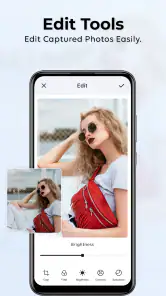
- Limited editing tools compared to competitors.
- No cloud storage integration.
- Some features require in-app purchases.
- Occasional crashes on older devices.
- Category
- Photography
- Version
- 6.9.7.0