Google Earth
- 104.40K
- 3.8
- Installs
- 500.00M
- Price
- Free

Screenshots

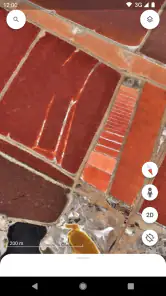
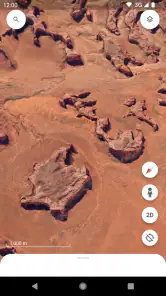
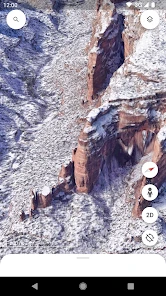
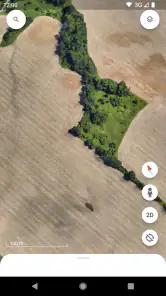
Analysis by Reviewed
When I want to understand the shape of a place before visiting, I reach for Google Earth rather than a standard navigation screen. It turns the globe into something I can explore, not just a route to follow. That distinction matters: this is a travel and local app for looking around, learning, and getting a feel for geography, rather than my first choice for turn-by-turn directions. Google LLC makes it free, and its Everyone age rating makes it approachable for families as well as solo explorers.
Choose it for exploration, not every travel task
I’d decide based on what I need from a map. If I’m curious about a coastline, checking the layout of a neighborhood, or showing someone where a destination sits in relation to nearby terrain, Earth is especially satisfying. Its 3D view gives places a sense of shape that a conventional flat map can’t always convey. For navigating a drive or finding a business while walking, a dedicated maps app is usually the more practical tool. I think of Earth as the planning and curiosity companion, not a replacement for every map on my phone.
Where the globe earns its place
One useful workflow is to inspect a destination before booking or setting out: zoom out to understand the surrounding region, then move closer to see how the site fits into its surroundings. That can help me notice whether a landmark is near a river, on a slope, or well outside a city center. It doesn’t tell me what a journey will feel like or guarantee that imagery reflects current conditions, but it gives me context that a route line alone may miss.
The Latest on Google Earth
For a realistic everyday example, I might be meeting a friend in an unfamiliar part of town. I can explore the broader area in Earth first, then switch to a navigation-focused map when it’s time to travel. I wouldn’t rely on a virtual view to confirm that a shop is open or that a path is currently accessible; those details can change. This two-step approach is more useful than expecting one app to answer both “What is this place like?” and “How do I get there right now?”
How it differs from familiar alternatives
Compared with ordinary street maps, Earth puts visual context and a globe-like perspective first. Street View can make a destination feel more recognizable, while 3D imagery helps me read the terrain. Standard navigation apps tend to be better when I need live route guidance, transit choices, or quick searches for nearby services. A paper map, meanwhile, can be easier to scan at a glance and doesn’t depend on a connection, but it can’t offer the same close visual exploration. The right choice depends on whether I’m learning about a place or trying to get somewhere efficiently.
The app is popular, with over 500 million installs and an average rating of 3.8 from around 3 million ratings. Those figures suggest a widely used tool that people may approach with different expectations. I’d recommend it to curious travelers, students, and anyone who enjoys exploring geography from home. If I mainly need dependable directions, quick local listings, or a map that works without loading detailed imagery, I’d use a more suitable alternative for that job.
Exploring the World Virtually
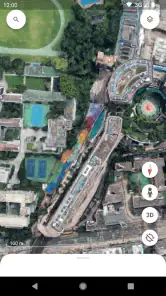
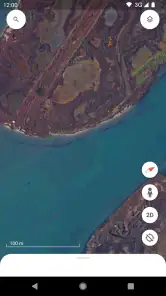
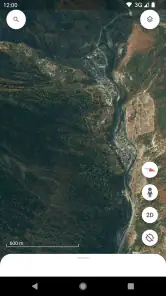
One of the coolest features in Google Earth is the ability to explore virtually any location on Earth. You can zoom in to see houses, streets, and even famous landmarks in stunning detail. It’s like having a bird’s eye view of anywhere you want. I remember the first time I used it, I spent hours just flying around different cities, checking out places I’d only dreamed of visiting. The 3D imagery is so crisp that you might find yourself zooming in and out just to catch every detail.
More From Our News Desk

MobiOffice: Transforming Mobile Productivity with Seamless Integration

EA SPORTS FC™ Mobile Soccer: Redefining Mobile Sports Gaming

How Microsoft OneDrive Became a Mobile Productivity Giant

How Google Translate Breaks Language Barriers Effortlessly

Why Google Sheets Is the Ultimate Mobile Productivity Tool

Unveiling the Dynamic World of My Talking Tom Friends
Street View and Beyond
And let’s not forget the Street View feature. Ever wanted to take a stroll down the Champs-Élysées or see the pyramids up close? Street View places you right on the ground, allowing you to explore streets and landmarks as if you’re actually there. It’s a bit surreal and totally fascinating. Plus, the app often updates its imagery, so you’re likely seeing locations as they are now, not years ago.
Voyager: A Curated Experience
If you’re someone who enjoys curated experiences, the Voyager section is a real treat. It’s like having a personalized tour guide. Voyager offers interactive stories and guided tours about nature, history, and culture. It’s educational and entertaining, perfect for those of us who love learning about the world around us. I personally got hooked on a series about the world’s biomes—it was like a documentary on steroids!
Another standout is the ability to measure distances and areas directly on the map. Planning a hiking route or just curious about how far two places are from each other? This tool is super handy. Plus, if you’re someone like me who loves to geek out over geographic data, this is a dream come true.
Small habits that make exploration more useful
I get more out of Earth when I begin with a question instead of aimless zooming. For a walking holiday, I might compare the distance between two points with the shape of the terrain, then use Street View to recognize the arrival area. Measurements are useful for rough comparisons, but I wouldn’t treat them as a surveyed boundary or a promise about walking time: a straight-line span and a real route are different things.
It also helps to change perspective deliberately. I zoom out before dropping into a close view, because nearby landmarks and terrain often explain why a place is arranged as it is. When a detailed view takes time to load, I pull back rather than repeatedly pinching in; the app depends on a decent internet connection to stream imagery, and weak service can make exploration feel sluggish. For a long session away from reliable connectivity, I’d plan to browse beforehand or keep a conventional offline map available for navigation.
Families can use the app as a shared armchair trip: one person picks a destination, another follows a river or mountain range, and Voyager can give the exploration a subject. It’s also a handy way to help a child connect a place name from a book with its real location. The trade-off is that free exploration can easily turn into screen time without a clear purpose, so I find a small goal—such as tracing a coastline or comparing two cities—keeps a session more rewarding.
Where the experience asks for patience
Earth’s visual detail is its strength, but it also means the app can feel heavier than a basic map when a connection is unreliable. Imagery is not a live window, so I don’t use it to judge today’s traffic, construction, opening hours, or access conditions. Street View is excellent for visual familiarity, yet coverage and imagery timing can vary from place to place. For current directions or immediate local decisions, I switch to a service designed around those needs rather than treating an attractive view as real-time ground truth.
There is a small learning curve in moving between the globe, close-up imagery, Street View, guided content, and measurement tools. I’d give myself a few minutes to try each rather than assuming the first screen shows everything Earth can do. If I’m only looking for an address or a fast route, that exploration can be unnecessary friction; if I want to understand a place, the extra layers are exactly why I open it.
A low-risk app to try, with a clear role
Google Earth has been available since February 22, 2010, and its long-running appeal makes sense to me: it invites people to explore places they may never visit, while also helping travelers build a mental picture before a trip. It has around 104,000 written reviews alongside its millions of ratings, and it remains free to try. I’d install it for geography, visual research, trip inspiration, and casual discovery, then keep a navigation app for the practical job of getting from one point to another.
My recommendation is simple: use Earth when the destination itself is the subject. It’s a strong fit for curious explorers, students, and travelers who like to arrive with context. Skip it as your main tool if your priority is fast routing, current local information, or reliable use in places with poor connectivity. Once I treat it as a virtual globe rather than an all-purpose travel planner, its strengths are easy to appreciate and its limitations are much less frustrating.
Street View and Beyond
And let’s not forget the Street View feature. Ever wanted to take a stroll down the Champs-Élysées or see the pyramids up close? Street View places you right on the ground, allowing you to explore streets and landmarks as if you’re actually there. It’s a bit surreal and totally fascinating. Plus, the app often updates its imagery, so you’re likely seeing locations as they are now, not years ago.
Voyager: A Curated Experience
If you’re someone who enjoys curated experiences, the Voyager section is a real treat. It’s like having a personalized tour guide. Voyager offers interactive stories and guided tours about nature, history, and culture. It’s educational and entertaining, perfect for those of us who love learning about the world around us. I personally got hooked on a series about the world’s biomes—it was like a documentary on steroids!
Another standout is the ability to measure distances and areas directly on the map. Planning a hiking route or just curious about how far two places are from each other? This tool is super handy. Plus, if you’re someone like me who loves to geek out over geographic data, this is a dream come true.
Now, I’d be remiss not to mention that using Google Earth requires a decent internet connection. The app needs to stream a lot of data to deliver those beautiful images. So, if your connection is spotty, you might experience some lag. But hey, that’s a small price to pay for a trip around the world, right?
A satisfying globe, not a substitute for every map
On balance, I still see Earth as a companion to other travel tools, not a one-app solution. Its most distinctive pleasure is the freedom to move from a broad view of the planet to a street-level look, then pause for a guided story or a measurement. That mix makes browsing feel active rather than like scrolling through pictures. But it can’t make a streamed image current, and it doesn’t remove the need to check practical details elsewhere before a real trip.
When I’m deciding whether to keep it installed, the question is whether I enjoy visual discovery enough to open it between journeys. If the answer is yes, the free price makes it easy to recommend trying. If I only open maps to reach an address, I’d give priority to a navigation app and treat Earth as optional. For me, its best role is the moment before or after the route: satisfying curiosity, building a sense of place, and making the world feel a little less abstract.
Conclusion: A Must-Have for Explorers
All in all, Google Earth is more than just an app; it’s an experience. Whether you’re a curious soul, a travel enthusiast, or just someone who loves learning new things, this app offers something for everyone. It’s like having the world at your beck and call, ready to be explored whenever the mood strikes. So, if you haven’t tried it yet, I’d say it’s high time you give it a go. Happy exploring!
Google Earth Frequently Asked Questions
Is Google Earth free to download, and what kind of app is it?
Google Earth is a free app from Google LLC in the Travel & Local category. Its focus is exploring the planet through a digital globe and geographic imagery, rather than providing only a conventional street map. You can use it to look around places, inspect landscapes, and discover locations from a broader perspective. The app is rated for Everyone.
How much space does Google Earth need, and what device permissions should I expect?
Before downloading Google Earth, consider whether your device has room for an app that displays detailed geographic imagery. The amount of space you need can depend on your device and how you use the app. Location access may help with features that relate to where you are, while exploring other places does not require you to be physically there. Review permission prompts on your device and allow only what you are comfortable using.
Does Google Earth need an internet connection to explore places?
Google Earth is designed to load imagery and geographic information as you explore, so an internet connection is useful for browsing locations and viewing detailed imagery. If you are planning to use it while traveling, open the app beforehand and check how it behaves with your intended destinations. The experience may be limited when a connection is unavailable, particularly when loading areas you have not viewed before.
What is Google Earth and how does it work?
Google Earth is a virtual globe, map, and geographical information program that provides detailed satellite imagery of Earth. It allows users to explore cities, landscapes, and terrains with a 3D view, navigating seamlessly between locations. Using a combination of satellite data and aerial photography, Google Earth offers an immersive experience where users can zoom in from space to street level, explore various geographic locations, and even view historical imagery.
Can I use Google Earth on my mobile device, and is it free?
Yes, Google Earth is available for both Android and iOS devices, and it is completely free to download and use. The app provides a similar experience to its desktop counterpart, allowing users to explore the globe on-the-go. With the mobile app, users can enjoy features like Voyager, which offers guided tours of various locations, and 3D imagery, enhancing the exploration experience from anywhere. It is a Travel & Local app from Google LLC, and its content rating is Everyone.
Pros
- Stunning satellite imagery
- Interactive 3D maps
- Street View feature
- Historical imagery feature
- Educational tool
Cons
- Requires internet connection
- High data usage
- May drain battery quickly
- Complex interface for beginners
- Limited offline functionality

- Category
- Travel & Local
- Version
- Varies with device