Google Authenticator
- 22.34K
- 3.8
- Installs
- 100.00M
- Price
- Free

Screenshots




Analysis by Reviewed
Let me tell you about my experience with the app Google Authenticator. You know, in this digital age, keeping your online accounts secure is more crucial than ever, and that's where this app comes in handy. If you're like me, juggling multiple accounts, each with its own password, is a daunting task. But with Google Authenticator, it feels like having my personal bouncer ensuring only I get access to my accounts.
Where it fits in everyday account security
I find it most useful for accounts I sign into regularly but want to protect beyond a password: email, work tools, or services that hold personal information. A practical routine is to add the authenticator option while you are already signed in, then complete a test sign-in before relying on it. That small check helps catch a setup mistake while you still have access to the account.
For example, if I’m away from home and need to sign in to an account on a borrowed computer, I can enter my password and use the code on my own phone. The code-generating step doesn’t depend on that computer’s connection or on my phone having internet access. I still need to keep the phone available, though; offline codes don’t help if the device itself is elsewhere or unusable.
Compared with receiving verification codes by text, an authenticator is useful when I don’t want the process to rely on getting a message at that moment. It also differs from a password manager: it generates sign-in codes rather than organizing my passwords. The two serve different jobs, and I wouldn’t treat this app as a replacement for a password manager, account recovery options, or a careful password choice.
Setting Up Made Easy
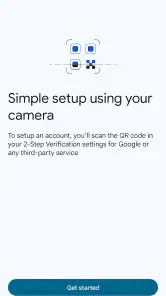
First off, the setup process is a breeze. I was a bit apprehensive at first, thinking it would be a tech maze, but boy, was I wrong! All I had to do was download the app from the Play Store, scan a QR code from the site I wanted to secure, and bam! I was set up. It supports a wide range of accounts, which is pretty neat.
User Interface
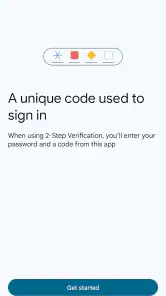
The interface is as simple as it gets. No unnecessary frills, just straightforward and to the point. I love how the app displays all my accounts on a single screen, each with a time-sensitive code that changes every 30 seconds. It’s like having a secret agent on my phone, constantly changing codes to keep intruders at bay.
That uncluttered layout is also a trade-off. A single screen is easy to scan when I have a few entries, but a long account list can take more attention to navigate, especially if several entries look similar. I’d recommend giving accounts clear, recognizable names during setup, where the service allows it, and checking the account label before copying or entering a code. That habit is more dependable than trying to remember which entry belongs to which login.
More From Our News Desk

Weather by Xiaomi Review: Clear at a Glance, Less Clear Up Close

X Under Pressure: Can It Recover When Posting Goes Wrong?

Clash of Clans Is Won Between the Battles

Android Auto Makes the Case for Quieter Car Software

MobiOffice: Transforming Mobile Productivity with Seamless Integration

EA SPORTS FC™ Mobile Soccer: Redefining Mobile Sports Gaming
Readability and access in different situations
The straightforward screen keeps the main task visible: find an account and read its current code. That can be easier than moving through several menus, particularly for someone who prefers a simple, predictable layout. Still, a changing code creates a time pressure that may be uncomfortable if reading small text, managing a phone with one hand, or switching between apps is difficult. I would try the workflow on the device I actually use before moving every important account to it.
For someone with limited dexterity, the QR-based setup may be less convenient than typing a setup key if the service offers that alternative. During sign-in, copying a code can reduce the need to type it, but the exact options depend on the phone and the account’s login page. If a screen reader, larger text, or other phone accessibility settings are important to you, test both setup and a real sign-in rather than assuming the app and every website will behave identically.
Google Authenticator is a free tools app from Google LLC, rated for Everyone. It has been available since March 21, 2012, and its average rating is 3.8 from around 627,000 ratings, with over 100 million installs. Those figures suggest it is widely used, but they don’t tell me whether its interaction style will suit a particular person; that is best judged through a personal trial.
Offline Functionality
One of the standout features for me is that Google Authenticator works offline. Yep, you heard that right! You don’t need an internet connection to generate those crucial verification codes. This is a lifesaver, especially when traveling or when my Wi-Fi decides to take a nap.
That is particularly handy in places with weak reception, but it does not remove every travel-related snag. I still need enough battery, and the service I’m signing into must be available. Before a trip, I’d check that I can unlock my phone, locate the right account entry, and complete a test login while I have a reliable connection. I also keep the service’s recovery route in mind in case I lose access to the phone.
Security Features
Security is paramount, and this app takes it seriously. It implements two-factor authentication, adding an extra layer of security that makes it exponentially harder for anyone to gain unauthorized access. I feel much more at ease knowing that even if someone gets hold of my password, they still can't get into my account without the code from my phone.
The important trade-off is that the second factor now depends on access to the phone holding the codes. If I replace or lose that device, I may need the account’s recovery process to get back in; I would save recovery codes when a service provides them and store them somewhere separate from the phone. That isn’t a reason to avoid two-step verification, but it is a reason to prepare before a device problem happens.
Moreover, the app doesn’t collect my personal information, which is a huge plus in my book. In a world where privacy is becoming scarce, it's refreshing to see an app that respects mine.
For context, its 3.8 average comes from around 22,000 written reviews as well as the larger pool of ratings. I wouldn’t use a store score alone to decide whether it is right for me: the more useful question is whether I can reliably reach the app during sign-in and whether I have a recovery plan. The app is a strong fit if I want locally available codes in a direct interface; someone who needs a different sign-in method or finds timed codes hard to manage may prefer another option supported by their account provider.
Using it across accounts without creating confusion
When I add several services, I treat the first few minutes of setup as part of the security routine rather than a chore to rush through. I check each account’s label, then sign out and test the code while I still have another way to regain access. This catches two common mix-ups: saving a code under an unclear name and assuming that enabling the option automatically proves the next login will work.
A useful distinction is that the app can hold codes for multiple accounts, but the accounts remain separate services with their own sign-in and recovery rules. If I change phones, I don’t assume that installing the app alone will be enough to restore every entry. I check the transfer or recovery options available for the accounts I care about and keep service-provided backup codes separately. For a work account, I would also follow the organization’s own sign-in instructions rather than treating my personal setup as the only route.
For a typical evening login, the routine is simple: I open the account page on my laptop, enter the password, unlock my phone, find the matching label, and type the current code. If I’m distracted and the code is close to changing, I wait for the next one instead of racing the countdown. That small pause is often easier than entering a code at the last second and having to repeat the step.
When another verification method may suit you better
The usual alternatives solve different problems. Text messages can feel more familiar because the code arrives in the login flow, but they depend on receiving the message. An authenticator avoids that particular dependency, yet asks me to keep the phone at hand and move between screens. A security key or another account-approved method may be more comfortable for someone who wants a different physical interaction, while a password manager remains useful for the separate job of managing passwords. The best choice is the one the service supports and that I can use consistently.
I would be cautious about making timed codes the only practical way into an account if I regularly leave my phone behind, share it, or have trouble switching attention between a login screen and another device. In that situation, I’d first check whether the service offers an alternate second factor and make sure the recovery method is usable before changing settings. If no workable alternative exists, the friction is not a flaw I can fix by tapping faster; it is a sign to think carefully about how and where I use that account.
Who will find it comfortable to use?
I’d recommend it to people who can keep their phone close at sign-in and want a simple way to generate codes for several accounts. It suits frequent travelers, people who sometimes sign in where mobile service is unreliable, and anyone who wants a second step that doesn’t depend on receiving a text. I’d be more cautious if you often share your phone, have difficulty reading timed codes, or need a sign-in method that works without handling a separate device. In those cases, check the account’s other verification choices first rather than enabling this by default.
It is also a sensible match for someone who wants a focused tool rather than a password manager with extra functions layered around code generation. I like that the main task stays clear, but that focus means it will not organize passwords, decide which verification method each website should use, or remove the need to plan for a lost device. Before switching on two-step verification for a critical account, I’d make sure I know where its recovery instructions are and that I can follow them without depending on the phone I’m protecting.
Remaining barriers and my verdict
The biggest practical weakness is not the code itself but the extra step: I have to reach for my phone, find the correct entry, and enter a code before it changes. That is manageable for routine logins, but less comfortable when I’m in a hurry or moving between devices. Keeping account labels clear and arranging a recovery plan make the process less stressful; neither removes the need to have the phone available.
For accessibility, I see a helpful simplicity but not a universal solution. A direct screen can reduce navigation, while timed codes, small text, device handling, and the need to switch between screens can each create a barrier depending on someone’s vision, dexterity, attention, or environment. I’d judge it by trying the complete sign-in path with the phone settings and assistive tools I rely on, and by checking whether the account provider offers another method if that path is uncomfortable.
In summary, Google Authenticator has become an essential tool in my digital life. Its ease of use, robust security features, and offline capabilities make it a must-have for anyone serious about protecting their online presence. So if you're still on the fence about whether or not to use it, take my word for it—it's totally worth it.
Give it a try, and you'll wonder how you ever managed without it. Trust me, your future self will thank you!
Google Authenticator Frequently Asked Questions
Do I need a Google account to use Google Authenticator?
Google Authenticator is used to generate sign-in codes for compatible services, so its role is not limited to securing a Google account. You need to enable two-step verification with each service you want to protect and connect that account during setup. Keep the service’s recovery options available as well, since those are important if you later lose access to the phone holding your codes.
Can Google Authenticator protect every online account?
Google Authenticator can support accounts on services that offer a compatible authenticator-app option for two-step verification. It does not add protection automatically to every account on your phone: you must turn on the feature in each service’s security settings and complete its setup. Before relying on it, check that the service accepts authenticator codes and save the recovery options it provides.
Is Google Authenticator free, and what does it help protect?
Google Authenticator is a free tools app from Google LLC. It supports two-step verification, adding a step beyond a password when you sign in to compatible accounts. This can make it harder for someone to access an account with a stolen password alone. You still need to enable two-step verification separately for each service you want to protect.
Is Google Authenticator suitable for a first-time user?
The app is designed to help with two-step verification, and its basic role is straightforward: it provides a code when a service asks for an additional sign-in check. You first enable two-step verification with that service, then connect the account to the app as part of its setup. Keep in mind that you should also prepare a recovery method, so losing access to your phone does not leave you without a way to sign in.
What is Google Authenticator and how does it work?
Google Authenticator is a mobile app that provides two-factor authentication (2FA) services. It generates a time-based one-time passcode (TOTP) that is used to enhance the security of your online accounts. Once you enable 2FA on a compatible service, you'll scan a QR code with the app, which then generates a unique code every 30 seconds. This code is required in addition to your usual password, adding an extra layer of security against unauthorized access.
Pros
- Simple interface for easy navigation.
- Does not require internet access.
- Supports multiple accounts.
- Integrates with numerous services.
- Enhances account security significantly.
Cons
- No cloud backup for codes.
- Limited to one device only.
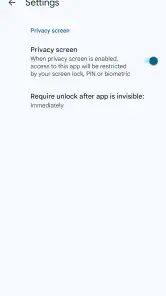
- No biometric unlock option.
- Manual code transfer is cumbersome.
- Lacks advanced security features.
- Category
- Tools
- Version
- Varies with device









