Google Ads
- 3.33K
- 4.2
- Installs
- 10.00M
- Price
- Free

Screenshots
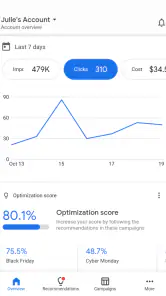
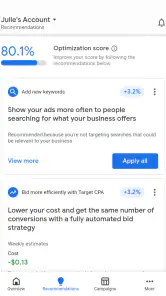
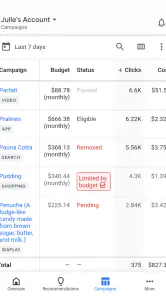
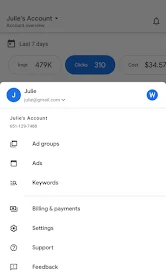
Analysis by Reviewed
Ever wondered how those ads appear on your favorite websites or apps? Well, let me introduce you to the Google Ads app – your gateway to managing online advertising campaigns with ease. Whether you're running a small business or just curious about digital marketing, this app is a game-changer.
Getting Started with Google Ads
First things first, setting up Google Ads is a breeze. After downloading it from the Play Store or App Store, you're greeted with a user-friendly interface that makes navigation a cakewalk. The app guides you through the initial setup, helping you link your Google account and existing campaigns effortlessly. It feels like having a personal assistant right at your fingertips!
Exploring Features
Once you're in, the app offers a plethora of features to explore. From creating new ad campaigns to tweaking existing ones, everything is just a few taps away. The real-time analytics are a standout feature, giving you insights on how your ads are performing at any given moment. It's like having a crystal ball that shows you what's working and what's not, allowing you to make adjustments on the fly.
Another highlight is the ability to set up budgets and bidding strategies directly from the app. Whether you're aiming for clicks, impressions, or conversions, Google Ads gives you the flexibility to tailor your campaigns to meet your objectives. It's empowering to have such control over your advertising efforts without needing a desktop.
Why I Love It
One of the things I absolutely love about Google Ads is its simplicity. Even if you're a complete newbie to digital marketing, the app holds your hand through the process. The tutorials and tips sprinkled throughout are like having a marketing guru whispering advice in your ear. Plus, the customer support is top-notch, ready to assist if you ever hit a snag.
The app also integrates seamlessly with other Google products, making it a cohesive part of your digital ecosystem. Whether you're using Google Analytics, Search Console, or YouTube, everything syncs up beautifully, providing a holistic view of your marketing efforts.
Final Thoughts
In a world where digital presence is everything, having the Google Ads app on your device is like holding a golden ticket to success. It's efficient, intuitive, and packed with features that cater to both novices and seasoned marketers. If you're looking to boost your brand's visibility online, I say give Google Ads a whirl. It might just be the tool that propels your business to new heights!
Pros
- Comprehensive campaign management
- Integration with Google Analytics
- Advanced targeting options
- Real-time performance tracking
- Wide reach across platforms
Cons
- Complex interface for beginners
- High cost for competitive keywords
- Requires constant monitoring
- Limited support for small businesses
- Can be overwhelming with features

- Category
- Business
- Version
- Varies with device











