Emoji Maker: DIY Emoji Merge
- 178.00
- 3.8
- Installs
- 5.00M
- Price
- Free
Screenshots
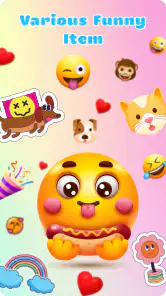
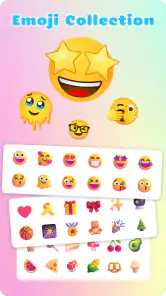
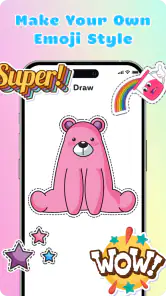
Analysis by Reviewed
I judge emoji tools by whether they help me make something I’d actually send, not just browse a pile of novelty faces. Emoji Maker: DIY Emoji Merge is a free personalization app from MayZing Tech, built around assembling and blending emoji elements. Its first impression is playful and approachable, though I’d treat it as a creative side tool rather than a replacement for the emoji keyboard already on your phone.
What to expect from the creative process
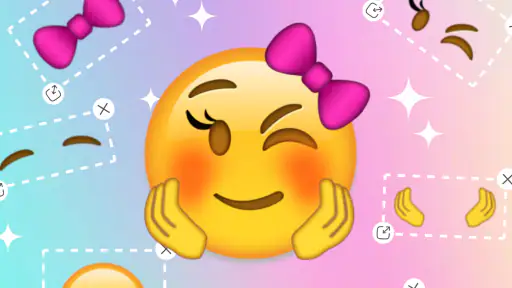
The appeal is the move from choosing a ready-made symbol to shaping one that feels more personal. You can start with a base emoji, then adjust facial parts and accessories; the idea is simple enough for a first-time user to understand without needing design experience. If you like making a few variations before settling on one, the layered approach gives you room to experiment instead of forcing you into a single preset look.
There is a useful distinction between making an image you enjoy and having it work smoothly in a conversation. A custom creation may feel expressive on its own, but the practical test is whether you can save and use it where you normally chat. I’d make one uncomplicated design first, try it in a conversation, and only then spend time on a more detailed version. That quick test helps you learn how the app’s creation and sharing flow fits your habits.
Getting Creative with Emojis
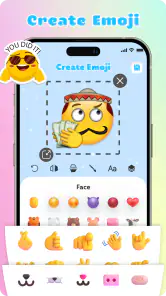
Alright, so you download Emoji Maker: DIY Emoji Merge with the hope of creating your dream emoji. Let me tell you, it doesn't disappoint. The app offers a user-friendly interface that even my grandma could navigate. You kick things off by selecting from a wide range of base emojis. From there, it's a playground of customization. You can mix and match eyes, mouths, accessories, and so much more. The possibilities feel endless, and it's honestly a blast to see what combinations you can come up with.
Standout Features
One of the standout features that had me hooked is the layering option. It's like being a digital Picasso, allowing you to add multiple layers to your emoji creation. This means you can really fine-tune each element to your liking, whether you want to add a cheeky wink or a fancy hat. Plus, there's a nifty color palette that lets you tweak every hue and shade to perfection.
For a first successful attempt, I’d keep the design readable at the small size emojis usually occupy: choose one clear expression, add a single accessory that supports the joke or mood, and avoid piling on details that compete with the face. A brightly colored element can be fun while editing, but subtle contrasts may be easier to recognize in a chat. This is a practical trade-off with any tiny graphic: more customization does not always make the final result clearer.
Another cool aspect is the ability to save your custom emojis to your keyboard. This means you can unleash your creativity directly in your chats, surprising your friends with emojis they've never seen before. It's a small touch, but it adds a personal flair to your messaging game.
How it fits everyday messaging
Picture a group chat where everyone is deciding what to bring to a casual get-together. Instead of sending another familiar face, you could make a small visual reaction that matches the conversation, save it, and use it when the moment comes. That kind of one-off joke is where a custom emoji can feel worthwhile: it adds personality without asking your friends to learn a whole new way of communicating. I’d still keep ordinary emoji handy, since a custom image is best as a bonus rather than the only way to make your meaning clear.
Compared with simply picking from a standard keyboard, this app gives you more control over the look, but it also asks you to spend time making the result. Compared with a general image editor, its emoji-centered approach should feel more direct when your goal is a face or character rather than a full graphic. If you mainly want quick reactions, the built-in keyboard is easier. If you enjoy tinkering and want something more personal to share, the extra steps are part of the fun.
Choosing a useful first design
For someone new to the app, I’d make the first design serve a purpose instead of trying to build the most elaborate face possible. Think about a reaction you use often but can’t quite express with the standard choices: a mock-serious look for a friendly tease, or a cheerful face with an accessory that relates to an ongoing joke. Starting with a familiar situation gives you a clear test for the expression. If you can explain the intended mood in a sentence, the design is probably focused enough to read quickly.
I also find it helpful to change one thing at a time while experimenting. If I adjust the eyes, mouth, color, and accessory all at once, I can end up with a face that looks amusing but have no idea which change made it work. A simple sequence—pick the base, settle the expression, then try an accessory—makes it easier to compare versions and back away from an edit that muddies the result. This is a small creative habit, but it makes the layering feel more purposeful rather than like random decoration.
There is a trade-off between making an emoji recognizable to you and making it obvious to someone seeing it for the first time. A private reference can be funny precisely because it is specific, but a very subtle facial change may disappear at chat size. For a design meant for a group conversation, I’d favor a strong expression and one visual clue. For a personal collection or a joke with a close friend, I’d be more willing to make something that needs context.
Why You’ll Love It
So why should you spend your precious storage space on this app? For starters, it's a fantastic way to express yourself uniquely. With Emoji Maker: DIY Emoji Merge, you're not limited to the standard emoji library that everyone else uses. Instead, you can create emojis that truly reflect your personality and mood. It's almost therapeutic, letting you pour a bit of yourself into each creation.
The app is rated for Everyone, and it runs on Android starting with version 6.0. It has a 3.8 average from around 7,100 ratings, with over 5 million installs. Those figures suggest plenty of people have tried it, while the rating also makes me cautious about assuming every part of the experience will suit everyone. I’d approach it as a free creative utility and decide after making and using a few designs whether it earns a regular place on your device.
Where it fits—and where it doesn’t
I’d recommend this to someone who enjoys customizing small details, likes sending playful reactions, or wants a lightweight creative activity between messages. It may also suit a family or friend group with recurring jokes, since a custom expression can become a familiar shorthand once everyone understands it. The best fit is someone who enjoys the making as much as the finished image; if the only goal is to respond quickly, opening a regular emoji keyboard is plainly more convenient.
I’d skip it if you need professional-looking illustrations, precise graphic-design controls, or a complete sticker workflow. An emoji-focused editor is a narrower tool than a general drawing app, and that focus is useful when you want a face or character without starting from a blank canvas. It is not the right choice for a polished poster, a detailed portrait, or a set of branded graphics. For those jobs, a broader image editor gives you more room to compose and refine the whole picture.
It is also worth thinking about how your friends use messaging. A custom image can add a personal touch, but not every conversation calls for one, and people may read an unfamiliar design differently than you intend. I’d avoid relying on a newly made emoji for anything where clarity matters, such as a serious response or an important instruction. Use ordinary text or a familiar symbol when there is a chance that the joke, mood, or meaning could be misunderstood.
Things to consider before making a collection
A first-time user may wonder whether custom emojis will appear exactly the same in every messaging app. I would test one design in the conversation where I expect to use it most, because saving something for keyboard access does not guarantee that every service will display it in an identical way. If consistent, universally recognizable symbols matter more than personal style, the standard emoji set is the safer choice.
Another practical question is whether it is worth making lots of designs at once. I’d start with a small set tied to real situations—a cheerful response, a playful “oops,” or a familiar expression among friends—rather than building a large library before you know what you’ll actually send. This keeps the creative session focused and makes it easier to notice which designs are legible and useful. If you only need polished illustrations or detailed stickers, a dedicated art or sticker-making tool may be a better fit; this app’s strength is the approachable emoji-sized idea.
When you do make a few, give each one a role rather than saving near-duplicates that are hard to tell apart. A small set with distinct moods is more practical than many slight variations: one for celebration, one for playful embarrassment, and one for a familiar in-joke, for example. That approach makes it easier to choose a design later and helps you see whether the app is becoming part of your messaging routine or just a one-session experiment.
One question I’d answer before investing much time is whether I want a reusable reaction or simply an entertaining creative activity. If it is the latter, the process can still be worthwhile even if I only use the finished image once. If I want something I’ll reach for repeatedly, I’d test the save-and-use path early and keep the design simple enough to recognize at a glance. The distinction matters because making an image and retrieving it naturally are separate parts of the experience.
MayZing Tech’s app was released in April 2024, and version 1.3.6 is the current release. The most reassuring way to begin is still hands-on: open it, make one simple face, try saving it for chat, and see whether the result feels natural in your usual routine. That small trial answers the question that matters more than a long list of possible combinations: do you enjoy both making these designs and reaching for them later?
Plus, the app is constantly updated with new features and customization options. The developers are clearly invested in keeping the app fresh and exciting, which is always a good sign.
The Final Verdict
In a world where communication often happens through tiny expressive faces, having the ability to craft your own is a game-changer. Emoji Maker: DIY Emoji Merge isn’t just an app; it's a creative outlet. Whether you’re a seasoned emoji artist or just someone looking to spice up your texts, this app has something for you. So why not give it a whirl? You might just find your new favorite way to communicate.
Emoji Maker: DIY Emoji Merge Frequently Asked Questions
What devices can run Emoji Maker: DIY Emoji Merge?
Emoji Maker: DIY Emoji Merge is an Android app that requires Android 6.0 or later. Check your device’s operating system before downloading, particularly if you use an older phone or tablet. The app is listed as free, so you can install it without paying upfront and see whether its emoji-making style suits you.
Who developed Emoji Maker: DIY Emoji Merge, and is it intended for all ages?
The app is developed by MayZing Tech and is rated for Everyone, making it suitable for a broad audience. Its focus on designing and blending emojis gives it a playful, creative feel that can appeal to people who enjoy personalizing messages. As with any app, parents may want to review its use on a child’s device and set appropriate boundaries.
What is Emoji Maker: DIY Emoji Merge?
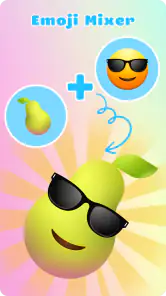
Emoji Maker: DIY Emoji Merge is an innovative app that allows users to create and customize their own emojis. Users can merge different emoji elements to create unique and personalized emojis that can be used in messages and social media. The app provides a fun and creative way to express emotions and ideas.
How user-friendly is the Emoji Maker: DIY Emoji Merge interface?
The Emoji Maker: DIY Emoji Merge app is designed with a user-friendly interface, making it easy for both beginners and experienced users to navigate. The intuitive layout and clear instructions ensure that users can quickly start creating their own emojis without any hassle. The drag-and-drop functionality further simplifies the creative process.
What customization options are available in Emoji Maker: DIY Emoji Merge?
Emoji Maker: DIY Emoji Merge offers a wide range of customization options, allowing users to merge different facial features, accessories, and expressions to create unique emojis. Users can adjust colors, sizes, and positions of each element, providing endless possibilities for creativity. This versatility ensures that each emoji can be tailored to fit personal needs.
Pros
- Highly customizable emoji creation
- User-friendly interface
- Wide variety of design elements
- Supports multiple languages
- Regular updates with new features
Cons
- Ads can be disruptive
- In-app purchases for premium features
- Occasional lag on older devices
- Limited free design elements
- No offline mode available
- Category
- Personalization
- Version
- 1.3.6













