Diamond Painting by Number
- 569.00
- 4.7
- Installs
- 5.00M
- Price
- Free
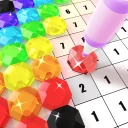
Screenshots
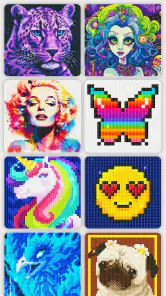
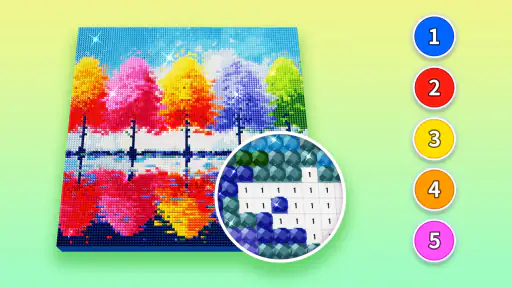
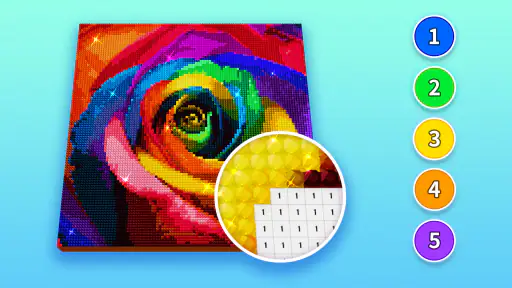
Analysis by Reviewed
I treat this kind of diamond painting app as a small, low-pressure creative break: something to pick up between errands, on a quiet evening, or whenever I want to make progress without setting up craft supplies. Diamond Painting by Number gives that familiar paint-by-number structure a glittery, tap-to-fill feel. It suits people who enjoy following a pattern more than drawing from a blank page, though it is less appealing if what you want is open-ended design work.
Choosing a project that fits the moment
The first useful decision is not simply which picture looks best, but how much attention you have available. A detailed design can be satisfying when I have time to settle in; a simpler-looking image is a better fit for a short break. As with any numbered coloring activity, the pleasure comes from matching the right color to the right space, so I would choose a picture I genuinely like rather than treating completion as a race.
This is where the app differs from a drawing tool or a conventional art app. Those give you more control over the image, but also ask you to make more creative decisions. Here, the pattern supplies the structure, which makes starting easier and keeps the task approachable for beginners. The trade-off is that the finished picture reflects the template rather than my own brushwork or composition.
If I were using it during an ordinary day, I might open a design while waiting for a kettle or taking a screen break after work, fill a few matching spaces, then put my phone away. That works better than expecting every session to end with a completed picture. Small sessions let the activity stay relaxing; trying to finish quickly can turn the repeated tapping into a chore.
A practical rhythm for filling the canvas
When I start a picture, I look for an area where the numbered cells are easy to distinguish and begin there. Working through one color at a time can make it easier to spot what remains, while switching colors whenever I feel stuck can keep the process from becoming monotonous. I also pause now and then to look at the whole image, because the local grid can feel repetitive even as the overall picture takes shape.
The main handoff is from choosing a design to following its numbered pattern. That is a simple workflow, but it still asks for steady attention: small cells and similar-looking colors can be tiring on a phone, especially in a longer session. I would use a comfortable screen brightness and take breaks rather than squinting to push through. The app’s tapping format avoids the physical cleanup of a craft kit, but it does not remove the need for patience.
Who will enjoy this kind of creativity
I’d recommend it to someone who likes coloring books, orderly puzzles, or calming routines and wants a craft-like activity that stays on a phone. It can also be a gentle first step for a novice who feels intimidated by a blank canvas. If you prefer sketching freely, choosing every color yourself, or making a design from scratch, a drawing app will give you more room to experiment. The useful question is whether you want to create the pattern or enjoy completing one.
More From Our News Desk

Weather by Xiaomi Review: Clear at a Glance, Less Clear Up Close

X Under Pressure: Can It Recover When Posting Goes Wrong?

Clash of Clans Is Won Between the Battles

Android Auto Makes the Case for Quieter Car Software

MobiOffice: Transforming Mobile Productivity with Seamless Integration

EA SPORTS FC™ Mobile Soccer: Redefining Mobile Sports Gaming
Getting Started with Diamond Painting by Number
When I first downloaded Diamond Painting by Number, I wasn't sure what to expect. The app is available for both Android and iOS, so whether you're team Android or an iPhone enthusiast, you're covered. Once installed, I was greeted by a user-friendly interface that made navigation a breeze. No need to be a tech wizard here—everything is pretty self-explanatory.
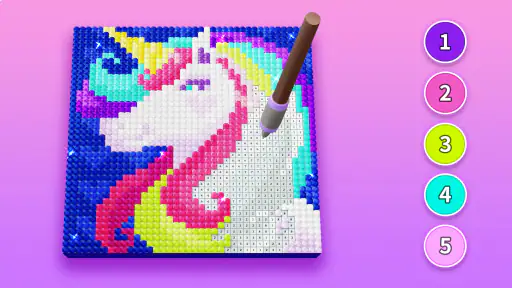
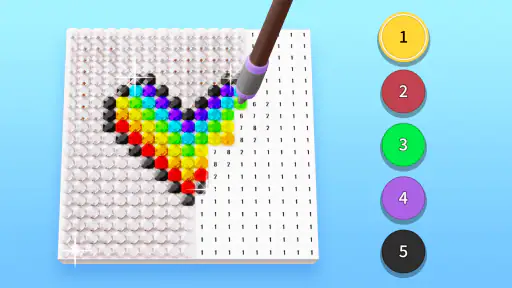
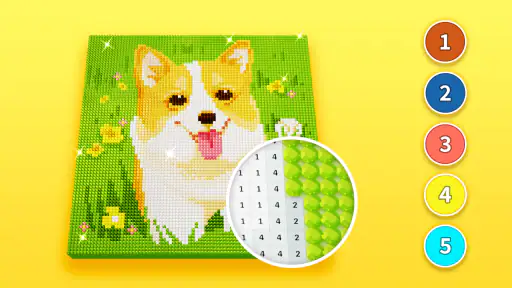
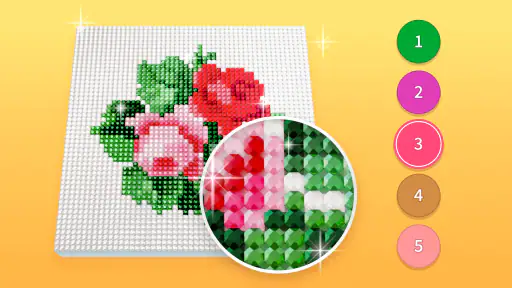
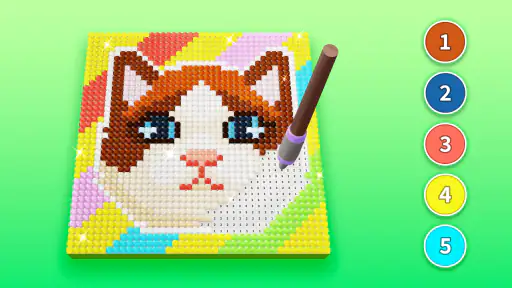
The concept is simple yet addictive. You choose a design, and then it's off to the races as you tap away to place colorful "diamonds" on a grid. The app offers a wide variety of designs, from cute animals to breathtaking landscapes. There's something for everyone, and new designs are added regularly, which keeps the boredom at bay.
The Joy of Crafting Without the Mess
One of the highlights for me is the sheer joy of creating something beautiful without the typical mess that comes with arts and crafts. No more spilled paint or glue sticking to your fingers—just pure, mess-free creativity! The app provides a satisfying "click" sound when you place each diamond, adding to the overall immersive experience. I found myself getting lost in the rhythm, which made it a perfect way to unwind after a hectic day.
Another thing I love is that the app is incredibly relaxing. It’s like meditation but with a bit more sparkle. You can lose yourself in the process, and before you know it, hours have flown by.
Features that Shine
What really makes this app stand out are the additional features. For one, there’s an option to upload your own photo and turn it into a diamond painting. Imagine turning your favorite memories into sparkling masterpieces—that's a game changer! Plus, there's a daily challenge feature that keeps things exciting and rewards you with extra diamonds to use in the app.
The app is free, with some optional in-app purchases. But don't worry, you can enjoy a full experience without spending a dime if you choose. It's all about how you want to play the game.
How it fits into the Art & Design category
Creative APPS makes this free Art & Design app, which feels more like guided digital crafting than a general-purpose studio. It has a 4.7 average from around 15,000 ratings and over 5 million installs, so it has clearly found an audience for this focused format. The content rating is Everyone, and version 6.5.0 runs on Android 5.1 and later. Those details make it easy to judge whether the app suits your device and household, but the more important choice is whether you enjoy following a ready-made pattern.
Turning a personal photo into a project
The photo option changes the workflow in a meaningful way: instead of picking a supplied picture, I can begin with an image that already matters to me. I would choose a clear photo with a distinct subject and uncluttered background, because a numbered mosaic has less room for subtle detail than the original image. Before committing to a long session, it is worth checking whether the converted result still reads well at a glance. A favorite snapshot may be emotionally appealing but not necessarily the easiest one to complete attractively.
That distinction also helps set expectations. The app turns a photo into a pattern to work through; it does not give the same freedom as editing the picture in a full image editor. For a memory-focused activity, that guided conversion is part of the charm. For precise retouching, cropping for a finished print, or controlling every color, I would use a dedicated photo or drawing tool instead.
Keeping the routine enjoyable
The repeated taps are both the app’s strength and its main limitation. They create a steady rhythm, but long stretches on a small screen can become tiring, and the satisfaction depends on enjoying the process rather than only wanting the final image. I would treat the daily challenge as an optional nudge, not a requirement, and avoid turning a calming pastime into another task on a checklist. If I notice myself tapping mechanically, I stop and return later.
There is also a practical spending choice. The app costs nothing to download, while optional in-app purchases range from about a dollar to about fifty dollars per item. I would start with the free experience and decide later whether any paid option is worth it to me; there is no reason to spend just because a purchase is available. That makes it a sensible trial for curious beginners, while anyone who dislikes optional purchase prompts should pay attention to how those appear in their own use.
Making a short session count
For a realistic weekday routine, I would open the app during a quiet ten-minute pause rather than saving it for a long stretch of free time. I would pick one color, complete a visible cluster, and stop at a natural boundary. That gives the next session a clear place to resume and makes it easier to notice progress without needing to remember which tiny cells I had in mind. If I am interrupted, the picture itself remains the reference point, so I can simply look again and choose a new area.
A less obvious advantage of this color-by-color approach is that it changes the kind of attention the task needs. I am not constantly deciding what to draw; I am scanning for the selected number and checking each placement. That can suit a tired evening when I want a modest focus task, but it is not ideal when I need to avoid screen use or rest my eyes. In that situation, a paper coloring book or an actual craft kit may be the better choice, even if it takes more preparation.
Choosing between guided crafting and other art apps
Compared with a standard drawing app, this is much narrower but far less demanding to begin. A blank canvas gives me control over line, color, and composition, yet it can also leave me wondering what to make. Here, the picture and color plan are already set, so the reward comes from filling the design rather than inventing it. Compared with a paper paint-by-number book, the phone version is easier to carry and avoids physical materials, but it replaces the tactile feel of paint and paper with taps on glass.
I would choose this format for a small, structured pastime, not as a substitute for learning to draw or for producing artwork to a precise brief. If I wanted to practice shading, develop a personal style, or make a custom illustration, a drawing tool would serve me better. If I wanted a hands-on project away from a screen, a physical diamond-painting kit would offer that different sensory experience. This app’s value is the convenience of guided completion, and it is strongest when that is exactly what I want.
What to expect from the finished picture
The outcome is best judged as a completed digital pattern, not as a piece of original visual design. I like the gradual reveal: an image that looks like a field of separate marks while I work can become much easier to read from a little distance. That is why I recommend checking the whole picture periodically instead of judging it only by the current cluster. The small-scale view rewards careful placement; the full view shows whether the design is coming together.
For a photo-based project, I would be especially selective about the source image. A sharply defined subject with a simple background is a safer choice than a busy group photo or a scene with many close shades. This is a practical trade-off rather than a rule: the more visual information packed into the original, the more the simplified pattern may lose. I would test my expectations by looking at the converted image before investing a lot of time in filling it.
Where the routine can lose its appeal
The app is not a great match for someone who wants every session to feel different. The same basic action—finding a numbered space and tapping it—drives the experience, and switching pictures changes the subject more than the underlying work. Daily challenges may give a routine-minded user a reason to return, but they will not turn the core activity into freeform creation. If repetition is what relaxes me, that consistency is a benefit; if I crave novelty and control, it can feel limiting quickly.
There is also a difference between an easy starting point and an effortless pastime. Small cells still need attention, and a long session can be uncomfortable even when the activity itself is calm. I would not recommend pushing through eye strain or using it as a way to fill every spare moment. The best fit is someone who can enjoy a few deliberate minutes, put the phone down, and leave the picture unfinished without feeling behind.
Final Thoughts
All in all, Diamond Painting by Number is a delightful app that brings the joy of crafting to your fingertips. Whether you're a seasoned artist or just looking for a new hobby to try, this app is worth checking out. It's engaging, relaxing, and incredibly satisfying to see your creations come to life. So, grab your phone, download the app, and let the diamond painting begin—your inner artist will thank you!
Diamond Painting by Number Frequently Asked Questions
What does the name “Diamond Painting by Number” mean in practice?
Despite the name, the app offers a digital art activity rather than a physical canvas-and-gem craft kit. You follow numbered areas and place matching virtual diamonds to build an image on screen. That makes it a convenient choice if you enjoy the look and rhythm of diamond painting but would rather complete designs on a phone or tablet.
Who develops Diamond Painting by Number, and what kind of app is it?
Diamond Painting by Number is developed by Creative APPS and sits in the Art & Design category. Its focus is a guided, number-based art activity, so it is aimed at people looking for a casual creative pastime rather than a professional drawing tool. The store summary says that novices can also easily complete diamond-painting masterpieces, which reflects its beginner-friendly approach.
Is Diamond Painting by Number free to download and use?
Diamond Painting by Number is free to download, so you can try its digital diamond-painting activity without paying upfront. The app also offers in-app purchases, with individual items priced from $0.99 to $49.99. You can decide whether those optional purchases suit you as you explore the app; the free download does not mean every available item is necessarily included at no cost.
Will Diamond Painting by Number work on my device?
The minimum operating-system requirement is Android 5.1, so check your device’s Android version before downloading. Diamond Painting by Number is an app in the Art & Design category, developed by Creative APPS. Its current version is 6.5.0, and it was released on May 18, 2022. These details can help you judge basic compatibility and identify the app when browsing.
What is Diamond Painting by Number?
Diamond Painting by Number is a creative app that allows users to create beautiful digital artworks using a paint-by-number format. Users can select from a variety of templates and apply digital 'diamonds' to the corresponding numbers on the canvas. This app is perfect for relaxation and offers a wide selection of designs to choose from, ranging from simple to intricate patterns. It's designed to provide users with a meditative and satisfying artistic experience.
Pros
- User-friendly interface for beginners
- Wide variety of designs to choose from
- Relaxing and stress-free activity
- Regular updates with new patterns
- Offline mode available
Cons
- Limited color palette options
- Some designs can be repetitive
- Occasional app crashes
- In-app purchases required for premium content
- Ads can be intrusive at times
- Category
- Art & Design
- Version
- 6.5.0













