How To Draw Comics
- 894.00
- 4.3
- Installs
- 5.00M
- Price
- Free
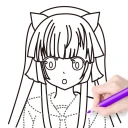
Screenshots
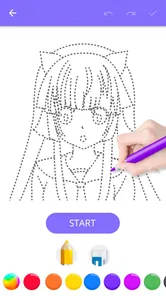
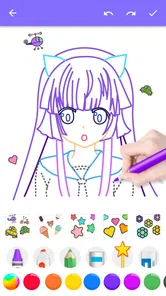
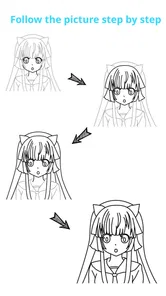
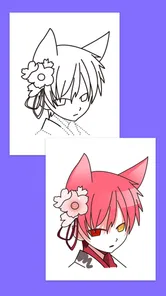

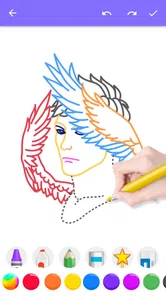
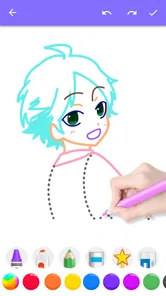
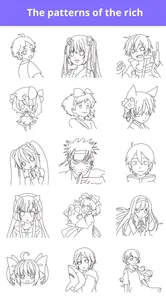
Analysis by Reviewed
When I pick up a drawing app, I want to know quickly whether it will help me get from a blank page to a usable sketch, or leave me hunting through menus before I draw a line. How To Draw Comics is aimed at the first kind of task: learning comic-style drawing through guided examples. It is a free comics app from Creative APPS, and its focus makes it more approachable as a starting point than a general-purpose art tool. I would treat it as a learning aid rather than assume it replaces a full drawing studio.
Where beginners can get stuck
The tricky part of learning comics is rarely just making a clean line. A beginner may understand a tutorial while looking at it, then struggle to repeat the pose from memory or make a character look consistent in a second panel. Step-by-step instruction can reduce that initial uncertainty, but it does not remove the need to practise between examples. I find it helps to pause after each stage, try the same step myself, and only then move on. That turns a demonstration into an exercise instead of a sequence to watch passively.
Another common hurdle is deciding what to draw first. A page full of ambitious ideas can be discouraging when basic proportions still feel unfamiliar. I would use the app for small, specific goals: sketching a face, testing a pose, or warming up before working on a scene. Keeping the first attempt deliberately simple makes it easier to see what the instruction is teaching. If a drawing does not come together, that is a cue to repeat one part, not proof that comic art is out of reach.
Simple setup checks before a drawing session
Before settling in, I would make sure the phone or tablet is comfortable to use and has enough charge for the time I plan to spend. A small screen can make details harder to follow, so turning the device to a comfortable viewing position and increasing screen brightness in a well-lit room can help. These are ordinary preparation steps, not special app settings, but they reduce distractions when I am trying to follow a visual sequence.
I also recommend opening the app when you have a few uninterrupted minutes rather than squeezing it into a moment when you are rushing. Start with one lesson or drawing idea, keep paper or a separate sketch surface nearby if you prefer to practise away from the screen, and note the step where you stopped. This simple routine makes it easier to return later without having to reconstruct your plan. The app is free, though in-app purchases are listed at $1.99 per item, so check any purchase prompt carefully before confirming it.
Recovering a stalled drawing
If a sketch starts to feel wrong, I would avoid redrawing the whole thing immediately. First, compare the broad shapes: the direction of the head, the balance of the torso, and the placement of the limbs. Comic poses often feel energetic because the overall silhouette reads clearly, even before small details are added. Squinting at the drawing or viewing it at a smaller size can reveal whether the pose is understandable. If it is not, simplify the outline before spending time on facial features or clothing.
A useful practice method is to make a second attempt beside the first rather than treating the first as a failure. Keep one or two things that worked, change the part that caused trouble, and compare the results. This is especially helpful when learning a pose: the goal is not to produce a polished panel immediately but to discover which angles make the action legible. For a longer story, I would also keep rough character sketches together in a notebook or a folder on the device. That gives you a reference when a character returns and helps avoid the frustrating feeling that every panel must begin from zero.
More From Our News Desk

Weather by Xiaomi Review: Clear at a Glance, Less Clear Up Close

X Under Pressure: Can It Recover When Posting Goes Wrong?

Clash of Clans Is Won Between the Battles

Android Auto Makes the Case for Quieter Car Software

MobiOffice: Transforming Mobile Productivity with Seamless Integration

EA SPORTS FC™ Mobile Soccer: Redefining Mobile Sports Gaming
When the app may not be the cause
Not every awkward drawing means the lesson or the app is at fault. A pose can be difficult because it is viewed from an unusual angle, because the reference is being copied too literally, or simply because the artist has not yet practised the underlying shapes. I would step back and redraw the pose as a few simple forms before adding detail. If the guidance is clear but the result still looks stiff, try exaggerating the direction of movement in your own sketch; comic art often depends on readable action more than precise realism.
It is also worth separating a learning resource from a complete comic-production workflow. Someone who wants extensive page layout, lettering, panel management, or a large set of editing controls may be better served by a dedicated digital art or comic-layout application. Those tools can offer more control, but they can also present a steeper learning curve. This app makes most sense when your immediate question is how to approach drawing comic subjects, rather than how to finish and publish a polished issue from one device.
Who will get the most from it
I can see this being useful for a young artist testing whether comics are an enjoyable hobby, an adult beginner who wants guided practice, or an experienced doodler who needs a nudge toward more deliberate character drawing. Its Everyone content rating makes it suitable for a broad audience, while the straightforward subject gives a parent or teacher an easy way to suggest a creative activity. A learner who already has a strong drawing routine could still use a guided example as a warm-up, but may find a general art app more flexible for personal projects.
For a realistic everyday use, imagine having a short break after school or work and wanting to draw a character without committing to a full comic page. I would choose one small subject, follow a few steps, then spend the remaining time making a variation: change the expression, turn the character slightly, or alter the pose. That extra variation is important. Copying an example can build confidence, but changing one feature is what starts to teach you how to make the idea your own.
How it fits beside other drawing options
Compared with a blank-canvas drawing app, a guided comics resource has a more obvious starting point: it can help answer what to practise when you do not yet know how to structure a character or pose. A blank canvas is better when you already have a clear image in mind and want freedom to choose brushes, layers, and page layout. A physical sketchbook offers a different advantage: it is immediate, tactile, and free from screen distractions, though it cannot guide you through a visual lesson on its own. I would use these approaches together rather than expect one to do every job.
The best choice depends on the stage of your work. If you want to learn a drawing idea in manageable steps, this app’s narrow focus is a benefit. If you want to assemble finished panels, organise dialogue, or refine a long comic project, a more specialised production tool is likely a better fit. If you are unsure whether you enjoy drawing at all, try a few guided exercises before investing time in a complicated workflow. That is a low-pressure way to find out whether the subject keeps your interest.
Getting Started with the Basics
The first thing I noticed when I fired up How To Draw Comics was just how user-friendly it is. The app is designed for everyone, from complete beginners to seasoned artists. When you open the app, you're greeted with a simple dashboard that guides you through the basics of comic book art. If you've ever felt intimidated by drawing, this app will ease your fears with its step-by-step tutorials.
The tutorials cover a variety of topics, from drawing basic shapes to understanding complex anatomy. There's even a section dedicated to teaching you how to create dynamic poses for your characters. I found the tutorials to be incredibly detailed, and they really helped me improve my artistic skills. Moreover, the app includes a handy glossary of comic book terms, which is a great resource for newbies.
Tools of the Trade
One of the standout features of this app is the wide array of drawing tools it offers. Whether you're sketching a new character or inking your latest masterpiece, How To Draw Comics has got you covered. The app includes various brush types and sizes, so you can experiment and find what works best for your style. Plus, there’s an option to adjust the opacity, perfect for those tricky shading areas.
Another great feature is the layer system, which allows you to work on different elements of your drawing separately. This is a game-changer, especially if you're prone to making mistakes like I am. You can easily correct any errors without having to start from scratch.
Inspiration and Community
Feeling stuck? The app also includes a community section where you can connect with other comic book enthusiasts. Here, you can share your work, get feedback, and even gain inspiration from fellow artists. It's like having a virtual art class at your fingertips. I found this feature particularly motivating, as it provided me with new ideas and perspectives on my work.
Moreover, the app regularly updates its content with new tutorials and challenges, keeping things fresh and exciting. I appreciated the effort put into ensuring that users have a steady stream of new content to explore.
In conclusion, How To Draw Comics is a fantastic resource for anyone looking to dive into the world of comic book creation. Its user-friendly interface, comprehensive tutorials, and vibrant community make it a must-have app for aspiring artists. Whether you're sketching your first character or crafting an entire comic series, this app will be your trusted companion on your artistic journey. So, go ahead, unleash your creativity and start drawing your own stories today!
What to expect before installing
The app was released on June 8, 2017, and its current version is 1.2.2, with Android 5.0 as the minimum operating-system requirement. It has an average rating of 4.3 from around 19,000 ratings, with about 895 written reviews and over one million installs. I see those figures as a sign that it has found an audience, not as a guarantee that every learner will find the same pace or teaching style useful. A store score can help with a first impression, but your own drawing goal matters more than popularity.
Because the app is focused on comics, I would install it when I want a guided way into that particular style, not simply because I need any drawing program. If I were planning a detailed comic with many pages, I would decide in advance whether I want to use this as a practice companion or as my main workspace. That distinction saves disappointment: a learning-focused app can be valuable even if a separate tool is needed for later stages of a project.
A practical way to judge progress
One useful way to get more from a drawing lesson is to keep the first attempt, then revisit the same subject after some practice. I would compare the shape and readability rather than judge only whether the second drawing looks polished. Can I understand the pose at a glance? Does the character’s expression come through? Those questions offer clearer feedback than simply asking whether I like the finished sketch. They also help identify what to practise next without turning each session into a test.
For character work, consistency is another good measure. Draw the same figure with a different expression or in a new pose, and look for features that remain recognisable. That exercise turns a tutorial into a small design challenge and helps reveal where you rely on copying rather than understanding. If you enjoy that process, the app can serve as a steady entry point; if you mainly want to draw freely without following examples, a blank canvas may suit you better.
Choosing the right expectations
I would not expect guided instructions alone to produce a finished comic or replace patient practice. Learning anatomy and motion takes repetition, and a lesson that feels easy to follow can still require several attempts before the result looks natural. That is normal. The app is most useful when I treat each drawing as a study and leave room to make imperfect versions, rather than measuring success by whether every sketch could go straight onto a printed page.
It may also not be the right pick for someone who dislikes step-by-step learning or already knows exactly which specialist tools they need. Such a person may prefer a flexible drawing program or a traditional sketchbook. On the other hand, if an empty page is what stops you from beginning, structured comic-drawing guidance can make that first mark easier. I would choose based on the obstacle I actually have: learning how to draw a subject, or controlling a more advanced creative workflow.
My practical verdict
Creative APPS has made a focused option for people curious about comic drawing, and the free entry point makes it easy to explore without committing to a paid app upfront. I would recommend trying it if you want prompts and instruction to help build confidence, especially if you are new to character sketches or find it hard to decide what to practise. Keep a small goal for each session, make your own variation after following a lesson, and use another tool if your project needs more control over finished pages.
For me, the strongest reason to give it a try is that it can turn a vague wish to draw comics into a specific next step. The limitation is just as important: guided drawing is not the same thing as a complete publishing workflow, and no tutorial can do the practice for you. If you go in with that expectation, it is a friendly place to begin. If you need advanced production features first, choose a tool built for those tasks instead.
How To Draw Comics Frequently Asked Questions
Is How To Draw Comics free to download?
How To Draw Comics is free to download, so you can try its comic-drawing lessons without paying upfront. Optional in-app purchases cost $1.99 per item, so check purchase options before letting children use the app or making a purchase. The free starting point makes it possible to explore its step-by-step drawing focus before deciding whether to buy anything.
What does How To Draw Comics teach?
How To Draw Comics is an app in the Comics category, with a store description that promises an easy way to learn how to draw popular comics step by step. Its central appeal is guided drawing instruction for people interested in creating comic-style art. It may suit someone looking for a straightforward starting point, especially if they want lessons focused specifically on comics rather than general drawing.
Does How To Draw Comics work on my Android device?
How To Draw Comics is available for Android devices running Android 5.0 or later. Checking your device’s operating-system version before downloading can help you avoid compatibility surprises. The app is free to download, so you can try its comic-drawing lessons without paying upfront; optional in-app purchases are available if you want to explore paid content.
What is 'How To Draw Comics' and who is it for?
'How To Draw Comics' is an educational app designed for aspiring comic artists and enthusiasts who want to learn the art of drawing comics. The app provides a comprehensive guide with step-by-step lessons, tutorials, and tips from professional artists. It is suitable for beginners as well as more advanced users looking to refine their skills.
What features does 'How To Draw Comics' offer to enhance learning?
The app offers a wide range of features including detailed tutorials, interactive drawing exercises, and a gallery of famous comic book art for inspiration. Users can practice on a digital canvas, follow structured lessons, and even receive feedback from a community of fellow artists. Additionally, the app supports both stylus and finger drawing on devices.
Pros
- Easy-to-follow tutorials
- Variety of comic styles
- Interactive drawing tools
- Offline access available
- User-friendly interface
Cons
- Limited free features
- Ads can be intrusive
- Occasional bugs
- In-app purchases required
- No export to PDF option













