Learn to Draw Cartoon
- 2.00K
- 4.2
- Installs
- 5.00M
- Price
- Free

Screenshots
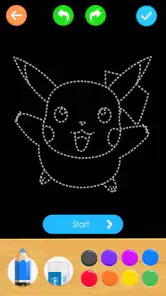

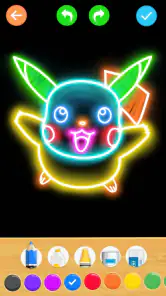
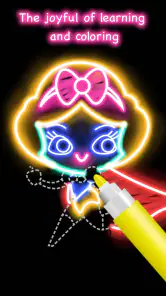
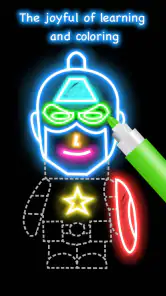
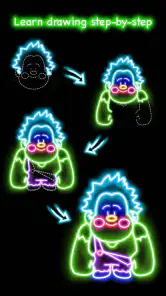
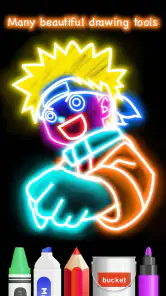
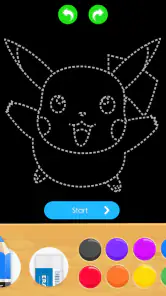
Analysis by Reviewed
I’d judge Learn to Draw Cartoon less by how exciting it feels on the first launch and more by whether I can imagine opening it again after the novelty of copying a few characters wears off. Its appeal is straightforward: it offers a friendly entry point for people who like cartoons but don’t know how to start drawing them. The important question is whether the guided format becomes a useful small habit, rather than a one-time distraction.
Who is likely to enjoy the first few sessions?
I think the best fit is a beginner who wants a clear prompt and a modest task, not a blank page and the pressure to invent something. A child and parent could sit together, follow one drawing, and take turns choosing what detail to add. An adult could use a short break to draw a simple character instead of scrolling. In both cases, the value is partly in having an easy activity to begin; no one needs to plan a full art lesson first.
A practical way to try it is to keep a few sheets of paper and a pencil nearby, pick one guide, and pause between stages rather than rushing through. If a step feels confusing, I’d make a light mark first and adjust it before darkening the outline. That small habit reduces the frustration of having to erase a heavy line, and it helps me notice how each part relates to the whole character. The app is most inviting when I treat the drawing as practice, not as a test of whether I can make a polished picture.
Learn to Draw Cartoon is a free comics app from Creative APPS, rated for Everyone. It has a 4.2 average from around 16,000 ratings and has been installed over 5 million times. That broad reach makes it easy to see why a simple cartoon-drawing activity might appeal to many people, but popularity alone doesn’t tell me whether the lessons match someone’s goals. I’d use those figures as context, not as a reason to expect a complete art education.
How it differs from opening a blank sketchbook
Compared with a blank sketchbook, a guided drawing gives me a concrete next move. That is a real advantage when I’m new to drawing or short on ideas, because I can focus on shapes and proportions instead of deciding what to make. The trade-off is that copying a sequence can leave less room for learning how to invent a character independently. I’d pair the guide with a quick variation—changing the pose, expression, or a small design detail—to make the exercise feel more like my own.
Compared with a general drawing app, this is a more focused starting point for cartoon practice, rather than a workspace I’d choose for every kind of illustration. A digital canvas may suit someone who wants to experiment with marks on a screen, while a video tutorial can be easier to pause and replay when a demonstration moves too quickly. I’d choose this app when I want a guided cartoon exercise; I’d choose another format when I need broader instruction, a flexible digital drawing setup, or a more deliberate course plan.
A welcoming first week, with a practical way to begin
For a realistic first try, I’d set aside a few minutes after school or work, choose one guide, and copy each stage onto paper before moving on. That makes the instructions easier to follow than trying to hold every step in memory. I’d keep the first attempt beside the next one, too: comparing the shapes helps show which parts I’m learning, such as keeping the head proportions consistent, rather than simply finishing a picture.
More From Our News Desk

Weather by Xiaomi Review: Clear at a Glance, Less Clear Up Close

X Under Pressure: Can It Recover When Posting Goes Wrong?

Clash of Clans Is Won Between the Battles

Android Auto Makes the Case for Quieter Car Software

MobiOffice: Transforming Mobile Productivity with Seamless Integration

EA SPORTS FC™ Mobile Soccer: Redefining Mobile Sports Gaming
The first week is also a good time to work out what kind of practice feels comfortable. I’d try one drawing in a quiet setting and another during a spare moment, then notice whether I prefer following every stage closely or using the guide as a loose reference. If I’m drawing with a child, I’d let them choose the colors or invent a small accessory after the main shape is done. That keeps the activity collaborative without requiring either person to be especially skilled.
How the drawing routine holds up over time
First things first, downloading and setting up the Learn to Draw Cartoon app is a breeze. Available for both Android and iOS, you can find it on your respective app store. The interface is user-friendly, welcoming you with vibrant colors and an intuitive layout that even a beginner can navigate effortlessly.
What makes the lessons useful—and where to be cautious
Once inside, the app offers a myriad of features to explore. From step-by-step tutorials to freeform drawing modes, it caters to different skill levels and preferences. The step-by-step guides are particularly impressive. They break down complex characters into easy-to-follow segments, making it feasible for anyone to draw their favorite cartoons.
To get more from a guide, I’d avoid tracing the steps mechanically every time. First follow the sequence, then try drawing the same character again from memory, and finally change one small detail, such as an expression or accessory. That routine turns a one-off copy into practice with observation and recall. It also exposes a limitation: guided character exercises are most useful for learning simple forms, while anyone seeking structured lessons on perspective, anatomy, or original character design will likely prefer a broader drawing course.
One of the standout features is the community section. Here, users can share their works, get feedback, and even pick up tips and tricks from fellow artists. It’s like having a mini social network dedicated entirely to cartoon drawing enthusiasts!
Month-to-month value without forcing a habit
If you’re wondering why you should give this app a shot, let me tell you, it’s not just about learning to draw. It’s about unleashing your creativity and finding a new way to express yourself. The app encourages you to think outside the box, challenging your imagination while providing the tools to make your visions a reality.
For me, recurring value comes from using a lesson as a warm-up, not from treating the app as a daily obligation. A parent could sit with a child and work through a drawing together, while an adult might use one short session to reset between tasks. Someone already comfortable drawing could instead use the guides to practise simplifying a character into a few shapes. If you mainly want to build a personal portfolio or learn from detailed critique, a sketchbook and a course with a clear progression may be a better fit.
A useful month-to-month routine would be to revisit an earlier drawing after some time away, rather than moving through guides just to complete them. I’d compare the newer attempt with the old one and look for one specific change, such as a more balanced head or a cleaner outline. This gives me a modest way to notice progress without needing a score or a formal lesson plan. If the two drawings look much the same, that’s a cue to slow down and practise the shapes, not necessarily a reason to abandon drawing altogether.
The app also regularly updates its content, ensuring you never run out of characters to draw or new techniques to learn. Plus, with its offline mode, you can sketch away even when you’re not connected to the internet. How cool is that?
Maintenance, friction, and when I’d move on
The app is on version 1.1.1 and supports Android 5.0 or later. It is free to start, with in-app purchases listed at $1.99 per item. I’d check what an individual purchase covers before paying, and keep the free experience as the test of whether the drawing format works for me. Offline access is convenient for a commute or a quiet break without a connection, but it doesn’t remove the need for paper or another drawing surface if I want to practise away from the screen.
In day-to-day use, the maintenance burden seems low: I can pick up a guide when I have time, and I don’t need to maintain a complicated project or commit to a strict schedule. Still, the habit works better if I make the setup easy. Keeping a pencil and a few sheets together means I’m less likely to spend my short break searching for supplies. If I’m using a phone, I’d also set it somewhere visible while drawing so I’m not constantly switching attention between the screen and the paper.
One small trade-off is that offline access and drawing practice are not quite the same thing. Being able to view a guide without a connection is handy, but I still need a surface and a way to draw if I want to follow along on paper. Someone who expects to complete everything directly on a device should make sure the app’s drawing approach suits them before paying for anything. For my own use, paper is a plus: it keeps the exercise simple and makes it easy to compare attempts side by side.
The main source of fatigue is repetition: if the available character steps stop feeling fresh, the same guided format can become a short-lived novelty. I’d avoid turning every drawing into a polished result; a rough attempt is often more useful because it makes proportion problems visible. The community may add inspiration, but people who prefer private practice can simply focus on the lessons rather than making sharing the point of the app.
Another sign that I’m ready for something else would be repeatedly copying without learning how to make a character look different from the guide. In that situation, I’d use a sketchbook prompt or a course that teaches construction and perspective, rather than expecting more repetitions to solve the problem. Conversely, if I’m still learning to notice basic shapes, repeating a familiar guide can be worthwhile. The right point to move on depends on whether the exercise is teaching me to see more clearly or merely helping me finish another picture.
My long-term verdict
In conclusion, the Learn to Draw Cartoon app is more than just a drawing tool; it’s a gateway to a world of creativity and fun. It’s perfect for those moments when you want to unwind with something productive or when you’re itching to learn a new skill. So go ahead, grab your stylus or just use your finger, and dive into the colorful realm of cartoon drawing. Who knows, you might just discover the artist within you!
My recommendation is to give it a try if you want friendly, bite-sized cartoon practice and don’t need a formal curriculum. I wouldn’t choose it as my only resource for serious drawing study, and I’d leave it behind if repeating guided characters stopped helping me improve. But as an easy activity to return to when the mood strikes, it can earn a place on a device—provided the simple routine stays enjoyable rather than feeling like homework.
For someone deciding whether to keep it, I’d ask a simple question after a few sessions: do I now feel more willing to pick up a pencil and start? If the answer is yes, even when the result is imperfect, the app is doing something useful. If I only open it to finish a sequence and never feel curious about drawing beyond the guide, I’d treat it as a pleasant introduction rather than a long-term tool. That distinction matters more to me than maintaining a streak or collecting completed pictures.
The app makes the most sense for casual learners, families looking for a shared creative activity, and cartoon fans who want a nudge past the blank page. It is less suited to people who need detailed feedback, a structured path from fundamentals to advanced work, or a digital studio for building finished illustrations. I’d keep it around while its prompts help me practise and move to a broader resource when my questions become more ambitious. Used on those terms, it can remain a small, low-pressure part of a drawing routine without pretending to replace one.
Learn to Draw Cartoon Frequently Asked Questions
What is Learn to Draw Cartoon, and what does it teach?
Learn to Draw Cartoon is a comics-focused app for people who want to practice drawing cartoon characters. Its central idea is to guide users through cartoon drawing step by step, making it approachable for beginners as well as people who already enjoy sketching. The lessons give the app a more focused purpose than a general-purpose drawing tool, so it may suit anyone looking for structured cartoon practice.
Who makes Learn to Draw Cartoon, and when was it released?
Learn to Draw Cartoon is developed by Creative APPS and was released on February 22, 2017. That background can help you identify the app when comparing similarly named drawing tools. Its current version is 1.1.1, and it is intended for Android devices running version 5.0 or later. Before installing, check your device’s Android version and make sure you select the app from the correct developer.
What devices can run Learn to Draw Cartoon?
Learn to Draw Cartoon is an Android app that requires Android 5.0 or later. Before downloading, check that your device meets this requirement and has enough available storage for the app. It is listed as a free download, so you can try its cartoon-drawing lessons without paying for the initial installation.
Is Learn to Draw Cartoon free, and what might cost extra?
The app is free to download, with optional in-app purchases priced at $1.99 per item. Its core drawing lessons and tools can be explored without making a purchase, while paid items may offer additional content or features. If you prefer not to spend, review the purchase options carefully and use your device’s purchase controls.
What features does Learn to Draw Cartoon offer?
Learn to Draw Cartoon provides users with a comprehensive set of drawing tools and tutorials designed to help both beginners and experienced artists enhance their cartoon drawing skills. The app includes step-by-step lessons, a variety of drawing templates, and an intuitive interface that makes learning fun and easy. Users can also save and share their artwork directly from the app.
Pros
- User-friendly interface for beginners.
- Wide variety of cartoon styles included.
- Step-by-step tutorials enhance learning.
- Offline access available for convenience.
- Regular updates with new content.
Cons
- Limited advanced features for experts.
- No social sharing options in-app.
- Ads can be intrusive at times.
- Requires in-app purchases for full access.
- Not available on all devices.
- Category
- Comics
- Version
- 1.1.1