H&M
- 4.20K
- 4.8
- Installs
- 50.00M
- Price
- Free

Screenshots
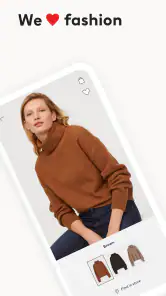
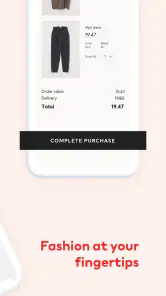
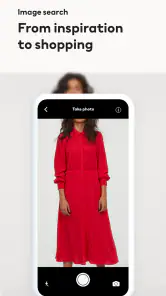
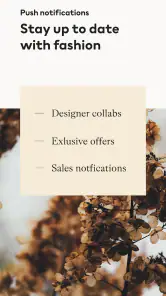

Analysis by Reviewed
I use the H&M app as a practical starting point for browsing the retailer’s clothes, not as a substitute for seeing fabric and fit in person. Its strongest use is keeping discovery and shopping in one place: I can look through styles, save pieces I may want later, and return when I’m ready to make a decision. That suits people who already shop at H&M or like checking a familiar fashion range from their phone. If I want to compare many brands side by side, a multi-retailer shopping app is usually a better first stop.
A repeatable way to browse
My most useful habit is to browse with a purpose instead of treating the catalog as an endless feed. I might open the app looking for a specific kind of item, scan the relevant collection, and save possibilities to the wishlist rather than adding every interesting piece to my cart. That creates a simple shortlist I can revisit when I have time to compare options. It also helps separate “I like the look” from “I’m ready to buy,” which is an easy distinction to lose while scrolling.
For example, if I’m planning an outfit for a busy week, I can browse during a spare moment, save a few possible pieces, then come back later and decide what actually works together. The wishlist is more useful as a decision space than as a pile of impulse picks. I’d still check each item carefully before ordering: a polished product page cannot tell me exactly how a fabric will feel or how a cut will sit on my own body.
Small habits that make the app more useful
I would check the app’s available settings and account options early, then keep only the preferences I actually want to use. That is a better approach than assuming every recommendation or update will be relevant. Personalized suggestions can make discovery quicker, but they can also narrow what I see toward familiar choices. When I want a fresh look, I deliberately browse beyond the first recommendations rather than letting them define my taste.
A second useful pattern is to use the wishlist as a holding area and the cart as a near-final check. Before checkout, I’d review the chosen items together and confirm the details shown for each one. This reduces the chance of confusing something I saved for later with something I truly intend to order. The app also provides order tracking, so after buying I can return to the same place to follow the order instead of searching through unrelated shopping pages.
Exploring the Features
With H&M, I get a retailer-focused way to browse its collections and manage shopping from my phone. The catalog gives me a place to explore styles, while the layout makes it reasonably straightforward to move from browsing toward a shortlist. I find that most useful when I already have a rough idea of what I need; it is less compelling as a tool for surveying fashion across the whole market.
The wishlist is a useful place to pause before buying. I can save an item while I’m browsing and return when I have more time to consider whether it fits my plans. I wouldn’t assume a saved piece will remain available or that saving it means it is the right choice. Treating the list as a temporary shortlist, and reviewing it before checkout, makes it more practical than turning it into a long-term store of every item that catches my eye.
More From Our News Desk

Weather by Xiaomi Review: Clear at a Glance, Less Clear Up Close

X Under Pressure: Can It Recover When Posting Goes Wrong?

Clash of Clans Is Won Between the Battles

Android Auto Makes the Case for Quieter Car Software

MobiOffice: Transforming Mobile Productivity with Seamless Integration

EA SPORTS FC™ Mobile Soccer: Redefining Mobile Sports Gaming
Shopping Experience
Shopping through the app brings browsing, cart management, checkout and order tracking into one retailer’s environment. That can be convenient when I know what I want and prefer to handle the process on my phone. I’d still take a moment at the cart stage to check the item details and quantities rather than rushing straight through. A smooth digital flow is useful, but it doesn’t remove the need to make sure the order reflects what I meant to choose.
For an everyday example, imagine I notice that I need a layer for the coming week but don’t have time to visit a store. I can use a short break to browse, save a few candidates, and revisit them later at home with my wardrobe in mind. If one looks promising, I can check its product information and decide whether to order or leave it on the list. If fit is the deciding factor, that is the point where I’d rather see the garment in person than rely on a screen.
Choosing between the app and in-person shopping
For me, the key trade-off is convenience versus confidence. Browsing and ordering on a phone is handy when I know what I’m looking for, while visiting a store is more useful when fit, texture, or trying alternatives matters most. I wouldn’t assume that a saved item will stay available or that a recommendation is the best match; I use the app to organize choices, then make a fresh decision when I’m ready to buy. If I’m only looking for general fashion inspiration across labels, a magazine or a broader retailer can offer a wider viewpoint.
The app is free, and it comes from H&M, so its focus is naturally that retailer’s own shopping experience rather than the whole fashion market. It’s rated for Everyone and has a 4.8 average from around 990,000 ratings. That level of popularity is reassuring as a sign that many people use it, but it doesn’t guarantee that every order or browsing session will feel equally smooth. I’d judge it by whether its catalog and shopping flow suit my habits.
Settings and a more deliberate routine
I’d begin by checking the account options and settings that are actually available on my device, then choose only the preferences I want to maintain. This is less about hunting for hidden tools and more about making the app fit my routine instead of letting every prompt set the agenda. If notifications or personalized discovery are useful to me, I can keep them in the mix; if they become distracting, I can review the choices and pare back what I use.
One small but helpful distinction is to give each part of the shopping process a job: browsing is for discovery, the wishlist is for undecided possibilities, and the cart is for a purchase I’m actively considering. That makes it easier to return after a few days and understand where I left off. It also helps me avoid treating a recommendation as a decision. I can use suggestions to find a starting point, then search or browse more broadly when I want to avoid seeing only familiar styles.
The app also includes fashion news and trend material, which can be a pleasant reason to explore when I’m not shopping for one specific item. I’d treat that content as inspiration rather than as a shopping checklist. A trend can give me an idea to test against clothes I already own, but I don’t need to buy something simply because it appears in an editorial-style section. For me, that distinction keeps browsing enjoyable without turning every visit into a reason to spend.
The Community Aspect
The app includes a community feature where people can share looks and find ideas from other fashion fans. I see this as a different kind of browsing from looking through product pages: it can help me notice combinations or styling approaches, but it is still inspiration, not proof that a garment will suit me in the same way. I’d use it when I want ideas for wearing or combining pieces, then return to product information and my own wardrobe before making a choice.
There is also a loyalty program that lets shoppers earn points through purchases and redeem them for rewards. That may make the app more appealing if I already shop with H&M and want to keep track of the retailer’s loyalty experience in the same place. I’d consider it an added convenience rather than a reason by itself to buy. The useful question is whether the normal shopping experience suits me; rewards matter only if they fit purchases I would have made anyway.
Who will get the most from it?
I’d recommend it most to regular H&M shoppers, people who enjoy browsing fashion on their phone, and anyone who wants a handy place to collect possible purchases before deciding. The community and news sections add reasons to open it even when I’m not checking out. On the other hand, if I’m trying to avoid shopping prompts, prefer to compare labels in one search, or need to assess a garment by touch before committing, I’d browse elsewhere or go to a store first.
It is also a better fit for someone comfortable making at least some clothing decisions online. If I’m unsure about a cut or fabric, the app can help me narrow down what to inspect, but it cannot replace trying something on. A multi-brand marketplace is more useful when my main question is which retailer has the right kind of item; a physical shop is better when the main question is how a particular item feels and fits. The app’s strength is the H&M-specific path between discovery and purchase.
For a faster routine, I’d save candidates as I browse, revisit the wishlist when I have a clear purpose, and use the cart only for pieces I’m seriously considering. After checkout, order tracking gives me a useful reason to return without having to restart the shopping process. These habits make the app feel less like an invitation to keep scrolling and more like a tool for a specific task.
Where the experience has limits
The main limitation is inherent to shopping for clothes on a screen: product images and descriptions can inform my choice, but they cannot recreate the feel of fabric or the certainty of trying on a cut. That matters more for unfamiliar styles and purchases where fit is central than for an item I already know I like. I’d use the app to narrow the field in either case, but I wouldn’t let convenience override the value of an in-person check when I need one.
There is a second trade-off in keeping everything within one retailer’s catalog. It makes the experience focused and easy to return to, but it also means the app is not the best place to compare a wide range of brands, prices, or design approaches. I would switch to a broader shopping service when comparison is the task, and use this app when I want to explore H&M specifically. That separation saves time and sets realistic expectations about what the app is meant to do.
People who prefer not to receive shopping recommendations or trend content may find those parts unnecessary, even if the core browsing and order tools remain useful. I’d keep my routine task-based: open it to look for something, save what merits a second look, and leave once I’ve made a decision. That is a more comfortable way to use a fashion app if endless browsing tends to encourage purchases I hadn’t planned.
At a glance, without the sales pitch
H&M is a lifestyle app, and its rating and reach suggest it has become a familiar shopping companion: it has over 50 million installs and around 4,200 written reviews. It first appeared on June 25, 2018, and version 25.44.1 requires Android 9 or later. Those details are useful if you’re checking compatibility, while the actual reason to install it is simpler: you want H&M’s collections and shopping tools conveniently together.
I wouldn’t treat the app’s recommendations, trend content, or community as a replacement for personal judgement. They can help me discover ideas, but I still decide whether an item suits my wardrobe and whether buying it makes sense. That balance is where the app works best: it can reduce the effort of browsing and keeping track, while leaving the important choices to me.
My verdict after making it a habit
I’d keep the app if H&M is already part of my regular shopping routine, especially because saved items and order tracking give me practical reasons to return. For someone who shops there only occasionally, installing it makes less sense unless browsing the retailer’s collections on a phone is genuinely convenient. The decision is not whether a fashion app is useful in the abstract; it is whether having this retailer’s catalog and shopping tools close at hand solves a recurring problem for you.
My best advice is to approach it with a simple plan: decide what you’re looking for, save a few realistic options, and revisit them before placing an order. Use the community and trend sections when they offer inspiration, not as a reason to keep adding items. If I need broad brand comparisons, I go elsewhere; if I need to judge feel and fit, I visit a store. Within those boundaries, the app is a handy companion rather than a substitute for every part of clothing shopping.
In conclusion, the H&M app is more than just a shopping app; it’s a fashion hub that keeps you connected to the latest trends and offers a convenient way to browse and shop. Whether you’re a fashion fan looking for ideas or someone who simply wants to shop from a phone, it may be worth checking out. I’d use it with a clear purpose, keep my shortlist focused, and make the final call based on what works for my wardrobe.
H&M Frequently Asked Questions
Can I browse H&M products without creating an account?
The H&M app is intended to make it easier to browse and shop for the latest trends on your phone. You can explore the shopping experience before deciding whether the app fits your needs. An account can be useful when you want to manage shopping activity, but you should review the app’s available sign-in options and requirements as you use it.
What kind of shopping experience does the H&M app provide?
The H&M app brings H&M’s fashion-shopping experience to a mobile device, with a focus on browsing products and keeping up with the latest trends. Its store summary presents it as a way to make shopping easier. It may suit shoppers who prefer to explore fashion from a phone or tablet rather than rely only on in-person browsing.
What platforms and devices can run the H&M app?
The H&M app is available for Android and iOS, so you can use it on a compatible phone or tablet. The current version is 25.44.1, and the minimum operating-system requirement is version 9. If you are unsure whether your device is compatible, check its operating-system version before downloading. The app is free to install.
Is the H&M app suitable for all ages?
The H&M app is rated for Everyone, making it suitable for a broad audience. It is a Lifestyle app from H&M, focused on browsing and shopping for fashion. As with any shopping app, younger users may need an adult’s help when making purchases or handling payment details. Consider your family’s preferences and device settings before installing.
What is the H&M app and what features does it offer?
The H&M app is a mobile application designed for fashion enthusiasts, allowing users to shop for the latest clothing, accessories, and more directly from their smartphones. Key features include personalized recommendations, exclusive discounts, a virtual fashion assistant, and the ability to create wish lists. Users can enjoy a seamless shopping experience with easy navigation and a user-friendly interface.
Pros
- Wide variety of trendy clothing options
- User-friendly interface and navigation
- Regular updates with new fashion collections
- Exclusive discounts and offers for app users
- Efficient order tracking and delivery system
Cons
- Occasional app crashes and bugs
- Limited customer service response time
- Some items may not be available in all sizes
- Requires stable internet for optimal performance
- High data consumption on image-heavy pages
- Category
- Lifestyle
- Version
- 25.44.1











