Super Slime Simulator: DIY Art
- 33.62K
- 4.5
- Installs
- 100.00M
- Price
- Free

Screenshots
Analysis by Reviewed
Ever had one of those days where stress seems to get the better of you, and all you want is something fun yet relaxing? Well, let me introduce you to Super Slime Simulator: DIY Art. This app has become my go-to whenever I need a little break from reality, and trust me, it’s a squishy, colorful escape that’s hard to resist.
A quick turn with a shared phone
I can picture this working best as a short shared activity: one person makes a bright, glittery batch, then passes the phone so someone else can try a different look. That turn-taking keeps the creative part lively without needing everyone to own craft supplies or agree on one real-life slime recipe. It also suits a quiet wait at home, when a child and adult want something to do together but don’t want to set up a full game.
There is a useful boundary to keep in mind, though: this is pretend slime on a screen, not a guide to making physical slime. I’d treat it as a small creative toy rather than an art lesson or a substitute for hands-on sensory play. That distinction matters if someone expects to learn real mixing techniques, feel actual textures, or take a finished object away from the device.
The Latest on Super Slime Simulator: DIY Art
Get Your Hands Virtual Dirty
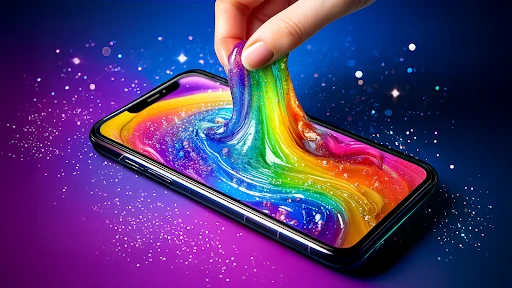
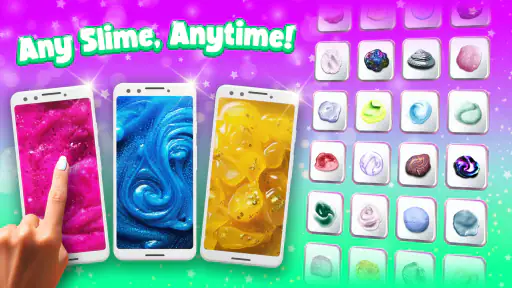
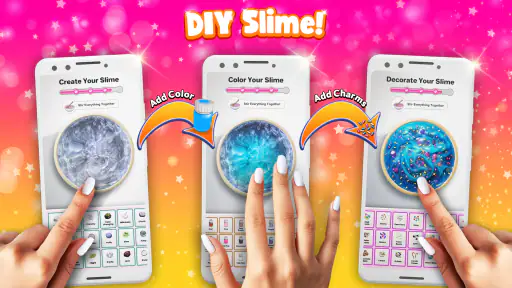
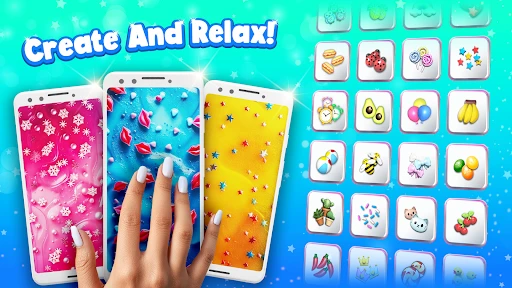
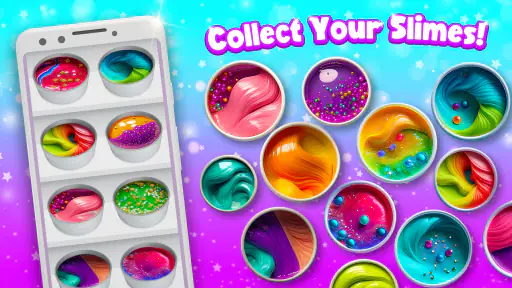
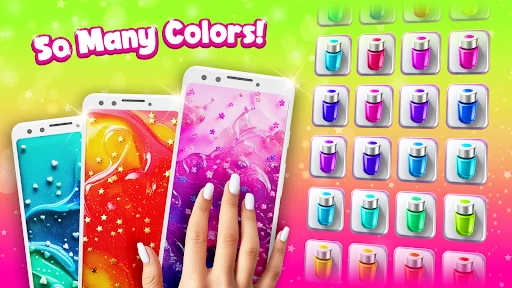
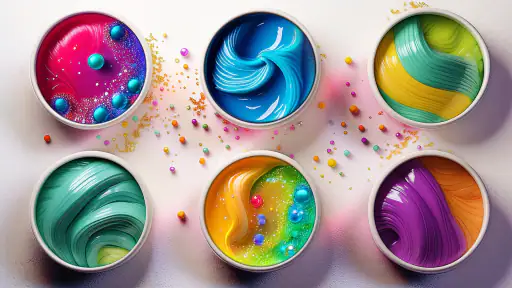
Alright, first things first, let’s talk about what this app really is. Essentially, it’s a digital slime-making experience. Remember those gooey, stretchy slimes everyone went crazy for? Super Slime Simulator brings that to your phone, minus the mess. You get to create your own slime concoctions, choosing from a variety of textures and colors. I was amazed at the selection! From fluffy to glittery, each slime has its own unique vibe. You can even toss in decorations like stars, hearts, and more. Honestly, the customization options are pretty impressive.
The Sensory Satisfaction
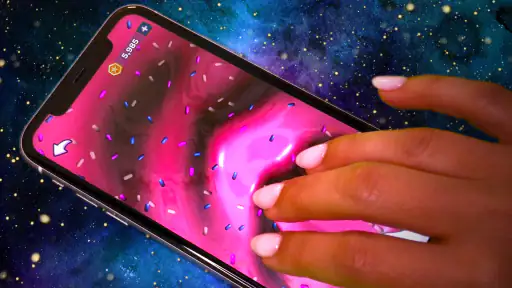
Now, here’s where it gets really fun. The app does an incredible job mimicking the tactile feel of slime. I found myself getting lost in the squishy sounds and the way the slime stretches and pops. It’s oddly satisfying and a great way to zone out for a bit. And let’s be real, sometimes we just need something simple like this to decompress after a long day.
Easy to Get Hooked
One of the things I love about this app is how easy it is to get into. You don’t need to be a slime expert to enjoy it. The interface is super user-friendly, and everything you need is right at your fingertips. Even if you’ve never made slime before, the app guides you through the process with ease. Plus, it’s a great way to get creative without any pressure. Just mix, match, and play around to your heart’s content.
Another cool feature is the ability to save your creations. You can build your own collection of slimes and revisit them whenever you want. It’s like having a mini slime museum in your pocket. I’ve already got a few favorites saved that I go back to whenever I need a quick stress reliever.
More From Our News Desk

Android Auto Makes the Case for Quieter Car Software

MobiOffice: Transforming Mobile Productivity with Seamless Integration

EA SPORTS FC™ Mobile Soccer: Redefining Mobile Sports Gaming

How Microsoft OneDrive Became a Mobile Productivity Giant

How Google Translate Breaks Language Barriers Effortlessly

Why Google Sheets Is the Ultimate Mobile Productivity Tool
Making a session feel creative
A practical way to use the app is to set a tiny creative prompt before handing over the phone: choose a color, a texture, and one decoration, then see how each person interprets it. That gives a shared session a simple shape without making the app feel like homework. If you’re using it alone, saving a design before trying another keeps a favorite from being lost in the fun of experimenting.
Compared with drawing apps, the appeal here is the simulated squish and sound rather than precision or a polished picture. Compared with physical slime, it avoids sticky cleanup and supplies, but it cannot offer real touch. I’d choose this when I want a quick sensory-style distraction; for a child who specifically wants to knead something, actual supervised play is the better fit.
Choosing it for a household
For shared-device use, I’d agree on turns and avoid assuming that separate people will have separate collections or profiles. The saved creations are useful for revisiting designs, but they don’t automatically make the phone a multi-person workspace. A household can keep the experience simple by taking turns and letting each person name or describe a design aloud, rather than expecting the app to manage who made what.
Super Slime Simulator is a Lifestyle app from Dramaton, and its scale suggests that the simple idea has broad appeal: it has over 100 million installs, an average rating of 4.5 from around 874,000 ratings, and roughly 34,000 written reviews. It is free to download, rated for Everyone, and its current version is 12.41; it runs on Android 7.0 or later. Optional in-app purchases range from $3.49 to $54.99 per item, so I’d let a child explore only with an adult’s usual purchase safeguards in place. The rating is reassuring as an age label, but I still think household expectations and device rules matter more than the label alone.
What the sound adds—and what it doesn’t
The audio is part of the appeal, but it also makes this a less universal calm-down tool than the bright visuals suggest. If I’m sitting beside someone who wants quiet, I mute the phone before opening the app; if I’m using it for the sound, I keep the volume low enough that the effect stays personal rather than taking over a room. That small choice helps make it suitable for a shared space without assuming everyone wants to hear the same squelches.
I also wouldn’t rely on the app to settle a disagreement about whose turn it is or which design belongs to whom. The easiest household routine is to decide those things before passing the device, and to save a creation only when its maker wants to return to it. This turns the saved collection into a personal reminder rather than a shared record that everyone might interpret differently.
A small creative reset
For an everyday example, I’d use it during the few minutes before dinner when someone is waiting but the kitchen is too busy for craft supplies. One person can choose a look, make a few changes, and hand the phone back without leaving a table to clean. It can also fill a brief pause during a trip or appointment, as long as the sound and screen are appropriate for the setting. I wouldn’t plan a long activity around it: the pleasure is in experimenting, not in completing a demanding project.
That short-session strength is also the main trade-off. The app gives the user a focused set of sensory and visual choices, not the broader toolkit of a full drawing program or the open-ended physical possibilities of real slime. If someone wants to design a detailed illustration, a drawing app is a better match. If they want to stretch, press, and shape something with their hands, real materials offer an experience a screen cannot reproduce.
The Sensory Satisfaction
Now, here’s where it gets really fun. The app does an incredible job mimicking the tactile feel of slime. I found myself getting lost in the squishy sounds and the way the slime stretches and pops. It’s oddly satisfying and a great way to zone out for a bit. And let’s be real, sometimes we just need something simple like this to decompress after a long day.
Easy to Get Hooked
One of the things I love about this app is how easy it is to get into. You don’t need to be a slime expert to enjoy it. The interface is super user-friendly, and everything you need is right at your fingertips. Even if you’ve never made slime before, the app guides you through the process with ease. Plus, it’s a great way to get creative without any pressure. Just mix, match, and play around to your heart’s content.
Another cool feature is the ability to save your creations. You can build your own collection of slimes and revisit them whenever you want. It’s like having a mini slime museum in your pocket. I’ve already got a few favorites saved that I go back to whenever I need a quick stress reliever.
Who will enjoy it, and who may not
I’d recommend it to people who like low-pressure visual play, children sharing a screen with an adult, and anyone who finds repetitive squishing sounds calming. It is also handy when real slime would be impractical, such as during a short break or while waiting somewhere you need to keep clean. I’d skip it if you want a deep crafting system, a competitive game, or a hands-on activity with real materials. Its charm is the focused little loop, and that can feel limited once you’ve had your fill of making and revisiting designs.
If you’re wondering whether it works as a quick break rather than a long game, that is how I’d use it: make a few choices, enjoy the audio-visual feedback, and stop when the novelty fades. If sound is not welcome in a quiet room, mute the device before starting; the sensory effect depends partly on sound, but the visual interaction is still the point. For a shared phone, agree on the turn before opening it, and keep purchase approval with the adult who manages the device.
Age, purchases, and household expectations
The Everyone rating makes the app an approachable option for a broad age range, but I’d still match it to the child and the situation rather than treating an age label as a complete decision. Younger children may enjoy choosing colors and decorations with someone beside them, while older users may prefer exploring independently. In either case, a shared device calls for ordinary boundaries: decide whose phone it is, who may use it, and whether purchases need an adult’s approval.
The free download lowers the barrier to trying it, while optional purchases mean it’s sensible to check the device’s purchase settings before handing it over. I wouldn’t promise a child that every choice is included, or leave them to interpret a purchase prompt alone. That isn’t a special flaw of slime play; it’s a practical part of letting children use any free app that offers paid items.
My household verdict
Dramaton released the app on April 25, 2018, and the current version is 12.41. That history and its large audience make it feel like an established pick rather than an obscure experiment, but popularity does not make it the right fit for every household. The free entry makes it easy to try, while the optional purchases mean I’d still check the device’s purchase settings before handing it to a child. I would not treat the app as a replacement for a craft activity or a way to occupy a child indefinitely; it works better as a short, shared diversion with an adult nearby when needed.
My household recommendation is therefore specific: keep it in mind for a brief, tidy creative pause, especially when people want to take turns and don’t need a lasting craft result. It’s less convincing as a shared family hub, a source of real sensory input, or an activity that can hold attention for a long stretch. If those limits sound acceptable, the simple making-and-revisiting loop is easy to enjoy; if not, a drawing app, a hands-on craft, or another kind of game will serve that need better.
In conclusion, if you’re looking for a fun, stress-busting app that lets you unleash your creativity without any mess, Super Slime Simulator: DIY Art is definitely worth a download. It’s free, fun, and a fantastic way to unwind. Give it a try, and who knows? You might just find yourself getting lost in the world of virtual slime like I did.
Super Slime Simulator: DIY Art Frequently Asked Questions
What is Super Slime Simulator: DIY Art like to use?
Super Slime Simulator: DIY Art is a lifestyle app built around making and enjoying virtual slime on your phone. Its focus is relaxed, satisfying play with an ASMR feel, rather than crafting with real materials. If you enjoy creative activities that are tidy and easy to dip into, the app’s slime-making concept may be appealing.
Is the app suitable for a first-time slime fan?
Yes. The central idea is straightforward: create slime on your phone and enjoy the sensory, relaxing side of playing with it. You do not need experience with real-life slime crafting to understand the app’s basic appeal. Its broad Everyone content rating also makes it suitable for a wide audience, although parents may still wish to guide children’s screen time and spending.
Does Super Slime Simulator: DIY Art work on my device?
The Android version requires Android 7.0 or later, so check your device’s operating-system version before downloading. The app is developed by Dramaton and its current version is 12.41. Meeting the minimum requirement is a useful first step for avoiding installation problems; keeping your device’s software up to date can also help with general app compatibility.
Is Super Slime Simulator: DIY Art free to download, and are there optional purchases?
Super Slime Simulator: DIY Art is free to download, so you can try its virtual slime activities without paying upfront. It also offers in-app purchases, with items ranging from $3.49 to $54.99. These are optional purchases rather than a requirement to install the app, but it is worth keeping them in mind if a child will be using the device.
What is the main purpose of the Super Slime Simulator: DIY Art app?
Super Slime Simulator: DIY Art is an engaging app designed for users who love to create and play with virtual slime. The main purpose of the app is to simulate the experience of customizing and playing with different types of slime, offering a fun and mess-free alternative to real-life slime crafting. Users can choose from a variety of colors, textures, and add-ins to create their perfect slime and interact with it in numerous ways.
Pros
- Realistic slime textures.
- Variety of colors and patterns.
- Easy to use interface.
- Relaxing and stress-relieving.
- No in-app purchases.
Cons
- Limited customization options.
- Occasional performance lag.
- Ads can be intrusive.
- No multiplayer features.
- Some textures are repetitive.
- Category
- Lifestyle
- Version
- 12.41