Cleanup: Phone Storage Cleaner
- 1.85K
- 4.4
- Installs
- 5.00M
- Price
- Free

Screenshots

Analysis by Reviewed
Hey there! So, I've been diving into this nifty app called Cleanup: Phone Storage Cleaner, and I've got to tell you, it's like giving your phone a breath of fresh air. You know how your phone starts feeling sluggish, like it's running through mud? Yeah, that’s where this app steps in, waving its magic wand to clear the clutter.
First Impressions
When I first heard about Cleanup: Phone Storage Cleaner, I was like, "Do I really need another cleaner app?" But curiosity got the best of me, and I decided to give it a whirl. Downloading was a breeze, and the app's interface is sleek and super friendly. None of those confusing buttons that make you feel like you need a tech degree just to clean your phone.
The User Experience
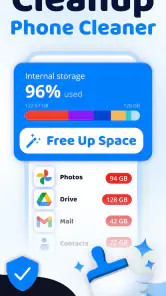
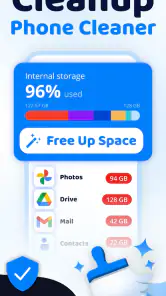
Once you open the app, you’re greeted with a big ol’ scan button. I mean, who doesn’t love a big button that says, "I got you"? With one tap, it starts analyzing your phone, hunting down all those junk files that sneakily pile up over time. The scan was pretty quick, and I could see in real-time what was weighing my phone down.
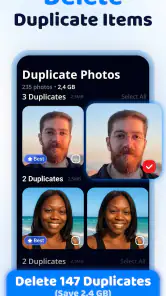
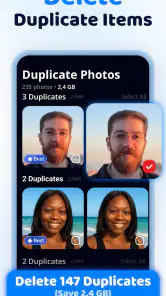
One cool feature I noticed was the Smart Cleaning option. It goes beyond just clearing cache and temporary files. It actually suggests what you can delete based on how you use your phone. So, if you've got old memes or duplicate photos lurking around, it’ll point them out for you.
Features That Stand Out
Now, let’s talk about some of the standout features. One thing I really appreciated was the deep clean capability. This feature digs deeper into your storage and finds files that are hogging space but often get overlooked. Whether it's a forgotten download or that app you haven’t used since forever, it lets you know.
They've also got a photo manager that’s pretty impressive. It sifts through your photos and groups duplicates and similar shots. It’s perfect for those of us who can’t resist snapping a million pics of the same sunset. With just a tap, you can free up a ton of space without accidentally deleting that perfect shot.
Performance Boost
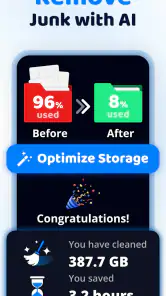
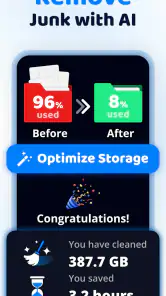
After running the cleanup, I noticed a significant boost in my phone's performance. It felt snappier, apps opened faster, and I didn’t have to deal with those annoying lags. It’s almost like my phone was saying, "Thanks for the spa day!"
Another thing that made me a fan is its privacy protection. You know how some apps feel a bit too nosy? Not this one. It doesn't pry into your personal data. Everything stays safe and sound, and your privacy is respected.
Ease of Use
Honestly, this app is a no-brainer when it comes to ease of use. Even if you're not the most tech-savvy person, navigating through its features feels intuitive. Plus, it doesn’t bombard you with ads, which is a huge plus in my book. You can actually enjoy cleaning your phone without getting sidetracked or annoyed by pop-ups.
The Verdict
So, is Cleanup: Phone Storage Cleaner worth it? Absolutely. It’s like having a personal assistant that tidies up your phone while you kick back and relax. Whether you're looking to free up space, boost performance, or simply keep your phone organized, this app does the job seamlessly.
Overall, I’d say give it a shot. It’s lightweight, effective, and respectful of your privacy. Plus, who doesn’t love a phone that runs smoothly? Go ahead, download it, and let me know if your phone feels as good as new!
Pros
- Efficiently frees up storage space.
- User-friendly interface
- easy to navigate.
- Quick scanning and cleaning process.
- Includes junk file and cache removal.
- Boosts overall phone performance.
Cons
- Contains in-app advertisements.
- Some features require paid version.
- Occasional false positives in scans.
- Limited support for older devices.
- May drain battery during use.

- Category
- Tools
- Version
- 1.0.8











