Blend Photo Editor & Effect
- 711.00
- 4.8
- Installs
- 5.00M
- Price
- Free
Screenshots
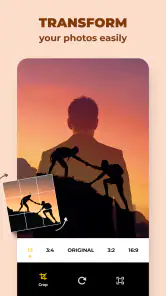
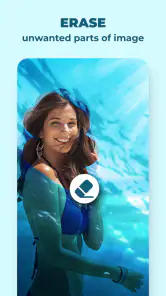
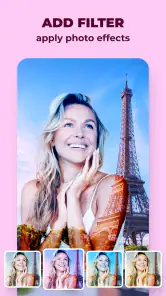
Analysis by Reviewed
I reach for Blend Photo Editor & Effect when a regular snapshot feels too ordinary and I want to turn it into a layered, imaginative picture. It’s a mobile art and design app from ZipoApps, built around combining photos and giving them a more expressive look. I find the basic idea easy to grasp: choose images, experiment with a blend, and keep adjusting until the result feels intentional rather than like two pictures accidentally piled together.
A good fit for quick creative experiments
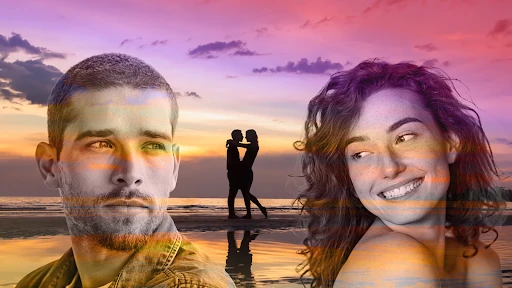
The app makes the most sense when I already have an idea that depends on two images: a portrait with a colorful background, a city scene with a texture, or a landscape that could use a more dreamlike mood. Instead of treating every photo as a candidate for routine cleanup, I think of it as a small compositing tool. That distinction helps set expectations. It is for changing the character of a picture, not necessarily for correcting every flaw in a photograph.
It is also useful when I want to make something personal without turning the process into a large project. For example, after a day out, I might pair a photo of a friend with a second image that recalls the place or mood of the day, then make a simple piece to send in a chat. I would keep the subject recognizable and let the second image add atmosphere. That kind of quick, informal result is where a blend-focused app can be more enjoyable than a broad editor with many unrelated controls.
I would skip it if my main goal were precise portrait retouching, detailed object cutouts, or a design that must follow exact layout measurements. Those jobs depend on control over individual areas and consistent positioning, which is a different kind of editing. A general editor is likely the better starting point for careful correction; a desktop tool makes more sense when the finished work needs extensive refinement. Here, I value speed and visual experimentation more than exactness.
Working with images on a phone
From the moment I launched Blend Photo Editor & Effect, I was hooked by its sleek and intuitive interface. You know how some apps just feel like a chore to navigate? Well, this one isn’t like that at all. It’s super user-friendly, and you don’t need to be a tech wizard to figure things out. The app's layout is clean, with all the tools neatly organized, making it a breeze to dive into the photo editing process.
The Magic of Blending
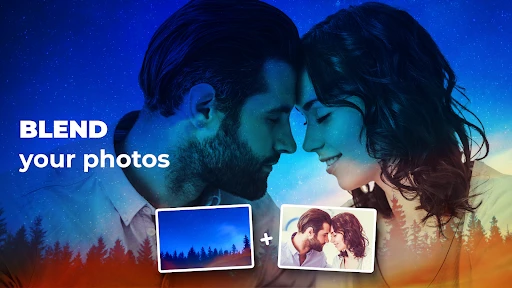
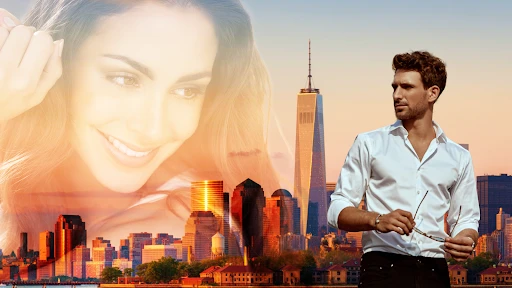
Let’s talk about the main feature that sets this app apart: blending. The ability to merge two photos into a single, captivating image is just fantastic. I tried blending a sunset photo with a cityscape, and the result was nothing short of mesmerizing. It’s like creating a dream-like world with just a few taps. The app offers a variety of blending modes, and you can easily adjust the transparency to get the perfect look. Trust me, once you start blending, it’s hard to stop!
Choosing images that work together
The less obvious part of making a convincing composite is the choice of source images. A blend can feel messy even when the controls are easy to use, simply because both photos demand attention. I get better results by giving one image a clear role as the main subject and letting the other provide texture, color, or setting. Before opening the editor, I look for a simple focal point in each photo and consider whether their lighting and overall mood feel compatible.
More From Our News Desk

Clash of Clans Is Won Between the Battles

Android Auto Makes the Case for Quieter Car Software

MobiOffice: Transforming Mobile Productivity with Seamless Integration

EA SPORTS FC™ Mobile Soccer: Redefining Mobile Sports Gaming

How Microsoft OneDrive Became a Mobile Productivity Giant

How Google Translate Breaks Language Barriers Effortlessly
When I am unsure, I try the pairing before committing to a long edit. If the subject disappears or the two scenes compete, I switch one image rather than trying to rescue the combination with more effects. Transparency is a practical first adjustment: lowering the overlay can restore detail and make the blend feel less crowded. This is a useful trade-off to remember, because a dramatic composite is not automatically a readable one.
Effects That Dazzle
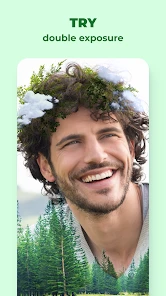
Beyond blending, the app offers a plethora of effects that can turn any mundane photo into a masterpiece. Whether it's adding a splash of color, applying a vintage filter, or sprinkling some sparkle, there's something for everyone. I particularly enjoyed the neon effects – they add such a vibrant, eye-catching flair that makes your photos pop. The effects are easy to apply and can be layered for even more creativity.
Layering is tempting, but I find it pays to judge each effect by what it does to the subject, not just by whether it looks striking on its own. A neon treatment can give a night scene energy, for instance, but it may overwhelm a face or an important detail if the image is already busy. I tend to make one change, pause, and look at the whole composition before adding another. If the image starts feeling noisy, removing an effect or easing the blend is often a better fix than adding a new one.
Sharing, signal, and a sensible workflow
Once you’ve crafted your masterpiece, sharing it with the world is a cinch. The app is integrated with all major social media platforms, so in just a tap, your friends can admire your creative genius. I found this feature super convenient, especially when I wanted to share my edited photos on Instagram instantly.
That quick handoff is also where connectivity becomes relevant. Editing and sharing are different parts of the experience: when I’m planning to post, I leave time for the social app or connection to finish the handoff rather than assuming a tap means the image is already published. If a share doesn’t go through, I’d check the destination app and connection first, then try sharing again; keeping the finished image available on the phone gives me a practical fallback without having to recreate the edit.
I would treat a share as a handoff, not proof that a post has appeared. If the destination app does not show the image, I check there before repeating the process, so I do not accidentally send the same thing more than once. When a connection is unreliable, it is more sensible to finish the creative work first and publish later than to rush through the last step. That small separation makes the experience less frustrating and keeps the editing decision independent of signal quality.
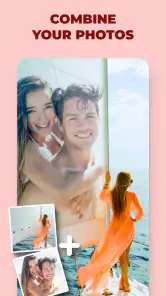
For a useful everyday project, I might combine a travel snapshot with a texture or a second scene, then use a restrained effect so the subject remains easy to recognize. A small transparency adjustment can make more difference than piling on effects: I start with the two images that have a clear visual relationship, then lower the overlay until both still contribute. This is a good way to make a birthday post, a mood-board image, or a playful image for a chat without needing a desktop editor.
Mobile checks before sharing
On a phone, it is easy to judge an image while zoomed in and miss how it will read in a feed or message preview. I take a moment to view the whole composition at a smaller size. If the main face, object, or scene no longer stands out, I simplify the effect or adjust the blend before sending it. This quick check is especially helpful for social images, where people may see a small preview rather than opening the full picture.
Framing matters too. If I already know where I plan to share an image, I keep that final crop in mind while choosing the source photos. A subject placed close to an edge can be lost when the image is displayed in a different shape. I would rather compose with a little breathing room than finish a blend and discover that the most interesting part sits where a crop could remove it.
Who will enjoy it—and who may not
This is a better fit for casual creative experiments than for precise retouching. If you want a quick, visual way to combine pictures, the blend-first approach is more direct than opening a general photo editor and hunting through a long tool list. On the other hand, someone who needs detailed masking, exact color correction, or a carefully controlled professional layout may prefer a fuller editor. The creative look is the point here; it won’t replace every kind of photo workflow.
The biggest trade-off is that an easy, expressive workflow does not guarantee fine control. A person who likes trying visual ideas may see that as freedom; someone who needs repeatable edits across a batch of images may find it limiting. I would use it for one-off artwork, playful posts, and mood-board pieces, but not as my only tool for preparing a consistent set of product images or carefully corrected portraits.
One useful habit is to choose source images with compatible lighting and a simple focal point. A bright, busy foreground over another busy scene can become muddy, even with a good blend. I get cleaner results by pairing one dominant subject with a quieter background and treating effects as finishing touches. If an edit starts looking crowded, I remove an effect or reduce the transparency before adding anything else. That small pause often improves the image more than another filter.
Free to try, with purchases to consider
The app is free to install and rated for Everyone, though in-app purchases range from $0.99 to $99.99 per item, so I’d check any purchase prompt before confirming it. Its current version is 4.5.7 and it requires Android 5.0 or later. With a 4.8 average from around 32,000 ratings and over 5 million installs, it has clearly found a broad audience, but those figures don’t tell me whether its style suits my own photos. I’d try it with a couple of images before deciding whether to spend anything.
My low-pressure way to evaluate it would be to start with two copies of photos I already have, test a straightforward blend, and see whether the result feels like something I would actually share or keep. There is no need to build an elaborate composition in the first session. A short test reveals whether the app’s visual approach matches your taste, while checking a purchase prompt carefully helps you make a deliberate choice rather than tapping through out of habit.
Wrapping It Up
In conclusion, Blend Photo Editor & Effect is a must-have app for anyone looking to add a touch of creativity to their photos. It’s not just about editing; it’s about transforming your photos into something magical. Whether you’re a budding photographer or just someone who loves to play with images, this app has something for everyone. So, if you're ready to unleash your inner artist, go ahead and give it a try. You won’t be disappointed!
I’d describe it more narrowly than “for everyone”: it makes the most sense for someone who enjoys visual play and wants a quick route to a composite, not for a photographer who expects fine-grained control over every part of an image. Compared with the usual all-purpose editors, its appeal is the immediacy of the two-photo idea; a general editor may offer broader correction tools, while this one encourages experimenting with overlays and effects. That focus is a strength when inspiration is the goal, but a limitation when accuracy is.
For mobile use, I’d save a little time to compare the result on the phone screen before sharing. A bright effect that looks exciting at first can compete with the subject at small size, so I check that the main face or object still reads clearly in a thumbnail. For a quick social post, that check is more useful than chasing a complicated finish. If you’re making an image for a specific platform, framing the two source photos with that final crop in mind can also help avoid losing the important part at the edges.
The app is free, and its release date was September 1, 2019. Its 711 written reviews sit alongside the broader rating picture, while the purchase range is worth keeping in mind if you explore paid options. I’d approach the first session as a small test: use personal copies of two images, try a blend, and see whether the available controls match your style before investing more time. That also makes recovery less frustrating if you dislike a direction—the original photos remain the sensible starting point for another attempt.
My connectivity verdict
For me, connectivity matters most at the moment I want to pass a finished image to another service, not while I’m deciding whether two pictures work together. I’d avoid relying on an immediate post when signal is uncertain, and I’d keep the source images handy until the share is confirmed. That simple workflow makes the app feel better suited to casual, on-the-go creativity than to a time-sensitive publishing job. If that’s the kind of photo play you want, it’s worth trying; if you need exact editing controls or a guaranteed, tightly managed posting process, I’d choose a different tool for that task.
Blend Photo Editor & Effect Frequently Asked Questions
Is Blend Photo Editor & Effect suitable for creating social media images?
The app focuses on blending photos and adding creative effects, so it can be useful when you want to make a more artistic image rather than a simple adjustment. Its editing tools are intended to help shape a composition and customize its look. Whether the result suits a particular social platform depends on the image you create and how you choose to use it.
Can I use Blend Photo Editor & Effect without paying?
Yes. The app is free to download, so you can begin using it without an upfront purchase. Optional in-app purchases are also available, and they may be relevant if you want access to paid content or tools. It is sensible to review any purchase prompt before confirming it, especially if you intend to keep your editing entirely free.
Does Blend Photo Editor & Effect work on my device?
Blend Photo Editor & Effect is an app in the Art & Design category, and its Android version requires Android 5.0 or later. It is listed as suitable for everyone, so it may appeal to a broad range of users. Before downloading, check that your device meets the operating-system requirement and has enough room for another photo-editing app.
Is Blend Photo Editor & Effect free to download?
Yes, Blend Photo Editor & Effect is free to download. It also offers in-app purchases, with items priced from $0.99 to $99.99, so some content or features may require payment. You can start with the free app and decide whether any optional purchases are worthwhile for the kinds of edits you want to make.
What is Blend Photo Editor & Effect?
Blend Photo Editor & Effect is a versatile mobile application designed to enhance your photos with a variety of creative effects and editing tools. Users can blend multiple images, apply artistic filters, and utilize advanced editing features to create stunning visual compositions. It's available for both Android and iOS platforms, making it accessible for a wide range of users.
Pros
- User-friendly interface for beginners.
- Wide range of blending effects available.
- High-quality image processing.
- Fast and responsive performance.
- Supports various image formats.
Cons
- Contains in-app advertisements.
- Limited free features available.
- Occasional app crashes reported.
- Needs internet for some effects.
- Subscription required for premium.
- Category
- Art & Design
- Version
- 4.5.7













