Remote Control for All TV
- 160.00
- 3.8
- Installs
- 10.00M
- Price
- Free

Screenshots
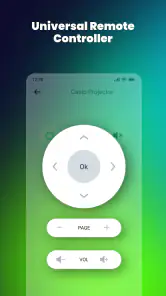
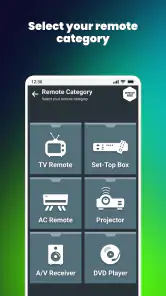
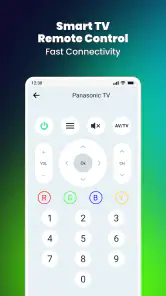
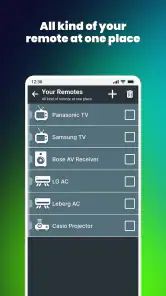

Analysis by Reviewed
I find a universal TV remote app most useful when it solves a small, familiar problem without adding a new routine: the original remote is missing, its batteries have run out, or there are several devices on the coffee table and I want one simple way to control them. Remote Control for All TV is a free House & Home app from ZipoApps that aims to put those controls on a phone. That promise is appealing, but the practical experience depends on whether your phone and equipment can communicate in a way the app supports.
Check the control path before relying on it
The key question before relying on this app is not just whether your television is supported, but how your phone sends commands to it. The published description focuses on smart IR remote controls, so check whether your phone has an infrared blaster and whether it works with your TV before expecting a phone-only replacement. A modern phone without IR should not be assumed to control a television just because the TV connects to home Wi-Fi. When you are setting things up, keep the phone pointed toward the equipment and test basic functions first; that quickly tells you whether this is a practical fit in your room.
That distinction matters in everyday use. If the TV is in a cabinet or the phone is behind the sofa, an infrared signal may not reach it reliably. I would treat clear line of sight as part of the setup rather than a fault to troubleshoot later. For a household that mainly wants to change volume and channels from the couch, this can be convenient; for someone expecting control from another room, the usual manufacturer app or a dedicated network-connected controller may be a better match.
Useful at home, less certain on the move
The app makes most sense where you already know the television and can test it directly: your living room, a guest room, or a family member’s house. Imagine arriving to watch a match, only to discover the remote has slipped between the cushions. If your phone has compatible IR, you can try selecting the television and checking power, volume, and channel controls before settling in. That quick test is more useful than assuming every TV will respond identically.
Taking the app to a friend’s place is less predictable. A broad range of television brands is a helpful starting point, but brand names alone do not guarantee that every model or device setup behaves the same way. If you often travel or visit homes with different equipment, keep the physical remote or another known control method available until you have tested the app there. It is a handy backup, not something I would count on as the only way to turn on an unfamiliar TV.
When a command fails
If a button gets no response, I would troubleshoot in a deliberate order: confirm that the phone has IR, aim it directly at the device, try a basic command such as volume, and then check whether the selected control profile matches the equipment. Testing one device at a time also helps when the room has a TV and a set-top box, since a working command for one does not prove the other is configured correctly. This is a practical way to avoid mistaking a connection mismatch for an app failure.
There is a trade-off here compared with keeping the original remote nearby. A physical remote is usually ready without checking phone compatibility or opening an app, while a phone can consolidate controls and is often already in your hand. If immediate reliability matters more than reducing clutter, keep the original remote accessible. If your main frustration is misplacing it, the app is worth trying as a secondary option. It is rated 3.8 on average from around 46,000 ratings, a mixed reception that makes a quick compatibility test sensible before you depend on it.
More From Our News Desk

Clash of Clans Is Won Between the Battles

Android Auto Makes the Case for Quieter Car Software

MobiOffice: Transforming Mobile Productivity with Seamless Integration

EA SPORTS FC™ Mobile Soccer: Redefining Mobile Sports Gaming

How Microsoft OneDrive Became a Mobile Productivity Giant

How Google Translate Breaks Language Barriers Effortlessly
How it fits into a home setup
Universal controls are most useful when they remove a specific annoyance, not simply because they put buttons on a screen. I would begin with the device I reach for most often and test only the essentials: power, volume, mute, and input or channel selection where relevant. If those work consistently from the place where I normally sit, then it is worth exploring the rest of the controls. This staged approach keeps setup manageable and makes it easier to identify which device or command is causing trouble.
A common living-room scenario is juggling a television and a set-top box. The TV may handle power and volume while the box handles channel changes, so a phone remote does not necessarily replace every control with one profile. I would keep a short mental note of which device responds to which buttons and test both before putting the original remotes away. This can be especially helpful in a shared household: a guest can use the phone for basic volume adjustments without needing to learn every control, while the familiar physical remotes remain available for less common tasks.
What the extra device controls change
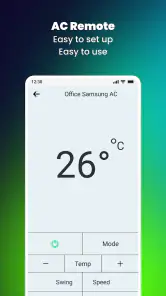
The app’s stated scope goes beyond televisions to include air conditioners and set-top boxes, which can make it more useful in a room where several infrared devices compete for space. Still, I would treat each appliance as a separate compatibility check rather than assuming that a successful TV setup proves the rest will work. For an air conditioner, for example, test the controls you actually need before relying on the phone in hot weather. If a particular device’s controls are more complicated than basic power or volume, the original remote may remain the easier choice.
That distinction also helps set expectations about what “universal” means in practice. It is a convenient attempt to cover multiple kinds of equipment, not a guarantee that every model exposes every function through the same layout. I would focus on the few buttons that matter day to day instead of judging the app by whether it mirrors every key on a manufacturer’s remote. If a less-used function is missing or awkward, keeping that appliance’s own controller nearby is a reasonable compromise.
Personalizing controls without making setup harder
The option to customize the remote layout can be useful once the basic controls are working. I would use it to bring the buttons I press most often into an easy-to-reach arrangement, rather than rearranging everything at once. For example, if I regularly adjust volume but rarely change channels, prioritizing volume can make one-handed use less fussy. The trade-off is that a personalized layout may be less obvious to another person in the household, so a simple arrangement is better if several people will use the same phone.
It is also sensible to make one change at a time and try it from the usual viewing position. That way, if a control becomes hard to find or the layout feels less natural, it is clear what changed. I would not spend time perfecting the screen before confirming that the phone can reliably send commands to the equipment; a tidy layout cannot compensate for an unsupported connection path.
Choosing between this, a manufacturer app, and a remote
Compared with an original physical remote, the main appeal here is having a backup on a device already in your hand and potentially consolidating controls for more than one appliance. The physical remote still has the advantage of being purpose-built: it does not depend on phone hardware, an open app, or a clear infrared path from wherever you happen to sit. If you need dependable access for children, guests, or someone who does not want to use a phone, the physical option is often the less complicated choice.
A manufacturer’s app can be a better fit when you want functions closely tied to one particular television or when the phone and TV are meant to communicate over a network. That route may suit someone whose phone lacks IR, but it is not automatically the simpler option if the home has equipment from several brands. This universal remote is most appealing when the devices are compatible with its IR approach and the goal is basic, nearby control. I would choose based on the actual phone and appliances in the room, not on the broad idea that one app should control everything.
Connectivity away from home
Using the app in another home raises two separate questions: whether the phone can send the command and whether the equipment is compatible. A familiar brand is not enough to answer either one. Before a visit where you expect to use it, test the phone’s IR with your own television and, if possible, try the app with the destination device before the original remote is out of reach. In a rental or guest room, I would avoid changing unfamiliar settings just to make a phone control work; asking for the supplied remote is usually the safer fallback.
For mobile-data-conscious use, I would test at home first and pay attention to any network prompts the app presents. The control method described for the app is infrared, but that alone does not settle whether every part of setup or use has network requirements. I would not assume either that it works entirely offline or that every button press uses mobile data. If data use matters, try the basic workflow on your usual Wi-Fi, then check the phone’s data-use controls rather than relying on guesswork.
Costs, expectations, and a sensible verdict
The app is free to install, with in-app purchases listed from $0.99 to $99.99 per item. I would check the purchase details before confirming anything and begin with the free experience to see whether your phone can control the devices you actually use. It is rated for Everyone, has reached over 10 million installs, and its current version is 5.4.5.1; those figures show broad adoption, but they do not tell you whether a particular phone has the hardware needed for IR control.
It is also worth being realistic about data and network expectations. I would not assume that commands work without a network connection, or that the app needs a network for every command; the connection path depends on the equipment and setup. If you are trying to limit mobile data, test the app at home while connected to your usual Wi-Fi and note whether the basic controls respond before using it away from home. Avoid granting or enabling anything you do not understand, and review any purchase prompt rather than treating it as part of setup.
The app is best suited to people with a compatible IR-equipped phone who want a convenient backup for a TV, set-top box, or air conditioner. It is less suitable if your phone lacks IR, you need dependable control from another room, or you want a guaranteed replacement for a physical remote without testing compatibility. Compared with a manufacturer’s app, a universal remote can be appealing when you have multiple brands or devices; the manufacturer option may be preferable when you need features tied closely to one particular TV. I would install this one as a backup, test it with the exact devices I own, and keep the original remote until it proves dependable in my home.
Who is likely to get the most from it?
I would recommend trying it if you have an IR-equipped phone, a television or appliance you can test nearby, and a practical reason to want a spare control. It is particularly suited to someone who often misplaces a remote or wants to reduce the number of controllers on a side table. It is less compelling for a household whose phones lack IR, for anyone who expects control through walls, or for a person who needs a dependable, ready-to-use option without troubleshooting. In those cases, the original controller or a suitable network-based alternative is the more sensible starting point.
Remote Control for All TV was released on Apr 8, 2020, and version 5.4.5.1 requires Android 5.0 or later. Those details can help you decide whether it is available for an older Android phone, but they do not answer the more important practical question: whether that phone has the right control hardware for your equipment. The app has around 160 reviews in addition to its rating count, so I would weigh the general reception as a reason to test carefully, not as a substitute for testing in my own room.
My connectivity verdict
For me, the strongest case for Remote Control for All TV is as a nearby backup that can simplify a small part of home life after compatibility is confirmed. Its value depends less on how many devices it aims to cover than on whether the particular phone can reach the particular appliance from the places I actually use it. I would install it, test a few essential commands, and keep a fallback within reach. If that short trial works well, it can earn a place on the phone; if not, a physical remote or the TV maker’s own control option is a better fit.
In a world where we constantly lose remotes, having Remote Control for All TV on your smartphone is a game-changer. It's convenient, user-friendly, and packed with features that make controlling your TV and other devices a breeze. So, if you’re looking to simplify your life and say goodbye to the era of multiple remotes, this app is definitely worth a shot. Trust me, once you try it, you'll wonder how you ever lived without it!
Remote Control for All TV Frequently Asked Questions
Can Remote Control for All TV replace my physical TV remote?
It can serve as a convenient alternative for compatible televisions, letting you use your phone for basic control instead of reaching for the original remote. Whether it can fully replace that remote depends on your TV, phone, and connection method. Check that the app supports your setup before relying on it as your only way to control the television.
Does Remote Control for All TV need special permissions or access to my home network?
The connection method affects what the app needs to do: Wi-Fi control requires communication with a compatible television over the network, while infrared control relies on the phone having an IR blaster. Review the permissions shown during installation and setup, and allow only those that make sense for the features you plan to use.
Can I control more than one television with Remote Control for All TV?
The app is intended to work with televisions from a range of brands, so it may be useful in a home with more than one TV. The exact experience depends on whether each television is supported and how it connects to your phone. Check each set separately during setup rather than assuming that one successful connection means every TV will work.
Does Remote Control for All TV work on both Android and iPhone?
Remote Control for All TV is an app for controlling televisions, but compatibility depends on the phone and the connection method the app uses. Before downloading, check that the app is available for your device and that your phone can communicate with your TV through IR or Wi-Fi. The app is free to download, with optional in-app purchases.
What devices are compatible with the Remote Control for All TV app?
The Remote Control for All TV app is designed to work with a wide range of TV brands and models, including Samsung, LG, Sony, Philips, Panasonic, and more. It is compatible with both smart TVs that have Wi-Fi connectivity and older models that require an IR blaster. Before downloading, ensure your smartphone has the necessary hardware to support IR functionality if needed.
Pros
- Wide compatibility with various TV brands.
- User-friendly interface for easy navigation.
- Quick setup with automatic device detection.
- No need for physical remote control.
- Supports both infrared and Wi-Fi connection.
Cons
- May not work with older TV models.
- Contains ads in the free version.
- Requires internet for some features.
- Limited customer support options.
- Battery drain with prolonged use.
- Category
- House & Home
- Version
- 5.4.5.1











