AR Drawing Paint Sketch Trace
- 77.00
- 4.8
- Installs
- 1.00M
- Price
- Free
Screenshots
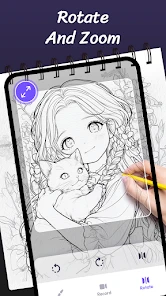
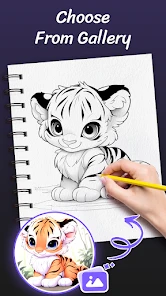
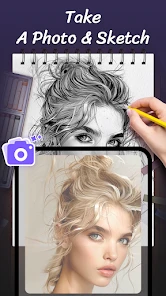
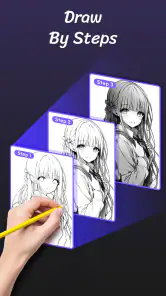
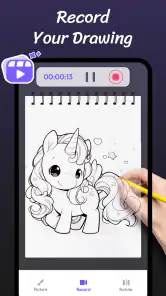
Analysis by Reviewed
So, I stumbled upon this curious little app called AR Drawing Paint Sketch Trace, and I just had to give it a spin. Let me tell you, this app is a game-changer if you have a knack for drawing but need that extra push to unleash your inner artist.
Bringing Your Drawings to Life
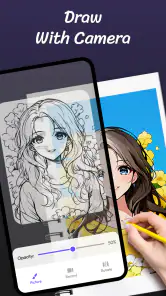
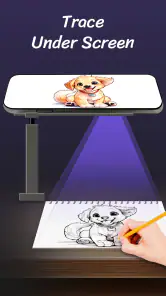
At first glance, AR Drawing Paint Sketch Trace might seem like another regular drawing app, but it’s got a twist. It uses augmented reality to project images directly onto your sketchpad. Imagine your phone acting like a virtual projector, guiding your hand as you trace lines and shapes. Pretty neat, huh?
How It Works
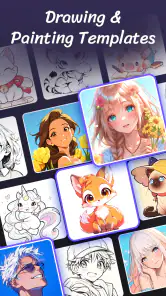
Once you fire up the app, you can choose from a variety of images or even upload your own. The app then uses your device's camera to overlay the image onto the surface you’re drawing on. It’s like having a transparent sheet over your page, but way cooler and more high-tech.
What’s more, the app offers different modes to suit your style, whether you’re tracing a simple sketch or working on a complex piece of art. The interface is super intuitive, making it easy even for beginners to jump right in.
The Fun Factor
What I absolutely love about this app is the way it makes drawing feel like a fun game. You can challenge yourself with intricate patterns or just doodle around. It's perfect for those lazy afternoons when you want to unwind with a bit of creative expression.
Plus, it’s not just for solo artists. You can have a blast with friends, taking turns tracing and adding to each other’s creations. It turns a quiet drawing session into a social experience.
Why You Should Try It
If you're someone who loves art but struggles with getting proportions right or visualizing the final piece, this app is a must-try. It’s like having a mini art teacher in your pocket, guiding your every move. The augmented reality feature truly sets it apart, making the whole drawing process feel magical.
Whether you're a seasoned artist looking to experiment or a newbie trying to find your style, this app offers something for everyone. It’s user-friendly, fun, and a fantastic way to spend your time creatively.
So, go ahead, give AR Drawing Paint Sketch Trace a whirl. Who knows? You might just discover a hidden talent or simply enjoy the therapeutic process of drawing with a little high-tech help.
Pros
- Enhances creativity and artistic skills.
- User-friendly interface for all ages.
- Wide range of drawing tools available.
- Supports various image formats.
- Regular updates with new features.
Cons
- Requires internet for some features.
- Occasional bugs in undo function.
- Limited free version features.
- Ads can be intrusive at times.
- High battery consumption.
- Category
- Art & Design
- Version
- 1.4.7











