All Document Reader:PDF Viewer
- 99.00
- 3.8
- Installs
- 1.00M
- Price
- Free
Screenshots

Analysis by Reviewed
I find All Document Reader: PDF Viewer most appealing when a phone has become a landing place for documents in several formats. Instead of switching between a PDF app, an office suite and a file viewer just to check what someone sent, I can use one business-focused reader for everyday browsing. That convenience matters most in the first week, when the app can quickly earn a spot on the home screen simply by making common files easier to find and open.
First Impressions
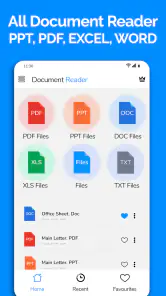
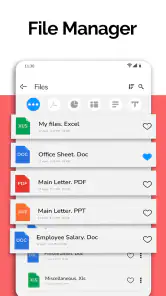
Firing up the app for the first time, it greets you with a clean and intuitive interface that's as welcoming as a warm cup of coffee. You don't need to be a tech whiz to navigate through it, which is a huge plus for someone like me who often finds apps unnecessarily complicated. The home screen is neatly organized, offering quick access to your recent files, which is a lifesaver when you're in a rush.
Features That Stand Out
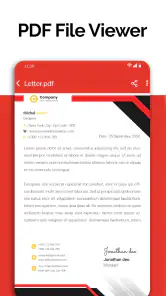
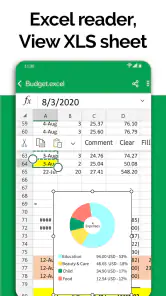
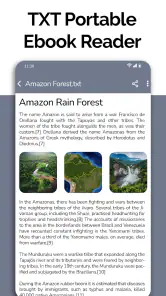
Now, let’s dive into what makes this app tick. First off, this isn't just your run-of-the-mill PDF viewer. Oh no, it's a full-fledged document reader that supports a plethora of formats - from Word docs to Excel sheets, PowerPoint presentations, and of course, PDFs. It's like having a Swiss Army knife for documents right in your pocket!
The app also boasts a nifty feature that allows you to bookmark pages. This is perfect for anyone who, like me, tends to forget where they left off in a long document. And if you’re someone who prefers reading in the dark, the night mode feature is just what you need to ease the strain on your eyes.
Those tools are most useful when I treat the app as a quick-reading station rather than a place to edit work. For example, I can open a long PDF, bookmark the page where I stop, then return to it during a commute without relying on memory. For a spreadsheet sent for a meeting, I’d use the reader to inspect the information on my phone, but I’d still choose a dedicated office app if I needed to change formulas or carefully rework the layout. That distinction keeps expectations realistic: convenient access is not the same as a full desktop editing workflow.
Performance and Usability
When it comes to performance, All Document Reader: PDF Viewer is pretty smooth. Documents load quickly, and I didn’t experience any annoying lags, which is often a deal-breaker for me. Plus, the app doesn’t hog your phone’s memory, so it won’t slow down your device, even if you’re juggling multiple tasks.
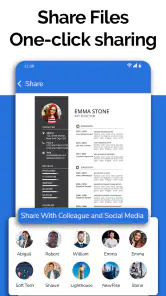
Usability-wise, the app is a breeze. The search function is robust, allowing you to find specific text within documents easily. Plus, you can share documents directly from the app with just a few taps, making it super convenient for work or school projects.
More From Our News Desk

Clash of Clans Is Won Between the Battles

Android Auto Makes the Case for Quieter Car Software

MobiOffice: Transforming Mobile Productivity with Seamless Integration

EA SPORTS FC™ Mobile Soccer: Redefining Mobile Sports Gaming

How Microsoft OneDrive Became a Mobile Productivity Giant

How Google Translate Breaks Language Barriers Effortlessly
A practical routine is to use search before scrolling through a long file: look up a product name, meeting topic or section heading, then bookmark the page if you’ll need it again. When sharing, I’d double-check the selected document before sending, especially if several similar files are open or recent. These small habits help turn a general reader into a dependable part of a workday, while avoiding the common phone-screen frustration of hunting through pages or attaching the wrong version.
Making It Useful Beyond the First Week
The long-term appeal depends on how often mixed-format documents land on your phone. If you regularly receive PDFs alongside Word files, presentations and Excel sheets, keeping one reader handy can reduce app switching. If you only open an occasional PDF, your phone’s built-in viewer may already be enough, and a separate install may not earn lasting space. I’d decide based on repetition, not novelty: does it save me a few steps every week, or does it sit unused after an initial browse?
A realistic example is a small-business owner who gets a spreadsheet before a meeting, a PDF invoice later in the day and a presentation from a colleague. This app can serve as a convenient place to inspect those files and search for a detail while away from a computer. It is less suitable as the only tool for someone who must revise documents, collaborate on drafts or manage complex spreadsheets. For those jobs, a dedicated office suite is the better companion; for quick reading across formats, this reader’s broader scope is the point.
One trade-off to keep in mind is that an all-in-one reader can feel less specialized than an app built around a single format. A dedicated PDF tool may be preferable if your routine centers on advanced PDF work, while a full office app is more appropriate when editing is central. I’d also check whether the files I rely on open as expected before making this my sole document app. That quick trial is a sensible way to learn whether its range fits my actual documents, rather than assuming every format behaves identically.
Who Should Keep It Installed?
For students, freelancers and people who handle mixed paperwork on the go, the strongest reason to keep it is convenience: recent files, page bookmarks, text search and sharing all support quick reference. The app is free to install, though in-app purchases range from $2.99 to $49.99 per item, so I’d review any purchase prompt carefully and decide whether a paid option is genuinely useful to my routine. It is rated for Everyone, and One Stop Apps is the developer.
The app’s average rating is 3.8 from around 5,500 ratings, with over 1 million installs. It was released on December 7, 2023, and version 3.1.6 requires Android 7.0 or later. Those details give a useful sense of its place in the category, but my own keep-or-remove test would be simpler: whether it reliably handles the kinds of documents I receive and whether I return to its reading tools after the first few days.
Final Thoughts
So, is All Document Reader: PDF Viewer worth downloading? In my book, absolutely. It’s an all-in-one solution for anyone who deals with documents regularly. Whether you're a student drowning in PDFs or a professional handling various file types, this app has got your back. It's reliable, easy to use, and doesn’t cost a dime. That's right, it's free!
In conclusion, if you're in the market for a document reader that won't leave you high and dry, give this app a whirl. Trust me, you won’t regret it!
For me, the lasting value comes down to a modest but useful habit: opening the same reader whenever a file arrives, then using search, bookmarks or sharing only when they make the task quicker. Maintenance is light if the app stays focused on reading; the friction appears when I expect it to replace specialist tools or handle every document workflow equally well. If you want a straightforward way to inspect a mixture of files on your phone, it is worth trying. If your work depends on editing and collaboration, I’d keep a dedicated office app in the mix instead.
All Document Reader:PDF Viewer Frequently Asked Questions
Is All Document Reader: PDF Viewer available for both Android and iOS?
All Document Reader: PDF Viewer is an app for opening and reading documents on a mobile device. Before downloading, check that the version available through your device’s app store is compatible with your phone or tablet. The Android version requires Android 7.0 or later. The app is free to download, though some optional purchases may cost extra.
Who makes All Document Reader: PDF Viewer, and what should I know about its audience?
The app is developed by One Stop Apps and is listed in the Business category. Its content rating is Everyone, so it is intended for a broad audience. It has an average rating of 3.8 from around 5,500 ratings, with about 99 written reviews. Those opinions can help set expectations, but your experience may depend on your device and how you use the app.
What is All Document Reader: PDF Viewer and what file formats does it support?
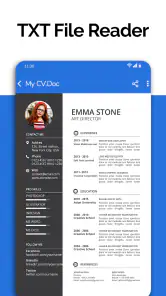
All Document Reader: PDF Viewer is a versatile application designed to open and read various document formats on your mobile device. It predominantly supports PDF files but also accommodates a wide range of other formats such as DOC, DOCX, XLS, XLSX, PPT, TXT, and more. This makes it an essential tool for users who frequently handle multiple document types in both professional and personal settings.
Is All Document Reader: PDF Viewer free to use, or are there any in-app purchases?
All Document Reader: PDF Viewer is available as a free download, providing access to its basic features without any cost. However, it includes in-app purchases priced from $2.99 to $49.99 per item, which may unlock additional features or other paid options. Review the purchase details shown in the app before confirming anything, so you can decide whether the free features meet your needs.
How user-friendly is the interface of All Document Reader: PDF Viewer?
The interface of All Document Reader: PDF Viewer is designed to be highly user-friendly, catering to both novice and advanced users. It features a clean and intuitive layout that allows users to easily navigate through their documents. The app offers straightforward options to open, view, and manage files, making it accessible for users with varying levels of technical expertise.
Pros
- Supports various file formats like PDF
- Word
- Excel.
- User-friendly interface for easy navigation.
- Allows file sharing directly from the app.
- Offline access to documents.
- Fast loading of large documents.
Cons
- Contains ads that can be intrusive.
- Limited editing features for documents.
- Occasional crashes on older devices.
- Free version has limited features.
- Requires in-app purchases for premium features.
- Category
- Business
- Version
- 3.1.6











