AIReel : AI Video Generator
- 465.00
- 4.5
- Installs
- 1.00M
- Price
- Free

Screenshots
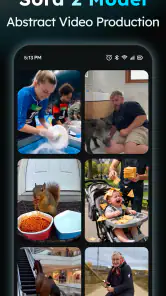

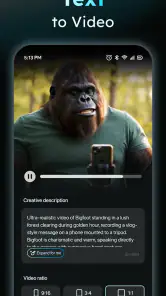
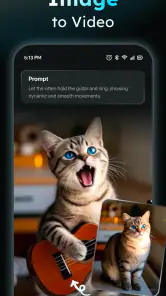
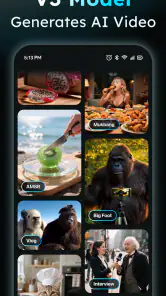
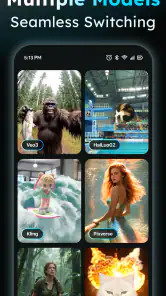
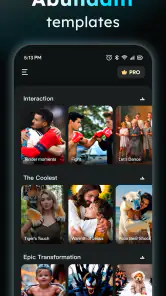
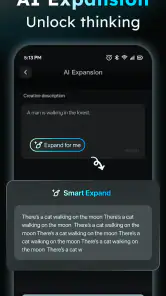
Analysis by Reviewed
Ever thought about creating stunning videos without spending hours in front of editing software? Well, that's where AIReel: AI Video Generator comes into play. This nifty app promises to transform your video-making experience by harnessing the power of AI. I decided to take it for a spin and see if it lives up to the hype. Spoiler alert: it’s pretty impressive!
Getting Started with AIReel
First things first, downloading and setting up AIReel: AI Video Generator was a breeze. Available for both Android and iOS, it’s just a quick tap away on your favorite app store. Once installed, you’re greeted with a sleek, user-friendly interface that doesn’t overwhelm you with too many options. The design is intuitive, making it super easy for anyone to get started, even if you’re a complete newbie to video editing.
Features That Stand Out
Now, let’s dive into the features. AIReel comes packed with some seriously cool tools that make video creation feel like magic. The standout feature for me is the AI-driven editing. You can upload your clips, and the AI works its magic to stitch them together into a cohesive video, complete with transitions and effects. It’s like having a pro editor in your pocket.
Another feature worth mentioning is the music library. AIReel provides a decent selection of royalty-free tracks that you can easily add to your videos. The AI even suggests tracks based on the mood of your video, which is a nice touch.
Creating a Masterpiece
Using AIReel to create a video is as simple as it gets. You start by selecting your clips, and the app guides you through the process. The AI analyzes each clip and proposes edits, effects, and music that would work best. You have the option to tweak these suggestions, but honestly, the AI does a pretty solid job on its own.
One feature I particularly enjoyed is the text overlay. AIReel lets you add captions and titles with various fonts and styles, making your videos more engaging. Plus, the AI can suggest text placements that enhance the storytelling aspect of your video.
When Things Get Creative
If you’re looking to add a creative flair, AIReel has got you covered with its special effects and filters. You can turn a simple clip into something dramatic or whimsical with just a few taps. The best part? The AI suggests effects that match the theme of your video, so you don’t have to spend time figuring out what looks good.
The app also supports exporting in various resolutions, which is perfect for sharing on different platforms, whether it’s Instagram, TikTok, or YouTube. And don’t worry about watermarks ruining your work—AIReel keeps them discreet, so your content remains the star of the show.
Final Thoughts
After spending some time with AIReel, I have to say, it’s a game-changer for anyone looking to create high-quality videos with minimal effort. The AI-driven features are not just gimmicks; they genuinely enhance the video-making process. Whether you’re a social media enthusiast or someone who just wants to create memorable videos, AIReel: AI Video Generator is definitely worth a try.
In a world where content is king, AIReel helps you rule your creative kingdom with ease and style. So, if you’re ready to unleash your inner Spielberg, give AIReel a shot and see what magic you can create!
Pros
- User-friendly interface for all skill levels.
- Quick video generation with minimal effort.
- Offers a variety of customizable templates.
- High-quality video output.
- Regular updates with new features.
Cons
- Limited free version features.
- Occasional lag on older devices.
- Requires a stable internet connection.
- In-app purchases can add up quickly.
- Some templates lack customization options.

- Category
- Art & Design
- Version
- 2.6.2











