AI Photo - Image Generator
- 15.00
- 4.3
- Installs
- 1.00M
- Price
- Free
Screenshots
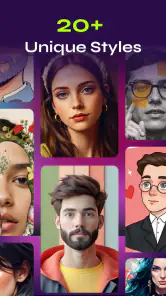
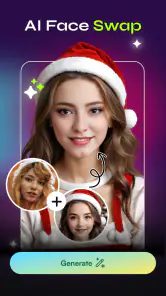
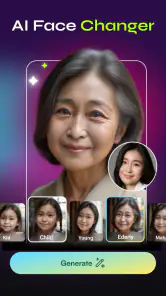
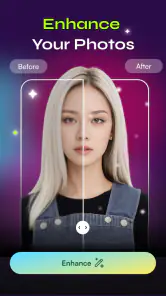
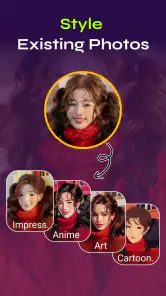
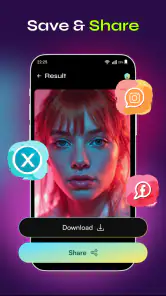
Analysis by Reviewed
When I want a quick visual idea rather than a polished design project, an AI image generator can be a useful place to start. AI Photo - Image Generator is an art-and-design app from MLC Development that turns written concepts into AI-made images. I’d treat it as a lightweight creative tool: handy for exploring a mood, making a personal image, or finding a starting point, but not a substitute for a full editor when precision matters.
From a rough idea to a usable image
Begin with a clear intention
The most useful first step is deciding what the image needs to do. A picture for a private mood board can be strange or experimental; an image intended for a presentation needs to communicate a more specific idea. That distinction matters because AI generation is most rewarding when I’m open to interpretation and more frustrating when I already have an exact composition in mind.
I would start with a compact description that names the subject, setting, and overall feel. For example, instead of asking for “a nice landscape,” I might describe a quiet coastal path at dusk with muted colors and a solitary figure in the distance. That gives the generator a more meaningful direction without turning the prompt into a long, tangled list of demands.
It also helps to decide what I am willing to let the app improvise. If the image only needs to suggest a theme, unexpected details can be a pleasant part of the process. If it must match a brand palette, contain accurate text, or place an object in a precise spot, I would keep expectations modest and plan to finish the work elsewhere.
Shape the prompt, then judge the output
The central creative task is translating an idea into words and then deciding whether the generated result is close enough to be useful. I recommend changing one part of a prompt at a time when exploring a direction. If I alter the subject, lighting, style, and setting all at once, it becomes difficult to tell which change improved the result.
A practical approach is to first settle the subject and scene, then refine the atmosphere. For a social post about a rainy afternoon, I might focus on a window, a cup on a table, and soft overcast light. If the image feels too busy, I would simplify the description rather than add more adjectives. This kind of restraint often makes an AI prompt easier to evaluate.
Generated art also needs a human quality check. I would look closely at faces, hands, small objects, and any areas where several shapes meet. These are common places for image generators to produce details that look convincing at a glance but odd on closer inspection. A result can still work as a thumbnail or inspiration, while being unsuitable for a large print or a client-facing graphic.
Use iteration as exploration, not a guarantee
The app’s appeal is the possibility of moving from a written thought to a visual interpretation without first learning a complex design program. That makes it approachable for casual experimentation. It does not mean every prompt will land on the first try, though, and I would approach revisions as a creative loop rather than a promise of exact control.
One useful habit is to keep a small record of the wording that produced a promising image. Even a note in another app can help me remember which subject and mood worked. I would then make a deliberate variation: perhaps shift the setting from a studio to an outdoor scene, or make the lighting warmer while keeping the main subject unchanged. This makes the process feel less random and helps me compare ideas fairly.
For a quick everyday example, imagine I need a visual for a weekend reading group. I could use the app to explore a cozy illustration concept, compare a few moods, and choose one image that sets the tone. If the group needs a finished poster with readable event details, I would use the generated image as a background idea and add the actual words in a separate design tool. That handoff is important: image generation can provide atmosphere, while layout software is better suited to exact typography.
Move the image into the rest of your workflow
An AI-generated picture is often only one part of a finished result. I would think about the destination before spending time refining a prompt: a phone wallpaper, a private inspiration board, and a printed invitation all have different demands. The more exact the final format needs to be, the more likely I am to need another app for cropping, retouching, adding text, or checking how the image looks at its intended size.
This is where AI Photo - Image Generator fits best as a starting point rather than an all-in-one production desk. I can imagine using it to break through a blank-page problem, then handing the strongest concept to a photo editor or layout app. For a simple personal image, that extra step may not be necessary. For a polished graphic, it is sensible to separate image creation from finishing work.
If I were sharing a generated image publicly, I would also review it in context before posting. A detail that is easy to miss on a small screen may stand out when the image is enlarged. I would check the focal point, edges, and any accidental-looking objects, then crop or adjust the image elsewhere if needed. That quick review can prevent a promising concept from feeling unfinished.
What it does well—and where it can let you down
The main strength is accessibility: I can approach image-making through an idea rather than a set of drawing tools. That is useful for people who want to visualize a scene but do not consider themselves artists, and for experienced creators who want a fast source of concepts. The app is free, rated for Everyone, and has a 4.3 average from around 9,500 ratings, which gives a prospective user a broad sense of its reception without guaranteeing that every person’s results will match their taste.
There are trade-offs. A text prompt is not the same as precise art direction, so an image may interpret the brief differently from what I imagined. The process can also take patience: revising a vague prompt, reviewing the result, and deciding whether to try again is part of the work. If I need consistent characters across several images, exact product details, or reliable lettering inside the artwork, I would choose a tool built around those requirements or plan to edit the output manually.
Compared with a conventional drawing app, this one shifts effort from sketching and painting to describing and selecting. Compared with a standard photo editor, it is aimed at creating a visual concept rather than correcting a photograph I already own. Those differences make it appealing for imagination-led tasks, but they also make it the wrong choice when the job is mainly retouching, compositing, or precise page design.
Who should try it, and who should look elsewhere
I would recommend it to someone who enjoys visual experimentation, needs a quick concept image, or wants an approachable way to turn a scene into artwork. It may also suit a hobbyist who wants to make personal images without building a complicated workflow. With more than one million installs and a current version of 1.1.3, it has reached a sizeable audience, while still feeling like a focused option for generating images rather than managing an entire creative project.
I would skip it if my priority were dependable control over every visual detail or a finished design ready for professional use without further checking. Artists who want to draw directly may prefer a canvas-based app; people editing photographs may be better served by a dedicated photo editor. If my work depends on exact text, consistent characters, or strict brand rules, I would use this app only for rough inspiration and keep the final production in a more controllable tool.
A sensible way to decide
My recommendation is to try it with a low-stakes idea first. Choose one scene you can describe clearly, keep the prompt focused, and assess whether the result is useful for your actual purpose—not merely attractive at a glance. If you enjoy the process of refining an idea and can accept some unpredictability, AI Photo - Image Generator is a reasonable creative companion. If you need accuracy more than surprise, its role is better limited to the first stage of a larger workflow.
MLC Development’s app runs on Android 7.0 and later, and its free entry point makes experimentation easy to consider. I’d use it for inspiration, personal artwork, and visual drafts, then bring the strongest result into another tool whenever the job calls for careful editing or layout. The best results come when I treat the generated image as a creative starting point, not a finished answer.
AI Photo - Image Generator Frequently Asked Questions
What is AI Photo - Image Generator, and what can it do?
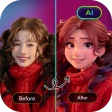
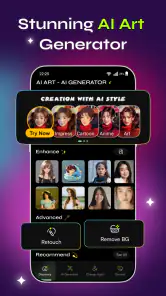
AI Photo - Image Generator is an app designed to create or transform images using artificial intelligence. Depending on the tools available in your version, you may be able to generate artwork from a written prompt, restyle an existing photo, or explore preset effects and templates. Results depend on the prompt, image quality, and selected settings, so it is best viewed as a creative tool rather than a guaranteed way to produce a precise image.
Is AI Photo - Image Generator free to download and use?
The app may be free to download, but that does not necessarily mean every feature is free. Image-generation credits, limits on daily creations, premium styles, or subscriptions may apply, and the available terms can vary by platform or app version. Before purchasing or starting a trial, check the in-app pricing and renewal details in the App Store or Google Play, including how to cancel if you do not want continued billing.
Do I need an internet connection to generate images?
AI image generation commonly relies on processing performed by online servers, so an internet connection may be required to submit prompts and receive results. Some editing or viewing tools might work without a connection, but offline access should not be assumed. If you plan to use the app while traveling or on a limited data plan, check its current requirements and consider that uploading photos or downloading generated images may use mobile data.
What happens to the photos and prompts I upload?
When you provide a photo or prompt, the app may process that information to create an image and could retain it temporarily or for longer, depending on its policies. Review the app’s privacy policy and requested permissions before uploading personal, sensitive, or identifiable images. Avoid sharing content you do not have permission to use, and check whether the app offers controls for deleting creations, account data, or uploaded files.
Can I use images made with AI Photo - Image Generator commercially?
Commercial use depends on the app’s current terms, the type of content you create, and any rights attached to the images or source material. Do not assume that downloading a generated image automatically gives you unrestricted ownership or permission to use it in advertising, products, or client work. Check the app’s licensing rules, and make sure your prompts, uploaded photos, and intended use respect copyright, privacy, and applicable laws.
Articles Related to AI Photo - Image Generator
Clash of Clans Is Won Between the Battles
Its raids are quick; its community is a long-term project of coordination, teaching, rivalry, and shared responsibility—with all the friction that entails.
Android Auto Makes the Case for Quieter Car Software
The car interface is no longer judged by how much it can do, but by how quietly it helps. Android Auto shows what drivers now expect—and what still gets in the way.
MobiOffice: Transforming Mobile Productivity with Seamless Integration
MobiOffice: Word, Sheets, PDF is redefining mobile productivity with a surprising blend of functionality and innovation.
EA SPORTS FC™ Mobile Soccer: Redefining Mobile Sports Gaming
Dive into EA SPORTS FC™ Mobile Soccer, where immersive gameplay and strategic depth transform mobile sports gaming.
Pros
- Quickly turns written prompts into original images.
- Offers an easy way to explore different visual ideas.
- Generated images can be useful for social posts and creative projects.
- No drawing skills are needed to get started.
- A convenient option for creating images on a mobile device.
Cons
- Results may not match the prompt exactly.
- Fine details
- text
- and hands can appear distorted.
- Image quality and styles may vary between generations.
- Some features or generations may require payment or credits.
- Creating images may take time and a reliable internet connection.
- Category
- Art & Design
- Version
- 1.1.3