VSCO: Photo & Video Editor
- 19.88K
- 3.6
- Installs
- 100.00M
- Price
- Free

Screenshots

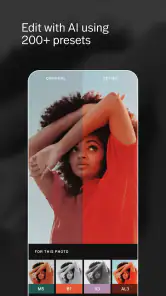
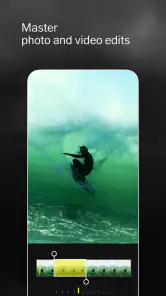
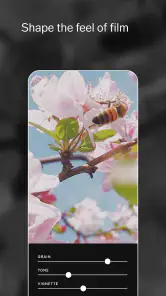
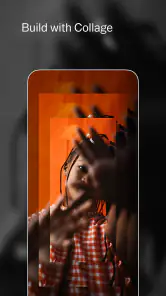
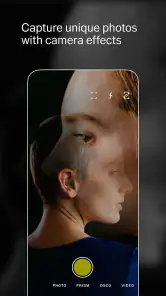
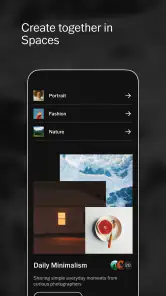

Analysis by Reviewed
Shared photos can turn a phone into a small household scrapbook: a meal someone wants to remember, a pet caught mid-mischief, or a weekend walk everyone experienced differently. I find VSCO: Photo & Video Editor most useful when one person wants to give those moments a considered look rather than simply apply the same automatic enhancement to everything. It is a photography app from VSCO, and its editing tools can make a set of unrelated snapshots feel more coherent without requiring a desktop workflow.
One phone, several people, and a clear editing role
On a shared device, I would treat editing as an individual task rather than assume that everyone’s pictures and creative work belong in one common space. Before handing the phone over, agree who is choosing images and who is making edits; that simple habit avoids accidental changes and keeps personal photos from being treated as household material. I would also check which account is active before sharing anything. The app’s creative community can be part of the appeal, but posting publicly is a different decision from adjusting an image for private use.
A practical routine is to take a few versions of an everyday scene, pick the strongest frame, and edit only that one. A consistent treatment can help family pictures look related, while leaving the originals alone until everyone is happy with the result is a sensible safeguard. This is especially useful when a child borrows a parent’s phone to make a collage of a birthday or a school-day moment: the adult can set expectations about what is private and what, if anything, is shared. I would not rely on the app as a substitute for those conversations or assume it supplies household supervision tools.
Choosing a look without over-editing
VSCO’s filters work best for me as a starting point, not a finish line. For a mixed batch of indoor and outdoor pictures, I first choose one image that represents the mood I want, then adjust its brightness and color before applying a similar approach to the rest. A filter that flatters warm café light may make a shaded garden look too yellow, so matching every frame mechanically can be less successful than keeping a shared style while making small image-by-image corrections.
That workflow is one reason the app suits people who enjoy shaping a photo. If I only need to remove a blemish, add text, or make a quick crop for a specific social post, a simpler editor built around those tasks may be faster. VSCO is more appealing when the tone of the image matters as much as the basic correction. Its video editing is useful when I want clips to sit visually alongside photos, though someone who needs a full timeline, complex titles, or detailed sound work should look to a dedicated video editor instead.
Harnessing Creativity with VSCO
First off, let’s talk about what makes VSCO: Photo & Video Editor stand out from the crowded room of photo editing apps. The app doesn’t just offer a plethora of filters; it provides a whole new perspective. You know that feeling when you take a picture, and it just doesn’t capture the vibe you’re aiming for? VSCO’s filters are like magic wands that transform ordinary photos into pieces of art. And we’re not just talking about slapping on a filter and calling it a day. Each filter is customizable, allowing you to tweak the exposure, contrast, and saturation until it matches your aesthetic vision.
The Features You Can’t Ignore
Now, here’s where VSCO gets juicy. Besides the impressive array of filters, the app boasts a clean and intuitive interface. It’s like walking into a minimalist’s dream studio – everything in its place, no clutter, just pure creative potential. And let’s not forget the editing tools. Whether you need to crop, straighten, or adjust the white balance, VSCO has got your back. For the video aficionados out there, VSCO doesn’t leave you hanging. It extends its powerful editing tools to videos, ensuring your clips are just as stunning as your photos.
But wait, there’s more. VSCO isn’t just an app; it’s a community. The built-in social network is a haven for creative souls eager to share their work and draw inspiration from others. You can follow, be followed, and explore a plethora of creative content that’ll make your artistic heart sing.
Living the VSCO Lifestyle
If you’re wondering if VSCO is worth the investment, let me paint you a picture. Imagine sipping a latte at a quaint café, editing your latest travel photos with ease, and sharing them with a community that truly appreciates the art of photography. While the app is free to download, the premium membership unlocks a treasure trove of additional features and filters. And trust me, once you dip your toes in the premium waters, there’s no going back.
Price, age, and what to expect before installing
The app is free to install, with optional in-app purchases ranging from under a dollar to around thirty dollars per item. That makes it easy to try the editing style before spending anything, but I would explore the free experience first rather than assume a paid option is necessary. If you are choosing it for someone else, remember that its Teen content rating is a reason to discuss account use and sharing with younger users, not proof that every social interaction will suit every household.
It has been available since 2013, and the current Android release is version 444.2, requiring Android 6.0 or later. Its 3.6 average comes from around 1.3 million ratings, while more than 100 million installs show that it is a familiar choice in mobile photography. Those figures tell me it has broad reach, but they do not guarantee that its editing style or social side will fit your habits.
Where it fits among photo apps
Compared with the usual all-purpose phone editor, VSCO puts more emphasis on a cohesive visual style and creative browsing than on quick, practical fixes. The built-in camera and gallery tools on a phone are often the better choice when I only need a fast brighten-and-share result. A layered editor is more suitable when precise selections, compositing, or retouching are central to the job. VSCO sits between those approaches: approachable enough for casual photos, but satisfying for someone willing to make deliberate adjustments.
For an ordinary evening, I might photograph dinner in mixed kitchen light, choose a frame where the food and people both look natural, then reduce the intensity of a filter and correct the warmth before sharing it with the family. The key is to judge skin tones and neutral surfaces, not just whether the plate looks dramatic. That small check prevents a polished-looking image from becoming an inaccurate record of the moment.
The app is a strong fit for people who enjoy visual consistency, want photo and video edits in one creative space, or like browsing other makers’ work for ideas. I would skip it if I want a completely private utility with no interest in a creative community, need advanced video production, or prefer every edit to happen automatically. In a shared household, it works best when one person owns the account and everyone agrees on what gets posted; it is not a family-organizing or parental-control solution.
In a world where image is everything, VSCO offers a way to express yourself authentically and creatively. Whether you’re a seasoned photographer or just someone who loves to capture moments, this app is your gateway to a world of visual storytelling. So, if you haven’t already, give VSCO a whirl. Who knows, you might just unleash the creative genius within you!
My household verdict
I would recommend VSCO to the person in a household who enjoys editing and can keep a light hand, especially when the goal is to give shared memories a consistent feel. It is less compelling as a shared account for several people with different privacy expectations, or as the only editor on a phone when speed and specialized tools matter more than style. Start with a few ordinary photos, compare the edited versions at normal screen brightness, and decide whether the look genuinely improves them. If it does, the free entry point makes trying it straightforward; if not, the phone’s basic editor may already be enough.
VSCO: Photo & Video Editor Frequently Asked Questions
How much storage space does VSCO need on my phone?
VSCO is a photography app for editing photos and videos, so the space it uses can depend on how you use it and the media you work with. Before downloading, make sure your device has room for the app and for images or videos you choose to keep. If storage is tight, reviewing saved media and unused apps can help.
What age group is VSCO intended for?
VSCO has a Teen content rating, which can help families decide whether it is appropriate for a younger user. The app combines photo and video editing with an optional community where people can share creative work. As with any social feature, parents and guardians may want to discuss sharing choices and privacy expectations before a teen starts using it.
Is VSCO suitable for beginners, or is it mainly for experienced photographers?
VSCO can be approachable for beginners who want to make quick edits with filters, while its range of editing tools also gives more experienced photographers room to fine-tune an image. The clean, minimalist design helps keep the editing experience focused. You can start with simple adjustments and explore more options as you become comfortable with the app.
What is VSCO and what makes it different from other photo editing apps?
VSCO is a popular photo and video editing app known for its wide range of preset filters and advanced editing tools. Unlike other apps, VSCO emphasizes a minimalist design and a community-driven platform where users can share their creations without public likes or comments, fostering a more creative and less competitive environment.
Is VSCO free to use, or does it require a subscription?
VSCO offers a free version with limited features, including basic editing tools and some filters. However, to access the full suite of editing tools, presets, and exclusive content, a VSCO Membership is required, which is a paid subscription renewed annually. This membership also includes access to educational content and community challenges. The app is free to download, with optional in-app purchases for additional offerings.
Articles Related to VSCO: Photo & Video Editor
Clash of Clans Is Won Between the Battles
Its raids are quick; its community is a long-term project of coordination, teaching, rivalry, and shared responsibility—with all the friction that entails.
Android Auto Makes the Case for Quieter Car Software
The car interface is no longer judged by how much it can do, but by how quietly it helps. Android Auto shows what drivers now expect—and what still gets in the way.
MobiOffice: Transforming Mobile Productivity with Seamless Integration
MobiOffice: Word, Sheets, PDF is redefining mobile productivity with a surprising blend of functionality and innovation.
EA SPORTS FC™ Mobile Soccer: Redefining Mobile Sports Gaming
Dive into EA SPORTS FC™ Mobile Soccer, where immersive gameplay and strategic depth transform mobile sports gaming.
Pros
- Intuitive user interface
- High-quality filters available
- Advanced editing tools
- Community sharing feature
- Regular updates
Cons
- Limited free features
- Can be resource-heavy
- Occasional app crashes
- Subscription required for full access
- No direct social media integration

- Category
- Photography
- Version
- 444.2











