Tesla
- 9.37K
- 3.5
- Installs
- 5.00M
- Price
- Free

Screenshots
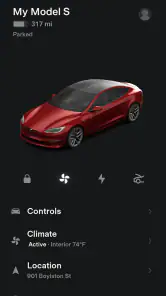
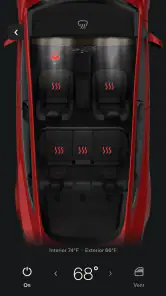
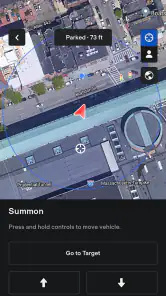
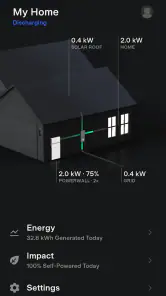
Analysis by Reviewed
I find the Tesla app most valuable when it’s treated as a practical companion to owning a Tesla, rather than a general lifestyle download. It brings vehicle-related tasks into one place, which can make ordinary routines—checking in before a drive, managing charging, or arranging service—feel less scattered. If you don’t own a Tesla, the experience is more of a preview than a tool you can make full use of.
Free to download, with value tied to ownership
The app is free, so there’s no download charge to weigh against its features. That makes trying it straightforward, but its real value depends on whether you have a compatible Tesla vehicle or Powerwall to connect with. I wouldn’t judge it like a standalone lifestyle app: most of the benefit comes from managing Tesla products, not from browsing an assortment of unrelated tools.
It is made by Tesla, Inc., and sits in the lifestyle category. The app has a 3.5 average from around 46,000 ratings, with more than 5 million installs. Those figures suggest plenty of people use it, though the rating also makes me cautious about calling the experience flawless. It is rated for everyone, and version 4.51.0-3639 supports Android 7.0 and later. The app first appeared in 2013, so it has had a long life alongside the company’s connected products.
Where the convenience shows up
The main advantage is having a phone-based way to check on and interact with your vehicle or Powerwall when you are away from home. That can be useful for a quick status check or for handling a task without going back to the car. For an owner who already relies on connected controls, keeping those actions together is more useful than installing a generic car-management app that cannot communicate with Tesla equipment.
A realistic example is leaving work on a hot afternoon: checking the car and preparing it before you walk outside can make the first few minutes of the trip more comfortable. The same idea applies on a cold morning. I’d use remote actions as a convenience before a planned departure, rather than as a reason to keep checking the app throughout the day.
Trade-offs and the right fit
The app’s usefulness is naturally limited if you are not part of the Tesla ecosystem. A person who wants general vehicle records, tools for several car brands, or an app mainly for browsing local services will probably get more from a neutral alternative. Likewise, the phone app cannot replace the vehicle itself for tasks that make more sense from the driver’s seat; it is a companion, not a reason to expect every part of ownership to happen remotely.
I’d also keep expectations measured around convenience features. A remote command is only helpful when it fits the situation, and relying on a phone for every check can become more fuss than benefit. Before making the app part of a daily routine, I’d connect the product I actually own, review which controls are relevant, and keep the handful I use most easy to find. That small bit of setup can make the app feel purposeful instead of crowded.
More From Our News Desk

Weather by Xiaomi Review: Clear at a Glance, Less Clear Up Close

X Under Pressure: Can It Recover When Posting Goes Wrong?

Clash of Clans Is Won Between the Battles

Android Auto Makes the Case for Quieter Car Software

MobiOffice: Transforming Mobile Productivity with Seamless Integration

EA SPORTS FC™ Mobile Soccer: Redefining Mobile Sports Gaming
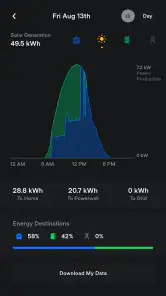
For Powerwall owners, the same principle applies: the appeal is having a direct way to check in on Tesla home energy equipment. If you only need a broad household energy dashboard or want to compare devices from different manufacturers, a wider-ranging energy app may suit you better. The Tesla app is strongest when the product it supports is already central to your routine.
My take on whether it’s worth installing
I’d recommend it to Tesla vehicle and Powerwall owners because free access makes it an easy way to manage the products they already use. I’d skip it if I had no Tesla equipment and wanted an app with independent value. The 3.5 average also tells me to approach it as a useful companion with room for frustration, not a perfect substitute for every in-person control or service interaction.
Getting Started with the Tesla App
First things first, downloading the app is a breeze. Available on both Android and iOS, I found it pretty straightforward to get it up and running. The user interface is sleek and modern, much like the cars themselves. Once logged in, you're greeted with a dashboard that displays all the vital information about your vehicle. From battery life to location, everything is accessible at your fingertips.
Features That Stand Out
One of the coolest features I've come across is the ability to control your car remotely. Imagine this: it’s a scorching summer day, and you can cool down your car before even stepping inside. Or during those chilly winter mornings, you can preheat your car while you sip on your coffee. It's little things like these that make the app a game-changer.
Another feature I particularly enjoyed is the charging station locator. With a few taps, you can find the nearest charging station, complete with real-time availability. This is incredibly handy, especially when you're on a long road trip and need to plan your stops efficiently.
Integration and Connectivity
The app seamlessly integrates with your Tesla vehicle, ensuring that you’re always connected. Whether it's checking your car's software updates or booking a service appointment, everything can be done through the app. Plus, it offers real-time notifications, so you're always in the loop about your car's status.
One thing that I found particularly useful is the app's navigation feature. It syncs with your calendar events, suggesting routes based on your schedule. This level of integration not only saves time but also enhances the overall driving experience.
Final Thoughts
After spending some quality time with the Tesla app, I can confidently say that it lives up to the brand’s reputation for innovation. It’s not just an app; it's a personal assistant for your car. Whether you're using it to monitor your vehicle's health or to make your driving experience more comfortable, this app does it all with ease.
In conclusion, if you’re a Tesla owner, this app is a must-have. And even if you're not, it's a fascinating glimpse into the future of automotive technology. So, why not give it a spin? You might just find yourself dreaming of owning a Tesla!
Tesla Frequently Asked Questions
Is the Tesla app useful if I do not own a Tesla vehicle or Powerwall?
The Tesla app is designed to communicate with Tesla vehicles and Powerwalls, so its main purpose is to help people who use those products. If you do not have either, there may be little reason to install it as a day-to-day tool. It is not presented as a general-purpose vehicle app, and its usefulness depends on having a Tesla product to connect with.
Is the Tesla app free to download, and what age group is it suitable for?
The Tesla app is free to download and is rated for everyone, making it suitable for a broad audience. Keep in mind that a free download does not necessarily mean every related service is free; some features may involve additional costs. The app is most relevant to Tesla vehicle and Powerwall users, so consider whether you have a product to connect before installing it.
What is the Tesla app, and who develops it?
Tesla is a lifestyle app developed by Tesla, Inc. Its purpose is to help users communicate with Tesla vehicles and Powerwalls, making it a companion for people who use those products. The app is free to download, and its broad audience rating means it is presented as suitable for everyone. If you are considering installing it, its usefulness will depend on whether you have a Tesla vehicle or Powerwall to connect with.
What devices and operating systems can run the Tesla app?
The Tesla app is available for Android and iOS devices, so you can access it from a compatible smartphone. On Android, it requires version 7.0 or later. Before downloading, check that your device meets that requirement and that you are choosing the official app from Tesla, Inc. The app is intended to communicate with Tesla vehicles and Powerwalls, rather than serve as a general-purpose vehicle-control app.
What features does the Tesla app offer?
The Tesla app provides a comprehensive suite of features that enhance the Tesla car ownership experience. Users can remotely control their vehicle's climate, lock and unlock doors, and monitor charging status. It also offers real-time GPS tracking, scheduling service appointments, and accessing roadside assistance. The app integrates seamlessly with your Tesla car, allowing for effortless management and monitoring.
Pros
- Innovative autopilot feature
- High-performance electric vehicle
- Over-the-air software updates
- Spacious and modern interior
- Extensive Supercharger network
Cons
- Expensive initial cost
- Limited service centers
- Long charging times
- Occasional software glitches
- High repair costs
- Category
- Lifestyle
- Version
- 4.51.0-3639












