Teladoc Health
- 32.35K
- 4.4
- Installs
- 5.00M
- Price
- Free

Screenshots
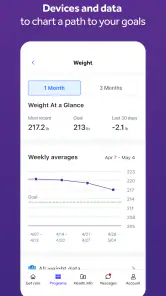
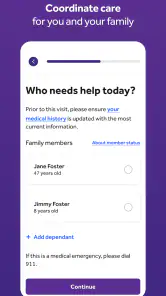
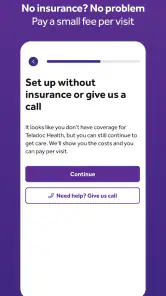
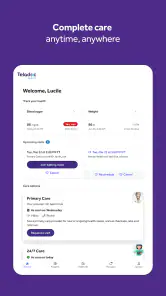
Analysis by Reviewed
I find the most useful way to think about Teladoc Health is as a route to remote care, not a replacement for every visit with a clinician. That distinction matters when you are deciding whether to open the app, call your usual doctor, or seek in-person help. Teladoc, Inc. makes this free medical app, and its 4.4 average from around 76,000 ratings suggests many people find it useful. The right choice still depends on what is wrong and what kind of care you need.
Where a virtual visit can hit a snag
Remote care sounds simple, but the first hurdle is often practical: you need to be able to explain the concern clearly and have a reliable way to communicate. A video or phone conversation cannot give a clinician the same view as an in-person examination. If a concern depends on a physical assessment, or feels urgent or severe, do not let the convenience of an app delay appropriate in-person or emergency care.
It also helps to approach a consultation with a short, useful account of what is happening: when it started, what has changed, and what you have already tried. I would keep medication names and relevant health details nearby rather than trying to recall everything under pressure. That preparation makes a remote conversation more focused, especially when you are tired or arranging care for someone else.
Setup checks that make the first visit easier
The app is free and rated for Everyone, but that does not mean every visit or service will necessarily be available in every situation. Before relying on it for a time-sensitive concern, check that you can sign in and reach the part of the app you need. Teladoc Health is currently version 5.22.1 and requires Android 9 or later, so an older device may be the actual obstacle rather than the account or care service.
When getting ready for a visit, choose a place where you can speak comfortably and hear the clinician. If the app or call does not connect, checking your internet connection, closing and reopening the app, and trying again are sensible first steps. If a technical problem persists, use the app’s available support route or another appropriate way to arrange care instead of repeatedly entering the same details.
Recovering a visit without losing the thread
A dropped connection can be frustrating, but it does not automatically mean the medical conversation has to start from scratch. Keep a brief note of the main concern and any questions you still need answered; if you reconnect or speak with another care provider, you can give a concise recap. I also find it useful to write down the guidance I receive while it is fresh, so I am not relying on memory later.
For a parent seeking advice about a child, for example, having the child’s symptoms and timeline ready can make the conversation easier to follow. For a recurring concern, a simple record of what has changed since the last discussion may be more helpful than describing each episode from memory. These are small habits, but they reduce friction without assuming that the app itself stores or tracks those details.
More From Our News Desk

Weather by Xiaomi Review: Clear at a Glance, Less Clear Up Close

X Under Pressure: Can It Recover When Posting Goes Wrong?

Clash of Clans Is Won Between the Battles

Android Auto Makes the Case for Quieter Car Software

MobiOffice: Transforming Mobile Productivity with Seamless Integration

EA SPORTS FC™ Mobile Soccer: Redefining Mobile Sports Gaming
When the problem may be outside the app
Not every delay or difficulty is a software issue. A clinician may need more information, the concern may be better handled in person, or your connection may be unstable. If you cannot get the help you need through a remote conversation, switch to your regular healthcare provider or an appropriate in-person service. For emergencies, use emergency services rather than waiting for an app-based consultation.
Teladoc Health is a better fit for someone who wants a remote option for a non-emergency concern, values convenience, and is comfortable describing symptoms by phone or video. It may be less suitable if you need a hands-on examination, prefer face-to-face appointments, or want one app to serve as a complete replacement for an established care relationship. Compared with calling a clinic, it can offer a different way to begin a conversation; compared with searching symptoms online, it lets you discuss the concern with a healthcare professional. Neither comparison makes remote care right for every problem.
Choosing remote care for the right kind of day
A useful way to decide whether to open the app is to ask what you need from the next step. If you mainly need to talk through a non-emergency concern and understand what action may be appropriate, a remote consultation can be a reasonable starting point. If you need an examination, tests, or hands-on treatment, a clinic is the more direct route. I would not use convenience alone as the deciding factor; the type and seriousness of the concern should come first.
For instance, imagine a mild problem appearing after normal clinic hours, with no emergency symptoms, while you are caring for a child at home. Rather than spending the evening trying to diagnose it through search results, you could gather the symptom timeline, make sure you can communicate, and use a remote conversation to ask what to do next. The practical benefit is not a guaranteed instant answer; it is having a more informed discussion without first making a trip.
Small preparation choices that pay off
Before starting, I would write down the one question I most want answered. It is easy to spend a short consultation describing background details and then realize you never asked whether a symptom has changed the plan. A compact note with the main concern, when it began, relevant medicines, and that priority question helps keep the conversation useful without turning it into a scripted interview.
If you are arranging care for another person, check that you can describe the situation accurately and that they can participate when appropriate. A parent may know when a child’s symptoms started but not remember every medicine already taken; checking those details first avoids guesswork. This is a practical advantage of preparing outside the app: your notes remain useful even if the connection drops or you decide a different care route is better.
How it fits beside clinics and symptom searches
Compared with a usual clinic call, a virtual service can make it easier to start a conversation without traveling, but it does not remove the value of a clinician who already knows your history. For an ongoing condition or a concern that needs examination, your regular provider may be better placed to coordinate care. I would see remote care as another doorway into healthcare, not a replacement for keeping important relationships and records organized.
Compared with searching symptoms online, talking with a healthcare professional can help you move from a list of possibilities to a discussion of your own situation. But an app-based conversation still depends on what can be communicated remotely, and it cannot turn a digital exchange into a physical assessment. If you need a diagnosis that relies on examination or testing, use the appropriate in-person route rather than treating online advice as a substitute.
Have you ever wished to have a doctor right in your pocket, ready to help you out anytime? Well, that dream is now a reality with Teladoc Health. This nifty app is revolutionizing the way we approach healthcare by providing medical consultations without ever stepping foot in a clinic. Let me walk you through how this app has become a game-changer in our digital health era.
The Convenience of Virtual Healthcare
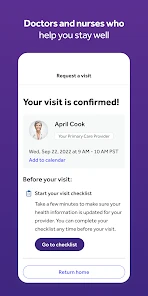
First off, let's talk about the convenience. Imagine waking up with a sore throat and fever—ugh, right? Now, instead of dragging yourself to the nearest clinic, all you need to do is grab your phone, open Teladoc Health, and within minutes, you're chatting with a healthcare professional. It's as simple as that! No more waiting rooms or scheduling conflicts. The app connects you to board-certified doctors, therapists, and specialists who are ready to tackle your health concerns.
Easy-Peasy Setup
Setting up the app is a breeze. Once you've downloaded it, creating an account is straightforward. Fill in your medical history, and you're good to go. The interface is super user-friendly, making navigation smooth as butter. Whether you're tech-savvy or not, you'll find it a piece of cake to use.
Wide Range of Services
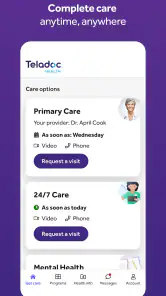
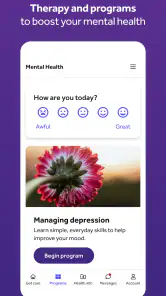
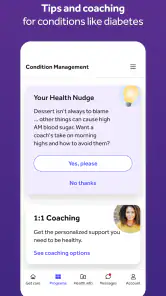
What sets Teladoc Health apart is its extensive range of services. From general medical inquiries to mental health support, they’ve got it all covered. Whether it’s a nagging cough or some advice on managing anxiety, the app ensures you get the right care at the right time. Plus, they provide pediatric services, which is a huge relief for parents needing quick access to medical advice for their little ones.
Quality Care Anytime, Anywhere
One of the standout features is the 24/7 availability. It doesn’t matter if it’s the middle of the night or a busy weekday afternoon, help is always just a tap away. This accessibility is crucial, especially for those juggling work, family, and other responsibilities. It gives you the peace of mind knowing medical support is always within reach.
Secure and Reliable
Now, you might be wondering about the security aspect. Rest assured, Teladoc Health has stringent privacy measures in place to protect your personal information. All consultations are confidential, and the app complies with all healthcare regulations. So, you can focus on getting better without any worries about your data.
Making a consultation count
One question people often have is whether a remote appointment can replace their usual doctor. I would not treat it that way. A remote visit can be helpful for discussing a concern, but continuity matters when you have a complex history or need follow-up over time. If you already have a clinician who understands your care, keep that relationship central and use a virtual option when it genuinely suits the situation.
Another useful question is what to do if the first attempt does not work. Start with basic checks: confirm the device meets the app’s operating-system requirement, check the connection, and try reopening the app. If you still cannot get through, avoid repeatedly submitting the same information or waiting if the issue is urgent. Contact the care provider through another available route, or seek in-person help when that is more appropriate.
My practical take
In everyday use, the strongest case for this kind of service is a situation where getting to a clinic is inconvenient but waiting for a routine appointment is not appealing. Imagine waking with a mild, familiar concern before a workday: you can organize the details, find a quiet moment to talk, and decide with a clinician what makes sense next. That is a useful alternative to guessing from search results, though it is not a shortcut around urgent care or a physical examination when one is needed.
Teladoc Health has been available since September 30, 2013, and has more than five million installs. Those figures give a sense of its reach, but they do not guarantee that every individual visit will be effortless or that every concern suits remote care. I would treat it as one practical option in a broader healthcare routine, rather than the only place to turn. Its medical focus is clear, and the service is free to download; choosing it for a particular need still calls for common-sense judgment.
In conclusion, Teladoc Health is more than just an app; it's a lifeline for those needing prompt and reliable healthcare services. It bridges the gap between patients and healthcare professionals, making medical care more accessible and efficient. Whether you're at home, at work, or on the go, having this app means you're never far from the care you need. So, why not give it a go and experience the future of healthcare today?
Teladoc Health Frequently Asked Questions
Can I use Teladoc Health if I have never had a virtual medical appointment before?
Yes. Teladoc Health is designed to make online care accessible through a phone, so you do not need prior experience with virtual appointments to consider using it. Before getting started, think about whether you can comfortably explain your concern remotely and whether virtual care suits the situation. If you have urgent or severe symptoms, seek emergency or in-person care instead.
What should I check before installing Teladoc Health on my phone?
Check that your device meets the app’s minimum operating-system requirement and that you can access the relevant app store for your phone. Teladoc Health is a medical app for online doctors and condition management, so also consider whether you are comfortable using a phone for health-related communication. The app is free to download, although care itself may involve charges depending on your coverage.
Who is Teladoc Health intended for, and what should I consider before using it?
Teladoc Health is a medical app for people looking to access online care and condition management through their phone. Before downloading, consider whether you are comfortable discussing health concerns remotely and whether this kind of service fits your needs. It is designed to support virtual care, so it should not be treated as a replacement for emergency services or in-person attention when those are needed.
Is Teladoc Health free to download, and could using it involve other costs?
Teladoc Health is free to download, but that does not necessarily mean every consultation or service is free. Costs can depend on your insurance coverage and plan, so check those details before arranging care. The app may be useful for connecting with a doctor remotely, but it is sensible to understand any potential charges in advance rather than assuming that downloading the app covers the cost of a visit.
What is Teladoc Health and how does it work?
Teladoc Health is a telemedicine app that connects users with board-certified doctors through video calls, phone calls, or text messages. The app is designed to provide medical consultations without requiring in-person visits. Users can describe their symptoms, receive a diagnosis, get prescriptions if necessary, and even seek mental health support, all from the convenience of their smartphone.
Pros
- 24/7 access to doctors.
- Available on multiple platforms.
- User-friendly interface design.
- Offers mental health support.
- Secure and private consultations.
Cons
- Limited to certain countries.
- Requires stable internet connection.
- Some services may incur extra costs.
- Not suitable for emergency cases.
- Occasional long wait times.
- Category
- Medical
- Version
- 5.22.1