T-Life
- 93.53K
- 4.6
- Installs
- 10.00M
- Price
- Free

Screenshots

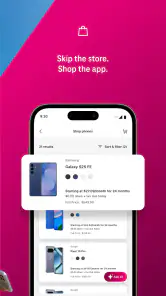
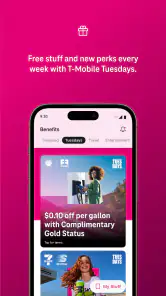
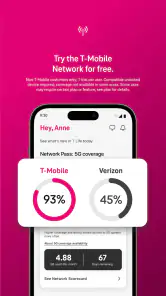
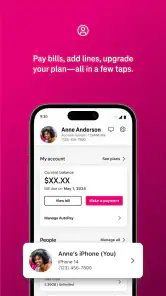
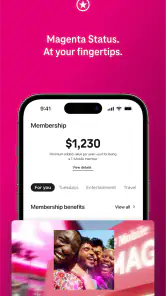
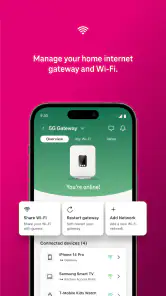
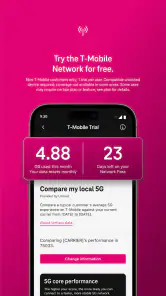
Analysis by Reviewed
I tend to get stuck with T-Life when I expect it to behave like a general organizer rather than an app for T-Mobile customers. Its purpose is tied to the carrier, so the first useful check is whether I’m signing in with the account I actually use for my T-Mobile service. If I’m looking for a standalone habit tracker, calendar, or to-do list, I’d choose a dedicated app instead; those tools are built around those jobs, while this one is intended to bring T-Mobile-related tasks together.
Start with the account and the task
Before troubleshooting, I’d decide what I came to do and make sure I’m using the right account. A sign-in problem can be an account issue rather than an app failure, and switching between personal and other accounts can make the cause less obvious. I find it helps to pause before retrying repeatedly: check the account details, confirm the connection is working, then try the task again. That simple order avoids wasting time changing settings when the issue is really the sign-in.
For a practical routine, I’d open T-Life when I want to handle something connected to my T-Mobile relationship, then leave unrelated planning in the calendar or reminder app I already trust. Keeping those roles clear is a useful trade-off: fewer places to check for carrier matters, without expecting one app to replace every tool on my phone.
Recover without making the problem harder
If a screen appears stuck, I’d first give the current action a moment to finish and check whether the phone still has a usable internet connection. Then I’d close and reopen the app and try once more. If the same problem remains, noting what I tapped and where it stopped gives me a much clearer starting point for support than repeatedly changing account details or reinstalling in a hurry.
I’d also avoid assuming that every delay is caused by T-Life. A weak connection, an account sign-in issue, or a task that needs attention outside the app can all interrupt a workflow. The useful habit is to separate those possibilities: check connectivity, verify the account, and retry the specific action. If other online apps are also struggling, I’d address the phone’s connection first rather than treating T-Life as the culprit.
Where it fits in a normal day
Picture needing to take care of a T-Mobile-related task while heading out the door. I’d open T-Life, sign in with the account associated with my service, and deal with that task there; I wouldn’t move my shopping list, work calendar, and personal goals into it just because they are also part of daily life. That boundary makes the app more useful: it can serve as a focused place for carrier matters without becoming another inbox I feel obliged to maintain.
This is also where it differs from the usual alternatives. A general lifestyle or productivity app may offer broader planning, while a carrier app has a narrower reason to be on my phone. If I mainly want to organize routines, I’d pick a dedicated planner. If I’m a T-Mobile customer who wants a place to begin with carrier-related needs, T-Life is the more relevant choice. Someone who doesn’t use T-Mobile is unlikely to get enough value to justify keeping it.
You May Like

Clash of Clans Is Won Between the Battles

Android Auto Makes the Case for Quieter Car Software

MobiOffice: Transforming Mobile Productivity with Seamless Integration

EA SPORTS FC™ Mobile Soccer: Redefining Mobile Sports Gaming

How Microsoft OneDrive Became a Mobile Productivity Giant

How Google Translate Breaks Language Barriers Effortlessly
What’s the Buzz Around T-Life?
Imagine having a personal assistant right in your pocket. Well, that’s exactly what T-Life aims to be. This app is designed to help you manage your tasks, keep track of your goals, and even remind you of those pesky little things we often forget. The interface? Slick and user-friendly. Navigating through the app is a breeze, and trust me, you’ll feel like a pro in no time.
Features That Stand Out
One of the first things I noticed about T-Life is its seamless integration with other apps. Whether it's syncing your calendar or pulling in reminders from various platforms, it does the job effortlessly. This isn’t just another task manager; it’s your one-stop-shop for organization and productivity.
Let’s talk about customization. Who doesn’t love a good personalized touch? T-Life allows you to tweak settings, create custom reminders, and personalize your dashboard to suit your style. It’s like having a tailor-made app just for you.
User Experience and Interface
The app scores high on the user experience front. It’s intuitive, and even if you’re not a tech-savvy person, you’ll find it easy to use. The design is clean with a modern aesthetic, making it pleasing to the eyes. Plus, the developers have done a stellar job of ensuring that everything runs smoothly without glitches.
My recommendation is more cautious than that description suggests: the strongest reason to install it is a direct need for T-Mobile’s app, not a search for a universal organizer. As a free lifestyle app from T-Mobile USA, it has broad reach, with over ten million installs and an average rating of 4.6 from around 942,000 ratings. It is rated for Everyone, so its audience is not limited by an age-restricted label, though the practical value still depends on being a T-Mobile customer.
Make the first session count
I’d approach the first session with one concrete goal instead of trying to explore every part of the app at once. Sign in with the account used for your service, then attempt the task that prompted the install. That gives you a fair test of whether the app fits your needs and makes any friction easier to describe. If you’re setting it up for someone else in your household, first confirm which account they use; guessing between accounts can turn a simple start into a confusing loop.
It also helps to distinguish signing in from completing a carrier task. Being able to open the app doesn’t necessarily mean every action will be ready to finish in the same moment. If a step sends you elsewhere or asks for something you don’t have to hand, pause and note what it requests rather than starting over. A small bit of preparation—having the relevant account details available and a stable connection—can save repeated attempts.
Use it for a focused carrier routine
A useful way to judge T-Life is to ask whether it reduces the effort of returning to T-Mobile-related tasks. For example, if I remember a carrier matter while away from home, I can make T-Life the place I check first rather than searching through browser tabs, messages, and unrelated apps. I’d still use my normal calendar for an appointment or a general reminder, because separating those jobs keeps the carrier app from becoming a catch-all.
That distinction is especially helpful for people who share a phone or help a family member with their service. Before doing anything, identify whose account is active and whose task you’re handling. It is a simple habit, but it prevents you from mistaking an account mismatch for a broken screen or an unreliable app. If the task belongs to another person, having them confirm the correct account is safer than repeatedly trying alternate sign-ins.
The trade-off is that a focused carrier app earns its space through occasional practical value, not through daily planning features. If you only need to check on a T-Mobile matter now and then, keeping it installed may still be convenient, but it won’t replace the broader tools you already use. If you rarely have carrier tasks and prefer to keep your phone lean, opening the service through another route when needed may suit you better.
What to try when a task will not finish
When a particular action fails, I’d keep the troubleshooting narrow. Write down the screen you reached, the button you tapped, and whether the app showed a message or simply stopped responding. Then check the connection and account before trying that same action again. This makes it easier to tell whether the problem follows one task or affects the whole app, and it avoids changing several things at once without knowing which change mattered.
If the app opens but one step does not, I wouldn’t immediately assume that clearing everything or reinstalling is the best move. First close and reopen it, then retry once under a reliable connection. If that still fails, use the details you noted when seeking help. Repeatedly signing out, switching accounts, or starting the same process from scratch can add confusion, especially if you are unsure which account was active at the beginning.
There is also a useful point at which to stop troubleshooting inside the app. If the action appears to require attention beyond the screen you are on, or if the account itself needs to be checked, continuing to tap the same control is unlikely to clarify anything. I’d step back, verify the account and connection, and then use an appropriate T-Mobile support route if the issue remains. The app is a starting point for carrier tasks, not a reason to assume every underlying account question can be fixed by restarting it.
Who will get the most from it?
T-Life makes the most sense for someone who uses T-Mobile and wants a dedicated mobile starting point for carrier-related needs. It may also be handy for a person who helps manage service matters for a family member, provided they are careful about whose account is active. The main benefit is not that it organizes every part of life; it is that carrier tasks have a place separate from ordinary planning and reminders.
I’d skip it if I’m not a T-Mobile customer, or if I’m looking for a universal dashboard for habits, work, and personal errands. A standalone organizer is a better match for those jobs because its purpose is broad planning rather than a relationship with one carrier. Likewise, someone who wants to avoid another app and rarely handles carrier matters on a phone may be happier using the route they already know.
Compared with a browser or a general productivity app, T-Life has a more specific role. A browser can be flexible, but it leaves you to find the right service page each time; a planner can keep tasks together, but it isn’t a substitute for a carrier-focused experience. I’d choose based on the task, not on the number of tools: use T-Life for T-Mobile matters, and keep broader organization in the app designed for it.
Why You Should Give It a Try
If you’re someone who juggles multiple tasks daily and needs a reliable app to keep things in check, T-Life might just be the answer. It’s not just about productivity; it’s about enhancing your lifestyle. From setting goals to tracking your daily habits, this app covers it all.
In a world where we’re constantly bombarded with information and tasks, having an app like T-Life can be a game-changer. Whether you’re a student, a professional, or just someone looking to get more organized, this app has something for everyone.
For me, the deciding question is simple: will I use a T-Mobile-focused app often enough to make its place on my phone worthwhile? If yes, it makes sense to try it and judge the sign-in and task flow against my own routine. If not, I’d skip it and keep using the tools that already handle my planning well. T-Life was released on June 6, 2016, and its large community—around 94,000 written reviews—suggests that many people have found a reason to use it, but popularity alone cannot make it the right fit for every phone.
My practical verdict
I’d recommend T-Life to a T-Mobile customer who wants a convenient place to begin when handling carrier-related tasks, especially if checking a browser or sorting through several apps feels less straightforward. I wouldn’t recommend it as a replacement for a calendar, task manager, or habit tracker. The app’s value depends on a fairly clear condition: you need to use the carrier it serves, and the account you sign in with needs to match the task you want to complete.
That focus is both its strength and its limit. A large audience and strong average rating can make it worth a look, but neither tells me whether it belongs in someone else’s routine. I’d install it for a specific T-Mobile need, test that workflow, and keep it only if it saves effort. If the task fails, I’d check the connection and account first, then describe the exact point of failure rather than assuming the whole app is at fault.
So, why not give it a whirl? Download it today and see how it transforms your daily routine. Who knows, it might just become your new favorite app!
T-Life Frequently Asked Questions
What should I know about T-Life before installing it?
T-Life is a lifestyle app from T-Mobile USA, described as the company’s all-in-one app. It is free to download and is intended to bring T-Mobile-related services together in one place. Before installing, consider whether you use or expect to use T-Mobile services, since that context is central to the app’s purpose and may shape how relevant it feels to you.
How popular is T-Life, and when was it released?
T-Life has attracted a large audience, with over 10 million installs. It was released on June 6, 2016, and has a 4.6 average from around 942,000 ratings, alongside about 94,000 written reviews. Those figures indicate broad reach and substantial feedback, although individual experiences can vary. Reading recent reviews can help you decide whether its current experience fits your expectations.
Is T-Life free to download, and who is it for?
T-Life is a free lifestyle app from T-Mobile USA, with an Everyone age rating. That makes it accessible to a broad audience, though what you can do inside the app may depend on your T-Mobile account and the services you use. If you are considering downloading it, think of it as T-Mobile’s all-in-one app rather than a general-purpose lifestyle planner.
Do I need to be a T-Mobile customer to use T-Life?
T-Life is T-Mobile’s all-in-one app, so its usefulness is closely tied to the company’s services. People who already use T-Mobile are most likely to find it relevant for managing their relationship with the provider. If you are not a customer, check the app’s current store description and sign-in options before downloading, since available features may depend on your account.
What is T-Life and what features does it offer?
T-Life is a comprehensive lifestyle app designed to enhance your daily routine by integrating various features like health tracking, activity monitoring, and personalized wellness tips. Users can access meditation guides, fitness challenges, and dietary advice all in one platform, making it a versatile tool for anyone looking to improve their lifestyle.
Pros
- User-friendly interface
- Comprehensive tracking options
- Customizable goals
- Syncs with other health apps
- Regular updates
Cons
- Limited free features
- Occasional syncing issues
- Requires internet connection
- Complex initial setup
- In-app ads

- Category
- Lifestyle
- Version
- Varies with device