Protection 360®
- 2.69K
- 4.4
- Installs
- 1.00M
- Price
- Free

Screenshots
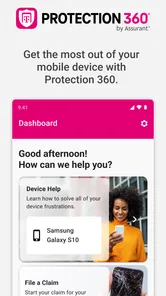
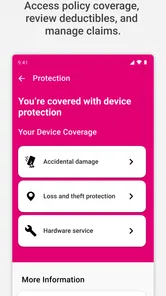
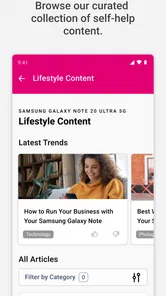
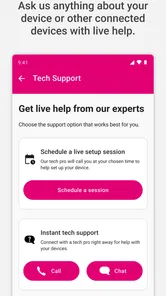
Analysis by Reviewed
I’d treat Protection 360™ as a companion for managing device protection, not as a general-purpose mobile security suite. That distinction matters: it is a business app from T-Mobile USA, and its appeal is strongest for people who already rely on the carrier’s protection benefits and want a convenient place to access them. I like the practical focus, but I would not install it expecting a standalone security toolkit for every phone.
A useful place to start when a device has a problem
In everyday use, the value of an app like this is less about checking it constantly and more about having a dedicated starting point when something happens to a covered device. Imagine your phone takes a knock during a commute: instead of searching through old messages or trying to remember where you enrolled, you can open the app and look for the relevant protection information. That kind of access can make an annoying moment easier to handle, even though the app itself cannot prevent every accident or replace the steps involved in resolving a claim.
It also gives me a more focused alternative to keeping carrier details in email or relying on a general account app. The trade-off is that the benefit is closely tied to T-Mobile’s protection offering. If you do not use that service, or you prefer handling everything through a broader carrier account, this dedicated app may not add enough to your routine to justify another icon on your home screen.
Who will get the most from it
I’d recommend it to T-Mobile customers who already have device protection and want a straightforward way to reach those benefits. It can be especially handy for someone who helps manage a family’s phones: keeping a clear route to protection information is useful when a device problem interrupts a busy day and the owner is not sure where to start. Before depending on it, I’d sign in while things are calm and check that I can reach the information I expect; finding a login snag during an urgent moment is the wrong kind of surprise.
On the other hand, people who are shopping for antivirus tools, privacy controls, or a general lost-phone solution should compare options built specifically for those jobs. The name may sound like broad security coverage, but I would judge this app by how well it connects users with T-Mobile protection benefits, rather than assuming it replaces the security and backup tools already on a phone. That distinction is the most useful thing to know before downloading.
What to expect from its protection role
The name can set expectations that deserve a closer look. Protection 360™ is best understood as a way to reach and manage carrier protection benefits, rather than as an app that independently shields every device from digital threats. I would not count on it to replace a phone’s built-in security, a password manager, or a separate backup routine. The most helpful question before installing is not “Will this secure everything?” but “Does this give me a simpler route to the protection I already use?”
How it differs from common alternatives
Compared with a broad carrier account app, a dedicated protection app has a narrower job: it can keep device-protection tasks from getting lost among billing, plan, and account settings. That focus is useful when the immediate issue is a damaged or otherwise troubled covered device. A general account app may still be the better choice if you want one place for most carrier interactions and rarely need to revisit protection details.
More From Our News Desk

Weather by Xiaomi Review: Clear at a Glance, Less Clear Up Close

X Under Pressure: Can It Recover When Posting Goes Wrong?

Clash of Clans Is Won Between the Battles

Android Auto Makes the Case for Quieter Car Software

MobiOffice: Transforming Mobile Productivity with Seamless Integration

EA SPORTS FC™ Mobile Soccer: Redefining Mobile Sports Gaming
It is a different comparison from antivirus or phone-finding software. Those tools are designed around digital threats or locating a missing device, while this app’s clearest role is access to T-Mobile’s protection benefits. I would keep the phone’s own location and security settings in place regardless. If your main concern is malware scanning, privacy controls, or recovering a misplaced handset, choose tools that explicitly serve those needs rather than assuming this app does so because of its name.
Small checks that can save time later
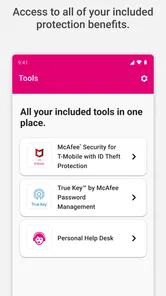
One practical step is to open the app after signing in and work out where its protection information lives, rather than waiting until you are stressed. If you are helping a relative, have them sign in on their own device and learn the route themselves; knowing where to start is more useful than relying on someone else to remember account details during a mishap. I would also make sure the account credentials are accessible through a secure method that the device owner can use, without leaving passwords in an easy-to-find note.
Another useful habit is to treat the app as a doorway, not as proof that every issue is covered. Before relying on a benefit, check the terms and eligibility that apply to the specific device and account. Protection programs can have conditions, and the next step for a cracked screen may not be the same as the next step for a lost phone. Knowing which route applies beforehand helps avoid confusing a convenient app interface with a guarantee of a particular outcome.
A realistic family-device scenario
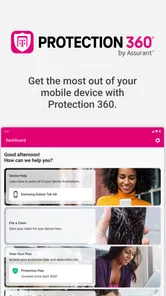
Picture a parent whose child’s phone is damaged on the way home from school. The parent may be the person who handles the account, while the child is the one holding the device and describing what happened. Having the app installed and signed in on the account manager’s phone can provide a more direct starting point than searching through email or trying to reconstruct enrollment details. The parent can then check what options are available and follow the appropriate process, rather than assuming the app itself repairs the phone or automatically approves a claim.
That example also shows a limitation: the app is most useful when the people involved know which account holds the protection and can access it. For a household with devices spread across different accounts, or with a family member who handles everything through another carrier’s tools, the convenience may be less obvious. I would sort out who manages each covered device before an urgent situation, especially if more than one person may need to act.
Where convenience has limits
A dedicated app can make a specialized task easier to find, but it adds another sign-in and another place to remember. If you only need protection information once in a long while, using a carrier account app or saved account records may be simpler. I would not install this just because a phone is valuable; the download makes sense when it connects to a benefit you actually have and expect to use.
There is also a difference between convenience and coverage. The app can help you access a service, but the relevant protection depends on the user’s plan, device, and situation. Before a trip or a busy stretch when you cannot easily be without your phone, I’d check that the account can be accessed and that I understand the next step for the issue I am most concerned about. That is more dependable than assuming a single app removes the need for preparation.
Ease of use and the right expectations
Let's face it, in today’s digital age, our smartphones are basically extensions of ourselves. From banking info to personal photos, they hold everything dear to us. That’s where Protection 360™ steps in. It’s like having an invisible shield that actively scans and protects your device from any cyber nasties lurking out there. What really caught my attention was the app's real-time threat detection. It’s not just one of those apps that sit idle; it’s constantly on the lookout, ensuring that any potential threats are neutralized before they can cause harm.
Easy to Use, Hard to Beat
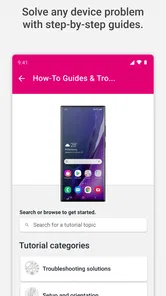
Now, I know what you’re thinking – isn’t security software a bit of a hassle? Well, not with this app. The user interface is clean and intuitive, making it super easy even for the non-tech-savvy folks. Setting up the app was a breeze, and the handy walkthroughs made sure I didn’t miss a step. Plus, the dashboard gives you a quick overview of your device’s safety status, which is perfect for those quick check-ins during a busy day.
All-Inclusive Features
One feature that I found particularly impressive is the app's ability to locate your device if it’s ever lost or stolen. With just a few taps, you can pinpoint your phone’s location on a map, which is a real lifesaver for the forgetful types like me. It doesn’t stop there – it also offers backup services for your important data. Whether it’s contacts, photos, or documents, you can rest easy knowing your stuff is safely stored and easily recoverable.
Keeping It Light and Fast
Many security apps tend to slow down your device, but not this one. I was pleasantly surprised by how lightweight it is. It runs smoothly without putting a strain on my phone’s performance. You can go about your daily activities without even noticing it’s there – until you need it, that is!
Its audience is narrower than the broad security framing suggests. Protection 360™ is free to download, rated for Everyone, and has a 4.4 average from around 29,000 ratings, with over a million installs. It was released in 2017, and version 3.448.0 requires Android 12 or later. Those details make it easy to assess basic compatibility, but the key practical question is still whether you use T-Mobile’s protection benefits. A free download does not by itself mean every protection service is included at no cost.
If you are deciding whether to rely on it, first confirm that your device and account are eligible for the benefits you intend to use, then sign in and inspect the available options before you need help. Keep a separate backup of anything irreplaceable; a carrier protection app should not be your only copy of important photos or documents. I’d also keep the phone’s built-in security and location tools enabled, since a dedicated protection app and the phone’s own safeguards serve different purposes. These small checks prevent the app from creating a false sense that one installation covers every risk.
Who should skip it, and who should keep it handy
I would skip it if I were not a T-Mobile customer using the associated protection service, or if I wanted an all-purpose security app to scan for threats, manage privacy, or replace the phone’s location tools. It may also be unnecessary for someone who already has a comfortable routine in the main carrier account app and rarely needs to review device-protection details. In those cases, another app can add clutter without solving a real problem.
For an eligible customer, especially someone responsible for more than one person’s device, the balance changes. The app provides a focused route to a specific service, and that is valuable when remembering where to begin is half the battle. I’d install it ahead of time, test account access, and keep other safeguards in place. The combination is more sensible than expecting any single app to cover every kind of loss or damage.
My verdict on its place in a phone setup
To wrap it up, if you’re looking for a reliable and efficient way to protect your mobile device, it is definitely worth checking out when you are a T-Mobile customer using the associated protection service. It’s packed with features that cater to all your security needs while remaining user-friendly and unobtrusive. So, why not give it a try? Your phone deserves the best protection, and this app might just be it!
Protection 360® Frequently Asked Questions
Is Protection 360™ compatible with my Android device?
Before downloading, check that your device runs Android 12 or later, since that is the minimum operating-system requirement. The app is listed for everyone and is free to install. Compatibility with the operating system is separate from whether a particular phone or account is eligible for protection benefits, so check the applicable plan details as well.
Who develops Protection 360™, and what kind of app is it?
Protection 360™ is a business app developed by T-Mobile USA. Its purpose is to provide access to device protection benefits, making it most useful to people who need to manage or use services connected with T-Mobile device protection. It is not a general-purpose phone security app simply because its name includes the word “Protection.”
What should I know about the Protection 360™ app before downloading it?
Protection 360™ is a free business app from T-Mobile USA for accessing device protection benefits. Its store description is brief, so it is best to think of it as a way to reach plan-related services rather than assume every protection feature is handled entirely inside the app. The app is rated for Everyone and requires Android 12 or later. Check that your device meets the requirement before installing.
Who can use Protection 360™?
Protection 360™ is most relevant to people who want to access device protection benefits associated with T-Mobile. The app is free to download, but that does not by itself mean a protection plan is free or that every user is eligible for coverage. Whether a specific device or account can use plan benefits depends on the applicable service terms, so review those terms before relying on the app for a claim or other support.
What is Protection 360™ and how does it work?
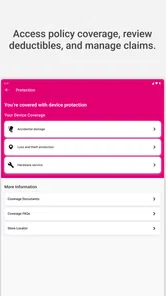
Protection 360™ is a comprehensive device protection plan that offers coverage for your mobile devices against accidental damage, loss, or theft. It includes features like repair and replacement services, tech support, and device security. Once enrolled, you can file claims for damaged or lost devices and receive replacements or repairs swiftly to minimize downtime and inconvenience.
Pros
- Comprehensive device protection.
- Covers theft and accidental damage.
- Includes expert tech support.
- Easy claim process.
- Wide range of supported devices.
Cons
- Monthly subscription fee.
- Coverage limited to certain regions.
- Requires app for full functionality.
- Claim approval can take time.
- May not cover all device types.













