Square Point of Sale: Payment
- 54.55K
- 4.6
- Installs
- 10.00M
- Price
- Free

Screenshots








Analysis by Reviewed
When I judge a payment app, I look beyond the speed of a checkout: I want to know whether its everyday workflow suits the business, and whether I can make sensible choices about customer information and account access. Square Point of Sale is a business app from Block, Inc. with a broad remit, covering sales as well as tools for retail, restaurants, invoices and appointments. That breadth is useful, but it also means the best fit depends on how much of that toolkit you actually need.
Who benefits from an all-in-one checkout
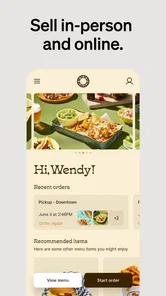
I can see this being a practical starting point for a small shop, market stall or food business that wants to handle sales and keep basic operations together on a phone or tablet. Instead of stitching a checkout app to a separate item list and sales view, you can work from one place. That can simplify a busy shift, especially when the person taking payment is also the person checking stock or answering questions.
It is less compelling if you only need to accept occasional payments and already have a lightweight method that works. A broad point-of-sale setup takes some care: items, options and customer records are only helpful when they are kept tidy. A business with specialized accounting, inventory or booking processes may also prefer dedicated software, even if that means switching between tools.
Trust is built in the details
Square has a long history in mobile payments: it was released in 2010, and its current app version is 6.83. It is free to download, rated for Everyone, and has a 4.6 average from around 252,000 ratings, with over 10 million installs. Those figures suggest it is widely used, but popularity alone is not a guarantee that any payment service is right for your business. I would still read the app’s permission prompts and account options carefully, especially on a device shared with staff.
The most sensitive moments happen when a customer pays or shares contact details. I would make a clear distinction between information needed to complete a sale and information a customer chooses to provide for follow-up. If you use the customer directory or collect email addresses, explain the purpose plainly at checkout and avoid treating a purchase as automatic permission for unrelated messages. That small habit protects trust better than a polished receipt screen.
Make the workflow yours before a rush
A useful way to test the app is to build a small, realistic item list before relying on it in public. Add the common products first, then check how you handle variations, descriptions and photos. For a café, that might mean deciding how to represent a drink with different sizes; for a seller at a weekend market, it could mean making popular items easy to find. A little organization up front can reduce tapping and hesitation when a line forms.
I would also review who can use the device and account, and keep the checkout screen in view when customers are entering payment details. If several people take orders, agree on a simple routine for correcting a mistaken item or checking a sale, rather than improvising while a customer waits. The app can support a process, but it cannot replace clear staff habits or a careful end-of-day check.
More From Our News Desk

Weather by Xiaomi Review: Clear at a Glance, Less Clear Up Close

X Under Pressure: Can It Recover When Posting Goes Wrong?

Clash of Clans Is Won Between the Battles

Android Auto Makes the Case for Quieter Car Software

MobiOffice: Transforming Mobile Productivity with Seamless Integration

EA SPORTS FC™ Mobile Soccer: Redefining Mobile Sports Gaming
How it compares with simpler options
Compared with a basic card reader or a narrow payment app, Square’s appeal is the combination of checkout with business-facing tools such as item management, sales information and customer records. That can save time when you want a single view of the day. The trade-off is that a larger feature set asks for more setup and attention than a bare-bones way to take payment. I would choose the simpler alternative if all I needed was an occasional transaction and I had no use for the surrounding tools.
For a realistic example, imagine a maker selling at a busy pop-up. Before opening, they can arrange the core products so they are easy to select, then use the sales view afterward to see what drew interest. If they also collect customer emails, they should make that choice explicit rather than slowing down every checkout with an unclear request. This is where the app’s range can help, provided the seller keeps the workflow focused on the actual event.
When it comes to managing transactions effortlessly, Square Point of Sale is a name that pops up frequently. As a small business owner, finding a reliable and intuitive payment processing app is crucial, and Square POS seems to be the talk of the town. So, I decided to dive in and see what all the fuss is about.
Getting Started with Square POS
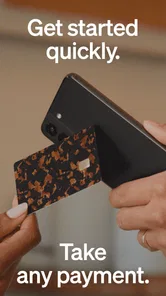
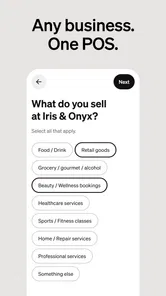
Downloading and setting up Square Point of Sale was a breeze. The app is available on both Android and iOS, and the installation process is straightforward. Once installed, the app greets you with a clean and user-friendly interface that guides you through the initial setup. I was impressed by how quickly I could get started, without the usual tech headache.
Features That Stand Out
One of the standout features of Square POS is its versatility. Whether you're running a food truck or a retail store, this app has something for everyone. You can manage inventory, track sales, and even send digital receipts. The inventory management feature is particularly handy, allowing you to keep track of stock levels in real-time. Plus, the ability to customize items with photos and descriptions adds a nice touch.
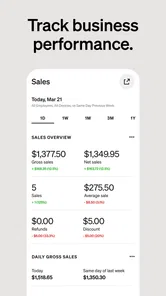
Another feature I found incredibly useful is the analytics dashboard. It provides a comprehensive overview of your sales data, helping you make informed business decisions. The ability to see which items are performing well and which aren't can be a game-changer for business owners looking to optimize their offerings.
Smooth Payment Processing
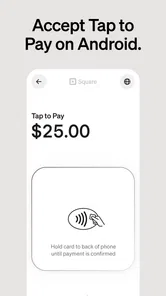
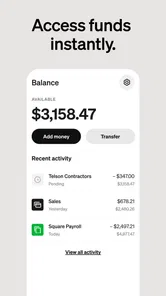
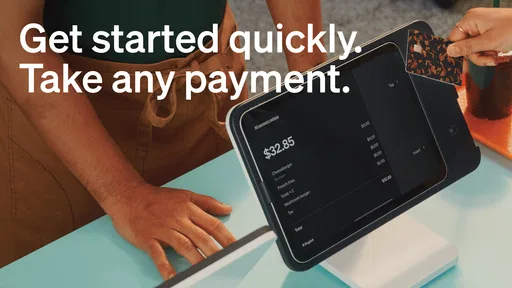
Of course, the core function of any POS system is payment processing, and Square doesn't disappoint. The app supports a variety of payment methods, including credit cards, Apple Pay, and Google Pay. Transactions are processed quickly, and the funds are deposited into your account the next business day, which is a huge relief for managing cash flow.
What's more, the app's offline mode ensures that you never miss a sale, even when your internet decides to take a day off. This feature alone makes it a reliable choice for businesses operating in areas with spotty internet connections.
Personal Touch with Customer Engagement
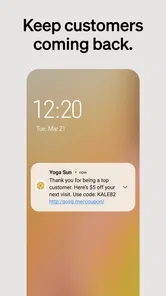
Square POS goes beyond just transactions by offering tools for customer engagement. You can easily collect customer email addresses and send them updates or promotions. This feature not only helps in building a loyal customer base but also boosts repeat sales.
Moreover, the app allows you to create a customer directory, making it easier to track customer preferences and tailor your services accordingly. It's like having a personal assistant for your business, keeping you connected with your clientele.
When a broader setup earns its place
The strongest case for using a point-of-sale app rather than a standalone payment option is repetition. If the same products, services or appointment types come up every day, setting them up once can make each later checkout more consistent. A staff member can select a prepared item instead of typing a description from scratch, which helps reduce small errors in busy moments and makes the sales record easier to interpret later.
That preparation is also where I would avoid overbuilding. Start with the items people actually buy and the options you genuinely need at the counter. A long menu of rarely used variations can make the screen harder to scan, especially on a small phone. For a restaurant, keep the order path practical; for a craft seller, make bestsellers prominent and leave unusual one-off pieces easy to enter without creating an elaborate catalog.
There is a useful distinction between sales reporting and full business analysis, too. Seeing which items sold can help you plan what to bring to the next market or which products need restocking. It does not, by itself, answer every question about profit, labor or purchasing. I would treat the dashboard as a view of sales activity, then use the accounting or planning tools that fit the business for deeper decisions.
Questions to settle before relying on it
One practical question is whether the app fits the devices and operating systems already used by the business. The minimum operating system is version 9, so I would check the device before making it the only checkout option. A quick compatibility check is more useful than discovering a problem on the morning of a market or during a shift.
Another is what “free” means for the setup you need. The app itself is free to download, but a business should review the costs and terms attached to payment processing and any equipment or services it plans to use before choosing a system. I would compare the total arrangement with the current way I accept payments, not just the app download price. The right choice depends on the actual transaction pattern and tools required.
I would also decide in advance how receipts and customer contact details fit the business’s routine. Digital receipts can be convenient, but asking every customer for an email address can slow the line and feel unnecessary when someone simply wants to pay and leave. Offer the choice clearly, keep the checkout moving when a customer declines, and make sure staff know what they should say. That approach balances useful follow-up with a customer’s control over their information.
For a team, test the handoff as well as the app’s screens. Have one person select items, another check the order, and then rehearse how you handle a correction or a customer who changes their mind. This makes it easier to spot confusing item names or an awkward workflow before money is involved. If the process depends on everyone remembering a long set of steps, simplify the catalog and staff routine rather than assuming the software will solve the confusion.
Where I would draw the line
I would not choose this as a substitute for every specialist system a business might need. A shop with complex stock rules, a restaurant with demanding service workflows, or a service provider with established scheduling and accounting needs should compare the relevant dedicated tools before committing. Square’s appeal is having several useful business tasks close to checkout; the trade-off is that a broad general-purpose setup may not match a specialist’s depth in every area.
It may also be more than a solo seller needs. If transactions are infrequent and the seller does not want to maintain an item catalog, review sales data or manage customer records, a simpler payment method can be easier to operate. Conversely, someone taking frequent payments at events may value having products prepared and sales gathered in one place, even if they keep other business work in separate software.
My cautious recommendation is to try the workflow with a small catalog and a typical day’s tasks before making it central to the business. Check the account and device arrangements, consider what customer information you truly need, and make sure staff can handle the checkout without exposing details or creating avoidable delays. Square’s broad toolset can be a sensible fit when those pieces line up; it is not a reason to collect more information or add more process than the business needs.
To wrap it up, Square Point of Sale is a robust and reliable tool for any business owner looking to streamline their operations. From its easy setup to its comprehensive feature set, it's no wonder why so many entrepreneurs are turning to Square for their payment processing needs. If you're in the market for a POS system, I'd highly recommend giving Square a try. It's more than just an app; it's a business partner that helps you grow and succeed.
Square Point of Sale: Payment Frequently Asked Questions
Is Square Point of Sale free to download, and what should I consider before signing up?
Square Point of Sale is free to download, which makes it possible to explore the app without paying an upfront download price. Before relying on it for your business, consider how you plan to accept payments and manage daily sales, and review the terms that apply to your account and transactions. The app is aimed at business use, so it is worth checking that its workflow suits your needs.
Who publishes Square Point of Sale, and is the app widely used?
Square Point of Sale is developed by Block, Inc. It has an average rating of 4.6 from around 252,000 ratings, with roughly 53,000 written reviews and over 10 million installs. Those figures suggest that many people have considered or used the app, but the best way to judge whether it fits your business is to compare its payment and sales workflow with the way you serve customers.
Can Square Point of Sale be used for different kinds of businesses?
Square Point of Sale is a business app built for a range of settings, including retail, restaurants, and appointment-based services. Its mobile point-of-sale tools bring sales and invoices into one app, so it can suit businesses that need to take payments while managing everyday transactions. The right fit depends on the way your business handles sales and customer service.
What is Square Point of Sale and how does it work?
Square Point of Sale is a versatile mobile application designed to facilitate payment processing for businesses of all sizes. It allows users to accept payments via credit cards, debit cards, and digital wallets. The app also provides features like inventory management, sales tracking, and customer insights, making it a comprehensive solution for businesses looking to streamline their operations.
Is Square Point of Sale secure for handling payments?
Yes, Square Point of Sale is highly secure for handling transactions. It employs advanced encryption and tokenization technologies to protect sensitive payment information. Furthermore, Square complies with the Payment Card Industry Data Security Standard (PCI DSS), ensuring that both merchants and customers experience a safe and secure transaction process.
Pros
- User-friendly interface
- Fast transaction processing
- Wide range of payment options
- Real-time sales tracking
- No long-term contracts
Cons
- Limited offline functionality
- Higher fees for certain cards
- Occasional app glitches
- Requires internet for updates
- Limited customer support hours













