Spring VPN — Fresh Every Day
- 1.00
- 4.4
- Installs
- 100.00K
- Price
- Free

Screenshots

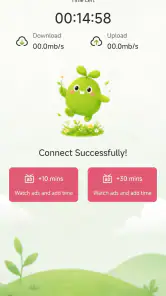
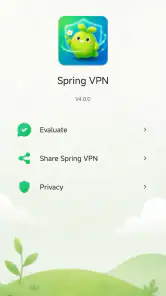
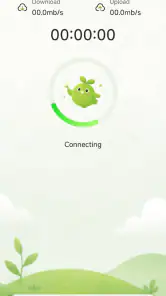

Analysis by Reviewed
When I judge a VPN, I care less about a bold promise of speed than about whether it fits into ordinary routines without creating extra chores. Spring VPN — Fresh Every Day presents itself as a simple connection tool, and that gives it a clear appeal: it may suit someone who wants to try a VPN without paying upfront or learning a complicated setup. My main reservation is that the available product details offer little basis for judging how it behaves under demanding conditions, so I would treat it as an option to evaluate carefully rather than assume it can handle every task.
A sensible first test before relying on it
If you are deciding whether to install it, I would start by naming the job you want a VPN to do. Occasional browsing on shared Wi-Fi is a different need from protecting a work session, keeping a long call steady, or trying to access a service while away from home. Spring VPN is easier to assess when you judge it against one ordinary task at a time rather than expecting a single app to solve every connectivity and privacy concern.
For a first session, choose a familiar, low-stakes activity and pay attention to what changes: how long connecting feels, whether the page or service loads as usual, and whether switching away from the app disrupts anything. Then repeat the same task on another network you commonly use. This comparison is more useful than testing once in ideal conditions, because the connection quality you start with can shape the result as much as the VPN itself.
What to expect from speed and everyday use
Spring VPN is an app in the events category, developed by Baopeng Information, with the short description “Spring VPN.” That category label is an unusual fit for a VPN, so I would focus on what the app is for in practice rather than infer that it organizes calendars, tickets, or social gatherings. Its store summary sets a calm, welcoming tone, but it does not establish a particular connection speed or explain how performance varies by network.
That matters because VPN speed is not a single quality an app can guarantee in every situation. Your connection can feel different on home Wi-Fi, a crowded public network, or a mobile connection with weak reception. A VPN also routes traffic through another server, and the distance and load involved can affect how quickly pages open or video starts. I would test Spring VPN with the activities I actually care about instead of relying on a general impression from one quick connection.
For a light task such as checking a few pages or sending messages, a modest slowdown may not matter much. For a video call, large file transfer, or high-resolution streaming, even a small interruption can be frustrating. If those are your priorities, compare the app’s real performance on your own network with a VPN that clearly explains its server choices and performance options. Do not mistake a VPN connection indicator for proof that every app on your phone is running faster or more reliably.
The app is free, which makes a cautious trial easier to justify. Still, free access is not itself evidence of a fast or stable service, and it should not be treated as a substitute for understanding what traffic is protected or how the service handles it. I would begin with low-stakes browsing and see whether the connection feels consistent before depending on it for work or sensitive activity.
More From Our News Desk

Weather by Xiaomi Review: Clear at a Glance, Less Clear Up Close

X Under Pressure: Can It Recover When Posting Goes Wrong?

Clash of Clans Is Won Between the Battles

Android Auto Makes the Case for Quieter Car Software

MobiOffice: Transforming Mobile Productivity with Seamless Integration

EA SPORTS FC™ Mobile Soccer: Redefining Mobile Sports Gaming
When ordinary use turns into a heavier session
A realistic use case is checking a travel itinerary while waiting at a café, then messaging someone about a change in plans. In that moment, the useful question is not whether the VPN can reach a headline speed; it is whether it connects promptly and stays usable as you move between apps. I would avoid starting a large download or an important call until I had seen how Spring VPN behaves on that particular network.
Heavy use is where a lightweight first impression can be misleading. A short browsing session might feel fine, while long video playback or repeated switching between Wi-Fi and mobile data exposes pauses and reconnection delays. Because no performance measurements or special handling for those situations are established here, I would not assume Spring VPN is optimized for continuous streaming, online gaming, or transferring work files. Those uses call for a direct trial and, when reliability is essential, a service with more clearly documented performance controls.
There is a practical way to test without turning the process into a technical project. Use the same ordinary task before and after connecting: load a familiar page, play a short clip, or join a brief nonessential call. Repeat that check at the places where you expect to use the VPN. If the connection feels noticeably less steady after moving rooms or changing networks, disconnect and reconnect before continuing, and avoid making the VPN part of a time-critical workflow until it proves dependable for you.
One trade-off to keep in mind is that a VPN can add another point of failure. If a page will not load, the cause might be the underlying network, the VPN route, or the site itself. I find it useful to check whether the same page works after temporarily disconnecting, then reconnect only if privacy or access is the reason I turned the VPN on. That simple comparison can prevent wasted time blaming the wrong part of the connection.
Reliability, interruptions, and getting back online
For a VPN, reliability is not just whether it connects once. It is also whether the connection survives routine changes, such as moving from one room to another or briefly losing signal, and whether recovery is straightforward when it does drop. The available description does not establish how Spring VPN handles those transitions, so I would observe them during a normal, low-risk session rather than assume the app reconnects automatically.
If access suddenly stops, my first step would be to check the phone’s internet connection without the VPN. If the underlying connection works, I would then try reconnecting in the app and retest a simple page. This is a useful workflow for any VPN, but especially for one whose recovery behavior you have not yet learned. It also helps distinguish an unstable Wi-Fi network from a VPN-specific problem.
For something time-sensitive—such as a meeting, a ticket purchase, or submitting a form—I would not make a newly installed VPN the only route to success. Complete the task on a trusted network if possible, or have a fallback connection ready. That is not a verdict that Spring VPN will fail; it is a sensible precaution whenever a VPN’s behavior under interruptions has not been established in your own use.
The public reception is encouraging but limited in scale: Spring VPN has a 4.4 average from 38 ratings and 100K+ installs. Those figures suggest that people have tried it and that the overall rating is positive, but they cannot tell me whether it will be stable on your phone, in your region, or on your network. I would use them as context, not as a guarantee of performance.
Device fit and practical limits
Spring VPN is listed for Android devices running version 7.0 or later, and its content rating is Everyone. The current version is 4.0.0. That gives a useful starting point for compatibility: check the Android version on the device you plan to use before installing, especially if it is an older phone. A compatible operating system only means the app meets the stated minimum; it does not promise identical speed or battery use across different hardware.
I would also pay attention to resource use during a normal session. VPN traffic necessarily depends on an active network connection, but there is no confirmed battery or memory figure to rely on here. Rather than guess, compare battery drain during similar periods with and without the VPN, and note whether the phone becomes warm during long sessions. A short test is more useful than assuming that a simple-looking app must be light on resources.
On an older or entry-level phone, a VPN may feel less convenient if switching apps, reconnecting, or keeping a stable network already taxes the device. If Spring VPN causes noticeable friction on your handset, it may be better to use a VPN with clearer troubleshooting guidance or a well-documented set of connection controls. Conversely, if your use is occasional and your phone handles it smoothly, a basic setup may be all you need.
There is another device-related consideration: a VPN is not a universal privacy shield. It can route network traffic through a VPN service, but it does not make unsafe links safe, prevent every form of tracking, or replace careful account and app settings. I would keep those expectations realistic and avoid entering sensitive information on a network or website I do not trust merely because the VPN is on.
Who is likely to appreciate it—and who should look elsewhere
I can see Spring VPN appealing to someone who wants a free app to try, has a recent-enough Android device, and mainly wants to explore VPN use for routine browsing. It may also suit a person who is comfortable checking connection quality for themselves rather than needing a detailed set of published performance assurances. Baopeng Information is the developer, and the app’s straightforward identity makes it easy to understand the broad purpose even though the category placement is unexpected.
I would look elsewhere if your decision depends on clearly described server locations, specialized streaming access, advanced network controls, or documented behavior during connection loss. Those are the kinds of details that help frequent travelers, remote workers, and people who rely on uninterrupted calls compare services. For those users, a VPN with transparent technical explanations and support material is a better starting point than choosing on a friendly name or rating alone.
Compared with the usual alternatives, Spring VPN’s clearest practical distinction is that it is free to try, while some VPN options charge or present more detailed configuration choices. A paid or more transparent alternative may be preferable when you need predictable performance and a clear explanation of the service’s limits. On the other hand, paying more does not automatically make a VPN right for every person; what matters is whether its real behavior, privacy practices, and device support fit your needs.
A small routine that makes the trial more useful
One way to avoid confusing a poor Wi-Fi spot with poor VPN performance is to keep a simple mental baseline. Try a routine page or message app with the VPN off, connect, then repeat the same action without changing rooms or moving around. If the difference is substantial, repeat the check later rather than drawing a firm conclusion from a single moment when the network may be busy.
For travel, I would also test before leaving home instead of waiting until a rushed moment in a station or café. That gives you time to learn how the app behaves and to decide whether it is comfortable for the task. If it is only an occasional browsing tool for you, that may be enough; if the test reveals delays during basic use, choose another approach before depending on it away from your usual network.
My performance verdict
My view is cautiously positive for low-stakes, everyday experimentation, with an important condition: test it where you plan to use it. The free price and broad Android compatibility make Spring VPN approachable, and its 4.4 average gives a modestly reassuring first impression. But neither installs nor ratings settle the questions that matter most for performance—how quickly it connects on your network, whether it stays steady through a session, and how easily it recovers after a signal change.
I would install it only if the stated Android requirement fits my device, then try a few ordinary tasks before relying on it. I would check whether pages load comfortably, whether a short video or call remains usable, and whether reconnecting after a network change is manageable. If those checks go well, it could be a convenient free option for casual use. If you need dependable performance for work, frequent travel, or demanding streaming, I would compare it with a VPN that offers more explicit technical detail before making it part of your daily routine.
My bottom line is that this is a trial-first choice, not one I would select purely on its friendly presentation or broad reach. It makes the most sense for someone who wants to explore VPN use without an upfront cost and is willing to verify the connection on their own device. If you need a clearly documented service for high-stakes work or uninterrupted media, prioritize those guarantees and controls over convenience; if your needs are modest and the practical tests feel smooth, Spring VPN may be enough for occasional use.
Spring VPN — Fresh Every Day Frequently Asked Questions
What is Spring VPN — Fresh Every Day used for?
Spring VPN is designed to route your internet traffic through a VPN connection, which can help protect data from others on the same public Wi-Fi network and change the apparent location of your connection. It may also be used to access services while traveling, subject to those services’ rules. A VPN does not make you completely anonymous or protect you from every online threat.
Is Spring VPN — Fresh Every Day free to use?
The app may offer access without an upfront payment, but availability of free servers, connection limits, advertisements, premium features, or subscription plans can vary by version and region. Check the current in-app offer and the Google Play or App Store listing before signing up. If a trial or subscription is offered, review its price, renewal terms, and cancellation process carefully.
How do I connect to Spring VPN, and does it work on public Wi-Fi?
Typically, you install the app, open it, choose an available server if that option is provided, and approve the operating system’s VPN connection request. Once connected, the VPN can add a layer of protection on public Wi-Fi, such as in a café or airport. Connection quality depends on the network and server, so speeds and reliability may vary.
Will Spring VPN make my internet connection slower or let me access every website?
A VPN can reduce connection speed because traffic travels through an additional server, and results depend on your internet service, distance to the server, and current server load. Changing your apparent location may help with some location-related access, but it does not guarantee that a website or streaming service will work. Services may block VPN connections or restrict access under their own terms.
What should I know about privacy before installing Spring VPN?
A VPN provider handles your connection traffic, so it is important to review Spring VPN’s current privacy policy and the data disclosures in its app-store listing. Check what information may be collected, how long it is retained, and whether it is shared with third parties. Avoid assuming that a VPN guarantees anonymity, and use separate security practices such as strong passwords and up-to-date software.
Pros
- Simple interface makes connecting to a VPN straightforward.
- Useful for browsing on public Wi-Fi networks.
- Can help mask your IP address from websites you visit.
- A practical option for occasional
- everyday VPN use.
- Available on Android for easy access on mobile devices.
Cons
- VPN protection does not guarantee complete online anonymity.
- Connection speed may vary depending on the server and network.
- Some websites and streaming services may block VPN connections.
- A VPN does not replace antivirus or other device security tools.
- Review the app’s privacy policy before trusting it with your traffic.
- Category
- Events
- Version
- 4.0.0