Invitation card Maker, Design
- 387.00
- 4.9
- Installs
- 5.00M
- Price
- Free

Screenshots

Analysis by Reviewed
I pay particular attention to whether a design app remains comfortable to use when someone is tired, working quickly, or sharing a screen with another person. Invitation cards are personal, but the practical job is simple: make the key details easy to notice and get them to guests without needless steps. That is the lens through which I’d judge Invitation Card Maker, Design, especially for a birthday or wedding invitation made on a phone.
Readable cards start with a clear hierarchy
A template can make a card look finished quickly, but it cannot decide which information matters most for your event. I’d put the occasion and date where they stand out, then check that the time and location are easy to pick out from decorative wording. This small editing pass is useful when guests will read the invitation on a phone screen, where a crowded design can make practical details harder to find.
The app is an events app from Splendid App Maker, and its focus is making invitation cards rather than handling every part of event planning. That narrow purpose is helpful when I want to start with a design instead of a blank canvas. It is free to get, has an Everyone age rating, and its average rating is 4.9 from around 52,000 ratings, with over 5 million installs. Those figures suggest broad interest, though they do not tell me whether a particular template will suit every reader or occasion.
Navigation, comfort, and different ways of working
The original appeal here is low-friction editing: choose a starting design, adjust it, then share the finished card. I’d still review each screen at a comfortable pace rather than assume that a quick workflow suits everyone. If you have difficulty with small text or busy layouts, favor a simpler design and keep the invitation copy concise. If precise tapping is uncomfortable, making fewer, deliberate edits may be less frustrating than repeatedly rearranging decorative elements.
A useful everyday case is a family birthday planned in a busy group chat. I could prepare the card before the date details are final, then check the wording with another family member before sending it. That second look is especially worthwhile for names, times, and addresses: decorative design can draw attention away from a typo, while guests need those details to be accurate. Sharing through email or social media is convenient, but recipients may use different devices and reading settings, so I would keep the essential information prominent in the image itself.
Situations where a template helps—and where it doesn’t
For a last-minute dinner, a child’s birthday, or a small community gathering, a ready-made invitation can be a sensible middle ground: more visual than a plain message, but less work than building a layout from a blank page. I’d choose a template based on how much information the event actually needs. A short invite with a date, time, and venue can tolerate a little decoration; an event with parking guidance, accessibility details, or several schedule notes needs a design that leaves room for readable copy.
There is also a practical way to avoid redoing the card. I’d settle the wording before spending time on colors and ornaments, then make one review pass for accuracy and another for visual clarity. If the venue changes, changing one line in a comparatively simple design is less likely to create a cramped result than trying to squeeze new information into a heavily decorated card. That workflow is especially useful when several people are helping plan and details arrive at different times.
More From Our News Desk

Clash of Clans Is Won Between the Battles

Android Auto Makes the Case for Quieter Car Software

MobiOffice: Transforming Mobile Productivity with Seamless Integration

EA SPORTS FC™ Mobile Soccer: Redefining Mobile Sports Gaming

How Microsoft OneDrive Became a Mobile Productivity Giant

How Google Translate Breaks Language Barriers Effortlessly
Where the convenience has limits
Compared with starting from scratch in a general graphic-design app, an invitation maker can save setup time by giving the task a ready-made structure. The trade-off is that a template-led workflow may feel restrictive if you have a very specific visual identity or need exact control over every element. A simple text message can be better for a small, informal gathering, while a professional designer is a stronger choice for a high-stakes event where original artwork and careful print preparation matter more than speed.
The app’s current version is 3.3, and it supports devices running Android 7.0 or later. Optional in-app purchases range from $2.49 to $12.99 per item, so I’d check what is included before building a design around a paid element. The free starting point may be enough for a straightforward invite, but anyone who needs a particular look should first see whether the available choices fit rather than assume every style is included.
Thinking through access before you send
A digital invitation is not automatically easy for everyone to use just because it arrives on a phone. Some guests may have trouble reading small lettering, interpreting low-contrast colors, or finding event details inside a decorative image. I’d make the wording brief, use strong visual separation between the main announcement and supporting information, and include the essential details as plain text in the message that accompanies the card. That way, the design can set the tone without being the only way to learn where and when to arrive.
For guests who rely on screen magnification or other device settings, a crowded image may be harder to inspect than a short written message. I would avoid putting a long address or several instructions in tiny decorative type, and I’d share those particulars in the accompanying message as well. This is a considerate workaround, not a claim that every recipient’s access needs can be solved by the design itself.
Why Choose Invitation Card Maker, Design?
First off, let’s talk about usability. The Invitation Card Maker, Design app is incredibly user-friendly. Even if you’re someone who struggles with tech, you’ll find this app a breeze to navigate. The developers have done a commendable job of ensuring that the interface is intuitive and straightforward, making it easy for anyone to jump in and start creating.
Dive into the Features
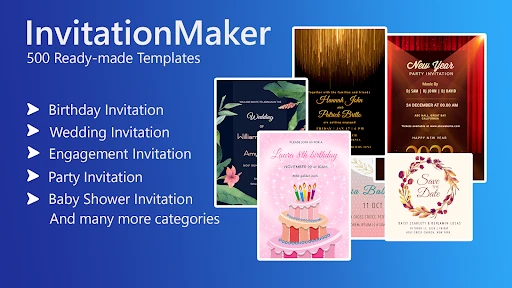
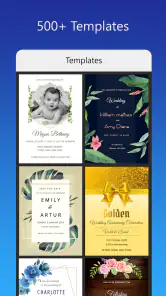
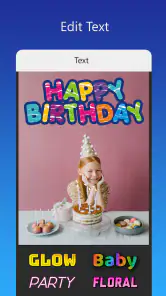
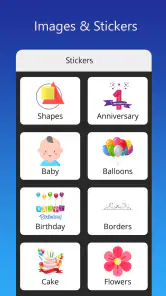
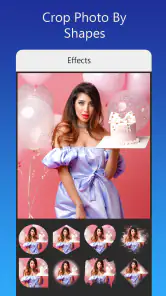
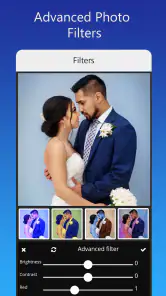
Now, what makes this app stand out from the crowd? For starters, the plethora of templates is impressive. You get a wide range of professionally designed templates that cater to different tastes and themes. Feeling creative? You can customize these templates to your heart’s content, tweaking colors, fonts, and images to match your vision. Plus, the app offers a variety of stickers and design elements to add that extra flair to your invitations.
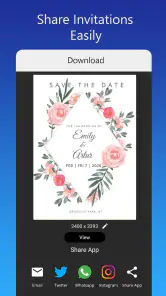
One of my favorite features has to be the ease with which you can share your creations. Once you’ve got your invitation looking perfect, you can send it out directly from the app via email or social media. No more fiddling with downloads and uploads – it’s seamless and saves you loads of time.
Choosing a design without making it harder to read
When I’m picking a template, I’d treat decoration as a supporting element rather than the main event. A floral or celebratory frame can make an invitation feel warm, but a background that competes with the words can undermine the reason for making the card. I’d preview a couple of styles with the actual event wording, because a sample layout may look spacious until a longer venue name or family name is added.
One useful trade-off is to keep the card visually expressive while moving extra details into the message that goes with it. The invitation can carry the event name, date, and location, while a companion note can explain what to bring or how to respond. This keeps the image from becoming a dense block of text and makes revisions easier if logistics change. For a wedding or other formal occasion, though, a separate planning tool may be more suitable for tracking replies and guest-specific information.
Performance and Reliability
Performance-wise, this app is pretty solid. It doesn’t lag or crash, even when you’re working on complex designs. That’s a major plus in my book, especially when you’re racing against the clock.
The app developers also seem to be on the ball with updates, regularly rolling out improvements and new templates to keep things fresh. Their customer support is responsive too, which is always reassuring if you encounter any issues.
What really seals the deal for me is the app’s affordability. It offers a lot of value for its price, making it accessible for everyone from individuals planning personal events to small businesses needing professional-looking invitations without breaking the bank.
Sharing thoughtfully across different situations
Sending a card through email or social media is convenient when guests are already using those channels, but I wouldn’t assume every invitee checks the same one. For a mixed-age family or a group with varied communication habits, I’d send the visual invitation in the usual group channel and repeat the key facts in plain text. That reduces the chance that someone misses the information because the image failed to load or was difficult to read on their device.
If the event is being organized by several people, I’d agree on one final version before anyone forwards it. Multiple slightly different copies can leave guests unsure which time or location is current. A clear file name or a brief message identifying the latest details can help keep the distribution tidy, especially when plans are being coordinated over a busy chat.
Who I’d recommend it to
I’d point casual hosts toward it when they want a polished-looking digital invitation without learning a full design program. It can also help a small business prepare a simple event notice when there is no need for a complete brand package. If your priority is speed, start with a template close to your theme and change only the details that genuinely need to differ; extensive decoration can take longer and make the important information less clear.
I would not choose it as my only tool for a formal printed suite or a carefully controlled brand campaign. Before sharing, I’d inspect the whole card at normal phone size, not just zoomed in while editing, and ask someone else to read the date and venue. That check helps catch both layout problems and plain old typing mistakes. If a guest needs the information in another format, sending the details as readable text alongside the image is a considerate fallback.
When another approach is the better choice
If the invitation is really just a quick reminder to a few friends, a message may be faster and clearer than making a card. If the event depends on collecting replies, managing changes, or coordinating a long list of guests, I’d pair the invitation with a dedicated planning method rather than expect a design app to organize the whole event. And if exact print dimensions, matching stationery, or a distinctive illustration are essential, a more flexible design workflow or professional help is likely worth the extra effort.
For someone who mainly wants an attractive digital announcement, the balance is different. A template can remove the intimidation of a blank canvas, and a card is easy to pass along once the wording is settled. I’d still compare the available design choices with the tone of the occasion before committing time to customization, particularly if a paid item is involved. The app is most appealing when a quick, presentable result matters more than total creative control.
An inclusive verdict for everyday invitations
I see this as a practical option for people who want to make a themed invitation on a phone and share it without turning the task into a larger design project. Its template-based approach can help a first-time host get started, while the ability to personalize a card leaves room to make it feel connected to the event. The most accessible result, in my view, comes from combining a calm layout with concise wording and a plain-text version of essential details.
It is not the right fit for every ability or event context. Tiny type, busy decoration, and image-only communication can create barriers, and a template may not offer the control needed for a particular brand or print job. I’d recommend it to casual hosts who value speed and visual polish, with the reminder to check the finished card at ordinary phone size and share the practical details in text too.
In summary, the Invitation Card Maker, Design app is a must-have for anyone looking to create gorgeous invitation cards without the hassle. It’s efficient, fun to use, and delivers on its promises. So, if you’re on the lookout for a reliable invitation-making app, give this one a whirl – you won’t be disappointed!
Invitation card Maker, Design Frequently Asked Questions
What should I check before creating an invitation in the app?
Think about the event and the people receiving the invitation before you start designing. Invitation Card Maker, Design is focused on celebration cards, including birthday and wedding invitations, so it is most relevant when you want a digital greeting card for an occasion. Having the event details and a general style in mind can make the design process more straightforward.
Can I use Invitation Card Maker, Design on my device?
The app runs on devices using Android 7.0 or later. Before downloading, check your device’s operating system version so you know it meets that requirement. Invitation Card Maker, Design is an app in the Events category, intended for creating invitation cards and digital greetings rather than managing event schedules or guest lists.
Is Invitation Card Maker, Design free to download, and are there optional purchases?
Invitation Card Maker, Design is free to download, so you can try the app without paying upfront. It also offers in-app purchases, priced from $2.49 to $12.99 per item. Whether you need to spend anything depends on which options you choose while using it. Check the purchase details shown in the app before confirming a transaction.
What kind of invitations is Invitation Card Maker, Design intended for?
The app is aimed at making invitation cards for occasions such as birthday parties and weddings. It is listed in the Events category, making it relevant if you want to prepare a digital greeting card for a celebration. The invitation-maker focus is useful for people who want to create an event card, rather than use a general-purpose design app.
What features does the Invitation Card Maker app offer?
The Invitation Card Maker app offers a comprehensive suite of design tools to create personalized invitation cards. Users can choose from a variety of pre-designed templates, customize fonts, colors, and images, and add personal touches like stickers and text. The app also supports high-resolution exports for printing or sharing digitally.
Pros
- User-friendly interface enhances experience
- Wide variety of template designs available
- Easy customization with drag-and-drop feature
- Supports high-resolution card exports
- Affordable premium options for advanced features
Cons
- Limited free design elements available
- Occasional app crashes reported by users
- Ads in free version can be intrusive
- Requires internet for some functionalities
- Premium features locked behind paywall

- Category
- Events
- Version
- 3.3