Sesame Street Art Maker
- 4.00
- 4.0
- Installs
- 10.00K
- Price
- $3.99

Screenshots

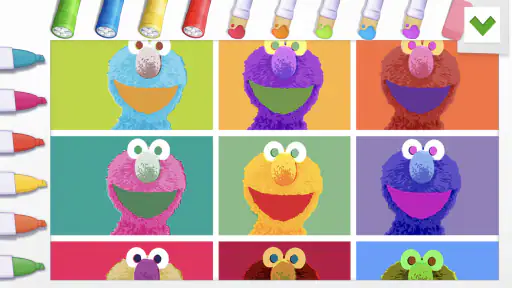
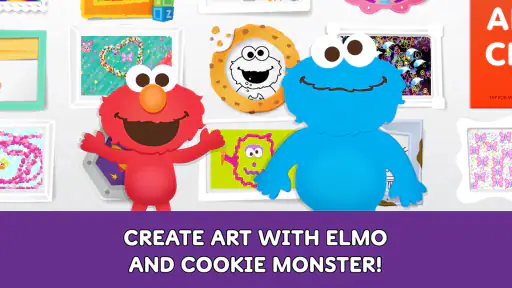
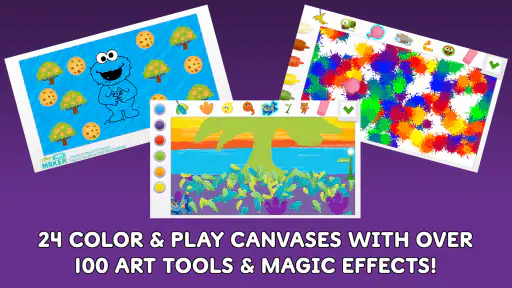
Analysis by Reviewed
Sesame Street Art Maker is a paid art and design app from Sesame Workshop that puts familiar Sesame Friends at the center of a creative activity. I approached it as something for children and families rather than as a serious drawing studio, and that distinction matters. Its appeal is immediate: a child can make artwork around a trusted, recognizable theme instead of starting with a completely blank screen.
The app costs $3.99, so this is not a free activity with optional spending added around it. That simple pricing fact makes the decision easier, but it also raises the standard for what the experience should provide. A parent is not only choosing whether a child might enjoy it; they are deciding whether this focused creative tool deserves room among other paid apps, free drawing tools, coloring activities, and offline art supplies.
In my experience, the strongest reason to consider it is its combination of a child-friendly subject and a low-pressure creative format. The weakest reason would be expecting a full-featured illustration program. It is best judged as a themed digital art activity, not as a replacement for professional design software or an open-ended drawing package.
What the app offers and how it feels to use
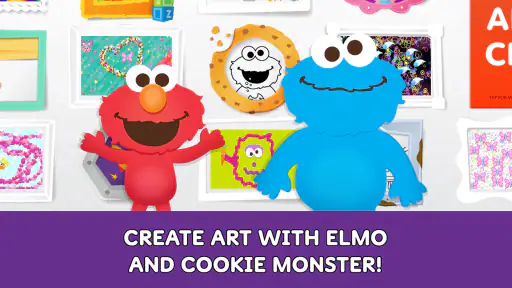
The store summary describes the central idea clearly: making art with Sesame Friends. That gives the app a narrower identity than a general-purpose sketchpad. The Sesame Street setting is not just decoration; it is the starting point that can help a young child decide what to create. Familiar characters can turn “draw something” into a more approachable invitation.
That focus is especially useful for children who hesitate when faced with an empty canvas. A blank page can be liberating for an experienced artist, but it can also feel like a test. A character-led art activity gives a child an emotional and visual anchor. They can build a scene, decorate an idea, or simply experiment around characters they already recognize.
I would place this firmly in the family creativity space. It is rated Everyone, which makes the audience broad from an age-suitability perspective, although the most natural users are younger children and the adults helping them. The developer is Sesame Workshop, a name closely associated with children’s educational and entertainment content, and that context helps explain why the app feels designed around accessibility rather than technical complexity.
The current version is 1.6 and the minimum operating-system requirement is Android or iOS version 9. Those details are practical rather than exciting, but they matter when a family is using an older device. Before paying, I would check the device’s system version and available storage, particularly if the app is intended for a child’s older tablet rather than a newer personal phone.
More From Our News Desk

Weather by Xiaomi Review: Clear at a Glance, Less Clear Up Close

X Under Pressure: Can It Recover When Posting Goes Wrong?

Clash of Clans Is Won Between the Battles

Android Auto Makes the Case for Quieter Car Software

MobiOffice: Transforming Mobile Productivity with Seamless Integration

EA SPORTS FC™ Mobile Soccer: Redefining Mobile Sports Gaming
A better way to use it than handing over a phone
The most rewarding approach is to treat the app as a short creative prompt, not as a digital babysitter. For example, after school, a parent could ask a child to make a picture showing one Sesame Friend in a favorite place. After the child finishes, the parent can ask why the character is there, what is happening, and what could be added next. The app then becomes a starting point for conversation, storytelling, and visual decision-making.
That workflow also avoids a common problem with children’s art apps: tapping through the experience without really creating anything. Giving the child a small goal—such as making a birthday picture, a weather scene, or a picture for a family member—makes the activity feel purposeful. I found that the themed setting is more valuable when it supports an idea rather than when it is used only for random decoration.
Another useful habit is to let the child make a first version quickly and then revisit it. The first pass can be playful and messy; the second can focus on one improvement, such as adding a background or changing the mood of the picture. This is a simple way to teach revision without turning the activity into a lesson. The app’s greatest educational potential is not advanced technique but encouraging children to make choices and explain them.
Where it fits beside ordinary drawing alternatives
Compared with paper, crayons, and washable markers, the app is cleaner and easier to repeat. There is no need to prepare a table, find the right colors, or deal with a finished picture being damaged by a spill. It is convenient for travel, waiting rooms, and quiet time at home. On the other hand, paper gives children physical feedback that a screen cannot: pressure, texture, resistance, and the satisfaction of holding the finished work.
Compared with a general drawing app, this Sesame Street experience is likely to feel more welcoming to a child who wants recognizable characters and a guided theme. A standard sketching tool may offer greater freedom, more tools, or better control for older children, but it can also demand more decisions before the creative part begins. The trade-off is clear: this app exchanges breadth for approachability.
Free coloring and drawing apps may look like cheaper alternatives, and some may offer a larger collection of activities. Yet a larger menu is not automatically better for a young child. Too many choices can create friction, while a familiar Sesame setting can make it easier to begin. The $3.99 purchase therefore makes most sense when the theme itself is part of the value, rather than when someone is simply looking for the maximum number of art tools.
It is also different from watching Sesame Street content. A video gives the child a finished sequence to follow, while an art activity asks the child to decide what happens next. If the goal is passive entertainment, a video may fit better. If the goal is to encourage a child to make something and talk about it, this app has a more active role.
The value of a focused paid app
The price is straightforward: $3.99 for the app. That means the value question is not about unlocking a free download gradually; it is about whether the complete purchase feels worthwhile for the household. I appreciate that clarity because parents can compare the cost directly with a craft kit, a small book, or another one-time digital activity.
For a child who already enjoys Sesame Street characters, the purchase can be reasonable even if the app is used in short sessions. Children do not need to spend hours inside a creative app for it to be useful. A ten-minute activity that leads to a story, a gift, or a conversation can have more family value than a longer session that ends with passive scrolling.
The value is less convincing for someone who already owns a capable drawing app that the child enjoys. In that situation, the Sesame theme may not justify another purchase unless the child specifically responds to these characters. The same is true for families looking for advanced art instruction, detailed brush control, or a tool that an older child can grow into over several years. This is a focused experience, and focused experiences are valuable only when their focus matches the user.
With an average rating of 4.0 from around fifty ratings, the public response suggests a generally positive but not overwhelming reception. I would not use that figure as a substitute for personal fit. A parent of a Sesame fan may find the app much more appealing than a family whose child has moved beyond character-led activities, even though both see the same store rating.
Small decisions that improve the experience
One practical tip is to use a larger tablet when possible. A phone can be convenient, but a child has less room to work and may cover part of the picture with a hand. A larger screen can make the activity feel less cramped, especially when an adult and child are looking at the artwork together. This is not a reason to buy new hardware; it is simply a reminder that screen size affects how comfortable creative work feels.
I would also avoid presenting the app as a test of artistic ability. Ask the child to describe the picture instead of judging whether it looks accurate. Sesame characters already provide a recognizable subject, so the adult can focus on choices: why a color was used, where the character is going, or what might happen next. That approach turns the app into an expressive activity rather than another place where a child feels evaluated.
A third tip is to create a repeatable routine without demanding a finished masterpiece. The child might make one small picture on a quiet afternoon each week, then choose one to show a relative. This gives the paid app a longer life than a single novelty session. It also makes the purchase easier to evaluate: after several uses, you can see whether the app is generating genuine creative interest or merely receiving occasional taps because it is available.
For travel, I would test the complete experience before leaving home rather than assuming every part of it will suit a particular journey. Let the child try it while sitting comfortably, learn the controls, and decide whether the activity holds attention without adult guidance. That preparation matters because a creative app can be excellent at home but less convenient during a busy trip if the child needs frequent help.
Limitations that should shape your decision
The biggest limitation is the narrow subject matter. Sesame Friends are the reason to choose this app, but they also define its boundaries. A child who wants to draw animals, vehicles, fantasy worlds, or completely original characters may quickly prefer a general art app. The themed approach helps beginners start, yet it may feel restrictive to children who want more independence.
There is also a difference between making art and learning formal art skills. This app can encourage creative choices, storytelling, and confidence, but I would not buy it as a substitute for drawing lessons. Someone searching for structured instruction in proportion, shading, perspective, or digital painting should look at a dedicated learning tool instead.
Parents should consider the child’s relationship with screens as well. A digital art activity is more active than watching a show, but it is still screen time. If the family’s priority is tactile making, paper materials may be the better choice. The app works best as one option in a broader mix of activities, not as the only creative outlet.
The Everyone rating is reassuring for broad family use, but age labels do not tell you whether a particular child will find the interface intuitive. Younger children may still need an adult nearby, especially during the first session. That is not necessarily a flaw; shared use can be part of the appeal. It does mean the app should not automatically be treated as a completely independent activity for every child.
The install base is over ten thousand, which places it in the smaller, more specialized end of the app market. I see that as consistent with its purpose: it is not trying to be a universal art platform. Still, families who care about a large community, frequent social features, or a broad ecosystem of tutorials should look elsewhere. This is a personal creative activity, not a public art network.
Who will get the most from the purchase?
I would recommend it most readily to a young Sesame Street fan who enjoys making pictures but does not yet feel comfortable with a blank canvas. It can also suit a parent looking for a calm shared activity, a grandparent wanting a simple creative prompt during visits, or a family that needs a compact art option for travel and waiting time.
It is a particularly good fit when the adult is willing to participate for at least the first few sessions. A child may enjoy the characters immediately, but the deeper value comes from asking questions and encouraging the child to make deliberate choices. The app can support early creative confidence when the surrounding adult treats the artwork as communication, not just decoration.
I would be more cautious for older children who already use layered drawing software or want to develop serious digital illustration skills. They may see the Sesame theme as too young or the creative boundaries as too tight. The same caution applies to families who already have several art apps and are trying to reduce screen clutter. In that case, a single versatile drawing tool may offer better long-term value.
I would also skip it if the main requirement is a free activity. The app is paid, and its value depends on wanting this particular Sesame-centered experience. A free alternative may be the sensible choice when the child is only occasionally interested in digital drawing or when the family is comparing purchases strictly by the number of tools included.
My buy-or-skip verdict
Sesame Street Art Maker is a pleasant, focused choice for families who want a character-led way to introduce children to digital creativity. I like that its identity is clear: it is not pretending to be a professional studio, and it does not need to be one. The Sesame Workshop connection, Everyone rating, and familiar subject make it approachable for the audience it is trying to serve.
At $3.99, I think the purchase is justified when a child already has a real attachment to Sesame Friends and the app will be used as a shared prompt for drawing and storytelling. The strongest value comes from repeated small sessions, not from expecting a huge amount of technical depth. Used that way, it can earn its place alongside paper, crayons, books, and other family activities.
I would skip it for an older or technically ambitious artist, for anyone wanting a broad professional-style tool, and for families who do not want to pay for a narrowly themed app. A general drawing app or physical art materials may be better in those situations. My final view is positive but specific: buy it for the Sesame-centered creative experience, not for advanced art features. When that distinction matches your child’s needs, the app is easy to recommend; when it does not, the price is better saved for a more flexible alternative.
Sesame Street Art Maker Frequently Asked Questions
What devices can run Sesame Street Art Maker?
Sesame Street Art Maker is an Art & Design app for devices running iOS 9 or later. Before downloading, check that your device meets this minimum requirement and has enough available storage for the app. Keeping the operating system and app current can also help avoid compatibility issues and make the creative activities easier to access.
Who developed Sesame Street Art Maker?
Sesame Street Art Maker was developed by Sesame Workshop, the organization behind the Sesame Street characters featured in the app. Its focus is on making art with familiar Sesame friends, matching the short description, “Get creative and make art with your Sesame Friends!” The app was released on March 8, 2021, and its current version is 1.6.
What is Sesame Street Art Maker?
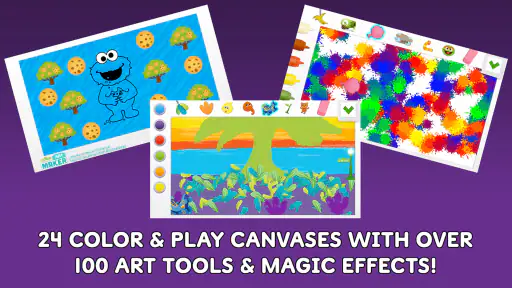
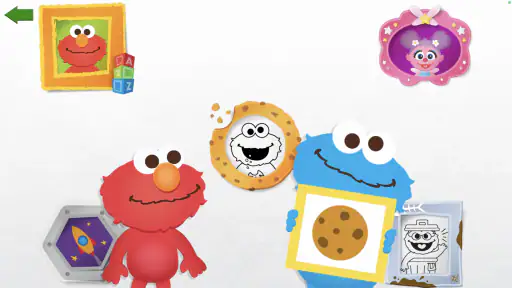
Sesame Street Art Maker is a creative drawing and coloring app designed for young children and families. It lets children create digital artwork using familiar Sesame Street characters, colorful backgrounds, stickers, stamps, and simple drawing tools. The interface is intended to be easy for preschoolers to understand, encouraging imaginative play without requiring advanced artistic skills or complicated menus.
Is Sesame Street Art Maker suitable for young children?
The app is primarily aimed at preschool and early-school-age children, especially fans of Sesame Street. Its colorful design, character-based activities, and straightforward controls make it accessible to beginners. It has an Everyone content rating. Parents should still consider a child’s age, reading ability, and comfort using a touchscreen independently when deciding whether the app is a good fit.
Does Sesame Street Art Maker require an internet connection?
Basic creative activities may be available after installation, but the exact offline functionality can depend on the app version, device, and how its content is delivered. An internet connection may be needed for the initial download, updates, additional resources, or certain interactive features. If offline use matters for your family, check how the app behaves on your device before relying on it away from a connection.
Pros
- Simple drawing tools are easy for young children to understand.
- Familiar Sesame Street characters make creative play more engaging.
- Works well as a quiet
- screen-based activity for preschoolers.
- Encourages color recognition
- drawing
- and basic artistic expression.
- Child-friendly interface reduces the need for constant adult assistance.
Cons
- The creative tools may feel too limited for older children.
- Some content or features may require an in-app purchase.
- Artwork options can become repetitive after extended use.
- Saving or sharing creations may depend on device permissions.
- Performance can vary on older phones and tablets.
- Category
- Art & Design
- Version
- 1.6













