Elmo's World and You
- 1.00
- 4.1
- Installs
- 5.00K
- Price
- $4.99
Screenshots
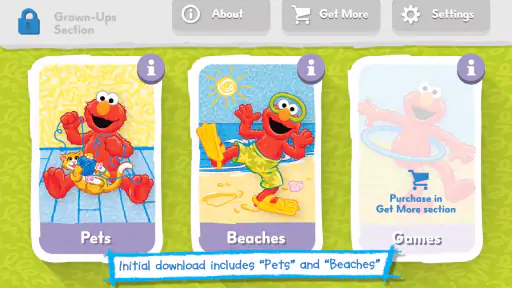
Analysis by Reviewed
I approached Elmo's World and You as a family game for short, playful moments rather than a lesson plan or a long gaming session. Its appeal is easy to understand: it puts Elmo and familiar Sesame Street-style play at the center, with activities intended to invite children to do things, not just watch. That makes it a natural candidate for a parent looking for a screen activity they can share with a young child.
Who is likely to enjoy it
I’d put this game on the shortlist for a preschool-age child who already responds warmly to Elmo and likes making choices, drawing, or experimenting with sounds. A familiar character can make it easier to invite a hesitant child into an activity, while the short-play approach gives a parent a manageable way to share a screen moment without turning it into a long session.
It is less compelling for a child who has little interest in Elmo, or for a family seeking a broad learning platform. Its focused character-led approach is part of the appeal, but it also narrows the audience. If you want a systematic sequence of lessons, detailed progress records, or many unrelated subjects in one place, a curriculum-focused educational app is likely a better match.
Before buying, I’d think about how often the child is likely to return to the same familiar activities. The $4.99 price is easier to justify when Elmo is already a favorite and the game will be used as a shared routine. If you only need something for one occasional wait, a free video or another no-cost option may be more sensible. The listed $2.99 per-item in-app purchases are another reason to set purchase controls before a child gets the device.
How the play feels in everyday use
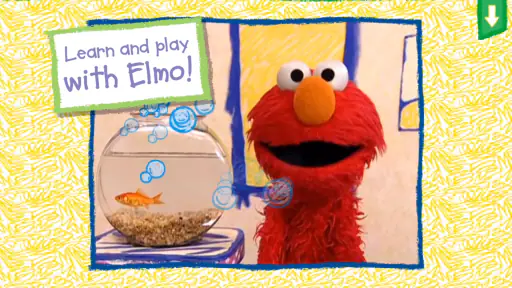
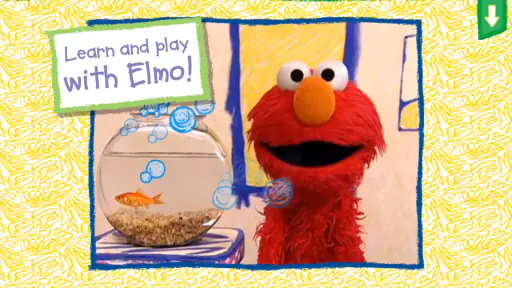
From the moment you launch Elmo's World and You, you’re greeted with vibrant colors and familiar tunes that instantly bring back fond memories of childhood. The app is designed with young users in mind, but honestly, it’s a joy for anyone who has a soft spot for Elmo. The interface is incredibly user-friendly, ensuring that even the littlest hands can navigate through Elmo’s world with ease.
Quick activities suit a child’s attention span
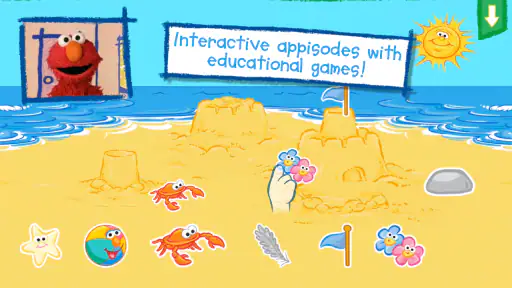
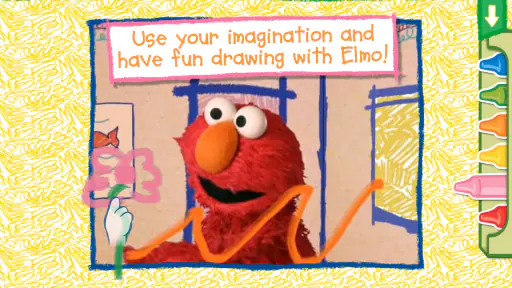
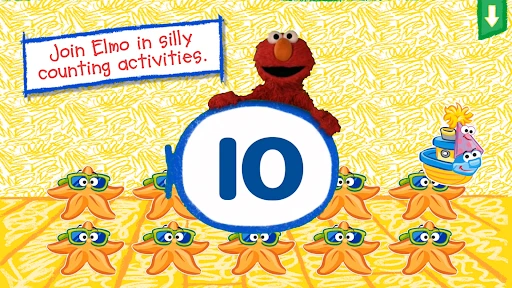
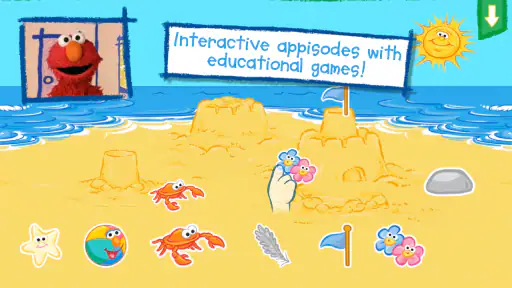
One of the standout aspects of this app is its interactive features. Kids are not just passive viewers; they actively participate in the fun. Whether it’s helping Elmo with his daily routines, drawing pictures, or playing musical instruments, there’s always something engaging for your little ones to do. The app cleverly combines education with entertainment, reinforcing learning through play.
That activity mix also suggests a practical way to use it: let a child choose one activity, play alongside them, and then ask them to describe what they made or noticed. Drawing can lead into a conversation about colors and shapes, while music gives a child a chance to copy a rhythm or make up one of their own. The value is not just keeping a child occupied; it is having an easy prompt for talking and playing together.
More From Our News Desk

Weather by Xiaomi Review: Clear at a Glance, Less Clear Up Close

X Under Pressure: Can It Recover When Posting Goes Wrong?

Clash of Clans Is Won Between the Battles

Android Auto Makes the Case for Quieter Car Software

MobiOffice: Transforming Mobile Productivity with Seamless Integration

EA SPORTS FC™ Mobile Soccer: Redefining Mobile Sports Gaming
Speed expectations and busy moments
Each section of the app is like a mini-adventure. There’s a rhythm in the way activities are structured, making it easy for kids to follow along while also leaving room for exploration. Plus, the frequent updates ensure that there’s always something new to discover, keeping the experience fresh and exciting.
I’d expect the short, distinct activities to work better for a quick wait or a calm break than for keeping a child entertained for a whole afternoon. In a busy household, it can be useful to agree on one activity before handing over the device; that gives the session a natural stopping point. A child who likes to switch rapidly between choices may need an adult nearby to help them settle on one and finish it.
Making a short session work well
A useful routine is to decide on the device and the moment before opening the game. For instance, while waiting for food at a café, I’d settle the child in a seat, agree that we are choosing one activity, and keep the phone within reach rather than handing it over while moving around. That small bit of structure can reduce hurried tapping and makes it easier to finish calmly when the meal arrives.
I’d also treat the activity as a conversation starter rather than assume every child will learn the same thing from it. A toddler may enjoy copying a sound or watching a familiar character; an older preschooler may be ready to explain a choice or invent a variation. Following the child’s interest is more useful than turning each moment into a quiz, especially when the point is relaxed play.
Learning with a grown-up nearby
At its core, Elmo's World and You is an educational tool. It’s designed to help children develop essential skills such as problem-solving, creativity, and even basic math. The app’s developers have done a fantastic job of integrating educational content without making it feel forced. Kids are so engrossed in the fun that they often don’t realize they’re learning—and that’s the magic of Elmo's World.
The app also encourages parental involvement, which is a huge plus. Parents can join in on the fun, making it a shared experience that they can enjoy with their children. It’s a great way to bond and create lasting memories together.
For example, I can imagine using it while waiting for an appointment: a parent can sit with a child, let them pick an activity, and turn the play into a small conversation rather than treating the phone as a babysitter. At home, the same approach can help bridge a transition, such as a few minutes of quiet play before dinner. Those uses suit the game better than leaving a very young child alone with a device for an extended stretch.
Reliability, devices, and value
Sesame Workshop is the developer, and the game sits in the educational category. Its 4.1 average comes from around two dozen ratings, while the small review count makes that score only a limited guide to how other families will feel about it. It has passed 5,000 installs, so it is a comparatively modest option rather than one with the broad feedback found around major children’s apps.
The game costs $4.99, and in-app purchases are listed at $2.99 per item. I’d check the purchase settings on the device before handing it to a child, especially if they tend to tap through prompts. The upfront price may make sense for a family that expects to return to Elmo’s activities, but a free video or a library of no-cost children’s games is a better fit if you only need an occasional distraction.
It is rated Everyone, with a minimum operating-system requirement of version 6.0, and the current version is 2.2. Those details help with basic compatibility planning, but they do not guarantee identical speed on every device. As with any colorful children’s game, I would close other demanding apps if the device feels sluggish and check that the game behaves well before a child begins playing. I would also avoid promising uninterrupted play during a trip until I had tested it on the device and connection I planned to use.
What to check before relying on it
For a planned outing, I’d open the game in advance on the actual device the child will use, rather than discovering a loading delay or a control that needs adult help after you are already in a queue. This is a practical check, not a claim that the game is unusually demanding: performance can vary with a device’s age and what else is running. If the first launch feels slow, closing unused apps and trying again is a simple first step.
For a child who gets frustrated when an activity is interrupted, I’d test how easy it is to leave and return before making the game part of a tight routine. Keep expectations modest: a digital activity can be a helpful bridge during a wait, but it is not a dependable substitute for a planned offline activity if the device is low on battery or the environment is too busy for a screen.
Where it fits among children’s apps
Compared with putting on a children’s video, this game asks for more participation and gives an adult more openings to talk with a child. Compared with broad educational apps that offer many unrelated games, its clear Elmo identity is a strength for a child who already enjoys the character, but a limitation for one who does not. If your priority is a structured curriculum, detailed progress tracking, or a large variety of subjects, I would look for an option built around those needs instead.
There is also a useful distinction between this kind of character-led play and open-ended toys. A drawing activity on a screen can be convenient in a waiting room, where paper and crayons may be awkward, but real crayons offer tactile practice and a picture the child can keep. I’d choose the app for portability and a guided prompt, then switch to physical materials at home when the child wants to carry an idea further.
My practical tip is to use the activities as a starting point, not as a substitute for hands-on play: after drawing on the screen, offer paper and crayons, or after a music activity, make a simple rhythm together away from the phone. That makes the digital moment feel connected to the child’s day and gives the adult a useful way to end the session without making the game itself responsible for every minute of entertainment.
A cheerful choice with a specific audience
In conclusion, Elmo's World and You is more than just an app; it’s an invitation to join Elmo in a world where learning and play go hand in hand. Whether your child is a fan of Elmo or you’re simply looking for a quality educational app that doesn’t compromise on entertainment, this app is a must-have.
So, if you’re ready to embark on an adventure filled with laughter, learning, and lots of fun, don’t hesitate to download Elmo's World and You. It’s a delightful way to bring a piece of Elmo’s world into your home, and trust me, it’s an experience you won’t want to miss!
Elmo's World and You Frequently Asked Questions
How much does Elmo's World and You cost to download?
Elmo's World and You is a paid educational game, priced at $4.99. Before downloading, parents may want to check that the purchase is appropriate for their household and device. The game also lists in-app purchases at $2.99 per item, so it is worth reviewing purchase settings with a child and keeping any buying controls managed by an adult.
What devices can run Elmo's World and You?
The game is available for Android and iOS, and its minimum Android requirement is version 6.0. Check your device’s operating system before downloading to make sure it meets the requirement. As with any app, available storage and device performance can affect installation and how smoothly the game runs, so having your device ready can make the setup easier.
Who developed Elmo's World and You, and what is its age rating?
Elmo's World and You is made by Sesame Workshop and is rated Everyone, making its content suitable for a broad audience. It is an educational game centered on Elmo, which may appeal especially to families with young children. Parents can still preview the activities and decide whether the style and content are a good fit for their child.
What is Elmo's World and You app about?
Elmo's World and You is an interactive educational app designed for young children, featuring the beloved Sesame Street character, Elmo. The app offers engaging activities, games, and videos that help preschoolers learn about various topics such as numbers, colors, and shapes. It aims to provide a fun and educational experience, fostering early childhood development through play.
Is Elmo's World and You app safe for children?
Yes, Elmo's World and You is designed with child safety in mind. The app is free from advertisements and in-app purchases, ensuring a safe environment for kids to explore and learn. Additionally, parental controls can be set to manage screen time and restrict access to certain features, making it a secure choice for parents. Since the game lists in-app purchases, an adult should also review purchase settings before a child plays.
Pros
- Interactive learning experience for kids.
- Engaging and colorful animations.
- User-friendly interface for children.
- Educational content with Elmo character.
- Encourages creativity and imagination.
Cons
- Limited content may bore older kids.
- Requires internet for full features.
- In-app purchases can be costly.
- Some features need adult supervision.
- Ads may interrupt the experience.
- Category
- Educational
- Version
- 2.2













