SemLog
- 2.24K
- 3.8
- Installs
- 1.00M
- Price
- Free

Screenshots

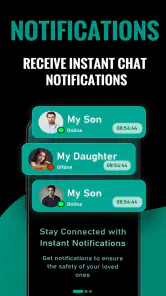
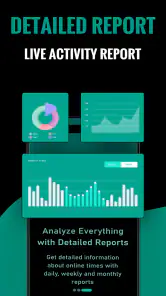
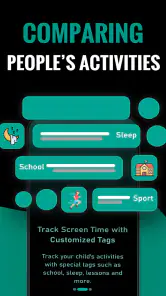
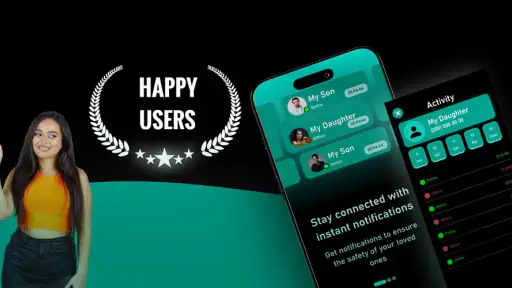

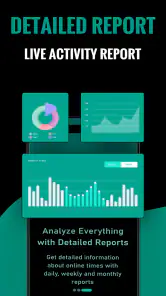
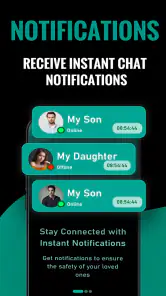
Analysis by Reviewed
If you’re looking for a parenting app that can help get family conversations started, SemLog is worth a cautious look. Its aim is to raise awareness among families and children, which makes it a different proposition from the calendars, chore trackers, and messaging tools many parents already use. I’d approach it as a possible conversation aid, not as a complete parenting system or a substitute for professional advice.
Before you install, decide what a useful outcome looks like
For a first-time user, the easiest way to judge SemLog is to choose one modest goal beforehand. You might want to make it easier for your child to share an opinion, or simply create a little space for a topic that tends to get lost in the rush of the day. That gives you a practical way to assess the experience without expecting a single session to change your family’s habits.
A realistic first try could be after dinner on a relatively calm evening. One parent and one child can explore the app together, then talk briefly about anything that feels relevant. If the conversation turns into a disagreement, that is not automatically a failure; it may show that the topic needs a gentler opening or another time. The useful measure is whether the app helps you listen and respond, not whether everyone reaches the same conclusion.
What to expect from SemLog
SemLog is a free parenting app from (NEW) SemLog Soft LLC. It has an average rating of 3.8 from around 68,000 ratings, and more than a million installs. Those figures suggest that many people have tried it, but they don’t tell you whether its approach will suit your family. The useful question is whether it helps you move from a broad intention—being more aware and connected—to a small, real conversation at home.
The app is marked for everyone and runs on Android 7.0 or later. Its current version is 17, and optional in-app purchases range from $1.99 to $19.99 per item. I would start with the free experience and decide whether it earns a regular place in your routine before paying for anything. That’s especially sensible for a family app: a tool can look promising on a phone but still feel awkward once different ages, schedules, and attention spans are involved.
Before installing, set a modest expectation. The broad family-awareness goal is a starting point, not proof that the app will solve a particular concern or automatically improve communication. Think of it as something to explore together. If you need a shared custody calendar, a reliable school communication channel, or a structured behavior plan, a dedicated tool designed for that task may be a better fit.
Set up around your family, not around an ideal routine
For a first-time user, I’d keep the initial setup simple. Install SemLog, look through the options it presents, and avoid turning the first session into a family meeting with a checklist of problems to fix. Choose one ordinary moment when everyone is relatively relaxed, then decide whether the app gives you a useful prompt or starting point for talking.
You May Like

Clash of Clans Is Won Between the Battles

Android Auto Makes the Case for Quieter Car Software

MobiOffice: Transforming Mobile Productivity with Seamless Integration

EA SPORTS FC™ Mobile Soccer: Redefining Mobile Sports Gaming

How Microsoft OneDrive Became a Mobile Productivity Giant

How Google Translate Breaks Language Barriers Effortlessly
A practical first test is to use it with one adult and one child before asking the whole household to join in. That makes it easier to see whether the material feels understandable and whether the child responds naturally. If you have children at different ages, don’t assume one approach will land equally well with all of them; the same topic may need a shorter, more concrete explanation for a younger child and more room for discussion with an older one.
I’d also agree on how the phone will be used before opening the app together. For example, a parent can explain that the purpose is to help the family talk, not to test a child or catch them out. This small distinction matters. If the first interaction feels like surveillance or a surprise lesson, a child may shut down even when the subject itself is important.
Make the first useful moment small
The first meaningful success doesn’t need to be a major breakthrough. It could be a child asking a question, a parent noticing that a topic is harder to discuss than expected, or the family agreeing on one small thing to revisit later. I’d count any of those as progress. The point is to turn awareness into a conversation that feels safe and manageable, rather than expecting an app session to produce an immediate answer.
Try a short, low-pressure routine: open SemLog at a calm time, explore one item together, and ask each person what they think before offering your own view. If a child gives a brief answer, resist filling the silence with a lecture. A quiet pause can be more useful than pushing through a long discussion. You can always return to the subject another day.
One useful trade-off is deciding whether to explore the app together or let a parent review it first. Looking together can make the purpose transparent and invite participation. Previewing it alone can help you choose an appropriate moment and avoid being caught off guard by a topic your child isn’t ready to discuss. I’d favor a quick parent preview when possible, then share the activity openly rather than presenting it as a hidden test.
Where families may get confused
The main source of uncertainty is the breadth of the app’s purpose. “Raising awareness” can mean different things to different families, so it helps to decide what you want from a session before opening it. Are you trying to make space for a difficult conversation, encourage a child to express an opinion, or simply create a regular check-in? Naming that intention keeps the app from becoming another screen opened without a clear reason.
Another possible friction point is expecting the app to work the same way for every child. A child who likes discussing ideas may engage readily, while one who is shy, tired, or uncomfortable with a topic may need a different opening. In that case, don’t force completion just because you have started. Pause, talk in your own words, or choose another time. The app should support your judgment as a parent, not replace it.
It’s also worth separating a conversation aid from a source of expert guidance. If a family concern involves safety, health, or a child in distress, use appropriate professional or emergency support rather than relying on an app to assess the situation. SemLog’s general family focus may help you begin talking, but serious needs call for direct help from people qualified to respond.
How it fits beside familiar parenting tools
Compared with a family calendar, SemLog’s stated purpose is less about coordinating logistics and more about awareness within the family. A calendar is the better choice when the main problem is missed appointments or unclear schedules. Compared with a chore chart, this app is not best judged by whether it assigns tasks or tracks completion. Its value, if it suits your household, is in giving a family another way to approach conversation.
That distinction is useful when deciding whether to keep it. If your family already communicates well but struggles to remember school events, SemLog may not address the issue you actually have. If you want a gentle prompt to help start talking, it may be more relevant than another planning app. For families who prefer direct, unmediated conversation, simply setting aside ten minutes together may work just as well—and without adding another app to everyone’s phone.
To keep the experience practical, I’d treat SemLog as an occasional tool rather than a daily obligation at first. After a couple of sessions, ask whether it led to a conversation you would not otherwise have had. If yes, keep using it in that limited, purposeful way. If it feels like extra screen time without a clear benefit, there’s no reason to make it part of the routine just because it is installed.
Who should try it—and who may prefer something else
I can see SemLog appealing to parents who want a starting point for family conversations and are comfortable exploring an app with their children. It may also suit caregivers who find it easier to begin with a prompt than to introduce a sensitive subject from scratch. The strongest use case is not a household with a specific technical problem; it is a family willing to experiment with a new way of talking and adapt it to the people in the room.
I’d skip it, or at least keep expectations low, if you are looking for a detailed organizer, a school-parent communication platform, or a tool that guarantees behavior change. It may also be a poor match if your child resents phone-based activities or if family discussions currently need support from a counselor or another specialist. In those situations, direct conversation, a purpose-built tool, or qualified human help is more appropriate.
Make the next step easy to repeat
After the first session, I’d avoid making a promise that everyone must use the app every day. Instead, ask your child whether the experience felt comfortable and whether they would be open to another short conversation with it. That check-in gives them a say in the routine and helps you tell the difference between genuine interest and simply going along with a parent’s suggestion.
If the first attempt feels flat, change one thing rather than concluding that the whole idea has failed. Try a quieter moment, a shorter session, or a different family member as the conversation partner. If it still feels forced, put it aside. A parenting tool should make a useful interaction easier, not create another obligation that competes with the family’s time and attention.
When considering the optional purchases, I’d first work out what you would want to gain from paying and whether the free experience already supports your goal. Since the purchase options are priced per item, it is sensible to review each choice carefully rather than treating payment as a general upgrade. The app’s basic appeal is its potential to help start a conversation; spending makes sense only if a specific paid option is clearly useful to your family.
For a household with several children, the most helpful approach may be to treat each child’s response as individual rather than turning the app into a group activity by default. A sibling who speaks quickly can unintentionally take over, while a quieter child may need a private moment with a parent. You can use the same general starting point at different times and let each conversation take its own shape.
In the end, I’d recommend trying SemLog without pressure and judging it by one simple standard: does it help your family have a more useful conversation? Start with one calm session, let your child respond at their own pace, and stop if the format creates tension. That is a more realistic test than expecting a new app to transform family life. If it opens a door you can continue walking through together, it has earned its place; if it doesn’t, choosing a simpler or more specialized alternative is a perfectly reasonable next step.
SemLog Frequently Asked Questions
What is SemLog, and what can I use it for?
SemLog is an app whose exact purpose and feature set can vary depending on the version and the service offering it. Before downloading, check the app-store description and developer information to confirm that it matches your needs. Review the listed tools, supported workflows, and any screenshots or help materials; do not assume that similarly named apps provide the same functions.
Is SemLog free to download, and are there in-app purchases?
The cost of SemLog may depend on its platform, region, and current release. Check its Google Play or Apple App Store listing for the download price, subscriptions, and in-app purchases before installing. Also look for details about trial periods or optional paid features, since an app can be free to download while requiring payment for continued access or specific capabilities.
What information or permissions might SemLog require?
Permissions depend on the features SemLog offers and the device you use. Review the permission prompts carefully when installing or first opening the app, and allow access only when it makes sense for a feature you intend to use. You can also consult the store listing’s privacy information and the developer’s policy to learn what data may be collected, used, or shared.
Which devices and operating systems support SemLog?
Compatibility can change as SemLog is updated, so check the current store listing for its minimum Android or iOS version and any device requirements. If you use an older phone or tablet, confirm that the app is available for your model before downloading. Keeping your operating system up to date may also help with installation, stability, and access to newer features.
Is SemLog safe to download, and where should I get it?
For a safer installation, download SemLog only from the official Google Play Store or Apple App Store, and verify the developer name so you do not install an unrelated app with a similar title. Read recent reviews and the privacy details, and keep your device software updated. Avoid unofficial download files, which may be outdated or modified.
Pros
- Provides a convenient way to access SemLog services from a mobile device.
- A focused interface can make key logging tasks easier to find.
- Mobile access is useful for checking information away from a desktop.
- Can help keep relevant SemLog activity in one place.
- May suit users who already rely on SemLog’s wider platform.
Cons
- Its usefulness depends on whether your organization uses SemLog.
- Some functions may require a SemLog account or administrator access.
- The app may offer less detail than the desktop version.
- Reliance on an internet connection can limit access on the go.
- New users may need guidance to understand the platform’s terminology.

- Category
- Parenting
- Version
- 17











