Screen Time - Parental Control
- 9.36K
- 3.1
- Installs
- 1.00M
- Price
- Free

Screenshots





Analysis by Reviewed
Have you ever found yourself wondering just how much time your kids spend glued to their screens? With the ever-growing presence of digital devices in our lives, keeping track of screen time can be quite the challenge. That's where Screen Time - Parental Control comes to the rescue. This nifty app is designed to help parents manage their children's screen time effectively and ensure a balanced digital diet.
Getting Started with Screen Time
First things first, setting up Screen Time - Parental Control is a breeze. Once you've downloaded it, you'll be guided through a straightforward setup process. The app is compatible with both Android and iOS, so no matter which side of the smartphone fence you're on, you're covered. After installation, you'll need to create an account and link your child's device. This process is quite intuitive, and before you know it, you're all set to dive into the world of screen management.
Features that Matter
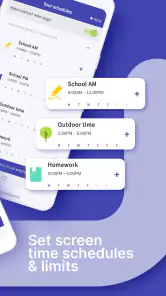
The app boasts a plethora of features that make it a must-have for parents in the digital age. One standout feature is the ability to set daily screen time limits. You can customize these limits based on your child's age and needs, which I found incredibly useful. No more endless arguments about when it's time to put the tablet down!
Another feature worth mentioning is the real-time monitoring capability. This allows you to see exactly how much time your child spends on each app. It's quite the eye-opener to see where those precious hours are going. And if you notice a particular app hogging all the attention, you can set specific restrictions to limit its usage.
Encouraging Healthy Habits
One of the aspects I love most about this app is its focus on promoting healthy digital habits. Screen Time - Parental Control offers a reward system where kids can earn extra screen time by completing tasks or chores. It's like turning screen time into a fun game, and who doesn't love a bit of friendly competition?
Moreover, the app also sends helpful reminders for breaks, encouraging kids to step away from the screen and engage in physical activities. It's these small nudges that make a big difference in fostering a balanced lifestyle.
Ending Thoughts
In conclusion, Screen Time - Parental Control is more than just an app; it's a tool that empowers parents in the digital era. By providing insights into screen usage and offering ways to manage it effectively, this app helps create a healthier relationship between kids and technology. So, if you're a parent looking to take control of your child's screen time, give this app a try. It's a game-changer, and trust me, you'll wonder how you ever managed without it!
Pros
- User-friendly interface for easy navigation
- Comprehensive app usage reports
- Customizable screen time limits
- Block inappropriate content easily
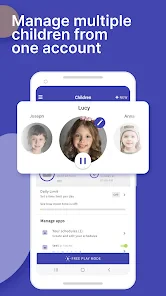
- Supports multiple child profiles
Cons
- Premium features require subscription
- Limited features on free version
- May affect device performance
- Requires stable internet connection
- Complex setup for non-tech savvy users

- Category
- Parenting
- Version
- 3.11.71