Scout: Family Location 360
- 35.13K
- 4.1
- Installs
- 5.00M
- Price
- Free

Screenshots
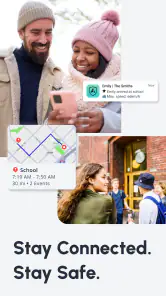
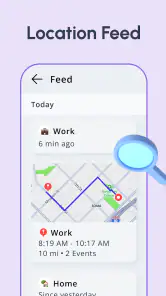
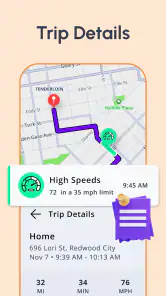
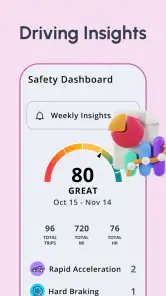

Analysis by Reviewed
When my family’s schedules stop lining up, I can see the appeal of having one shared place to coordinate arrivals and check-ins. Scout: Family Location 360 is a free parenting app from Telenav, Inc. that brings family location tools together with location history, alerts and driving insights. I’d look at it as a practical coordination aid, not a substitute for calling someone when a situation needs a proper conversation.
Where Scout fits in a family routine
Scout has been available since September 6, 2012, and its current appeal is easy to understand: families often need a quick answer to “Have they arrived?” without sending a string of messages. The app has a 4.1 average from around 121,000 ratings, and more than 5 million installs. Those figures suggest a well-used option, though they can’t tell me whether its approach suits every household.
The useful question is whether everyone involved wants to share location in the first place. For parents coordinating school runs or relatives meeting across town, a shared map may reduce routine check-ins. For a family that prefers to keep phones and whereabouts separate, that same always-available view may feel intrusive. I’d agree on what sharing is for before inviting anyone, especially older children and teens.
What is Scout: Family Location 360?
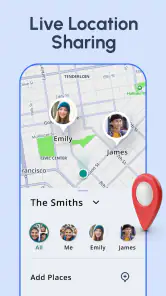
In a nutshell, Scout: Family Location 360 is your go-to app for all things family location tracking. Picture this: a real-time map where you can see where everyone is at any moment. It's like having a GPS but for people! No more frantic calls to find out if someone is stuck in traffic or already at the grocery store.
Getting Started
Setting up the app was a breeze. After downloading from the App Store, I was greeted with a user-friendly interface that walked me through setting up my family circle. It required inviting family members, which was as simple as sending them a link. Once everyone was on board, we were good to go!
One practical tip is to settle expectations while setting up the circle: who needs to see whom, and when is a check-in more appropriate than watching the map? That small conversation can prevent the app from becoming a source of unnecessary worry when someone is simply busy. If a family member does not want continuous sharing, agree on a direct message or call as the fallback rather than treating a quiet map as proof that something is wrong.
Features That Make Life Easy
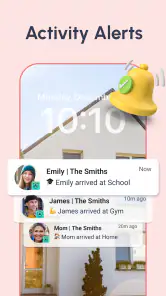
One of the standout features for me is the real-time location tracking. It’s incredibly accurate and updates almost instantly. I also love the feature where I can set up geofences. For those who aren't tech-savvy, a geofence is like a virtual boundary. You can set these up around your home, school, or workplace, and the app will notify you when someone enters or leaves these areas. Talk about peace of mind!
More From Our News Desk

Weather by Xiaomi Review: Clear at a Glance, Less Clear Up Close

X Under Pressure: Can It Recover When Posting Goes Wrong?

Clash of Clans Is Won Between the Battles

Android Auto Makes the Case for Quieter Car Software

MobiOffice: Transforming Mobile Productivity with Seamless Integration

EA SPORTS FC™ Mobile Soccer: Redefining Mobile Sports Gaming
Alerts can be most helpful when they answer a specific question, such as whether a child has reached school or a relative has returned home. I’d keep the boundaries focused on places that matter rather than creating alerts for every regular stop; too many notifications can become background noise. A simple routine—check an arrival alert, then use a message if plans change—makes the map more useful without turning it into a minute-by-minute watch.
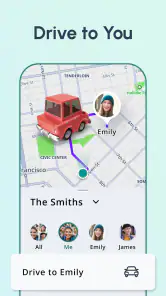
Additionally, there's a cool feature called the "Check-In". Family members can manually check in at their location, which is super handy during travel. And if you've got teenagers, the driving report feature is a game-changer. It provides insights into their driving habits, helping you keep an eye on their safety without being a backseat driver.
Choosing the right tool for the situation
Compared with ordinary messaging, Scout’s advantage is that a location view or check-in can answer basic coordination questions without requiring everyone to type a reply. Compared with a navigation app, its emphasis is family members and shared whereabouts rather than simply planning a route. That distinction matters: if you mainly need turn-by-turn directions, use a navigation tool; if you want occasional updates from friends who do not want to join a family circle, a message or temporary location share may be a better fit.
For a realistic school-day example, a parent could use an arrival alert to know a child has reached a familiar destination, then rely on a check-in during an unusual trip. Driving insights may also give a family something concrete to discuss with a new driver, but I’d treat them as prompts for a calm conversation, not a complete judgement of someone’s ability behind the wheel.
Privacy, habits, and practical limits
Now, I know what you're thinking—what about privacy? Rest assured, the app is designed with family privacy in mind. All location sharing is within the family circle, and you have full control over who sees your location. Plus, there’s an option to turn off location sharing whenever you want, which is a nice touch.
That control is important, but location sharing still works best when it is openly agreed upon. I’d explain why alerts are enabled and make sure each person knows how to pause sharing. Families should also avoid treating a missing or unexpected location update as a reliable account of someone’s intentions; a map can help with logistics, but a call is the sensible next step if there is a genuine concern.
A further trade-off is that the app is most useful when the people you care about are willing to participate and keep it available as part of their routine. If only one person checks it, or family members prefer not to share, its central feature loses much of its value. It is rated for Everyone, but parents should still consider age, maturity and household boundaries before making location visibility a default expectation.
My Personal Take
After using the app for a few weeks, I can genuinely say it’s become a staple in our household. It’s not just about tracking; it’s about staying connected. Whether it's coordinating pick-ups or ensuring everyone’s safe, it’s like having an extra layer of security in our busy lives.
For existing users, the broad mix of location history, alerts and driving insights makes Scout more than a live map: those tools can support different routines without changing the basic idea of a family circle. I wouldn’t assume that a long-running app has made a particular recent change, though; what matters to me is whether the version available on my device behaves reliably and whether its controls fit my family’s agreement. If you already use it, review who is included and whether each alert still earns its place.
Scout is free, which makes it straightforward to try as a family, but the real cost is the attention and trust that location sharing requires. I’d recommend it to households that coordinate frequent pickups, shared errands or travel and are comfortable discussing boundaries. I’d skip it if you want private navigation, occasional one-to-one sharing, or a way to supervise someone without their knowledge; those are different needs, and Scout’s family-circle approach is not the right answer to them.
In conclusion, if you're looking for a reliable family location app that’s easy to use and packed with features, give Scout: Family Location 360 a try. It’s made my life a whole lot simpler, and I bet it will do the same for you. Happy tracking!
Making alerts useful rather than noisy
The most useful way to set up an arrival alert is to treat it as a shortcut for one recurring handoff, not as a substitute for staying in touch all day. For example, if one adult regularly picks up a child and another waits at home, an alert tied to the destination can remove the “Are you there yet?” exchange. If the pickup route changes, a quick message still matters; a location boundary can tell you that someone arrived, but it cannot explain why they were delayed or whether plans have changed.
I would also think carefully about who receives each alert. A family circle can include people with different responsibilities, and not everyone needs every notification. A parent coordinating school arrival may need a prompt that a distant relative does not. Keeping alerts relevant makes it easier to notice the one that matters, while an excess of routine pings can train everyone to ignore them. Before adding another boundary, ask what decision the notification will help you make.
Using location history with context
Location history can be useful when the question is practical rather than investigative: where did we agree to meet, or when did someone leave for the shared errand? I’d use it to reconstruct a plan or resolve a simple coordination mix-up, not to audit every stop after the fact. A record of movement may prompt questions, but it does not provide the full context of a person’s day. If the app becomes a way to challenge ordinary choices, the feature is likely to undermine trust rather than help the household.
That distinction is especially important with teenagers. A driving insight may open a useful conversation about safer habits, but a parent should ask what happened before drawing conclusions from a report. If the aim is to teach responsibility, review the information together and let the young driver explain the circumstances. If the aim is simply to watch without discussion, Scout is unlikely to solve the underlying disagreement about independence.
Where the family-circle approach is strongest
The app makes the most sense for people who already share regular responsibilities: parents handing off school runs, partners coordinating errands, or relatives checking that someone has reached a destination during a trip. In those situations, one shared place can reduce repetitive messages and make an arrival easier to confirm. It is less compelling for a group of friends meeting once, because creating an ongoing family arrangement may be more involvement than a temporary location share or a simple text requires.
It also suits households that can agree on a modest set of rules. I’d decide together which places merit alerts, when people may pause sharing, and what to do if the map is unclear. Those decisions sound small, but they determine whether a location app feels like a convenience or a monitoring system. A family that cannot have that conversation may be better served by ordinary calls and messages until everyone is comfortable with the idea.
What to check before relying on it
Because location tools depend on phones and participation, I would not make an alert the only part of a safety plan. If someone is late, a message or call gives them a chance to explain; if a situation feels urgent, use direct communication rather than waiting for a map to settle the question. The app can help with everyday reassurance, but it should not be treated as an emergency service or as proof that a person is safe simply because a marker appears in a familiar place.
Before a family begins depending on Scout, try a low-stakes routine first. Use it for a familiar pickup or a shared errand, see whether the alerts arrive in a way that suits the household, and adjust the setup together. That trial helps answer the practical question of whether everyone finds the map helpful without making a major family decision based on assumptions. If the arrangement creates more checking and tension than it saves in messages, scale back the sharing or choose a less persistent method.
My overall recommendation is therefore specific: Scout is worth considering when family members actively want a shared location tool and can use it as a convenience rather than a test of trust. Its combination of a map, check-ins, alerts, history and driving insights gives a household several ways to coordinate, but those tools work best when each has a clear purpose. For families who value privacy more than quick arrival updates, or who need route planning rather than shared whereabouts, a standard navigation app, direct messaging or occasional temporary sharing will be a better match.
Scout: Family Location 360 Frequently Asked Questions
Can everyone in my family use Scout on the same kind of phone?
Scout: Family Location 360 is intended to help family members stay connected through shared locations, alerts, and driving insights. Before downloading, check that each person you want to include can install and use the app on their phone. It is also worth making sure everyone is comfortable using location sharing, since the app’s usefulness depends on participating family members being able to share and view locations.
Does Scout help families coordinate everyday plans, or is it only for emergencies?
Scout is designed for more than urgent situations. Its family locator and location history can help members check where relatives are, while alerts can make it easier to follow arrivals or departures and coordinate plans. Driving insights are also part of the app’s feature set. These tools can support everyday family routines, but location sharing works best when everyone agrees on how and when to use it.
Do family members need to agree before sharing their locations in Scout?
It is sensible to discuss location sharing with everyone you plan to connect before setting up Scout. The app is built around sharing locations within a family group, so members should understand who can view their whereabouts and how alerts may be used. Agreeing on expectations can make the app more comfortable for everyone and help prevent misunderstandings about checking locations or responding when plans change.
Is Scout: Family Location 360 suitable for children and families?
Scout: Family Location 360 is a parenting app designed around keeping family members connected through location sharing, alerts, and driving insights. Its content rating is Everyone, and families can use it to coordinate plans and check where participating relatives are. As with any location-sharing app, it works best when family members understand what is shared and agree on how they will use it.
What should I check before setting up Scout with my family?
Before getting started, make sure the family members you want to connect are willing to participate and have the app available on their phones. Scout is built around sharing locations within a family group, so everyone should understand how location visibility and alerts fit into your family’s routine. It can be useful to agree on when to check the map and how to communicate if plans change.
Pros
- User-friendly interface for all ages.
- Real-time location tracking available.
- Customizable alerts for location changes.
- Battery efficient GPS tracking.
- Private family group communication.
Cons
- Requires internet for accurate tracking.
- Subscription needed for premium features.
- May drain battery on older devices.
- Limited features on free version.
- Occasional location update delays.
- Category
- Parenting
- Version
- Varies with device












