POV – Disposable Camera Events
- 106.00
- 4.8
- Installs
- 1.00M
- Price
- Free

Screenshots
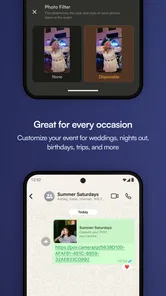
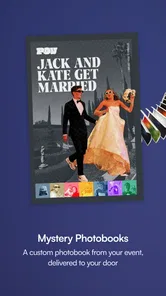
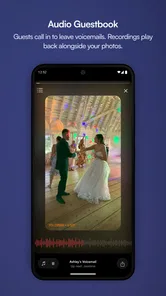
Analysis by Reviewed
I like the idea behind POV – Disposable Camera Events: it turns taking pictures into a shared activity rather than a quick hunt for the perfect shot. That makes it a better fit for gatherings than for everyday photography. The app is free to install, and its event-focused approach gives friends and guests a reason to take part instead of leaving one person to document everything.
A different pace for taking pictures
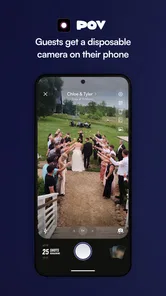
The first thing that hits you about the app is its simplicity. You open it, point, and shoot, without having to fuss over filters or a long list of settings. The limit on how many photos you can take in a session also changes the way you use the camera: each shot feels like a choice, not an invitation to take ten versions and keep one.
That restraint is the central trade-off. I find it useful when a group is together and people are more interested in the occasion than in reviewing every image. It may frustrate anyone who expects instant previews or wants to retake a photo until the lighting and expressions are just right. If you need dependable, immediate pictures of a key moment, your phone’s regular camera is the safer choice.
Where the disposable-camera idea works best
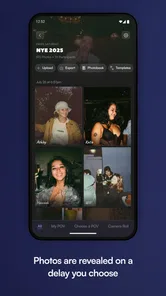
The images are developed virtually after a waiting period, rather than appearing for instant review. That delay gives the group something to look forward to, and the resulting photos have a vintage character, including grain and light leaks. I would treat that look as part of the experience rather than as a reliable way to produce polished, consistent images: its charm depends on being willing to accept imperfect results.
Making an event album work for a group
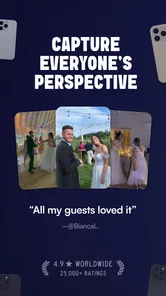
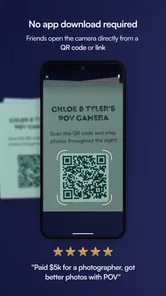
The event mode lets you set up an event, invite friends, and gather everyone’s pictures in a shared album. At a wedding or family get-together, this can bring in viewpoints the host would otherwise miss: the guests arriving, a quiet conversation at the edge of the room, or a candid moment while everyone is focused elsewhere. A useful approach is to invite people before the event starts, so they can join while plans are fresh rather than trying to organize it during a busy moment.
There is a practical compromise, though. A shared collection depends on guests choosing to participate, and not everyone will want another app involved in a celebration. I would still keep a conventional camera option available for formal group shots or anything that needs to be captured immediately. POV is at its best as a complement to those essentials, not as the only camera for an occasion where missing a moment would matter.
Everyday uses and alternatives
For a low-key example, imagine meeting friends for a birthday dinner. Instead of passing one phone around for repeated retakes, everyone can contribute a few spontaneous images and wait to see the collection later. That can make the album feel more like a record of the evening than a set of carefully staged portraits. For a trip with changing plans, the same delayed reveal may be fun; for documenting directions, receipts, or a time-sensitive detail, it is plainly the wrong tool.
More From Our News Desk

Weather by Xiaomi Review: Clear at a Glance, Less Clear Up Close

X Under Pressure: Can It Recover When Posting Goes Wrong?

Clash of Clans Is Won Between the Battles

Android Auto Makes the Case for Quieter Car Software

MobiOffice: Transforming Mobile Productivity with Seamless Integration

EA SPORTS FC™ Mobile Soccer: Redefining Mobile Sports Gaming
Compared with a standard camera app, POV gives up immediate control in exchange for anticipation and a shared event album. Compared with editing-focused photography apps, it puts less emphasis on choosing effects and refining individual shots. That distinction matters: if you enjoy composing and correcting every image, the ordinary camera and an editor give you more control. If you want guests to contribute casually and like the surprise of seeing pictures later, this app offers a more social rhythm.
Who should try it
I would recommend it to hosts planning weddings, parties, or informal gatherings, and to friends who enjoy imperfect, nostalgic-looking photos. It is less suited to people who need to inspect images as they shoot, control the final look closely, or rely on a single device for important event coverage. The limit on shots can encourage presence, but it also means you should think ahead about which moments deserve a photo rather than assuming every moment can be repeated.
POV – Disposable Camera Events is an app from Untitled Tech, Inc. in the events category. It has a 4.6 average from around 4,800 ratings, with over 500,000 installs. It is free, rated Teen, and its current version is 1.44.170; in-app purchases range from $4.99 to $89.99 per item. It runs on Android 6.0 and up. Those purchases are worth keeping in mind if you are deciding how much of the experience to use, especially when planning an event, rather than assuming every option will be free.
Reliving the Old-School Photography Vibe
Once you download the app, you're greeted with a minimalistic design that echoes the charm of analog cameras. It’s almost like stepping into a time machine, transporting you back to the days when photography was about capturing the moment, not perfecting it. The app limits the number of photos you can take in a session, adding a delightful layer of anticipation because you can't see your shots until later.
Getting Started
Once you download the app, you're greeted with a minimalistic design that echoes the charm of analog cameras. It’s almost like stepping into a time machine, transporting you back to the days when photography was about capturing the moment, not perfecting it. The app limits the number of photos you can take in a session, adding a delightful layer of anticipation because you can't see your shots until later.
Why It Stands Out
What makes this app truly special is how it handles your photos. Once you've snapped away, your images are developed "virtually" over a set period, just like in the old days. This waiting period adds a sense of excitement and nostalgia, reminding us of the days when we eagerly awaited our photos from the lab.
The resulting images have a distinct vintage feel, complete with grainy textures and light leaks that you can’t quite replicate with typical digital apps. It's perfect for anyone looking to add a genuine retro touch to their digital photo collection.
Perfect for Events
Whether you’re at a wedding, a family gathering, or just hanging out with friends, this app captures the spirit of the occasion beautifully. The limitations on instant viewing make you more present in the moment, rather than obsessing over retakes and edits.
One of the best features is its event mode. You can set up an event, invite friends, and everyone can contribute photos to a shared album. It’s like having a collective photo album that everyone gets to fill with their unique perspectives.
How I’d plan around the delayed reveal
For an event with a schedule, I would decide in advance which parts suit this camera and which need reliable coverage. A toast, first dance, or quick family portrait is too important to leave to a camera whose images are not available for immediate checking. The arrival, table details, and relaxed conversations are better candidates: they benefit from spontaneous contributions, and nobody needs to stop the occasion to inspect every frame.
This split approach also answers a practical question: do you need to choose between POV and your phone camera? I wouldn’t. Let a regular camera handle essential, time-sensitive shots, then use the shared event album for the informal record. That avoids treating the app as a replacement for every camera while still giving it a clear job that suits its limits.
Small choices that improve the group experience
I’d send invitations early and explain the basic idea in one sentence: take a few pictures during the gathering, then enjoy the collection later. That short explanation matters because guests may otherwise expect a normal camera with instant previews. It also makes participation feel optional rather than like another task on the party checklist.
It helps to think about who will actually use it. A group of close friends may be comfortable joining a shared album, while a large mixed-age gathering may include guests who prefer not to install another app. I would avoid making the event depend on universal participation; even a smaller set of contributors can add useful angles, and the celebration should work just as well for people who simply want to be present.
Choosing the right kind of event
The app’s strongest use is not necessarily the biggest or most formal occasion. A casual reunion, a weekend away with friends, or a birthday dinner can be easier settings because expectations are relaxed and nobody is relying on the album as the official photographic record. For a wedding, it works best as a guest-side extra alongside dependable coverage, not as the sole plan for preserving important moments.
There is also a social trade-off in the disposable-camera concept. Limiting shots can reduce the impulse to stage every scene, but it can make some guests cautious about pressing the shutter. If the group is naturally playful, that scarcity can make each contribution feel thoughtful. If people are shy or worried about wasting a shot, a simple nudge to photograph ordinary details—not just posed faces—can help them get past the pressure of choosing the “perfect” moment.
What to expect from the look
The vintage treatment is a point of view, not a guarantee that every picture will suit every taste. Grain and light leaks can make a candid feel warm and atmospheric, but they can also distract from a carefully composed image or soften details you wanted to preserve. I would choose this app because I like that unpredictable character, not because I expect it to improve every photograph.
That distinction is useful when deciding what to photograph. Try it on scenes where mood matters more than exact color or crisp detail: a crowded table, friends laughing between activities, or the room before guests arrive. For a product photo, a readable note, or a portrait where everyone needs to look their best, a standard camera gives you a better chance to check and adjust the result.
Privacy, participation, and practical expectations
A shared album changes the social context of a picture: a guest is contributing to a group collection rather than keeping every image on their own phone. Before inviting people, I would make that purpose clear and let them decide whether they want to take part. That is especially considerate at family events where not everyone wants to be photographed or to use the same apps.
Another useful expectation to set is that the album’s character depends on the people in it. One person may take wide views of the room while another catches small candid exchanges; that variety is the point, but it also means the collection will not look like a tightly edited photo set. If you want a consistent sequence with every key moment covered, assign that job to a dedicated photographer or use a conventional camera workflow alongside the shared album.
Where it sits among event-photo options
At one end, a phone’s built-in camera is the practical choice for immediate results, repeat attempts, and shots that need to be checked on the spot. At the other, an editing app suits someone who wants to shape each image after taking it. POV occupies a different middle ground: it makes the act of contributing part of the gathering and trades control for delayed discovery. A disposable film camera can create a similar anticipation, but this app’s shared event album makes the group contribution central rather than leaving every roll with one person.
That does not make it the best fit for every crowd. If guests are reluctant to install an app, if reliable coverage matters more than surprise, or if you want to curate every image before anyone sees it, the familiar phone-camera approach is simpler. If your priority is a relaxed, collective memory with a looser visual style, the compromise is much easier to justify.
My recommendation for hosts
I would use POV as a low-pressure activity, not as a duty guests must complete. Mention it before the event, make clear that ordinary participation is enough, and keep important photos covered by another method. That small bit of planning prevents two common disappointments: guests wondering why they cannot review shots immediately, and hosts expecting a complete record from a tool designed around spontaneous contributions.
For Android users, the app requires version 6.0 or later, so it can suit a range of devices that meet that requirement. Its Teen content rating is another detail families may want to consider when deciding whether it fits their household. I would also review any in-app purchase choices before building them into an event plan; the app is free to install, but some items are priced separately.
Final Thoughts
If you’re tired of the same old digital photos and want to embrace a more authentic photography experience, the POV – Disposable Camera Events app is a must-try. It's not just about taking pictures; it's about reliving the joy of photography in its most sincere form. Trust me, this app is a real gem for anyone looking to add a bit of nostalgic flair to their photo-taking adventures.
POV – Disposable Camera Events Frequently Asked Questions
Is POV – Disposable Camera Events free to download?
POV – Disposable Camera Events is free to download, so you can try its disposable-camera style without paying upfront. The app also offers in-app purchases, with items ranging from around five dollars to around ninety dollars. Those purchases may be relevant if you want more event features or additional camera options, so check the purchase details in your app store before confirming anything.
Is POV – Disposable Camera Events suitable for weddings and parties?
Yes. POV is designed for weddings, parties, and other events, making it a way for guests to capture moments with a disposable-camera feel. Its event-oriented approach can make photos feel more spontaneous than carefully staged smartphone pictures. It is especially suited to groups who want to collect and share candid memories, while the app’s Teen content rating is useful to keep in mind when younger guests are involved.
What is POV – Disposable Camera Events app?
POV – Disposable Camera Events is a unique photography app that emulates the experience of using a disposable camera. It lets users capture photos with a vintage feel and offers limited shots, similar to a real disposable camera. This app is designed for those who enjoy retro photography and want to relive the nostalgic experience of taking photos and waiting for them to develop. It is developed by Untitled Tech, Inc., and its event focus makes it relevant for gatherings as well as personal photography.
How does the limited shot feature work in the app?
The limited shot feature in POV – Disposable Camera Events works by restricting the number of photos you can take, just like a real disposable camera. Once you've used up your allocated shots, you must either wait for them to "develop" or purchase additional rolls. This feature encourages users to be selective and thoughtful about the photos they capture, enhancing the nostalgic feel of using a disposable camera. If you are planning to use it throughout an event, consider that this approach is less suited to taking an unlimited stream of pictures.
Can I edit my photos after taking them with the app?
No, the POV – Disposable Camera Events app does not allow users to edit photos after taking them. The app is designed to replicate the experience of using a disposable camera, where the photos come out as they are. This feature encourages authenticity and spontaneity in photography, appealing to users who appreciate the raw and unfiltered nature of disposable camera photos. If editing and applying filters afterward are essential to your usual workflow, this deliberately simple approach may not be the right fit.
Pros
- Authentic vintage photo effects.
- User-friendly interface design.
- Customizable camera settings.
- Instant sharing to social media.
- Includes event-specific filters.
Cons
- Limited editing features available.
- Requires in-app purchases for extras.
- Occasional app crashes reported.
- High battery consumption.
- Lacks cloud backup option.











