Popsa | Print Your Photos
- 621.00
- 4.7
- Installs
- 5.00M
- Price
- Free

Screenshots
Analysis by Reviewed
Ever wanted to turn those cherished moments on your phone into something tangible? That's where Popsa comes in, a delightful app that makes printing your photos a breeze. Let me walk you through my experience with this digital-to-physical photo journey.
Turning Pixels into Precious Prints
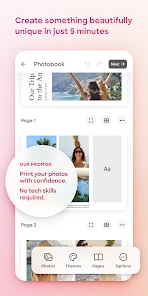
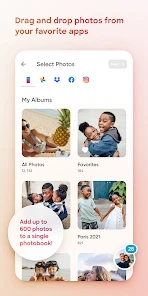
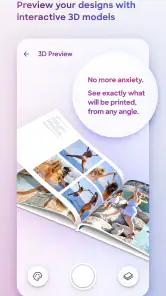
Imagine this: you're scrolling through your gallery, reminiscing over that vacation or family reunion, and you think, "Wouldn't these look great in a photo book?" Well, Popsa has got you covered. With its user-friendly interface, creating a photo book is as easy as pie. You simply select your photos, choose a layout, and voilà, your memories are on their way to being beautifully printed.
User Experience
One of the first things I noticed was how intuitive the app is. As someone who isn't particularly tech-savvy, I appreciated the simple navigation. The app guides you seamlessly from photo selection to the checkout process without any hiccups. It's almost like having a personal assistant right in your pocket!
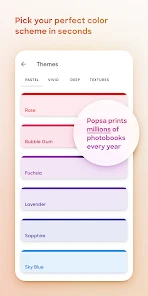
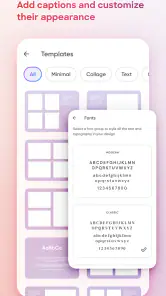
Moreover, the customization options are a dream come true for those of us who like a personal touch. Whether it's adjusting the photo layout, adding captions, or selecting different background colors, Popsa makes it feel like your photo book is truly yours.
Quality That Speaks Volumes
Now, let's talk about the quality. I was a bit skeptical at first, wondering if the prints would do justice to the vibrant photos on my phone. But when my photo book arrived, I was blown away. The colors were rich, the paper was of high quality, and the binding was top-notch. It felt like a professional photo book you'd find in a store, but with my personal memories captured inside.
Convenience at Your Fingertips
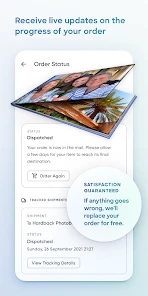
Another highlight is the convenience factor. You can create and order your photo books anytime, anywhere. Whether you're lounging at home or on a coffee break, Popsa makes it possible to transform your photos into keepsakes without a hitch. Plus, the delivery is swift, so you won't have to wait long to relive those precious moments.
Not to mention, Popsa also offers other products like calendars and prints, so if you're feeling creative, there are plenty of options to explore.
In conclusion, if you're looking for an easy and efficient way to print your photos, Popsa is a fantastic choice. With its user-friendly design, high-quality prints, and the ability to customize, it truly stands out in the sea of photo printing apps. So go ahead, give it a try, and let your memories come to life!
Pros
- User-friendly interface.
- High-quality photo prints.
- Variety of photo book options.
- Fast delivery service.
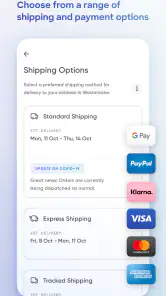
- Secure payment methods.
Cons
- Limited editing tools.
- Occasional app crashes.
- Higher price range.
- Limited international shipping.
- No cloud storage integration.

- Category
- Photography
- Version
- 5.84.4











