PixVerse: AI Video Generator
- 28.63K
- 4.5
- Installs
- 10.00M
- Price
- Free

Screenshots


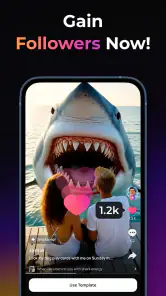
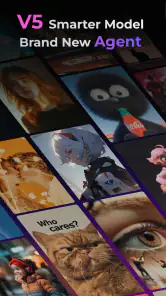
Analysis by Reviewed
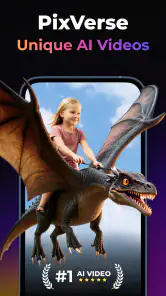
Have you ever wished to have a magical wand that could transform your imagination into mesmerizing videos? Well, let me introduce you to PixVerse: AI Video Generator, a nifty app that might just be the next big thing in video creation. This app is like having a mini production studio in your pocket, making video creation as easy as pie.
Getting Started with PixVerse
First things first, downloading and setting up PixVerse: AI Video Generator is a breeze. Available on both Android and iOS, you can find it on your respective app store. Once installed, the app greets you with a sleek and intuitive interface that even a newbie can navigate without breaking a sweat.
Features That Wow
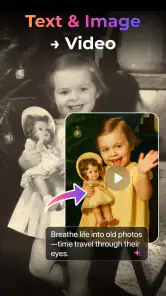
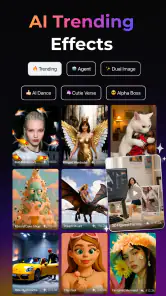
Now, let's dive into what makes PixVerse a standout. The app boasts a variety of templates to choose from, catering to different themes and moods. Whether you're into travel vlogs, cooking videos, or just want to create something artsy, PixVerse has got you covered. The AI-driven engine is the star of the show here, transforming your raw clips and images into professional-grade videos.
One of the features I absolutely adore is the real-time editing capability. It’s like magic; you tweak a few things here and there, and voila, you have a masterpiece ready to be shared with the world. The app also supports various file formats, which means you don’t have to worry about compatibility issues.
Why You’ll Love It
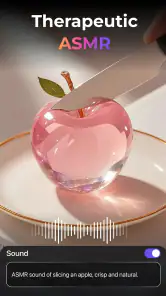
Who doesn’t love a bit of customization? PixVerse offers a plethora of customization options. From adjusting the color tones to adding catchy soundtracks, the sky’s the limit. Plus, the app’s AI suggests edits based on the content, taking some workload off your shoulders and letting you focus on the creative aspect.
Another sweet perk is the community feature. You can share your creations within the app, get feedback, and even collaborate with fellow creators. It’s like social media, but more focused and supportive, which is pretty refreshing.
Final Thoughts
All in all, PixVerse: AI Video Generator is a game changer for anyone looking to dive into video creation without the steep learning curve. It’s packed with features that are both easy to use and incredibly powerful, making it suitable for both beginners and seasoned pros. So, if you're looking to spice up your video content, give PixVerse a whirl. It might just become your new favorite app for video creation!
Pros
- User-friendly interface for beginners
- High-quality video output
- Fast processing times
- Wide range of AI effects
- Supports various video formats
Cons
- Limited customization options
- Requires internet connection
- Subscription model for full features
- Occasional bugs in effects
- No offline editing capability

- Category
- Photography
- Version
- 3.9.1











